
TL;DR: The best Seeking Alpha alternatives for data-driven investors are Koyfin for fundamentals dashboards, Stock Rover for deep screening, Finviz Elite for fast screens and CSV exports, and TradingView for charting and scripting. Prices run from free tiers to about $199 per month. This guide compares nine tools on data depth, exports, backtesting and price, plus three research services for contrast.
Seeking Alpha Premium now renews at $299 a year, and PRO renews at $2,400 a year, according to its subscription page as of November 2026. That is a lot to pay if what you really want is clean data.
Here’s the honest split. Seeking Alpha sells opinions: analyst articles, Quant Ratings and an AI research assistant. Its screeners exist, but they are not the main product.
If you build your own models, you care about other things. Can you screen on any metric? Can you export to CSV? Can you backtest a rule before you put money behind it?
So I looked at the seekingalpha alternatives from that angle. I read the pricing pages, plan comparison tables and docs for each tool. I sorted them into data platforms, charting and backtesting tools, and research services.
One quick note: this compares research tools. It is not financial advice.
Quick Comparison: Seeking Alpha Alternatives at a Glance
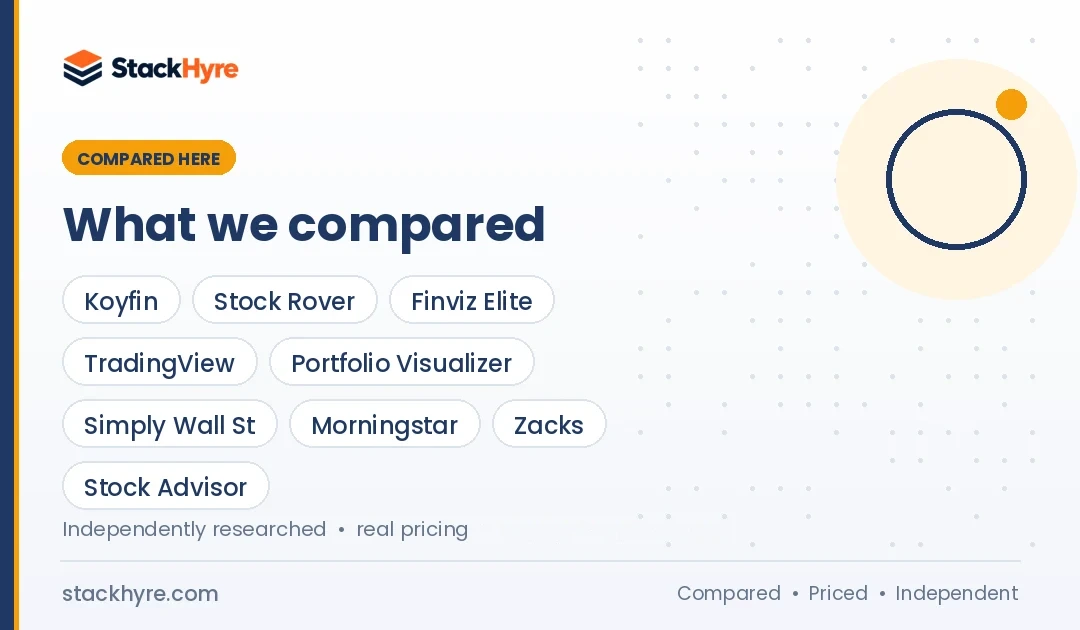
| Tool | Best For | Starting Price (Nov 2026) | Key Feature |
|---|---|---|---|
| Koyfin | Fundamentals dashboards | Free; Plus $39/mo | 10 years of financials and estimates on Plus |
| Stock Rover | Deep fundamental screening | $29/mo billed annually | Four tiers up to Ultimate Pro |
| Finviz Elite | Fast screens and exports | $24.96/mo billed annually | Export screeners and data to CSV or Excel |
| TradingView | Charting and Pine Script | $12.95/mo billed annually | Pine Script on every paid plan |
| Portfolio Visualizer | Portfolio backtesting | Free; Basic $30/mo billed annually | Backtests, Monte Carlo, factor regression |
| Simply Wall St | Visual company reports | Free tier; see pricing page | 5 free company reports a month |
| Morningstar Investor | Fund and ETF research | See pricing page | Analyst fair value and moat ratings |
| Zacks Premium | Earnings revision signals | See pricing page | Zacks Rank and Earnings ESP filter |
| Motley Fool Stock Advisor | Done-for-you stock picks | $99 first year, then $199/yr | Two picks a month |
What Makes a Good Seeking Alpha Alternative for Data-Driven Investors?
A good Seeking Alpha alternative for hands-on investors gives you raw, deep data you can query, not just opinions. Look for long financial history, a screener that filters on any metric, export to CSV or Excel, and a way to test rules on past data. Price matters less than whether the data fits your own workflow.
Seeking Alpha’s strength is its writer network. Thousands of contributors publish takes on stocks that big banks ignore. If that is what you read it for, a data tool will not replace it.
But many technical readers use Seeking Alpha for the numbers tab, the Quant grades and the screener. Those parts have stronger substitutes. A dedicated data platform usually goes deeper for less money.
Here is what I weighed most:
- History depth. Ten years of financials lets you see a full cycle. Two years does not.
- Screener flexibility. Can you build custom filters, save them and get alerts?
- Export. If you can’t pull data into Python, a notebook or a spreadsheet, you are stuck in the vendor’s UI.
- Backtesting. Testing a rule on past data is the cheapest way to find out it doesn’t work.
- Cost per useful feature. Some tools gate the one feature you need behind the top tier.
Best Data Platforms for Fundamentals and Screening
#1 Koyfin: Best for fundamentals dashboards
Koyfin is the closest thing to a Bloomberg-style terminal that a retail investor can afford.
What it does well. Koyfin puts financials, estimates, charts and screens in one dashboard. You can line up peers side by side and chart almost any metric over time. For people who think in tables and time series, it feels natural fast.
Key features:
- Plus plan includes 10 years of financials and 10 years of estimates
- Stock and ETF screener with unlimited watchlists and screens on Plus
- Free plan with 2 years of financials and 2 saved screens
- Mutual fund screener on the Advisor tiers
Pricing. As of November 2026, Koyfin’s pricing page lists Free at $0, Plus at $39 per month, Premium at $79 per month, Advisor Core at $209 per month and Advisor Pro at $299 per month. Check the page for annual billing terms.
Best for: Investors who want deep fundamentals and clean charts without paying terminal prices.
Limitations. The free plan is a taste, not a tool. Two years of financials won’t show you a full business cycle. And the jump to Advisor tiers is steep if you need fund screening.
#2 Stock Rover: Best for deep fundamental screening
Stock Rover is built for people who like to screen on dozens of metrics at once and rank the results.
What it does well. Stock Rover’s whole pitch is finding, evaluating and comparing stocks. It is a heavy research workbench, closer to a spreadsheet with a database behind it than a news site. If you liked Seeking Alpha’s factor grades, this is where you build your own.
Key features:
- Four paid tiers: Premium, Premium Plus, Ultimate and Ultimate Pro
- Monthly, annual and 2-year billing options
- Screening, comparison and portfolio tools across the plans
- Larger discounts for longer commitments
Pricing. As of November 2026, Stock Rover’s plans page lists Premium at $34 monthly or $29 per month billed annually ($348 a year). Premium Plus is $70 monthly or $49 per month annually ($588 a year). Ultimate is $99 monthly or $79 per month annually. Ultimate Pro is $199 monthly or $149 per month annually.
Best for: Value and dividend investors who want to build and rank their own screens.
Limitations. The interface is dense. Expect a learning curve. And the best features sit on Premium Plus and above, so the entry plan may feel thin. Check the plan table for how many years of history each tier includes.
#3 Finviz Elite: Best for fast screens and data exports
Finviz Elite is the quickest way to go from an idea to a filtered list in a CSV file.
What it does well. Finviz’s free screener is already famous for speed. Elite adds real-time data and, more useful for technical readers, exports. The Elite page says you can export screeners, prices, portfolios and groups to Excel or CSV. It even pitches this for automated workflows and AI agents.
Key features:
- Real-time quotes, including premarket and after-hours sessions
- Export of screener results and other data to CSV or Excel
- Unlimited email and push alerts on news, ratings, insider trades, SEC filings and price moves
- Screener alerts when new stocks match your filters
Pricing. As of November 2026, Finviz Elite costs $39.50 per month or $299.50 per year, which works out to $24.96 per month.
Best for: Developers and quants who want a cheap, quick feed of screen results to pipe into their own scripts.
Limitations. Finviz is wide, not deep. Fundamentals are snapshot style, so it won’t replace Koyfin for ten-year trends. The Elite page does not mention a formal API, so plan around file exports.
Best Tools for Charting and Backtesting
#4 TradingView: Best for charting and scripting
TradingView is the default charting tool for a reason, and Pine Script makes it a light programming environment too.
What it does well. The charts are fast and flexible. Pine Script lets you write your own indicators and strategies, then run them against history on the chart. For a developer, that is a big step up from reading someone else’s rating.
Key features:
- Pine Script on every paid plan
- Indicators per chart: 5 on Essential, 10 on Plus, 25 on Premium, 50 on Ultimate
- Chart data export on paid plans
- Large community library of public scripts
Pricing. As of November 2026, TradingView’s pricing page lists Essential at $12.95, Plus at $29.95, Premium at $59.95 and Ultimate at $199.95 per month, billed annually. Monthly billing costs more; check the page.
Best for: Technical traders and anyone who wants to code and test their own signals.
Limitations. Fundamentals are lighter than on Koyfin or Stock Rover. And real-time exchange data can add fees on top of the plan. Read the fine print before you pick a tier.
#5 Portfolio Visualizer: Best for portfolio backtesting
Portfolio Visualizer answers one question very well: how would this mix of assets have done?
What it does well. You enter a portfolio and it shows returns, drawdowns and risk over past periods. It also runs Monte Carlo simulations, optimization and factor regression. Seeking Alpha has nothing like it.
Key features:
- Portfolio backtesting and Monte Carlo simulation
- Portfolio optimization and factor regression
- Tactical allocation models
- Excel, CSV and PDF export listed in the plan table
Pricing. As of November 2026, Portfolio Visualizer’s pricing page lists a Free plan, Basic at $30 per month and Pro at $55 per month, both billed annually. Features like saved models and exports depend on the tier.
Best for: Asset allocators, ETF investors and anyone testing a strategy before committing.
Limitations. It is not a stock research tool. There are no analyst notes, no news and no single-stock deep dives. And a good backtest is not a forecast, so treat results as a sanity check.
Best Visual and Rating-Based Research Tools
#6 Simply Wall St: Best for visual company reports
Simply Wall St turns financial statements into charts and its “snowflake” score, so you can read a company in minutes.
What it does well. It is the most approachable tool here. Its reports show valuation, growth, health and dividends as visuals. It also offers curated screeners and portfolio tracking.
Key features:
- Free plan with 5 company reports a month
- Premium plan with 30 reports a month and 3 advanced portfolios
- Unlimited plan with unlimited reports and portfolios
- 7-day Premium trial with no credit card required
Pricing. The plans page lists Free, Premium and Unlimited, but I could not confirm current prices from the page itself. Check the current price on Simply Wall St’s plans page before you sign up.
Best for: Investors who want a quick visual read on a company before going deeper.
Limitations. For data people, this is the weak spot. The plan table shows no Excel or PDF export on Free or Premium. So it is a reading tool, not a data source.
#7 Morningstar Investor: Best for fund and ETF research
Morningstar Investor is the pick if your portfolio is mostly funds and ETFs.
What it does well. Morningstar’s analyst ratings, fair value estimates and economic moat ratings are long-running and widely cited. Its fund research is deeper than anything Seeking Alpha offers. Portfolio tools show what you actually own across funds.
Key features:
- Analyst fair value estimates and moat ratings on covered stocks
- Fund and ETF ratings and research
- Screeners for stocks and funds
- Portfolio analysis across holdings
Pricing. I could not load Morningstar’s product page while researching this guide. Check the current price on Morningstar’s site before you subscribe.
Best for: Long-term fund and ETF investors who value independent analyst ratings.
Limitations. It is more of a research reader than a data workbench. If you want bulk exports or custom backtests, pair it with Portfolio Visualizer.
#8 Zacks Premium: Best for earnings revision signals
Zacks is the closest match to Seeking Alpha’s Quant Ratings, because both are model-driven grades.
What it does well. Zacks Rank is built around earnings estimate revisions. The Zacks Premium page lists the #1 Rank List, Style Scores views and the Earnings ESP filter for stocks likely to beat estimates.
Key features:
- Zacks #1 Rank List with daily top movers by Value, Growth, Momentum, Income and VGM
- Focus List portfolio of 50 long-term stocks
- Custom stock screener plus premium screens
- Equity research reports on more than 1,000 widely followed stocks
Pricing. The Premium page offers a free trial but does not show the annual price. Check the current price on Zacks’ sign-up page.
Best for: Investors who want a quant-style rating that is built on one clear signal.
Limitations. The site is busy and full of upsells. And a single-factor rank is easy to over-trust. Test it on your own watchlist before you rely on it.
Research Newsletter Option for Comparison
#9 Motley Fool Stock Advisor: Best for done-for-you stock picks
Stock Advisor is the opposite of a data tool. You get picks, not raw numbers.
What it does well. It is simple. You get two new stock picks a month with a written case for each. For readers who want ideas to research rather than a screener, that is the whole value.
Key features:
- Two picks a month, released on the first and third Thursday
- Written rationale for each pick
- 30-day membership fee back guarantee
- Can be bundled into the larger Epic tier
Pricing. As of November 2026, Stock Advisor lists at $199 a year, with a $99 first-year rate for new members. The Epic bundle is $499 a year.
Best for: Busy investors who want a short list of ideas each month.
Limitations. No exports, no backtesting, no custom screens. If you are a hands-on investor, use it as an idea feed and do the checking in Koyfin or Stock Rover.
Visit Motley Fool Stock Advisor
How Does Seeking Alpha Compare on Price?
Seeking Alpha Premium renews at $299 a year and PRO at $2,400 a year, as of November 2026. Data tools like Finviz Elite ($299.50 a year) and Stock Rover Premium ($348 a year) cost about the same as Premium. Nothing on this list comes close to PRO’s price, which buys curated quant portfolios and top analyst ideas.
| Plan | Annual Cost (Nov 2026) | What You Mainly Pay For |
|---|---|---|
| Seeking Alpha Premium | $299 | Analyst articles, Quant Ratings, AI assistant |
| Seeking Alpha PRO | $2,400 | PRO Quant Portfolio, top analyst ideas |
| Finviz Elite | $299.50 | Real-time data, exports, alerts |
| Stock Rover Premium | $348 | Fundamental screening |
| Motley Fool Stock Advisor | $99 first year, then $199 | Two picks a month |
Seeking Alpha also runs a $4.95 first-month offer on Premium and a $99 first-month offer on PRO for new subscribers. Those intro prices are great for a trial. Just put the renewal date in your calendar.

How Should You Choose the Right Seeking Alpha Alternative?
Start with what you actually do each week. If you screen and model, pick a data platform with long history and exports. If you trade on charts, pick a charting tool with scripting. If you rebalance funds, pick a backtester. Then add one research source for ideas, and drop anything you don’t open.
Here is how I’d match tools to workflows:
- You build models in Python or a spreadsheet. Finviz Elite for cheap exports, plus Koyfin for history.
- You want custom factor screens. Stock Rover on Premium Plus or higher.
- You trade technical setups. TradingView, and write your own Pine Script.
- You hold ETFs and index funds. Portfolio Visualizer for testing, Morningstar for fund research.
- You miss Seeking Alpha’s Quant grades. Zacks Premium is the nearest model-driven match.
Most people overpay by stacking three overlapping tools. Pick one data source and one idea source. That is enough for almost everyone.
Also check the boring stuff. Does the plan auto-renew at a higher price? Is there a refund window? Koyfin’s pricing page covers its guarantee and auto-renewal terms, and Stock Advisor offers a 30-day fee back guarantee.
Can You Replace Seeking Alpha With Free Tools?
Partly, yes. Koyfin, Portfolio Visualizer and Simply Wall St all have free plans, and Finviz has a free screener. Together they cover basic screening, charts and backtests. What you lose is history depth, exports and saved screens, which is exactly what data-driven investors use most.
Free tiers are fine to learn a tool. Koyfin Free gives you 2 years of financials and 2 screens. Simply Wall St Free gives you 5 company reports a month. Those caps show up fast once you research more than a few names.
My advice: run the free plan of your top choice for two weeks. If you hit the limit every day, pay for it. If you don’t, you didn’t need it.
How I Evaluated These Tools
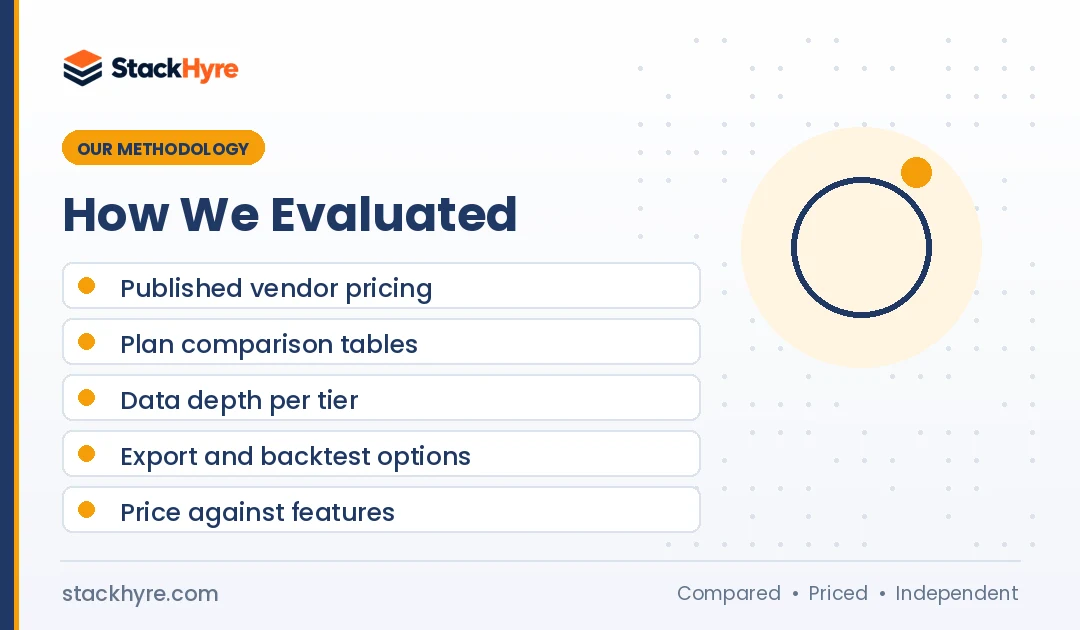
I did not buy and test these subscriptions. I compared them using what the vendors publish: pricing pages, plan comparison tables, feature pages and help docs. All prices come from each vendor’s own page as of November 2026. Where a page did not show a price, I say so and send you to check it.
I scored each tool on five things:
- Data depth. Years of financials and estimates on each plan.
- Screening. Custom filters, saved screens and alerts.
- Export and access. CSV, Excel or chart data downloads.
- Backtesting. Ways to test rules or portfolios on history.
- Price fairness. What each tier costs against what it unlocks.
Vendor claims are labeled as the vendor’s. I have no paid relationship with any tool on this list. You can read more in my editorial policy.
The Bottom Line
Seeking Alpha is a good reading product. But if you are a hands-on investor, you are mostly paying for opinions you could form yourself with better data.
My pick for most technical readers is Koyfin for fundamentals plus Finviz Elite for quick exports. That pair costs less than many single premium research plans and gives you data you can actually work with.
Choose Stock Rover if you live in screens. Choose TradingView if you think in charts and code. Add Portfolio Visualizer if you hold funds.
Keep one idea source, like Seeking Alpha Premium or Stock Advisor, only if you read it every week. Start with free plans, find your limit, then pay for the one tool you hit it on.
Frequently Asked Questions
What is the best Seeking Alpha alternative for data-driven investors?
For most hands-on investors, Koyfin is the best Seeking Alpha alternative. Its Plus plan includes 10 years of financials and estimates, plus unlimited screens and watchlists, for $39 a month as of November 2026. Pair it with Finviz Elite if you need quick CSV exports for your own scripts or spreadsheets.
How much does Seeking Alpha Premium cost in 2026?
As of November 2026, Seeking Alpha’s subscription page shows Premium renewing at $299 a year, with a $4.95 first-month offer for new subscribers. PRO renews at $2,400 a year, with a $99 first-month offer. Prices and offers change, so confirm on Seeking Alpha’s subscriptions page before you sign up.
Which Seeking Alpha alternative lets you export data?
Finviz Elite is the simplest choice. Its Elite page says you can export screeners, prices, portfolios and groups to CSV or Excel. TradingView paid plans allow chart data downloads. Portfolio Visualizer lists Excel, CSV and PDF export in its plan table. Simply Wall St does not list export on its Free or Premium plans.
Is there a Seeking Alpha alternative with backtesting?
Yes. Portfolio Visualizer is built for backtesting portfolios and also runs Monte Carlo simulations and factor regression, with a free plan available. TradingView lets you write strategies in Pine Script and run them against chart history. Seeking Alpha does not offer either kind of backtesting tool.
Is Zacks or Seeking Alpha better for quant ratings?
Both sell model-driven grades. Seeking Alpha’s Quant Ratings blend metrics like profitability and valuation, according to its subscription page. Zacks Rank is built around earnings estimate revisions and adds an Earnings ESP filter. If you want one clear signal, Zacks fits. If you want ratings plus analyst articles, Seeking Alpha fits better.

The StackHyre Editorial Team writes about proxies, web scraping and email infrastructure. We compare providers using published pricing, official documentation and third-party reviews. All content is for educational and informational purposes only.