
TL;DR: My pick for most SaaS apps is Postmark if inbox speed matters most, Amazon SES if cost matters most, and Resend if your team lives in React and TypeScript. Paid plans start around $7 to $20 a month, and SES charges $0.10 per 1,000 emails, as of October 2026. Below I compare nine services, plus a buyer’s checklist and links to every deeper guide.
Email that never lands costs you users. In its 2025 Email Deliverability Benchmark Report, Validity found that 1 in 6 marketing emails never reached the inbox in 2024.
That number covers marketing mail. But your password resets, login codes and invoices run through the same mailbox filters. If they land in spam, people can’t log in. They churn, or they open a support ticket.
The rules also got stricter. Gmail and Yahoo started enforcing new sender requirements in February 2024. Microsoft followed for Outlook.com in May 2025. Your email provider now does a lot of the heavy lifting on authentication and reputation.
This page is the hub for my whole transactional email library. If you’re not sure which messages count as transactional, start with my guide to transactional vs marketing email. If cost is your main question, my transactional email pricing breakdown compares plans at different volumes.
I went through each vendor’s pricing page, docs and ownership history. You’ll get a quick table, a short review of each service and a checklist to help you choose.
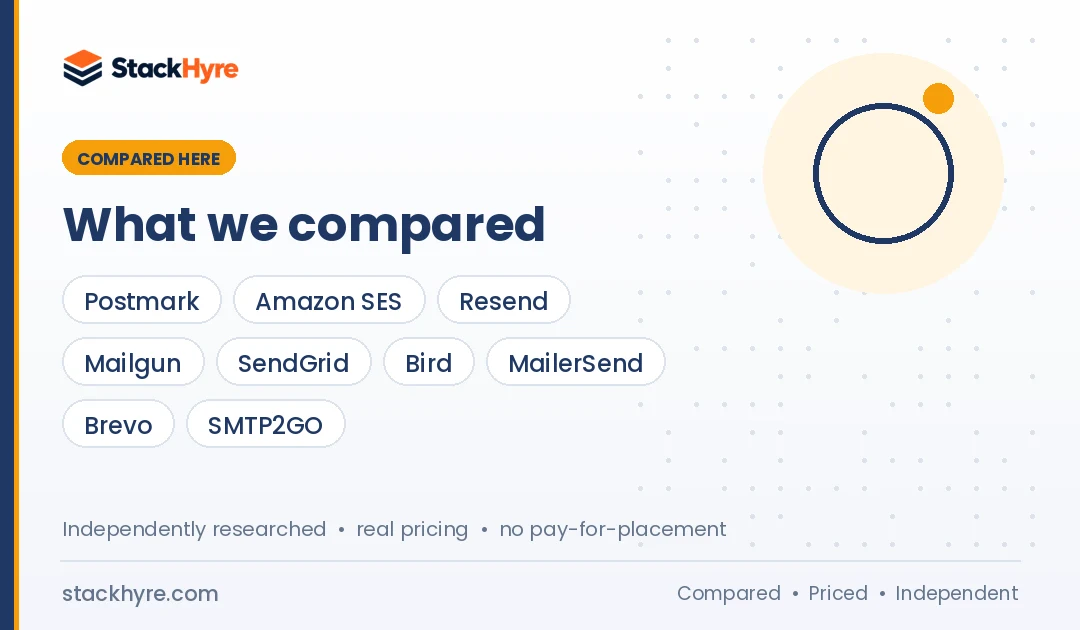
Quick Comparison: 9 Best Transactional Email Services for SaaS in 2026
| Service | Best For | Starting Price (Oct 2026) | Key Feature |
|---|---|---|---|
| Postmark | Fast, reliable app email | $15/mo for 10,000 emails | Separate streams and IPs for broadcast |
| Amazon SES | Lowest cost at scale | $0.10 per 1,000 emails | Pay as you go inside AWS |
| Resend | React and TypeScript teams | Free 3,000/mo, then $20/mo | Send React Email components |
| Mailgun | Flexible APIs and EU region | Free 100/day, then $15/mo | EU region endpoint |
| SendGrid | Teams already on Twilio | $19.95/mo (Essentials) | Dedicated IP on Pro |
| Bird (SparkPost) | High volume on a deposit model | Free 1,000/mo, then $15 deposit | $0.40 per 1,000 on Startup |
| MailerSend | Small SaaS on a budget | Free 500/mo, then $7/mo | Drag and drop template builder |
| Brevo | Marketing and transactional in one | Free 300/day, then $9/mo | CRM and campaigns included |
| SMTP2GO | Simple SMTP relay | Free 1,000/mo, then $10/mo | Easy SMTP setup |
What Makes a Great Transactional Email Service for SaaS?
A great transactional email service gets one-to-one app messages, like password resets and receipts, into the inbox within seconds. It handles SPF, DKIM and DMARC setup, keeps transactional traffic apart from bulk mail, and gives you clean APIs, webhooks and searchable logs. Pricing should stay predictable as your user base grows, without forcing a costly jump at each tier.
Speed is the first test. A login code that shows up two minutes late is a failed login. So look for services that protect their shared IPs from bulk senders.
Authentication is the second test. Gmail’s email sender guidelines now require SPF and DKIM, plus DMARC, for anyone sending 5,000 or more messages a day to personal Gmail accounts. Your provider should walk you through those DNS records. My email deliverability guide covers each record step by step.
Visibility is the third test. When a customer says “I never got the email,” you need logs. Retention varies a lot, from one day on some free plans to 45 days on Postmark’s paid plans.
Last, think about the long run. Moving providers later means new DNS records, new webhooks and code changes. Pick one you can live with for a few years.
Best Transactional Email Services for Deliverability and Cost
These two sit at opposite ends. Postmark focuses on transactional speed and inbox placement. Amazon SES focuses on raw cost and scale.
#1 Postmark: Best for Fast, Reliable App Email
Postmark is a transactional-first service built to keep app email fast and away from bulk mail.
What it does well. Postmark splits mail into what it calls Message Streams. Its message streams page says “transactional and broadcast traffic do not mix in Postmark, including IP ranges.” That separation is the main reason I’d shortlist it for login codes and receipts. ActiveCampaign acquired Postmark in May 2022, and the product still runs as its own service.
Key features:
- Separate transactional and broadcast streams on separate IP ranges
- 45 days of message history on paid plans, with longer retention as an add-on
- REST API, SMTP and official libraries
- Dedicated IPs for high-volume senders
Pricing. As of October 2026, Postmark’s pricing page lists a free Developer plan with 100 emails a month. Basic starts at $15 a month for 10,000 emails, with extra emails at $1.80 per 1,000. Pro starts at $16.50 and Platform at $18, with lower overage rates. Dedicated IPs start at $50 a month and require 300,000 or more emails a month on Pro or higher.
Best for: SaaS products where a late or missing email means a failed signup, login or payment.
Limitations. It costs more per email than SES at volume. The free plan is tiny, so it’s for testing only.
#2 Amazon SES: Best for Lowest Cost at Scale
Amazon Simple Email Service is the cheapest way to send large volumes if you’re comfortable inside AWS.
What it does well. SES gives you raw sending power at a very low price. You pay per email, with no monthly plan. It plugs into the rest of AWS, so events can flow into your existing logging and queues.
Key features:
- Pay-as-you-go pricing with no monthly minimum
- Standard and managed dedicated IP options
- Virtual Deliverability Manager for extra insight, at extra cost
- SMTP interface and AWS SDKs in many languages
Pricing. As of October 2026, the Amazon SES pricing page lists outbound email at $0.10 per 1,000 emails. Attachments cost $0.12 per GB. A standard dedicated IP is $24.95 a month. New AWS customers can get up to $200 in Free Tier credits that apply to SES.
Best for: Teams sending hundreds of thousands of emails a month who already run on AWS.
Limitations. New accounts start in a sandbox. Per AWS’s production access docs, you can only send to verified addresses, up to 200 messages per 24 hours and 1 per second, until AWS approves you. Templates, logs and dashboards take more work than on other services.
Best Developer-First Email APIs for SaaS
These three are built around APIs, SDKs and webhooks. Pick based on your stack and how much logging you need. My list of the best email APIs for developers goes deeper on SDKs and local testing.
#3 Resend: Best for React and TypeScript Teams
Resend is a newer, developer-focused email API that fits modern JavaScript stacks well.
What it does well. You can write email templates as React components. Resend’s Next.js guide shows you how to “import the React email template and send an email using the react parameter.” For a team already shipping React, that removes a whole templating layer.
Key features:
- React Email support for templates written as components
- Clean REST API and SDKs
- 30 days of data retention on all listed plans
- Dedicated IP available as an add-on
Pricing. As of October 2026, Resend’s pricing page lists a free plan with 3,000 emails a month and a 100 a day cap. Pro is $20 a month for 50,000 emails. Scale is $90 a month for 100,000. Overage on both is $0.90 per 1,000. A dedicated IP add-on costs $30 a month.
Best for: Early-stage SaaS teams on Next.js or Node who want to ship fast.
Limitations. It’s younger than the big players, so it has a shorter track record. The free plan’s daily cap can bite during a launch spike.
#4 Mailgun: Best for Flexible APIs and EU Data
Mailgun is a mature email API with strong routing tools and a separate EU region.
What it does well. Mailgun has been a developer staple for years. Its API reference lists a separate base URL for domains created in its EU region. That helps if your customers ask where their data lives. Sinch completed its acquisition of Pathwire, Mailgun’s parent, in December 2021.
Key features:
- EU region with its own API endpoint
- Inbound email routing and parsing
- Dedicated IP included from Foundation 100k and on Scale
- Email validation available on the same platform
Pricing. As of October 2026, Mailgun’s pricing page lists a free plan with 100 emails a day. Basic starts at $15 a month for 10,000 emails. Foundation is $35 a month for 50,000. Scale is $90 a month for 100,000, with 30 days of logs.
Best for: SaaS teams that need inbound parsing, EU hosting or flexible routing.
Limitations. Log retention is short on lower plans: one day on Free and Basic, and five days on Foundation. You’ll want a webhook pipeline to store events yourself.
#5 SendGrid: Best for Teams Already on Twilio
SendGrid is one of the best-known email APIs, now sold as part of Twilio.
What it does well. SendGrid has a huge ecosystem of libraries, tutorials and integrations. Twilio completed its acquisition of SendGrid in February 2019. If you already use Twilio for SMS or voice, one vendor and one bill can be handy.
Key features:
- Dynamic templates and a large library of SDKs
- One dedicated IP included on Pro and Premier
- Email validation credits on Pro and Premier
- Marketing Campaigns product on the same account
Pricing. As of October 2026, Twilio’s Email API pricing page lists a free trial of 100 emails a day for 60 days, not a forever-free plan. Essentials starts at $19.95 a month. Pro starts at $89.95 a month and includes one dedicated IP. Premier is custom.
Best for: Teams on Twilio who want email in the same account.
Limitations. Searchable activity is only three days on Essentials and seven on Pro. The free option is now a time-limited trial. If that’s a deal breaker, see my list of SendGrid alternatives.
Best Transactional Email Services for Scale and Budgets
These four suit different budgets. One is built for heavy volume. The others work well for small SaaS teams or teams that want marketing tools in the same place.
#6 Bird (SparkPost): Best for High Volume on a Deposit Model
Bird is the company that now runs SparkPost’s sending network, sold as Bird Email.
What it does well. Bird’s own comparison page says “Bird acquired SparkPost in 2021.” The same page claims its network carries about 40% of the world’s commercial email. That’s Bird’s figure, not an independent one. SparkPost’s tech has long served very high-volume senders.
Key features:
- Pay-from-balance model where your deposit becomes sending credit
- SparkPost’s mature sending infrastructure
- Dedicated IP add-ons on Growth and Scale
- Email sits next to SMS and other channels in one platform
Pricing. As of October 2026, Bird’s email pricing page lists a free plan with 1,000 emails a month. The Startup plan is a $15 monthly deposit at $0.40 per 1,000 emails. Growth and Scale use larger deposits. Bird does not publish a dedicated IP price.
Best for: SaaS teams with high volume who want low per-email cost without running AWS.
Limitations. The deposit model takes a minute to understand. The SparkPost to Bird transition also means some older docs and pages still use the SparkPost name.
#7 MailerSend: Best for Small SaaS on a Budget
MailerSend is a friendly transactional service from the team behind MailerLite.
What it does well. MailerSend’s about page says the MailerLite team “launched MailerSend to give you the same advantages for transactional emails.” It has a visual template builder, so non-developers can edit emails without a deploy.
Key features:
- Drag and drop and HTML template editors
- REST API, SMTP relay and webhooks
- Low-cost Hobby plan for side projects
- Dedicated IPs for large Enterprise senders
Pricing. As of October 2026, MailerSend’s pricing page lists a free plan with 500 emails a month. Hobby is $7 a month for 5,000 emails. Starter starts at $31.50 a month for 50,000. Professional starts at $99 a month.
Best for: Small SaaS teams where a product manager or designer edits the templates.
Limitations. Activity logs last only one day on Free and Hobby. Dedicated IPs are only for Enterprise accounts sending over 100,000 emails a week.
#8 Brevo: Best for Marketing and Transactional in One
Brevo is a marketing platform that also includes transactional email through API and SMTP.
What it does well. If you want newsletters, automations, a CRM and transactional email in one account, Brevo covers all of it. Its pricing page says all plans include transactional features such as APIs and SMTP.
Key features:
- Transactional API and SMTP relay on every plan
- Email campaigns, automation and CRM in the same tool
- SMS and WhatsApp channels
- Dedicated IP on the Enterprise plan
Pricing. As of October 2026, Brevo lists a free plan that lets you send up to 300 emails a day once your account is approved. Starter is from $9 a month for 5,000 emails. Dedicated IPs are an Enterprise feature with custom pricing.
Best for: Small SaaS teams that want one tool for both product and marketing email.
Limitations. Keep your transactional and marketing streams apart on purpose. Mixing them on one domain can let a weak campaign drag down your password resets.
#9 SMTP2GO: Best for Simple SMTP Relay
SMTP2GO is a straightforward relay service that’s easy to plug into apps, servers and CMS plugins.
What it does well. If your app or framework already speaks SMTP, SMTP2GO is about as simple as setup gets. It also offers an API. Its paid plans include 30 days of email reporting, which is generous at this price.
Key features:
- SMTP relay and REST API
- 30 days of reporting on paid plans
- Dedicated IP on Professional and higher
- Simple monthly or yearly billing
Pricing. As of October 2026, SMTP2GO’s pricing page lists a free plan with up to 1,000 emails a month. Starter is $10 a month for 10,000 emails, with extras at $1 per 1,000. Professional is $75 a month for 100,000 emails, with extras at $0.85 per 1,000.
Best for: Teams that want a plain SMTP relay with good reporting and little setup.
Limitations. It has fewer developer extras, like React templates or deep SDKs, than API-first tools. For more relay options, see my list of the best SMTP relay services.
Transactional Email Guides
These guides cover the basics every SaaS team should get right before picking a vendor.
- My guide to transactional vs marketing email explains the legal line between them and why you should send them separately.
- The SaaS email deliverability guide walks through SPF, DKIM, DMARC and the Gmail, Yahoo and Microsoft sender rules.
- My checklist on how to choose a transactional email service covers APIs, logs, compliance and support in detail.
Developer Guides
These pages focus on APIs, relays and list hygiene for the people who wire email into the product.
- My ranking of the best email APIs for developers compares SDKs, docs, templates and webhooks.
- The list of best SMTP relay services helps if your app or CMS only speaks SMTP.
- My guide to the best email verification APIs shows how to cut bounces before you ever hit send.
Buying, Pricing and Comparison Guides
Use these when you’re narrowing a shortlist or planning a switch.
- My transactional email pricing guide compares costs at 10,000, 50,000, 100,000 and 1 million emails a month.
- If SendGrid’s trial or limits don’t fit, my list of SendGrid alternatives covers the best replacements.
- For teams outgrowing the AWS console, my Amazon SES alternatives list trades a bit of cost for easier tooling.
- My Mailgun alternatives roundup helps if you need longer logs or simpler pricing.
- The Postmark alternatives list covers cheaper options with similar focus on transactional mail.
- My SendGrid vs Mailgun comparison gives a verdict by use case.
- The Postmark vs SendGrid breakdown weighs deliverability focus against ecosystem size.
- My Amazon SES vs SendGrid comparison shows when raw cost beats a managed dashboard.
How Should You Choose the Right Transactional Email Service?
Start with your monthly volume and the cost of a missed email. If a late login code loses a customer, pay for a transactional-first service like Postmark. If you send millions of low-stakes notifications, SES or Bird cut costs. Then check SDKs for your stack, log retention, EU data options and how easily you can separate transactional and marketing streams.
Here’s how I’d work through it.
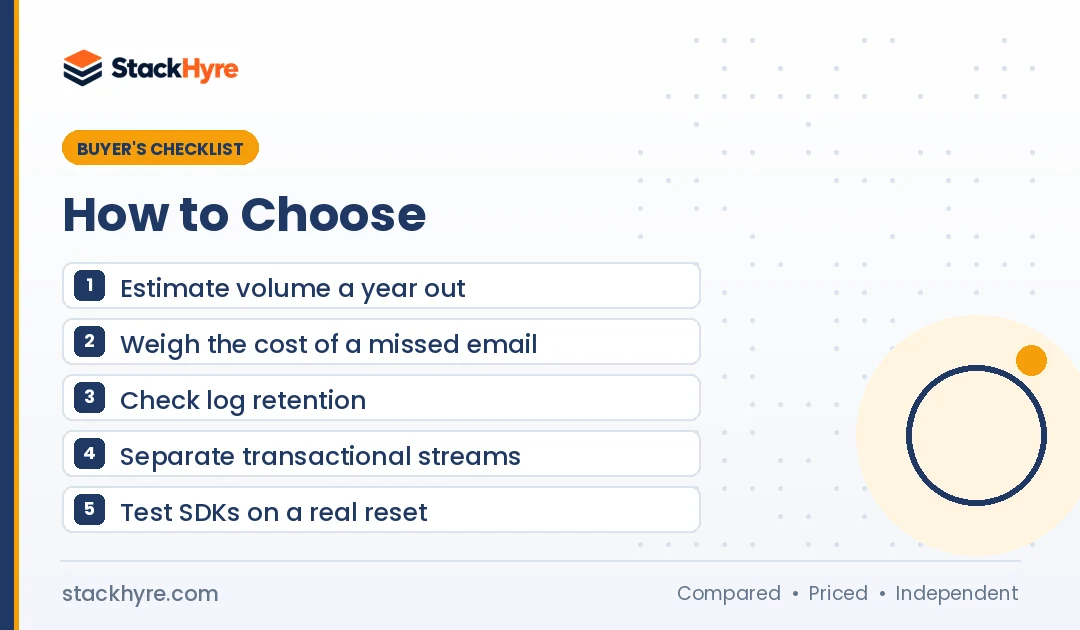
1. Estimate your volume a year out. Don’t pick for today’s 2,000 emails. Pick for where you’ll be in 12 months. Price jumps between tiers can be steep.
2. Decide how much a missed email costs. A missed receipt is annoying. A missed login code or 2FA email is a lost session. The higher the stakes, the more a transactional-first provider is worth.
3. Check log retention. Support teams need to look up what happened to a message. One day of logs is not enough for most SaaS. If your plan is short, send webhook events into your own database.
4. Plan to separate your streams. Gmail’s sender guidelines say that if you must use multiple IPs, use a different IP address for each message type. They also suggest a consistent From address per category, like one for receipts and one for promotions. Pick a provider that makes this easy.
5. Check compliance needs. If you sell to EU companies, look for an EU region, a data processing agreement and clear sub-processor lists. Mailgun’s EU endpoint is one example.
6. Clean your lists. Bounces hurt your sender reputation. Validating signup addresses with one of the best email verification APIs keeps bounce rates down.
7. Test the developer experience. Sign up for two or three free plans. Send a real password reset from your staging app. See which docs and SDKs feel right to your team.
How I Evaluated These Transactional Email Services
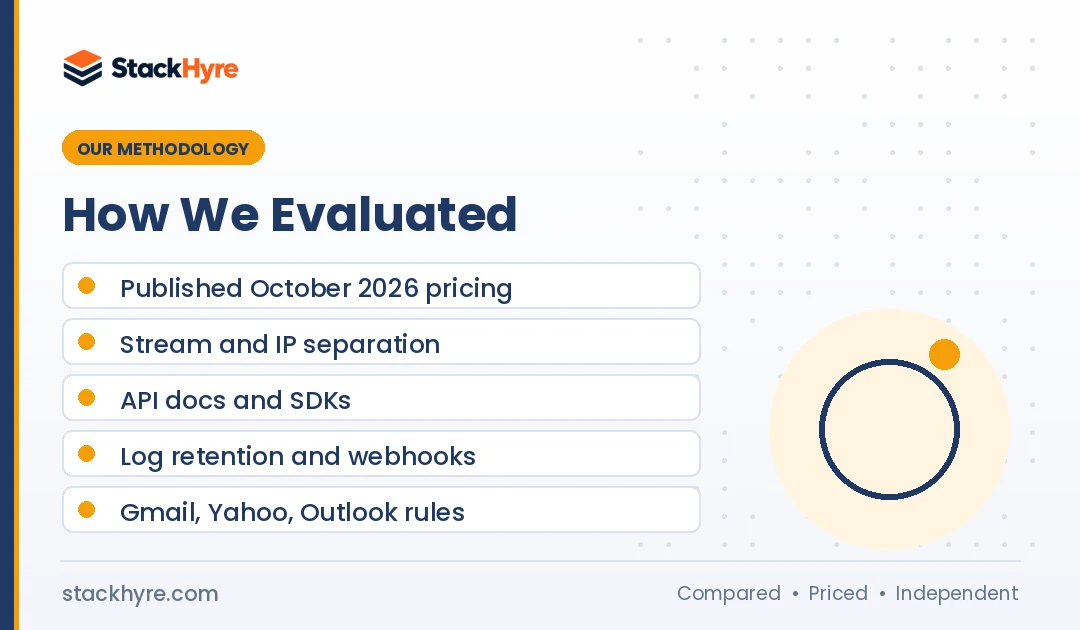
I did not run my own inbox placement tests for this guide. Instead, I compared what each vendor publishes and checked it against mailbox provider rules. Here’s what I looked at:
- Published pricing. I read each vendor’s own pricing page in October 2026. Every price above links to that page. Prices change often, so check before you buy.
- Stream separation. I looked for clear ways to keep transactional mail apart from bulk mail, such as separate streams, IPs or subdomains.
- Developer experience. I went through the API docs, SDK lists and template options for each service.
- Logs and data. I compared log retention, webhooks and regional hosting options.
- Ownership and stability. I checked who owns each service, using press releases and vendor pages.
- Mailbox rules. I read the sender requirements from Gmail, Yahoo and Microsoft to see what every provider must support.
No vendor paid for placement. The ranking reflects my judgment on fit for typical SaaS apps. You can read more in my editorial policy.
What Do Gmail, Yahoo and Microsoft Require From Senders?
Gmail and Yahoo started enforcing bulk sender rules in February 2024, and Microsoft did the same for Outlook.com in May 2025. Senders of about 5,000 or more messages a day must pass SPF and DKIM, publish a DMARC policy and keep spam complaints low. Marketing mail also needs one-click unsubscribe. Transactional mail is exempt from that last rule.
Google announced the change on its Gmail blog, saying bulk senders would need to meet the rules “by February 2024.” Its sender guidelines say to keep spam rates below 0.10% and avoid ever reaching 0.30%.
Yahoo’s sender best practices ask bulk senders for SPF, DKIM, a DMARC policy of at least p=none, and a spam rate below 0.3%. Unsubscribe requests must be processed within two days.
Microsoft’s Outlook announcement covers senders of more than 5,000 emails a day to outlook.com, hotmail.com and live.com addresses. From May 5, 2025, mail that fails these checks is rejected with a 550 5.7.515 error, not just sent to junk.
The good news for transactional mail: Google’s sender FAQ says “one-click unsubscribe is required only for marketing and promotional messages. Transactional messages are excluded from this requirement.” The one-click standard itself is defined in RFC 8058.
Every service on my list supports SPF, DKIM and DMARC. Your job is to set the DNS records correctly and keep your marketing mail from hurting your app mail.
Which Service Fits Your SaaS Stage?
Your stage matters more than any feature list. Pre-launch teams need a free plan and fast setup. Growing teams need logs and stream separation. Scaled teams need low per-email cost and dedicated IPs. Here’s how I’d match my list to each stage.
- Pre-launch or side project. Resend’s free plan, MailerSend’s $7 Hobby plan or SMTP2GO’s free tier will cover you. Don’t overbuild here.
- Early traction, under 50,000 emails a month. Postmark or Resend. You get good logs and fast delivery without a big bill.
- Growth, 50,000 to 500,000 emails a month. Postmark, Mailgun or SendGrid. This is where log retention, webhooks and dedicated IP options start to matter.
- Scale, millions of emails a month. Amazon SES or Bird, often with dedicated IPs. Some teams keep Postmark just for the most critical messages, like login codes.
You don’t have to stay on one provider forever. But each switch costs engineering time, so pick the one that fits the next year, not just this month.
The Bottom Line
There’s no single winner for every SaaS app. My default pick is Postmark when a late email means a lost user. Amazon SES wins on cost once you’re sending at real scale and you’re comfortable in AWS. Resend is the fastest path for React and Next.js teams.
Mailgun and SendGrid remain solid, mature options, especially if you need an EU region or already use Twilio. Bird, MailerSend, Brevo and SMTP2GO each fill a clear niche on price or simplicity.
My advice: shortlist two, send real app emails through both, and read the logs. Then compare plans with my transactional email pricing guide and use my buyer’s checklist before you commit.

Frequently Asked Questions
What is the best transactional email service for a SaaS startup?
For most early SaaS startups, I’d start with Postmark or Resend. Postmark is the safer pick when login codes and receipts must land fast. Resend fits React and Next.js teams and has a free plan with 3,000 emails a month, as of October 2026. If cost is the only concern, Amazon SES is cheaper, but it takes more setup.
What is the cheapest transactional email service?
Amazon SES is usually the cheapest at volume. Its pricing page lists $0.10 per 1,000 outbound emails as of October 2026, with no monthly plan. Bird’s Startup plan, at $0.40 per 1,000, is another low-cost option. For small volumes, free plans from Resend, SMTP2GO, Bird and Brevo may cover you entirely.
Does SendGrid still have a free plan?
Not a forever-free one. As of October 2026, Twilio’s Email API pricing page lists a free trial that lets you send 100 emails a day for 60 days. After that, you need a paid plan, which starts at $19.95 a month for Essentials. If you need an ongoing free tier, Mailgun, Resend, Brevo and SMTP2GO still offer one.
Should I send transactional and marketing email from the same service?
You can, but keep them apart on purpose. Use separate streams, subdomains or IPs so a weak campaign can’t drag down your password resets. Gmail’s guidelines recommend a different IP per message type if you use multiple IPs. Postmark, for example, runs broadcast mail on separate IP ranges from transactional mail.
Do transactional emails need an unsubscribe link?
No, not under Gmail’s bulk sender rules. Google’s sender FAQ says one-click unsubscribe is required only for marketing and promotional messages, and transactional messages are excluded. Under the US CAN-SPAM Act, transactional messages are exempt from most provisions too. But if you add promotional content to a receipt, it may count as marketing and need an opt-out.
Related Articles


Daniel Brooks writes about proxies, web scraping and email infrastructure at StackHyre. He compares providers on published pricing, documentation and independent benchmarks so you can pick the right setup without overpaying.