
TL;DR: I group proxies three ways. IP source covers residential, datacenter, ISP and mobile. Behavior covers rotating or static and shared or dedicated. Protocol covers HTTP, HTTPS and SOCKS5. Forward and reverse proxies sit on opposite ends of the connection. Datacenter IPs cost cents. Residential and mobile traffic runs about $0.49 to $7.50 per GB as of October 2026. Below I explain each type and when to use it.
More than half of web traffic now comes from bots. Imperva’s 2025 Bad Bot Report put bad bots alone at 37% of all internet traffic in 2024.
So websites have gotten very good at spotting automated visitors. The proxy type you pick decides whether your requests look like a real person or a server farm.
The hard part is the naming. “Residential,” “ISP,” “static,” “rotating,” “SOCKS5” and “elite” all mean different things. Vendors mix them up all the time.
I’ll sort them out for you here. You’ll learn how each type works, what it costs and which jobs it fits.
Once you know the type you need, my ranking of the best proxy providers shows who sells it best.
I put this guide together from protocol standards, vendor docs and published pricing. Each section links to a deeper guide on that type.
Proxy Types at a Glance
| Proxy Type | How It Works | Best For | Typical Price (Oct 2026) |
|---|---|---|---|
| Datacenter | IPs from cloud or hosting servers | Fast jobs on easy targets | From $0.02 per IP |
| Residential | IPs from real home internet users | Scraping protected sites | About $0.49 to $7 per GB |
| ISP (static residential) | ISP-registered IPs hosted on servers | Long sessions and accounts | About $0.27 to $5 per IP |
| Mobile | IPs from 4G and 5G carriers | Apps, social media, ad checks | About $2 to $7.50 per GB |
| Rotating | New IP per request or timer | Large-scale scraping | Usually billed per GB |
| Static | Same IP for days or weeks | Logins and allowlists | Usually billed per IP |
| HTTP/HTTPS | Handles web traffic, tunnels TLS | Browsers and scrapers | Included with most plans |
| SOCKS5 | Relays any TCP or UDP traffic | Apps, games, non-web tools | Included with many plans |
| Reverse | Sits in front of web servers | Load balancing, security | Part of CDN or server setup |

These prices come from vendor pages I read, including Decodo, Evomi, IPRoyal and Oxylabs. For the full cost picture, see my proxy pricing guide.
What Is a Proxy Server and How Does It Work?
A proxy server is a middleman between your device and the internet. You send a request to the proxy. The proxy sends it on to the website using its own IP address, then hands the response back to you. The website sees the proxy’s IP, not yours. That lets you change where you appear to be, spread requests across many IPs and control your traffic.
MDN’s guide to proxy servers explains that proxies can act for clients or for servers. It also points out that proxies may reveal the original client IP through headers.
You can describe any proxy with three questions:
- Where does the IP come from? A home, a data center, an ISP or a mobile carrier.
- How does the IP behave? Does it rotate or stay fixed? Is it shared or yours alone?
- What protocol does it speak? HTTP, HTTPS or SOCKS5.
Every product you buy is one answer to each. A “rotating residential SOCKS5 proxy,” for example, uses home IPs that change, over the SOCKS5 protocol.
What Are the Main Proxy Types by IP Source?
The four main sources are datacenter, residential, ISP and mobile. Datacenter IPs are cheap and fast but easy to spot. Residential IPs come from real homes and look like normal users. ISP proxies mix the two: residential-registered IPs on fast servers. Mobile IPs come from cell carriers and get the most trust, but they cost the most.
Datacenter Proxies
Datacenter proxies use IP addresses owned by cloud and hosting companies. They aren’t tied to anyone’s home internet plan.
That makes them fast, stable and very cheap. Decodo lists datacenter IPs from $0.02 per IP. Webshare sells 100 shared datacenter proxies for $2.99 a month.
The problem is detection. Websites can look up who owns an IP range. If it belongs to a hosting company, strict sites may block it.
I’d use datacenter proxies for public data on lightly protected sites, internal testing and bulk jobs where speed counts. My best datacenter proxies list ranks the top sellers.
Residential Proxies
Residential proxies send your traffic through IP addresses that internet providers give to real households.
To a website, your request looks like someone browsing from home. That’s why residential IPs get blocked far less on protected sites.
Providers build these pools through apps and partner programs where people share their bandwidth. The pools are big. Bright Data claims 400M+ residential IPs in 195 countries.
Sourcing is the big risk here. In January 2026, Google said it disrupted the IPIDEA network, which signed up devices through hidden SDKs and trojanized apps. Only buy from providers with a public consent policy and KYC.
My best residential proxies ranking lists the options I’d trust.
ISP Proxies (Static Residential)
ISP proxies use IP addresses registered to internet service providers, but they run on data center servers.
So you get the trust of a residential IP with the speed and uptime of a server. The IP usually stays the same for as long as you rent it.
They’re sold per IP, not per GB. Decodo lists static residential IPs from $0.27. NodeMaven charges $2.33 per IP for 30 days with unlimited traffic.
Reach for ISP proxies for account management, checkout flows and anything that needs one steady identity. My best ISP proxies guide compares providers.
Mobile Proxies
Mobile proxies send your traffic through IPs from 4G and 5G carriers.
Carriers often put many phones behind one public IP using carrier-grade NAT. The IETF set aside a shared address space for carrier-grade NAT in RFC 6598. Since one IP can stand for lots of real users, sites hesitate to block it.
You pay for that trust. Oxylabs lists mobile traffic at $7.50 per GB on its Starter plan. Bright Data doesn’t show a public mobile price.
Mobile proxies make sense for app testing, social media and mobile ad checks. My best mobile proxies list ranks 4G and 5G providers.
Still stuck between the two most common sources? Read my residential vs datacenter proxies comparison.
Rotating vs Static Proxies: Which Do You Need?
Rotating proxies change your IP on every request or after a set time. They spread your traffic across a big pool, which is what you want for large scraping jobs. Static proxies keep one IP for days or weeks. They fit logins, allowlists and anything that needs a steady identity. Most residential pools rotate, while ISP and datacenter IPs are usually static.
There’s a middle option called a sticky session. The provider keeps the same rotating IP for a few minutes, then swaps it. That lets you finish a multi-step task, like adding to a cart, before the IP changes.
Here’s the simple rule I use:
- Choose rotating for search results, product pages and other public pages at scale.
- Choose sticky for short flows that need a few steps on one IP.
- Choose static for logged-in accounts, IP allowlists and long sessions.
My best rotating proxies guide ranks pools by reliability. For more on the trade-offs, read rotating vs static proxies.
Which Proxy Protocol Should You Use: HTTP, HTTPS or SOCKS5?
Use HTTP or HTTPS proxies for browsers, web scrapers and anything that only pulls web pages. Use SOCKS5 when your tool sends non-web traffic, needs UDP, or has to pass traffic without the proxy reading it. Most paid providers support both, so the choice usually comes down to what your software accepts.
HTTP and HTTPS Proxies
An HTTP proxy understands web requests. It can read headers, cache pages and filter content.
For secure sites, your client uses the HTTP CONNECT method, defined in RFC 9110. The proxy opens a tunnel to the website. Your TLS traffic then passes through encrypted, so the proxy can’t read the page.
Almost every scraping library, browser and operating system supports HTTP proxies. That’s why they’re the default.
SOCKS5 Proxies
SOCKS5 works at a lower level. It relays raw connections without reading the web content.
The SOCKS5 standard, RFC 1928, supports TCP and UDP traffic, several login methods and domain names as targets. So it can carry email, gaming, streaming and custom app traffic.
One tip I always give: tell your client to resolve DNS through the proxy. If you don’t, your own network may look up the site and leak where you are. In cURL, that’s the difference between socks5:// and socks5h://.
My best SOCKS5 proxies list covers providers with strong SOCKS5 support.
What Is the Difference Between Forward and Reverse Proxies?
A forward proxy works for the client. It sits in front of users and sends their requests out to websites, hiding their IPs. A reverse proxy works for the server. It sits in front of websites, takes in visitor requests and passes them to the right server. Any proxy you buy from a vendor is a forward proxy.
Cloudflare explains that reverse proxies handle load balancing, caching, TLS offloading and attack protection. They also hide the origin server’s IP.
You run into reverse proxies every day without noticing. CDNs and load balancers are reverse proxies.
If you run a website, you might set one up. If you collect data or want to protect your own privacy, you need a forward proxy.
Shared vs Dedicated Proxies
This label tells you how many customers use the same IP at once.
- Shared proxies are used by several customers. They’re the cheapest, but someone else’s behavior can get the IP flagged.
- Semi-dedicated proxies are split among a small, fixed group.
- Dedicated (private) proxies are yours alone for the rental period.
The price gaps are real. Evomi lists static ISP IPs at $1 for shared, $2.50 for private and $4.50 for virgin IPs per month. Oxylabs charges $1 per shared datacenter IP and $2 per dedicated one on entry plans.
Go dedicated for accounts and allowlists. Shared IPs are fine for public scraping and testing.
What Do Transparent, Anonymous and Elite Proxies Mean?
These labels describe how much a proxy gives away about you. A transparent proxy passes your real IP to the website in headers. An anonymous proxy hides your IP but admits it’s a proxy. An elite proxy hides both your IP and the fact that a proxy is in use. Paid proxies for data work are almost always elite.
Proxies can expose the original client through headers. The standard one is the Forwarded header from RFC 7239. The older, more common one is X-Forwarded-For, as MDN describes.
Schools and offices often use transparent proxies to filter content. They aren’t built for privacy.
Wondering if a VPN does the same job? My proxy vs VPN guide explains how they differ on encryption, speed and scope.
How Should You Choose the Right Proxy Type?
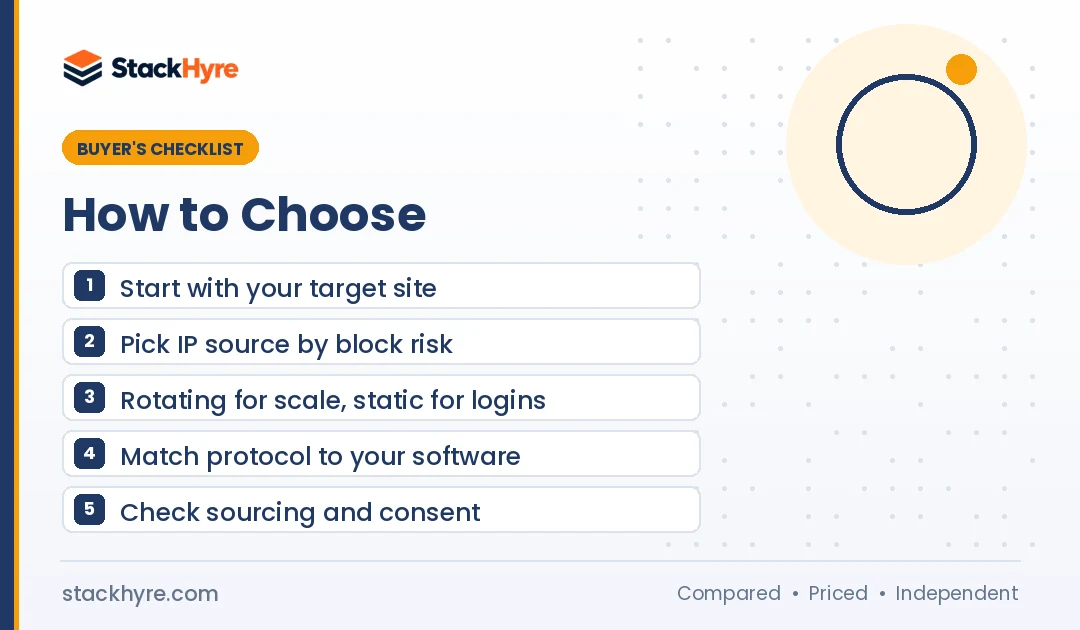
Start with the website you’re targeting and the task. Easy public sites work fine with datacenter proxies. Sites with strong bot protection need rotating residential IPs. Logged-in accounts need static ISP or mobile IPs. After that, pick the protocol your software supports and decide whether you need a shared or dedicated IP.
| Your Task | Best Proxy Type | Why |
|---|---|---|
| Scraping protected sites | Rotating residential | Real home IPs, wide pool |
| Bulk scraping easy sites | Datacenter | Lowest cost, highest speed |
| Managing logged-in accounts | Static ISP or mobile | One steady, trusted identity |
| Local SEO and SERP checks | Residential with city targeting | Shows true local results |
| Mobile ad or app checks | Mobile | Real carrier IPs |
| Non-web or UDP traffic | SOCKS5 | Carries any protocol |
| Private browsing on public Wi-Fi | VPN, not a proxy | Encrypts all device traffic |
A few more tips from me:
- Estimate your data use. Per-GB plans get expensive on image-heavy pages. Per-IP plans suit long, light sessions.
- Check sourcing. Stay away from vendors tied to botnets. The FBI seized NetNut’s domains in July 2026.
- Respect site terms. Follow each platform’s rules and local law, especially with personal data.
- Test before you scale. Run a small batch on your real target and count the successes.
Ready to connect? My proxy setup guide walks you through browsers, phones and code. For scraping picks, see the best proxies for web scraping.

How I Researched This Guide
I didn’t run lab tests for this guide. I built it from public sources you can check yourself.
- Standards. I used IETF RFCs for HTTP CONNECT, SOCKS5, the Forwarded header and carrier-grade NAT.
- Technical references. I used MDN and Cloudflare’s learning center for how forward and reverse proxies behave.
- Vendor pricing. I read the pricing pages from Decodo, Oxylabs, Evomi, IPRoyal, Webshare, NodeMaven and Bright Data in October 2026.
- Security reporting. I used Google’s threat intelligence team and KrebsOnSecurity for sourcing risks.
Vendor claims, like pool sizes, are labeled as the vendor’s own. The site’s editorial policy explains how I research and update guides.
The Bottom Line
Most proxy decisions come down to three choices: where the IP comes from, how it behaves and which protocol it uses.
Use datacenter proxies when speed and cost matter and the target is easy. Use rotating residential proxies for protected sites at scale. Use static ISP or mobile proxies when you need one trusted identity for accounts.
Pick HTTP(S) for web work and SOCKS5 for everything else. Go dedicated when someone else’s behavior could hurt you.
Most of all, buy from a provider that can prove its IPs come from people who agreed to share them.
Your next step: compare vendors in my best proxy providers ranking, or start with my top residential proxy picks.
Frequently Asked Questions
What are the main types of proxies?
By IP source, the main proxy types are datacenter, residential, ISP and mobile. Proxies are also grouped by behavior, such as rotating or static and shared or dedicated. A third grouping is protocol: HTTP, HTTPS and SOCKS5. Forward proxies serve users, while reverse proxies serve websites. Most paid products combine one option from each group.
Which type of proxy is best for web scraping?
Rotating residential proxies are my all-round pick for scraping protected websites. They use real home IPs and change often, so blocks are rare. For simple public sites, datacenter proxies are cheaper and faster. A lot of teams start with datacenter IPs and only switch to residential for targets that block them.
What is the difference between ISP and residential proxies?
Both use IP addresses registered to internet service providers. Residential proxies route through real home devices and usually rotate. ISP proxies host those ISP-registered IPs on fast data center servers and stay static. ISP proxies are faster and steadier. Residential proxies give you much bigger pools and more location choice.
Is SOCKS5 better than an HTTP proxy?
Neither wins every time. SOCKS5 handles any TCP or UDP traffic, so it fits apps, games and custom tools. HTTP and HTTPS proxies understand web requests and work with almost every browser and scraper. For web scraping, HTTP(S) is usually simpler. For non-web traffic, go with SOCKS5.
Are residential proxies legal?
Residential proxies are legal to buy and use in most countries. The risk is in how the IPs are sourced and what you do with them. Pick a provider that gets clear consent from device owners and vets its customers. Follow each website’s terms and your local data laws, especially when personal data is involved.
Related Articles


Daniel Brooks writes about proxies, web scraping and email infrastructure at StackHyre. He compares providers on published pricing, documentation and independent benchmarks so you can pick the right setup without overpaying.