
TL;DR: NodeMaven is my top pick for social media account management thanks to its IP quality filter and 24-hour sticky sessions. SOAX and Decodo are strong mobile proxy options, and IPRoyal sells dedicated mobile IPs by the day or month. Expect about $2 to $7.50 per GB for mobile traffic, or $1.50 to $5 per static IP. Below I compare 8 providers, setup rules and platform terms.
There are about 5.81 billion social media user identities worldwide as of October 2026, according to DataReportal. The typical user visits 6.66 different platforms each month.
Brands, agencies and creators follow those users onto every network. That often means running lots of accounts from one office, one laptop or one phone.
Platforms notice. When ten accounts log in from the same IP address, the same device and the same browser, they look connected. That can set off checkpoints, verification loops or bans.
The right proxy gives each account its own stable location. Pair it with a separate browser profile and you cut the most common link between accounts.
In this guide I cover the best proxies for social media management and which proxy types work. I also explain how many accounts to put on one IP and which platform rules matter. For the full market, see my best proxy providers guide. If you also collect public data, my web scraping proxy hub covers every data use case.
Quick Comparison: Best Proxies for Social Media in 2026
| Provider | Best For | Starting Price | Key Feature |
|---|---|---|---|
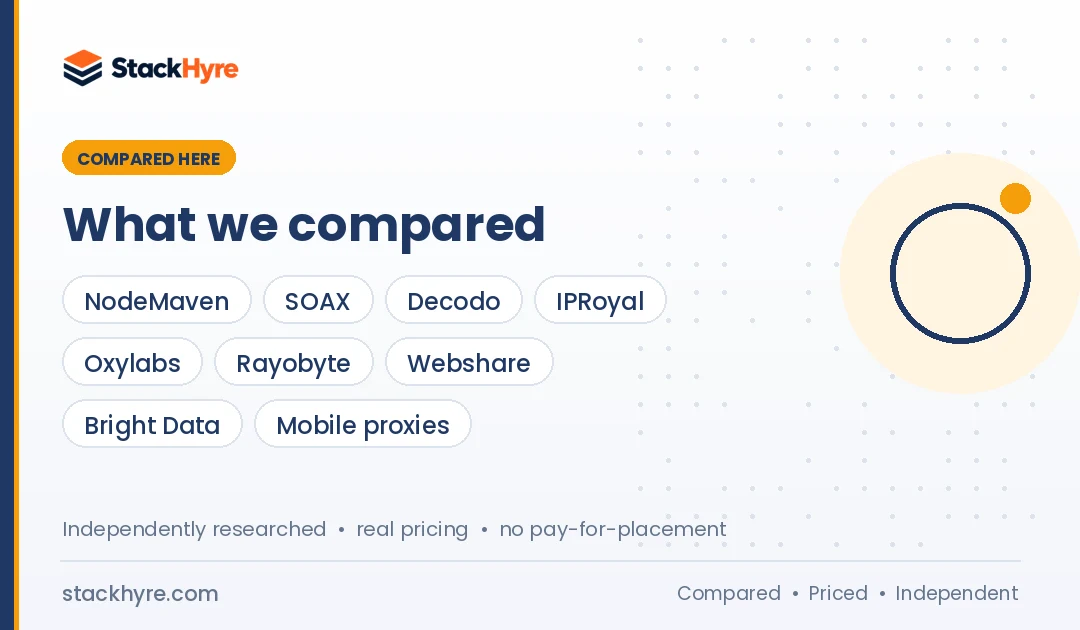
| NodeMaven | Multi-account management | $3.50 paid trial (750 MB) | Real-time IP quality filter |
| SOAX | Large mobile pool | Sandbox, no subscription fee | One rate for mobile and residential |
| Decodo | Low-cost mobile traffic | Mobile from $2.25/GB | Mobile, residential and ISP in one account |
| IPRoyal | Dedicated mobile IPs | From $10.11 per day | Reserved device-style mobile IPs |
| Oxylabs | Agencies with many products | $30/month credit plan | Dedicated ISP IPs from $3 each |
| Rayobyte | Static ISP at mid volume | Static ISP $5/IP (5 to 99 IPs) | Free trials on self-serve products |
| Webshare | Budget static IPs | $6/month for 20 static residential | Free plan for testing |
| Bright Data | Enterprise compliance teams | Custom mobile pricing | Strict use-case review |
What Makes a Great Proxy for Social Media?
A good social media proxy gives each account a clean, stable IP that looks like a real person on a home or mobile connection. It should hold the same IP for hours or days and match the account’s usual country or city. It should also come from an ethically sourced pool. Speed matters less than trust, because platforms flag sudden IP changes long before they care about slow page loads.
Mobile IPs carry the most trust. Carriers share each mobile IP across many real users, so platforms are slow to block them.
Residential IPs come next. They come from home connections and work fine for most accounts.
Static ISP proxies are residential-looking IPs hosted in data centers. Proxyway notes they are less effective at avoiding detection but faster and more reliable. I’d use them for long-term accounts that log in from one place.
Datacenter proxies are the weakest choice. Platforms spot hosting company IP ranges easily.
For a closer look at the main options, read my mobile proxy comparison and my ISP proxy picks.
Best Proxies for Multi-Account Management
#1 NodeMaven: Best Overall for Multi-Account Management
NodeMaven is built around account safety, with filtering that screens out flagged IPs before they reach you.
What it does well. NodeMaven’s pricing page says its filter checks residential and mobile IPs in real time and drops any that fail fraud score, blacklist or reputation checks. It reports a 95%+ clean IP rate. Proxyway also notes that NodeMaven offers sub-users and per-user traffic limits, which helps agencies split work across staff.
Key features:
- Real-time IP quality filter on residential and mobile IPs
- Sticky sessions up to 24 hours on monthly and pay-as-you-go plans
- Static ISP proxies for fixed logins
- Sub-users with traffic limits
Pricing. As of October 2026, residential and mobile start at $2.20/GB, but only on the largest monthly plan. Static ISP proxies start at $2.33 per IP for 30 days. A $3.50 paid trial gets you 750 MB to use on residential or mobile.
Best for: Social media managers and agencies running 10 to 100+ client accounts.
Limitations. There’s no free trial. Smaller plans cost more per GB than the headline price.
#2 SOAX: Best for a Large Mobile Pool
SOAX is a strong pick when you want mobile and residential IPs on one balance.
What it does well. SOAX prices mobile and residential traffic at the same rate, so you can switch types per account without buying a second plan. Proxyway ranked SOAX first for social media and reported 33M advertised mobile IPs and a 99.78% residential success rate in its own tests.
Key features:
- Residential and mobile proxies on one plan
- Sandbox option with no subscription fee
- Team seats from the Builder plan up
- Location targeting for mobile carriers and regions
Pricing. As of October 2026, SOAX’s pricing page shows Sandbox rates from $5/GB down to $2/GB by tier. Builder costs $200/month plus VAT, with usage from $3/GB.
Best for: Teams that need mobile IPs in many countries.
Limitations. SOAX no longer lists ISP or datacenter proxies, so you can’t buy static IPs here. And there’s no free trial.
#3 Decodo: Best for Low-Cost Mobile Traffic
Decodo, formerly Smartproxy, has one of the lowest published mobile prices among the big brands.
What it does well. Decodo sells mobile, residential, ISP and datacenter proxies from one dashboard. So you can put high-value accounts on mobile IPs and lower-risk accounts on cheaper static ISP IPs.
Key features:
- Mobile proxies billed per GB
- Static ISP proxies billed per IP
- 3-day residential trial with 100 MB
- 14-day refund on self-service plans, with conditions
Pricing. As of October 2026, Decodo’s pricing page lists mobile from $2.25/GB, residential from $2/GB and ISP from $0.27/IP. The lowest rates only apply to bigger plans.
Best for: Small agencies that want mobile IPs without enterprise pricing.
Limitations. The free trial covers residential only. Refunds are void if you used the trial or more than 20% of a residential plan’s traffic.
#4 IPRoyal: Best for Dedicated Mobile IPs
IPRoyal lets you reserve a mobile IP for yourself, which makes sense for high-value accounts.
What it does well. Most mobile proxies are shared. IPRoyal’s dedicated plans keep the IP yours while you use it. You can also switch to a new IP instantly from the dashboard or by API, per IPRoyal’s mobile pricing page. Proxyway also points to its team controls and residential sessions of up to seven days.
Key features:
- Dedicated mobile proxies billed by time
- Rotating mobile proxies billed per GB
- Instant IP change by click or API
- Organizations and projects for team access
Pricing. As of October 2026, dedicated mobile proxies cost from $10.11 for 24 hours or from $130 for 30 days. Rotating mobile traffic starts at $6.80/GB for 2 GB and falls to $5.20/GB at 100 GB.
Best for: Creators and brands protecting a few high-value accounts.
Limitations. The page advertises “zero bandwidth limits” while selling rotating plans in GB tiers, so confirm the terms with IPRoyal. Proxyway measured a lower success rate than its top picks.
Best Static Proxies for Long-Term Accounts
#5 Oxylabs: Best for Agencies Using Many Proxy Types
Oxylabs suits agencies that need mobile IPs for some clients and dedicated static IPs for others.
What it does well. One credit subscription covers every product. You can fund dedicated ISP proxies for steady logins and mobile traffic for riskier tasks from the same plan.
Key features:
- Dedicated ISP proxies reserved for one user
- Mobile and residential proxies on the same credits
- $5 welcome credit to test any product
- Enterprise contracts with volume rates
Pricing. As of October 2026, Oxylabs’ pricing page lists plans at $30, $100 and $500 per month, plus Enterprise from $2,500. Dedicated ISP proxies cost $3/IP on Starter. Mobile costs $7.50/GB on Starter and drops to $3.50/GB at high Enterprise volumes.
Best for: Mid-size and large agencies that want one vendor for every account type.
Limitations. Mobile traffic is pricey on small plans. Check how unused credits roll over before you subscribe.
#6 Rayobyte: Best for Static ISP at Mid Volume
Rayobyte is a US-based option with clear per-IP pricing and free trials.
What it does well. Rayobyte sells static ISP proxies that keep the same IP for each account, plus mobile proxies for riskier tasks. Rayobyte’s pricing page says every self-serve product has a free trial with no credit card.
Key features:
- Static ISP proxies priced per IP per month
- Mobile proxies on monthly plans
- Free trials on self-serve products
- Rotating ISP and residential options
Pricing. As of October 2026, static ISP proxies cost $5/IP per month for 5 to 99 IPs, falling to $0.95/IP at Enterprise volume. Mobile starts at $3/GB on the $250/month plan.
Best for: Teams managing 5 to 100 long-term accounts that each need a fixed IP.
Limitations. The entry price per ISP IP is higher than Webshare or Oxylabs. The headline “from” prices only kick in at the largest tiers.
#7 Webshare: Best for Budget Static IPs
Webshare is the cheapest way to give low-risk accounts their own fixed IP.
What it does well. Webshare’s static residential plan is very cheap per IP, and you can size the plan yourself. It works for brand pages, test accounts and scheduling tools where the risk of a ban is low.
Key features:
- Static residential (ISP) proxies
- Free plan with 10 shared proxies and 1 GB per month
- HTTP and SOCKS5 support
- Volume discounts up to 10,000 IPs
Pricing. As of October 2026, Webshare’s pricing page lists static residential at $6/month for 20 proxies, or $0.30 per proxy. Volume pricing drops to $0.225 per proxy at 10,000 IPs.
Best for: Freelancers and small brands on a tight budget.
Limitations. No mobile proxies. Proxyway notes Webshare is better suited to scraping than to high-risk account work.
#8 Bright Data: Best for Enterprise Compliance Teams
Bright Data fits large brands that need a vendor with a formal compliance process.
What it does well. Bright Data runs one of the biggest networks. It says it has 400M+ residential IPs from 195 countries. It also reviews use cases. Proxyway notes it prohibits creating fake accounts and fake engagement, which suits brands that only manage their own real accounts.
Key features:
- Residential, ISP, datacenter and mobile networks
- Acceptable use rules that ban fake accounts and fake engagement
- City-level targeting
- Free trial with no credit card
Pricing. Bright Data publishes no public mobile price. Residential pay-as-you-go was listed at $4/GB during a 50% promotion as of October 2026. Check the current price on Bright Data’s pricing page.
Best for: Enterprise social teams and brand protection units.
Limitations. Premium prices and a strict use policy. Don’t bother if you’re after gray-area account farming.
How Many Accounts Can You Put on One Proxy?
The safest setup is one IP per account, with each account in its own browser profile. If money is tight, Proxyway suggests keeping no more than 5 to 8 accounts per mobile IP. Never mix accounts from different clients or countries on one IP, and keep each account on the same location every time it logs in.
Sticky sessions matter more than rotation here. Platforms get spooked by IP changes, so a login from Texas followed by one from Ohio an hour later looks off.
A proxy only hides your IP. It doesn’t hide your browser fingerprint, cookies or device data. That’s why most agencies pair proxies with a separate browser profile per account. My guide to the best antidetect browsers covers the tools that handle this.
If you’re not sure whether you need fixed or changing IPs, read my explainer on rotating vs static proxies.
What Do Platform Rules Say About Multiple Accounts?
Most platforms allow multiple accounts for real, separate purposes, like a personal profile and a brand page. They ban fake accounts, impersonation, duplicate content across accounts and fake engagement. Proxies don’t change those rules. Use them to run real accounts safely, not to break platform terms, and check local laws on data and marketing.
X’s automation rules, for example, prohibit duplicative or substantially similar posts over multiple accounts you operate. They do allow automating several accounts for related but non-duplicative uses.
Read each platform’s terms before you scale. Where native tools exist, like business managers and agency access, use them first. They’re often safer than logging in to client accounts directly.
How Should You Choose the Right Social Media Proxy?
Match the proxy type to what the account is worth. Use dedicated or filtered mobile IPs for accounts that would hurt to lose. Use sticky residential IPs for most client work, and cheap static ISP IPs for low-risk pages. Then check session length, location targeting, team controls and the vendor’s IP sourcing before you buy.
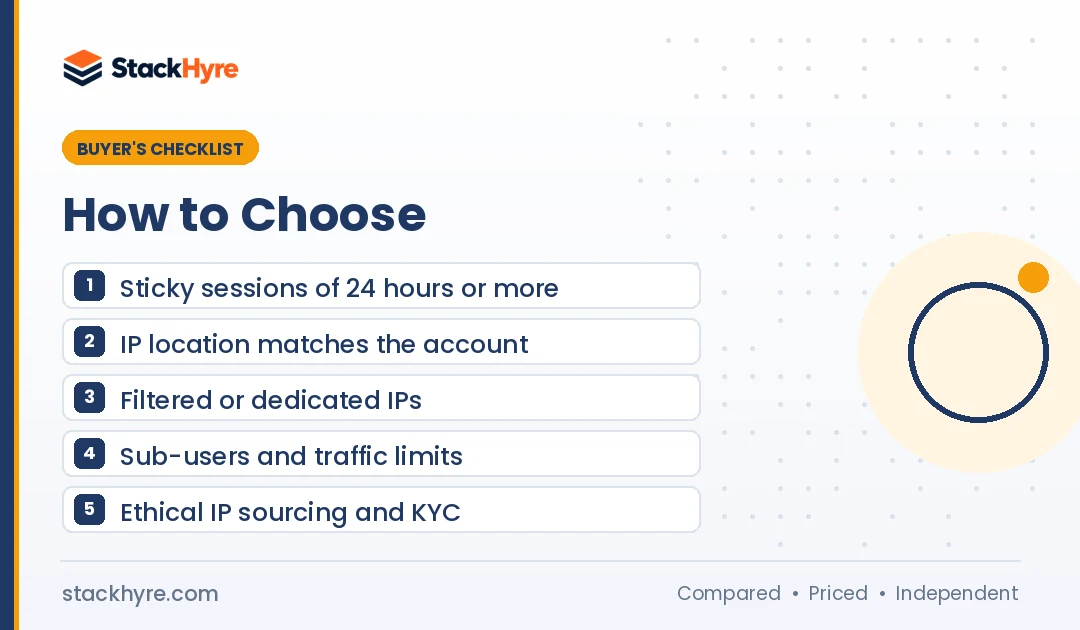
Here’s my checklist:
- Session length. Look for sticky sessions of 24 hours or more, or static IPs.
- Location match. The IP should match the country, and ideally the city, the account normally uses.
- IP reputation. Filtered pools and dedicated IPs cut the odds of inheriting a flagged address.
- Team controls. Sub-users and traffic limits help agencies split budgets by client.
- Ethical sourcing. Ask how residential and mobile IPs are obtained. In July 2026, the FBI seized hundreds of domains tied to NetNut after reports linked it to a botnet of hacked TV boxes and apps. Don’t use NetNut, and skip any vendor that can’t explain where its IPs come from.
My guide to choosing a proxy provider walks through more red flags and how to test a trial.
How I Evaluated These Social Media Proxies
I didn’t create or run social media accounts for this guide. I compared published pricing, product pages, trial and refund terms, platform rules and independent reviews, including Proxyway’s social media proxy tests. All prices come from vendor pages as of October 2026.
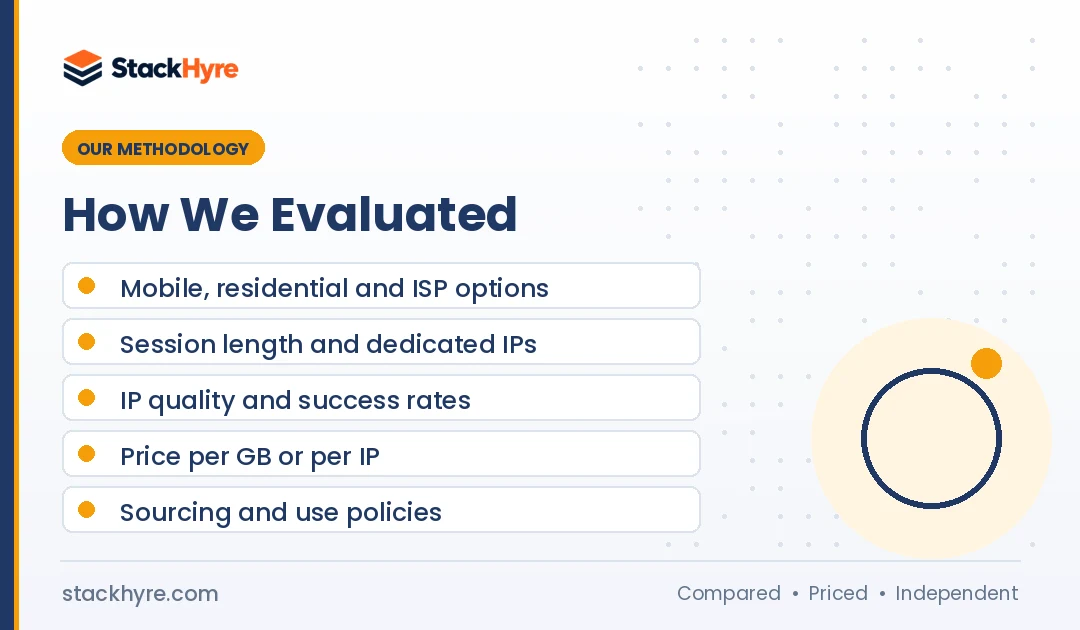
I rated each provider on:
- Proxy types: Availability of mobile, residential and static ISP IPs.
- Session control: Sticky session length and dedicated IP options.
- IP quality: Filtering, dedicated pools and independent success rates.
- Price and trial: Entry cost, per-GB or per-IP rates and test options.
- Sourcing and policy: KYC, acceptable use rules and any public red flags.
Vendor claims are marked as the vendor’s own. Read the editorial policy for more on how I research.
The Bottom Line
For most social media managers, I’d start with NodeMaven. Its IP filter, 24-hour sticky sessions and $3.50 trial make it easy to try with real accounts. If you need a large mobile pool across many countries, SOAX is the stronger choice. Decodo is my budget mobile pick.
For a few high-value accounts, IPRoyal’s dedicated mobile IPs give you a reserved address. For long-term brand pages, static ISP proxies from Oxylabs, Rayobyte or Webshare keep costs down.
Whatever you pick, pair each proxy with its own browser profile and follow platform rules. Then compare the full field in my proxy provider rankings, or set up your profiles with one of the top antidetect browsers.
Frequently Asked Questions
What is the best proxy type for social media?
Mobile proxies are the best type for high-value social media accounts because carriers share each IP across many real users, so platforms rarely block them. Sticky residential proxies are a good, cheaper choice for most client accounts. Static ISP proxies suit long-term pages that always log in from one place. Skip datacenter proxies for logged-in accounts.
Can one proxy handle multiple social media accounts?
It can, but it raises the risk of linked accounts. The safest rule is one IP per account. If you have to share, Proxyway suggests no more than 5 to 8 accounts per mobile IP. Keep each account on the same location over time, and give each one its own browser profile so cookies and fingerprints stay separate.
Are social media proxies legal?
Using a proxy is legal in most countries. What you do with it is what counts. Platforms ban fake accounts, impersonation and fake engagement, and X prohibits duplicate posts across accounts you operate. Use proxies to run real accounts for real purposes, follow each platform’s terms and check local laws on marketing and data.
Should I use rotating or sticky proxies for social media?
Use sticky or static proxies for social media. Platforms watch for sudden location changes, so an account that logs in from a new IP every few minutes looks suspicious. Pick sticky sessions of 24 hours or more, or a dedicated static IP. Save rotating proxies for public data collection, not logged-in account work.
How much do social media proxies cost?
As of October 2026, mobile traffic ranges from about $2.20/GB at NodeMaven on its largest plan to $7.50/GB at Oxylabs on Starter. Dedicated mobile IPs at IPRoyal start at $10.11 per day or $130 per month. Static ISP IPs range from about $0.30 at Webshare to $5 each at Rayobyte.
Related Articles


Daniel Brooks writes about proxies, web scraping and email infrastructure at StackHyre. He compares providers on published pricing, documentation and independent benchmarks so you can pick the right setup without overpaying.