

TL;DR: My top pick for protected sites is Zyte API. Bright Data and Oxylabs lead for enterprise data, and ScrapingBee, ZenRows and ScraperAPI are the easiest for developers. Entry plans run from free tiers to about $49 a month as of October 2026. I compare 9 APIs on pricing units, hidden credit multipliers, success data and fit, so you can pick one without wasting a month.
Scraping got harder in 2025. Imperva’s 2025 Bad Bot Report says bad bots made up 37% of all internet traffic, up from 32% a year earlier. Sites answered with tougher defenses.
That’s why web scraping APIs have grown so fast. You send a URL. The API picks a proxy, runs a browser if it has to, gets past the block and hands back the page or clean JSON.
The catch is pricing. Every vendor counts differently. One request might cost 1 credit on a simple page and 25 or 75 credits on a protected one. So the headline plan rarely matches your real bill.
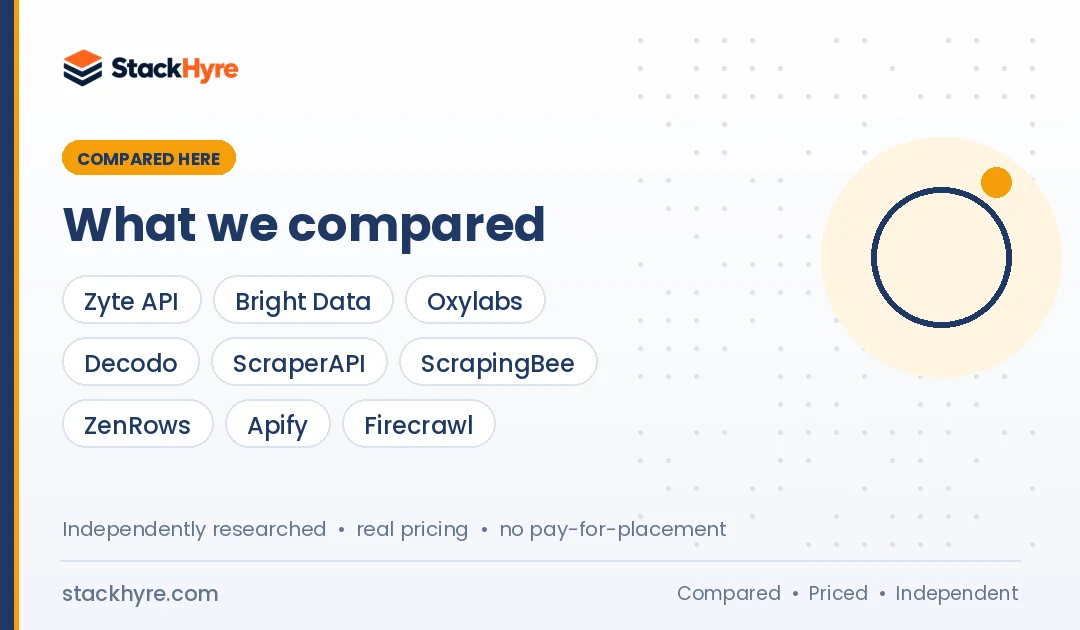
I compared 9 scraping APIs using published pricing, documentation and independent benchmarks. This guide sits inside my web scraping proxy hub, which is part of my wider best proxy providers guide. If you’d rather run your own proxies, start there instead.
Quick Comparison: Best Web Scraping APIs in 2026
| Provider | Best For | Starting Price | Key Feature |
|---|---|---|---|
| Zyte API | Best overall unblocking | $5 free credit, then from $0.13 per 1K | Priced by site difficulty |
| Bright Data | Enterprise and ready-made datasets | $1.50 per 1K (PAYG) | Pay only for success |
| Oxylabs Web Scraper API | Ecommerce and search at scale | $30/month subscription | Shared credits with proxies |
| Decodo Web Scraping API | Lowest cost per protected page | Free plan, then $19/month | Cheap in Proxyway’s tests |
| ScraperAPI | Simple setup with many endpoints | $49/month | 7-day trial with 5,000 credits |
| ScrapingBee | Small projects and freelancers | $19/month | 1,000 free credits |
| ZenRows | Scaling credits on a budget | Free plan, then $19/month | Failed requests not charged |
| Apify | Prebuilt scrapers and workflows | Free ($5 usage), then $19/month | Large Actor marketplace |
| Firecrawl | AI and LLM-ready output | Free 1,000 credits/month | Markdown and JSON output |
What Makes a Great Web Scraping API?
A great web scraping API gets you the data you need from your target sites at a high success rate, with a cost per successful page you can predict. Look for automatic proxy rotation, optional JavaScript rendering, billing only for successful requests, clear credit multipliers, and output that fits your pipeline, like raw HTML, Markdown or structured JSON.
Most buyers stare at the monthly price. That’s a mistake. The real cost hides in the credit rules.
Credit multipliers. ScrapingBee charges 5 credits per default request with JavaScript rendering, 25 with premium proxies, and 75 with stealth proxies. So a plan with 250,000 credits can mean only about 3,300 stealth requests.
Success-only billing. Bright Data, Zyte and ZenRows say they don’t bill failed requests. Firecrawl bills 1 credit even for pages that return 403 or 404. On hard targets, that gap adds up.
Output format. Some APIs return raw HTML. Others parse Amazon or Google into JSON, or return Markdown for AI models. Pick the format that saves you parsing work.
Independent results. Vendor benchmarks tend to crown the vendor. I lean on Proxyway’s Web Scraping API Report 2025, which tested 11 APIs on 15 protected sites.
Best Web Scraping APIs for Protected Sites and Enterprise Data
#1 Zyte API: Best overall for protected sites
Zyte API picks the cheapest method that works for each site on its own and bills per successful response.
What it does well. Zyte ranked first in Proxyway’s 2025 report and was the fastest API tested. Zyte’s own summary says it reached 93.14% success at 2 requests per second on Proxyway’s hardest URL set. And its tiered pricing keeps easy sites cheap.
Key features:
- Automatic proxy, browser and retry handling
- Five price tiers from Simple to Advanced sites
- HTTP and browser-rendered request modes
- Cost calculator and API playground
Pricing. As of October 2026, Zyte’s pricing page lists pay-as-you-go from $0.13 to $1.27 per 1,000 HTTP requests and $1.01 to $16.08 per 1,000 browser-rendered requests. Commitments start at $100 a month. New users get $5 of free credit for 30 days.
Best for: Developers and data teams scraping lots of protected domains.
Limitations. Browser rendering on Advanced-tier sites gets expensive. You’ll need the calculator to predict your bill.
#2 Bright Data: Best for enterprise and ready-made scrapers
Bright Data sells a general unblocker plus site-specific Scraper APIs that return structured records.
What it does well. You get two paths. Web Unlocker fetches any page and deals with blocks. The Scraper API returns ready fields, like price, seller and stock, from sites such as Amazon and Walmart. Bright Data says both bill only for successful delivery.
Key features:
- Web Unlocker for any URL
- Site-specific scrapers with structured output
- Unlimited concurrency and spend limits
- Free tier of 5,000 requests or records a month
Pricing. As of October 2026, Web Unlocker costs $1.50 per 1,000 requests on pay-as-you-go, or $499 a month for 383,000 requests. The Scraper API costs $1.50 per 1,000 records, or $499 a month for 384,000 records.
Best for: Enterprises that want clean ecommerce or social data without building parsers.
Limitations. The flat $1.50 rate is high for easy sites, where tiered APIs cost far less. The product range also takes time to learn.
#3 Oxylabs Web Scraper API: Best for ecommerce and search at scale
Oxylabs has a mature scraper API with dedicated endpoints for Google and Amazon, now billed through one credit subscription.
What it does well. Oxylabs scored above 80% success in Proxyway’s 2025 tests. Its per-target pricing rewards high volume. Because credits are shared, you can spend the same plan on residential proxies when an API is overkill.
Key features:
- Dedicated Google, Amazon and LLM-chatbot scrapers
- Optional AI parsing into structured data
- One balance across proxies and APIs
- $5 of free welcome credit
Pricing. As of October 2026, Oxylabs’ pricing page lists plans at $30, $100 and $500 a month, plus Enterprise from $2,500. The general scrape endpoint runs from $0.50 down to $0.25 per 1,000 results. Google non-JS starts at $1.00 per 1,000, and AI parsing adds $3.00 per 1,000 pages.
Best for: Retail and SEO data teams with large, steady volumes.
Limitations. The single subscription is new, so confirm how unused credits roll over. Google JS scraping costs more.
#4 Decodo Web Scraping API: Best for low cost per protected page
Decodo, formerly Smartproxy, wraps its large proxy network in a scraping API with a free plan.
What it does well. Decodo had the lowest cost in Proxyway’s 2025 report with JavaScript and premium unblocking turned on. It also cleared the 80% success mark. If you need protected pages on a tight budget, it’s a strong pick.
Key features:
- Free plan for up to 10,000 pages scraped
- Rate limits from 10 to 200 requests per second
- Crawl and scrape modes
- 14-day money-back option
Pricing. As of October 2026, Decodo’s scraping API pricing starts with a free plan, then tiers at $19, $49 and $99 a month. Decodo says rates start from $0.15 per 1,000 requests.
Best for: Small teams scraping protected sites on a budget.
Limitations. The page lists volume per tier but not a per-1,000 rate for each plan. It also has fewer site-specific parsers than Oxylabs or Bright Data.
Best Developer-Friendly Scraping APIs
#5 ScraperAPI: Best for simple setup with many endpoints
ScraperAPI is a long-running, credit-based API with clear per-domain pricing.
What it does well. You add one URL parameter and ScraperAPI takes care of proxies, retries and CAPTCHAs. Proxyway called it a strong all-rounder and one of the faster APIs in its 2025 tests. Its pricing table shows the exact credit cost for common domains.
Key features:
- Structured endpoints for Amazon and Google
- Async jobs and scheduled scraping
- Concurrency from 20 threads on the smallest plan
- 7-day trial with 5,000 credits, no card
Pricing. As of October 2026, ScraperAPI’s plans start at $49 a month for 100,000 credits. A standard page costs 1 credit, Amazon costs 5, and Google costs 25. Sites behind Cloudflare, DataDome or PerimeterX add 10 credits per request.
Best for: Developers who want a quick, predictable setup for common targets.
Limitations. Geotargeting is US and EU only on the two lowest plans. Protected pages burn through credits fast.
#6 ScrapingBee: Best for small projects and freelancers
ScrapingBee is a clean, well-documented API with a low entry price and a free trial.
What it does well. ScrapingBee renders JavaScript by default and offers screenshots, AI extraction and Google results. It was one of four APIs above 80% success in Proxyway’s 2025 report. Its docs are some of the clearest I went through.
Key features:
- Headless Chrome rendering by default
- Premium and stealth proxy modes
- Screenshot and extraction rules
- 1,000 free credits, no card
Pricing. As of October 2026, ScrapingBee’s pricing page starts at $19 a month for 75,000 credits and $49 for 250,000. Don’t forget the multipliers: 5 credits per default request, 25 with premium proxies, and 75 with stealth proxies.
Best for: Freelancers and small apps with modest volume.
Limitations. Stealth mode gets costly at scale. The Hobby plan’s credits shrink fast on protected sites.
#7 ZenRows: Best for scaling credits on a budget
ZenRows has lots of small plan steps, so you can grow without big price jumps.
What it does well. ZenRows doesn’t charge for failed requests and has a free plan with 5,000 credits a month. Proxyway called it a strong all-rounder in 2025. All those plan sizes help you match spend to your real volume.
Key features:
- Fetch, Extract, Batch and Browser tools
- Premium proxies and JS rendering on demand
- Free plan with 5 concurrent requests
- No charge for failed requests
Pricing. As of October 2026, ZenRows’ pricing page starts paid plans at $19 a month for 45,000 credits. A basic request uses 1 credit. A request with JavaScript rendering and premium proxies uses 25 credits.
Best for: Growing projects that want small, predictable plan upgrades.
Limitations. Protected pages cost 25 times a basic request, so small plans don’t cover many of them.
Best Scraping Platforms for Workflows and AI
#8 Apify: Best for prebuilt scrapers and workflows
Apify is a scraping platform with a marketplace of ready-made scrapers, called Actors, plus hosting and scheduling.
What it does well. You can often skip coding altogether. Pick an existing Actor for a site, set the inputs and schedule it. When you need custom logic, you can deploy your own code to the same cloud.
Key features:
- Large marketplace of prebuilt Actors
- Cloud hosting, scheduling and storage
- Built-in residential and SERP proxies
- Free plan with $5 of monthly usage
Pricing. As of October 2026, Apify’s pricing page lists a free plan with $5 of usage, Starter at $19 a month and Scale at $199. Compute costs $0.20 per unit on Starter. Residential proxy traffic costs $8 per GB on the lower plans.
Best for: Marketers and analysts who want results from popular sites without writing scrapers.
Limitations. Costs mix compute, proxies and Actor fees, so bills are harder to predict. Third-party Actors vary in quality.
#9 Firecrawl: Best for AI and LLM-ready output
Firecrawl turns web pages into clean Markdown or JSON, made for AI agents and retrieval pipelines.
What it does well. Firecrawl makes it easy to crawl a whole site and feed it to a language model. It also handles search, mapping and page monitoring. Proxyway noted it’s better at long-tail crawling than heavily protected sites, where it ranked last.
Key features:
- Markdown, JSON and summary output
- Crawl, map, search and monitor tools
- Free plan with 1,000 credits a month
- Open-source core
Pricing. As of October 2026, Firecrawl’s pricing page lists Hobby at $16 a month billed yearly ($19 monthly) for 5,000 credits, and Standard at $83 yearly ($99 monthly) for 100,000 credits. A basic scrape is 1 credit. JSON output adds 4 credits per page.
Best for: AI builders who need readable content from lots of ordinary sites.
Limitations. Weak on heavily protected sites. Error pages still cost a credit.
Scraping API vs Proxies: Which Do You Need?
Use a scraping API when blocks, CAPTCHAs and browser rendering eat more time than the data itself. Use raw proxies when your targets are lightly protected, your volume is huge, or you want full control over headers, sessions and timing. Lots of teams run both: cheap proxies for easy sites and an API for the hard ones.
Raw proxies are billed by GB or by IP. That’s cheaper per page on simple HTML, but you handle retries and fingerprinting yourself. My list of the best rotating proxies covers that route.
APIs are billed per request or per successful result. You pay more per page, but you stop paying engineers to fix blocks. If you want browser fingerprint control without an API, pair proxies with one of the best antidetect browsers.

How Should You Choose the Right Web Scraping API?
Pick by testing your own URLs. Take 100 to 500 real pages from your hardest target, run them through two or three free tiers, and compare cost per successful page. Then check the credit multipliers for JavaScript and premium proxies, the output formats, concurrency limits and whether failed requests get billed.
Map your targets. List the sites you need and how protected they are. Easy sites favor tiered pricing like Zyte or ZenRows. Ecommerce giants favor site-specific scrapers from Bright Data or Oxylabs. My price monitoring proxy guide covers retail targets in depth.
Do the credit math. Multiply monthly pages by the credits each page type costs. A Google result at 25 credits on ScraperAPI uses up a 100,000 credit plan in 4,000 searches. For rank tracking, see my best proxies for SEO guide.
Check output. If you feed data to an AI model, Markdown output saves cleanup. If you feed a database, structured JSON saves parsing.
Check concurrency. Low thread limits slow big jobs down. ScraperAPI rejects requests above your plan limit with an error instead of queuing them.
Check compliance. Respect robots.txt, defined in RFC 9309, and stay away from personal data. Read the target’s terms. Laws differ by country.
How I Evaluated These Web Scraping APIs
I didn’t run my own benchmark for this guide. I went through each API’s published pricing, documentation and billing rules in October 2026. Then I compared what I found with independent research, mainly Proxyway’s 2025 report on 11 scraping APIs.
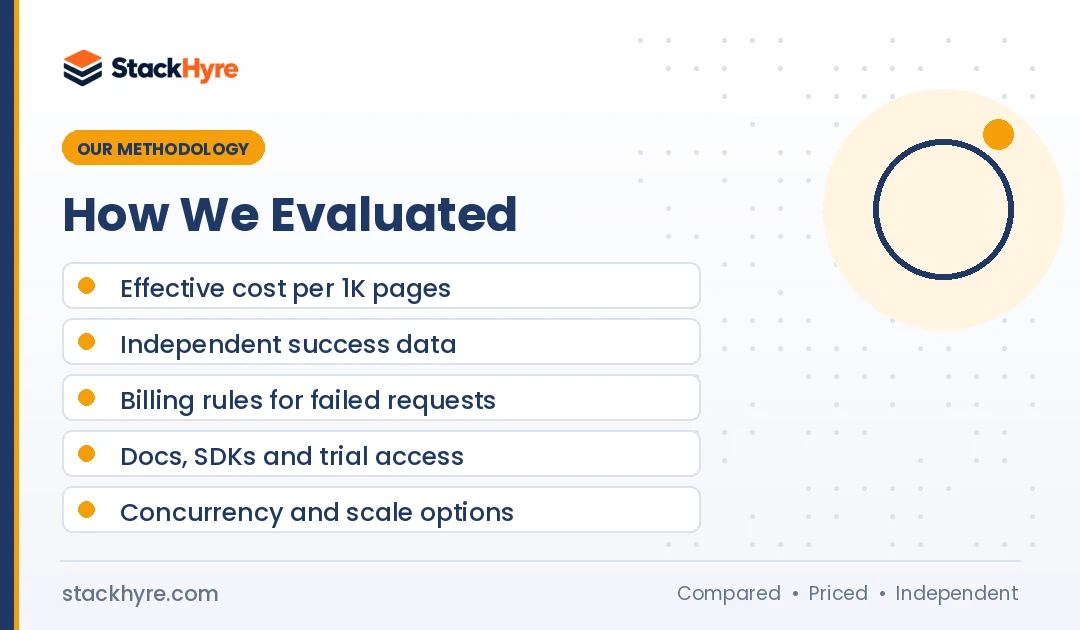
My criteria:
- Effective cost: Price per 1,000 successful pages after credit multipliers, rather than the plan price alone.
- Independent success data: Results from third-party tests, with vendor-published numbers labeled as such.
- Billing fairness: Whether failed requests are charged, and how credits expire or roll over.
- Developer experience: Docs quality, SDKs, output formats and trial access.
- Scale: Concurrency limits, rate limits and enterprise options.
Read my editorial policy to see how I research and update reviews.
The Bottom Line
For protected sites, Zyte API is my top choice. It has strong independent results, and its pricing stays low on easy targets.
Go with Bright Data or Oxylabs when you need structured ecommerce or search data at enterprise scale. Decodo had the lowest cost on protected pages in Proxyway’s tests. ScraperAPI, ScrapingBee and ZenRows are the easiest to start with. Apify suits no-code workflows, and Firecrawl suits AI pipelines.
Before you pay, run your own URLs through two free tiers and compare cost per successful page. If your targets are simple, raw proxies may cost less. You can compare them in my best proxies for web scraping guide.
Frequently Asked Questions
What is a web scraping API?
A web scraping API is a service that fetches web pages for you. You send it a URL, and it deals with proxies, retries, CAPTCHAs and JavaScript rendering. Then it returns the page as HTML, Markdown or structured JSON. You pay per request or per successful result instead of running proxy pools and headless browsers yourself.
Which web scraping API is the cheapest?
It depends on your targets. For easy sites, Zyte starts at $0.13 per 1,000 HTTP requests on pay-as-you-go, as of October 2026. For protected pages, Decodo had the lowest cost in Proxyway’s 2025 tests. Several APIs have free plans, including ZenRows, Firecrawl, Decodo and Apify. Always compare cost per successful page on your own URLs.
Is a scraping API better than buying proxies?
A scraping API wins when blocks and rendering take more time than parsing the data. It costs more per page but saves engineering time. Raw proxies win for huge volumes on lightly protected sites, or when you want full control over sessions. Many teams use proxies for easy targets and an API for hard ones.
Do web scraping APIs charge for failed requests?
Many don’t. Bright Data, Zyte and ZenRows say they bill only successful requests. Others differ. Firecrawl, for example, charges 1 credit for pages that return an error like 403 or 404. Check each vendor’s billing rules before you commit, since failed requests can be a big share of traffic on protected sites.
Can web scraping APIs handle JavaScript-heavy sites?
Yes. Most scraping APIs can render pages in a headless browser before returning them, and that usually costs more. ScrapingBee renders JavaScript by default at 5 credits per request, while ZenRows charges 25 credits when you combine rendering with premium proxies. Turn rendering on only for pages that need it, and use plain HTTP for everything else.
Related Articles

Daniel Brooks writes about proxies, web scraping and email infrastructure at StackHyre. He compares providers on published pricing, documentation and independent benchmarks so you can pick the right setup without overpaying.