

TL;DR: Decodo is my top rotating proxy pick for most people. Residential traffic starts at $4 per GB pay as you go. Oxylabs and Bright Data lead for large projects. IPRoyal is my pick for long sticky sessions, and Webshare and Rayobyte win on budget. I compared 8 providers on price, pool size, rotation control and trials. Prices are as of October 2026.
Bots now make up a huge share of web traffic. Imperva’s 2025 Bad Bot Report found bad bots made up 37% of internet traffic in 2024.
So websites fight back. Many count requests per IP address and block any IP that sends too many. Cloudflare’s own rate limiting rules count requests by IP on its Free and Pro plans.
Rotating proxies fix that. They spread your requests across lots of IP addresses, so no single IP sends enough traffic to trip a limit.
The catch? Providers handle rotation very differently. Some rotate on every request. Some let you hold an IP for hours or days. Prices run from cents to several dollars per GB.
I went through the published pricing, docs and policies for 8 rotating proxy providers. If you want the wider market, see my list of the best proxy providers overall or my guide to types of proxies.
Below you’ll get a quick comparison, my take on each provider and a checklist to help you pick.
Quick Comparison: Best Rotating Proxy Providers in 2026
| Provider | Best For | Starting Price | Key Feature |
|---|---|---|---|
| Decodo | Best overall value | $4/GB pay as you go | 115M+ IPs, 3-day trial |
| Oxylabs | Large data projects | $6/GB, down to $2.50/GB | Sessions up to 24 hours |
| Bright Data | Enterprise scale | $4/GB with promo, $8/GB list | 400M+ residential IPs |
| SOAX | Custom rotation rules | $5/GB (Sandbox, tier 1 geos) | Rotate by time, count or error |
| IPRoyal | Very long sessions | $7/GB at 1 GB | Sticky sessions up to 7 days |
| NodeMaven | Clean IPs | About $2.20/GB on the largest plan | IP quality filter on all plans |
| Webshare | Small budgets | $3.50/GB at 1 GB | Free plan with 10 proxies |
| Rayobyte | Cheap datacenter rotation | $0.30/GB (rotating datacenter) | Rotating residential, ISP and datacenter |
What Makes a Great Rotating Proxy Provider?
A great rotating proxy provider gives you a large, ethically sourced IP pool and full control over when IPs change. You should be able to rotate on every request or hold a sticky session. Pricing should be clear, per GB or per IP. After that, I look for good targeting, a trial and docs you can actually follow.
Most rotating proxies work through one gateway address. You send every request to the same host and port. The provider picks an IP from its pool and forwards your request. Decodo’s rotating endpoint, for example, is gate.decodo.com on port 7000.
You control rotation with settings in your username or dashboard. A new session ID usually means a new IP. Reuse the same session ID and you keep the same IP.
Here’s what I checked for each provider:
- Pool size and coverage. Bigger pools mean fewer repeat IPs on the same site.
- Rotation control. Per-request rotation plus sticky sessions with a clear maximum length.
- Targeting. Country, city and ASN targeting help with local results.
- Pricing. Entry rates for small users and volume rates for big ones.
- Trials and refunds. A cheap way to test your real targets first.
- Sourcing. Clear consent policies and customer checks.
Don’t skip sourcing. In July 2026, KrebsOnSecurity reported the FBI seizure of NetNut’s domains. Security firms had tied NetNut to a botnet of infected devices. I don’t recommend NetNut.
Best Rotating Residential Proxies Overall
#1 Decodo: Best overall value
Decodo, the former Smartproxy, is where I’d start. It mixes fair pricing, a large pool and an easy setup.
What it does well. Decodo lists 115M+ residential IPs across 195+ locations. You pick rotating or sticky sessions in the dashboard. Its docs show sticky sessions of up to 24 hours. Decodo is upfront that long sessions may end early if the home device goes offline.
Key features:
- Rotating and sticky session types
- Single gateway endpoint for rotating requests
- 3-day free trial with 100 MB
- 14-day refund window, with usage limits
Pricing. As of October 2026, pay as you go costs $4 per GB. Monthly plans start at $3.75 per GB for 3 GB, or $11.25. The rate falls to $2 per GB on the 1,000 GB plan. You can’t combine pay as you go with a monthly plan.
Best for: Small and mid-size teams that want a trusted brand at a fair price.
Limitations. The free trial is small at 100 MB. Refunds only cover first purchases with limited traffic used.
#2 Oxylabs: Best for large data projects
Oxylabs is built for teams that scrape at scale and want fine session control.
What it does well. Oxylabs residential proxies rotate with every request by default. Add a session ID to keep one IP. A session lasts 10 minutes by default, or ends after 60 seconds idle. You can stretch it to 1,440 minutes, which is 24 hours.
Key features:
- Per-request rotation by default
- Sticky sessions from 10 minutes up to 24 hours
- One subscription covers every Oxylabs product
- $5 in welcome credits for new users
Pricing. In October 2026, Oxylabs moved to one subscription for all products. Plans cost $30, $100 or $500 per month, with Enterprise from $2,500. Residential traffic costs $6 per GB at low volume and $2.50 per GB above 1,000 GB. Ask whether unused balance carries over before you sign up.
Best for: Data teams that run large, steady scraping jobs.
Limitations. Small users pay $6 per GB. The new subscription model takes some planning.
#3 Bright Data: Best for enterprise scale
Bright Data runs one of the largest advertised residential networks.
What it does well. Bright Data claims 400M+ rotating residential IPs in 195 countries. Country, state, city and ZIP targeting are free. Residential access needs a KYC check, which I like because it keeps abusers out. Its docs explain a session parameter to keep or force a new IP.
Key features:
- 400M+ residential IPs, per Bright Data
- Session IDs to pin or rotate IPs
- Free geo-targeting down to ZIP code
- Proxy Manager for rotation rules
Pricing. As of October 2026, pay as you go lists at $8 per GB. A promo code cuts it to $4 per GB for 3 months. The first monthly plan costs $499 for 141 GB. Check the current terms on Bright Data’s residential pricing page.
Best for: Enterprises that need scale, compliance and many tools in one place.
Limitations. List prices get steep once promos end. And the sheer number of options can feel heavy if you’re a small user.
Best for Session and Rotation Control
#4 SOAX: Best for custom rotation rules
SOAX gives you more ways to decide when an IP changes than most providers.
What it does well. SOAX says you can rotate per request, by request count, by time or on error. You can also lock requests to a single node. It supports HTTP, HTTPS and SOCKS5. SOAX claims over 191 million residential and mobile IPs combined.
Key features:
- Rotation triggers by count, time or error
- One per-GB rate for residential and mobile
- Targeting by country, region, city and ISP
- ASN and ZIP targeting on Scale plans and up
Pricing. SOAX prices by plan and by IP location tier. As of October 2026, the free Sandbox plan charges $5 per GB for tier 1 locations. The $200 Builder plan charges $3 per GB. The $500 Team plan charges $2.20 per GB. There’s no free trial.
Best for: Developers who want rotation that reacts to errors and request counts.
Limitations. Geo tiers make your bill harder to predict. SOAX no longer lists ISP or datacenter proxies.
#5 IPRoyal: Best for very long sessions
IPRoyal lets you hold a residential IP longer than anyone else on this list.
What it does well. IPRoyal offers sticky sessions of up to 7 days. Its traffic doesn’t expire, so you can buy once and use it slowly. It claims 64M+ IPs in 195+ countries. No long-term contracts either.
Key features:
- Sticky sessions up to 7 days
- Traffic with no listed expiry
- Pay as you go or 5% off with a subscription
- 195+ countries
Pricing. As of October 2026, 1 GB costs $7 per GB on a subscription or $7.35 pay as you go. The rate drops to $5.25 per GB at 10 GB. Custom plans above 10,000 GB reach $1.75 per GB.
Best for: Light users and anyone who needs one residential IP to last for days.
Limitations. Small-volume rates are among the highest here. Long sessions still depend on the home device staying online.
#6 NodeMaven: Best for clean IPs
NodeMaven filters its pool for IP quality before you ever get an address.
What it does well. NodeMaven applies an IP quality filter on every plan. It reports a 95% IP clean rate and a 99.54% average success rate. Keep in mind those are vendor numbers, not independent tests. Sticky sessions last up to 24 hours. Unused traffic rolls over to the next billing period.
Key features:
- IP quality filter on all plans
- Sticky sessions up to 24 hours
- Traffic rollover between periods
- Custom pricing above 1,000 GB per month
Pricing. As of October 2026, residential traffic starts at about $2.20 per GB, but only on the largest plan. The lowest monthly plan is $8.50 for 2 GB. A $3.50 paid trial includes 750 MB.
Best for: Users who care more about IP reputation than the lowest price.
Limitations. You need a large plan to get the headline rate. There’s no free trial.
Best Budget and Datacenter Rotation
#7 Webshare: Best for small budgets
Webshare is a low-cost option with a free plan you can try today.
What it does well. Webshare has a free plan with 10 shared proxies and 1 GB per month. You don’t need a credit card. Its rotating proxy endpoint sends each request through a random proxy from your list. That gets you simple rotation even on datacenter plans.
Key features:
- Free plan with 10 proxies, no card needed
- Rotating endpoint at p.webshare.io
- Rotating residential plans sold per GB
- HTTP and SOCKS5 support
Pricing. As of October 2026, rotating residential starts at $3.50 per GB on a 1 GB plan. It drops to $1.40 per GB at 3,000 GB. Datacenter proxies start at $2.99 per month for 100 proxies.
Best for: Hobby projects, students and small teams testing an idea.
Limitations. Webshare doesn’t explain residential rotation settings on its pricing page. It doesn’t sell mobile proxies.
#8 Rayobyte: Best for cheap datacenter rotation
Rayobyte sells rotating residential, ISP and datacenter proxies with low volume rates.
What it does well. Rayobyte offers rotation across three proxy types, and its rotating datacenter traffic is very cheap. Every rotating plan includes sticky sessions. Premium Residential adds country, city, ZIP and ASN targeting. There’s a free trial on self-serve products.
Key features:
- Rotating residential, ISP and datacenter plans
- Sticky sessions on every rotating plan
- ZIP and ASN targeting on Premium Residential
- Free trial with no credit card
Pricing. As of October 2026, rotating datacenter costs $0.30 per GB pay as you go. Premium Residential starts at $3.50 per GB for 1 to 49 GB. It falls to $0.70 per GB at 1,000 GB or more. Scale Residential plans start at $100 per month and open only after a compliance review.
Best for: Teams that want cheap datacenter rotation plus residential for harder targets.
Limitations. The product range has a lot of tiers, so compare carefully. Scale Residential needs a review before you can use it.
Which Type of Rotating Proxy Do You Need?
Most people need rotating residential proxies, because home IPs pass checks that block datacenter ranges. I’d use rotating datacenter proxies for easy targets where speed and cost matter most. Save rotating mobile proxies for the strictest sites. Rotating ISP proxies sit in the middle, with fast speeds and residential-looking IPs.
Here’s the short version:
- Residential. Best for most scraping, price checks and SEO data. See my list of the best residential proxies.
- Datacenter. Fastest and cheapest. Rayobyte’s rotating datacenter traffic starts at $0.30 per GB.
- ISP. Datacenter speed with ISP-registered IPs. Rayobyte sells these as rotating plans too.
- Mobile. Hardest to block, highest price. Compare options in my guide to the best mobile proxies.
For data collection, my hub on the best proxies for web scraping maps tools to each task.
How Should You Choose the Right Rotating Proxy?
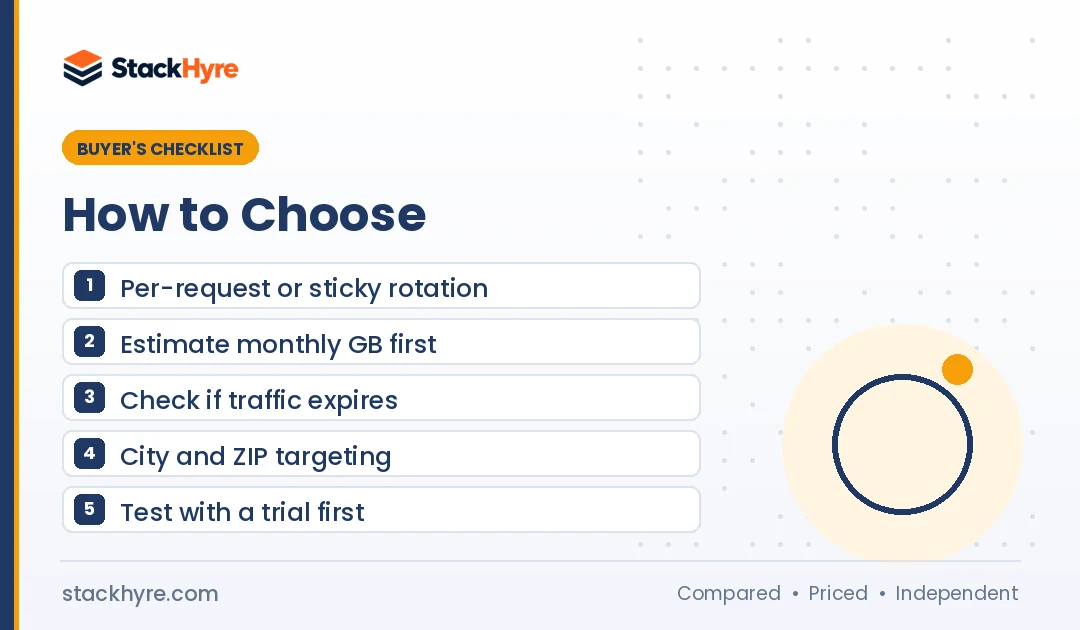
Pick a rotating proxy by matching session control and price to your task. If you send lots of short scraping requests, you want per-request rotation and low per-GB rates. If you log in, you need sticky sessions long enough to finish. Then compare entry prices, trials and sourcing before you commit to a monthly plan.
1. Decide how long each IP must last. Product page scraping works fine with per-request rotation. Logins and checkouts need sticky sessions. My guide to rotating vs static proxies covers this choice in detail.
2. Estimate your monthly traffic. Per-GB prices fall fast with volume. At Decodo, 3 GB costs $11.25, while 100 GB costs $275. Buy the tier you’ll actually use, not the one with the best per-GB rate.
3. Watch for expiring traffic. Some plans reset each month. IPRoyal says its traffic stays available until you use it. NodeMaven rolls unused traffic over.
4. Check targeting. Local SEO and price checks need city or ZIP targeting. Bright Data includes it for free. SOAX adds ZIP targeting on higher plans.
5. Start with a trial. Decodo offers 3 days with 100 MB. Webshare and Rayobyte have free options. NodeMaven charges $3.50 for 750 MB. Test on your real targets.
6. Look at the real cost per success. A cheap pool with lots of failed requests can cost you more. If price is your main concern, see my list of cheap residential proxies.
And always follow each site’s terms and your local laws when you collect data.
How I Evaluated These Rotating Proxy Providers
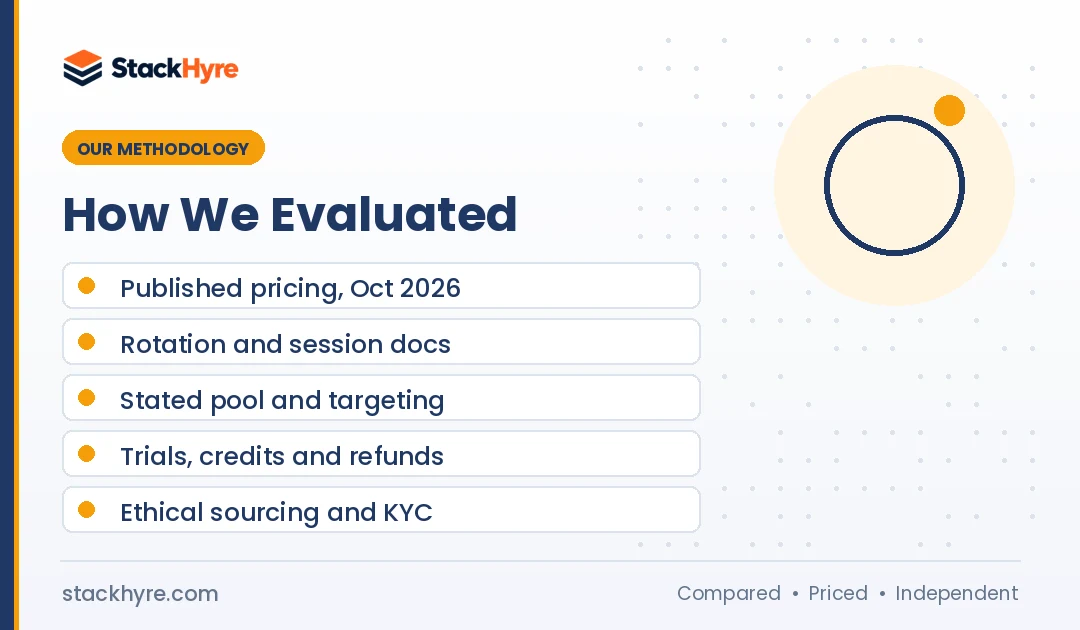
I didn’t run my own benchmark for this guide. I read each provider’s pricing pages and docs and compared what they publish. Where I could, I checked their claims against independent reporting. I followed my editorial policy throughout.
I scored each provider on five areas:
- Published pricing. Entry and volume rates, read in October 2026.
- Rotation control. Default behavior, session IDs and maximum sticky length from the docs.
- Pool and targeting. Stated pool size, country count and targeting depth.
- Trials and refunds. Free plans, paid trials, credits and refund terms.
- Sourcing and trust. KYC checks, compliance claims and news such as the NetNut seizure.
Pool sizes and success rates are vendor claims. Treat them as a starting point until you try them on your own targets.
The Bottom Line
Decodo is my top rotating proxy pick for most people. It pairs a 115M+ IP pool with $4 per GB pay as you go and a free trial. Oxylabs and Bright Data suit large teams that need scale and fine session control.
If you need long sessions, IPRoyal holds IPs for up to 7 days. NodeMaven is the one I’d pick for clean IPs. Webshare and Rayobyte are the budget picks, especially for datacenter rotation.
Start with the smallest plan or a trial, test your real targets, then scale up. Not sure rotation fits your task? Read my guide to rotating vs static proxies before you buy.
Frequently Asked Questions
What is a rotating proxy?
A rotating proxy changes the IP address your requests come from. You connect to one gateway, and the provider assigns IPs from its pool. Rotation can happen on every request or after a set time. That spreads your traffic across many addresses, so websites are less likely to block you for sending too many requests.
How much do rotating proxies cost?
As of October 2026, rotating residential proxies cost about $3.50 to $8 per GB at entry level. Volume buyers can pay $2 per GB or less with Decodo, Oxylabs and others. Rotating datacenter traffic is far cheaper, starting at $0.30 per GB with Rayobyte. Always check each provider’s current pricing page.
What is a sticky session?
A sticky session keeps the same IP address for a set period instead of rotating on every request. You want one for logins, carts and multi-step forms. Session limits vary by provider. Oxylabs and Decodo allow up to 24 hours. IPRoyal allows up to 7 days. Long sessions can still end early if the device goes offline.
Are rotating proxies good for web scraping?
Yes. Rotating proxies are the standard tool for web scraping at scale. They spread requests across many IPs, which helps you stay under per-IP rate limits. Residential pools work best on protected sites. Datacenter pools are cheaper for easy targets. Always respect each site’s terms and the laws where you operate.
Can I get rotating proxies for free?
Webshare offers a free plan with 10 shared proxies and 1 GB of monthly bandwidth. No credit card is required, and its rotating endpoint can rotate across those proxies. Decodo offers a 3-day trial with 100 MB. I’d steer clear of random free proxy lists, because you can’t know who runs them or what they log.
Related Articles


Daniel Brooks writes about proxies, web scraping and email infrastructure at StackHyre. He compares providers on published pricing, documentation and independent benchmarks so you can pick the right setup without overpaying.