
TL;DR: For most SEO teams, I’d pick Bright Data or Oxylabs for large SERP and rank tracking jobs. Decodo is my value pick for mid-size agencies, and Webshare or DataImpulse fit small budgets. Residential proxies run from about $1 to $8 per GB, and SERP APIs from about $1 to $1.50 per 1,000 requests. Below I compare 8 providers on pricing, geo targeting and when an API beats raw proxies.
Rank tracking got more expensive in 2025. In mid-September, Google stopped honoring the num=100 parameter. A check that used to take one request now takes about ten requests to see the top 100 results.
That came right after Google started requiring JavaScript for search on January 17, 2025. Simple scripts that grabbed plain HTML broke overnight.
So here’s where that leaves you. If you run your own SERP checks, you need more IPs, better IPs and smarter tools than you did two years ago.
I wrote this for SEO pros who scrape search results, track rankings in many cities, audit competitors or check local packs. I compare 8 providers on price, location targeting, session control and whether they sell a ready-made SERP API.
If you want the wider market first, see my best proxy providers guide. For general data collection, my web scraping proxy guide is the hub for every use case.
Quick Comparison: Best Proxies for SEO in 2026
| Provider | Best For | Starting Price | Key Feature |
|---|---|---|---|
| Bright Data | City-level SERP data at scale | SERP API $1.50 per 1K requests (pay as you go) | 7 search engines, 195 countries |
| Oxylabs | Enterprise rank tracking | $30/month credit plan | One credit balance for proxies and Search API |
| Decodo | Mid-size agencies | Residential from $2/GB | Web Data API from $0.15 per 1K requests |
| SOAX | Flexible local targeting | Sandbox, no subscription fee | One rate for residential and mobile |
| IPRoyal | Traffic that never expires | $7/GB for 1 GB | Unused traffic carries over |
| NodeMaven | Clean IPs for logged-in SEO tools | $3.50 paid trial (750 MB) | Real-time IP quality filter |
| Webshare | Small rank checks on a budget | Free plan, 10 proxies | Datacenter from $2.99/month |
| DataImpulse | Lowest per-GB residential price | About $1/GB | Pay as you go residential |
What Makes a Great Proxy for SEO?
A good SEO proxy shows you the same results a real searcher would see in a chosen city, on a chosen device, with no CAPTCHAs. That means residential or mobile IPs with country, city and sometimes ZIP or carrier targeting. You also want per-request rotation for bulk checks, sticky sessions for paginated pulls and clear billing, ideally only for successful requests.
Location accuracy matters most. Google changes results by place, so a proxy that lands in the wrong state gives you the wrong rankings.
Success rate comes second. Every blocked request burns bandwidth or credits and slows your reports.
Third, think about what you actually want back. Raw proxies hand you HTML that you parse yourself. A SERP API hands you clean JSON with rankings, ads and features already pulled out.
Last, read the rules. Google’s spam policies list scraping results for rank-checking purposes under machine-generated traffic and say it breaks its Terms of Service. Most SEO tools still collect SERP data, but you should know the risk you’re taking. In December 2025, Google sued SERP data company SerpApi, alleging it got around security measures. Keep your volumes sane and get legal advice for big commercial projects.
Do You Need Proxies or a SERP API?
Pick a SERP API if you want ranking data fast and don’t want to babysit a scraper. Pick raw proxies if you already run your own crawler, need full control over requests, or want pages that APIs don’t cover. Plenty of teams use both: an API for daily rank tracking and proxies for audits, competitor pages and one-off research.
Since Google now needs JavaScript and shows 10 results per page, a homemade scraper needs a headless browser and more requests. That pushes up bandwidth per keyword.
APIs hide that work from you. Bright Data, for example, says its SERP API bills only for successful requests under its standard setup. With raw proxies, failed requests still eat your traffic.
For a closer look at API options, read my guide to the best web scraping APIs.
Best Proxy Networks with Built-In SERP APIs
#1 Bright Data: Best for City-Level SERP Data at Scale
Bright Data is my pick when you need deep location targeting across lots of search engines and markets.
What it does well. Its SERP API covers seven engines, including Google, Bing, DuckDuckGo, Yandex, Baidu, Yahoo and Naver, according to Bright Data’s SERP API page. The same page says it supports 195 countries and city-level targeting. If you’d rather use raw proxies, Bright Data says its residential network has 400M+ residential IPs from 195 countries.
Key features:
- SERP API with structured results for multiple search engines
- City-level targeting for local rank tracking
- Billing only for successful SERP requests on standard settings
- Residential, ISP, datacenter and mobile networks under one account
Pricing. As of October 2026, the SERP API lists pay-as-you-go pricing of $1.50 per 1,000 requests. Residential pay-as-you-go showed at $4/GB during a 50% promotion, down from a listed $8/GB. Promos change often, so check before you buy.
Best for: Agencies and SEO platforms tracking thousands of keywords across many cities and engines.
Limitations. The dashboard takes time to learn, and per-GB rates get steep if you skip the API and scrape with raw residential traffic. Add custom headers or cookies on a SERP zone and all requests are billed, including failed ones.
#2 Oxylabs: Best for Enterprise Rank Tracking
Oxylabs fits teams that want proxies and a search scraping endpoint on one steady monthly budget.
What it does well. Oxylabs moved to a single credit subscription. One plan pays for residential, mobile, ISP and datacenter proxies plus its Web Scraper API. So you can shift spend from proxies to search results as your needs change.
Key features:
- /Search endpoint for search result collection
- Residential and mobile proxies with geo targeting
- Dedicated ISP proxies for stable logins to SEO tools
- $5 in welcome credits to try any product
Pricing. As of October 2026, Oxylabs’ pricing page lists Starter at $30/month, Basic at $100/month, Flexible at $500/month and Enterprise from $2,500/month. Searches cost $1 per 1,000 on every tier. Residential runs $6/GB on Starter and drops to $2.50/GB at 1,000+ GB on Enterprise.
Best for: In-house SEO teams and SaaS rank trackers that want one vendor and one invoice.
Limitations. The Starter plan buys only about 0.8 GB of residential traffic. Check how unused credits are handled at the end of each cycle on Oxylabs’ pricing page before you sign up.
#3 Decodo: Best Value for Mid-Size Agencies
Decodo, formerly Smartproxy, gives you low entry prices and a cheap scraping API in one place.
What it does well. Decodo keeps its plans simple and its entry prices low. Its Web Data API handles scrape, search, map and crawl requests from one endpoint, so you can collect SERPs without writing a parser.
Key features:
- Residential, mobile, ISP and datacenter proxies
- Web Data API that covers search requests
- 3-day residential trial with 100 MB
- 14-day refund window on self-service plans, with conditions
Pricing. As of October 2026, Decodo’s pricing page lists residential from $2/GB, mobile from $2.25/GB and ISP from $0.27/IP. The Web Data API starts at $0.15 per 1,000 requests. The lowest rates only apply to bigger plans. AIMultiple’s October 2026 snapshot showed $3.75/GB on the 3 GB residential plan.
Best for: Agencies tracking a few thousand keywords that want good coverage without enterprise contracts.
Limitations. The refund policy is strict. You lose it if you used the trial or more than 20% of a residential plan’s traffic, per Decodo’s pricing page.
Best Proxies for Flexible Local Rank Tracking
#4 SOAX: Best for Flexible Local Targeting
SOAX works well when you want residential and mobile IPs on one balance with no subscription to start.
What it does well. SOAX charges one rate for residential and mobile traffic. That lets you check mobile and desktop rankings from the same balance. Its Sandbox option has no monthly fee, so you can try locations before you commit.
Key features:
- Residential and mobile proxies on shared plans
- Sandbox pay-as-you-go access with no subscription
- Team member seats on higher plans
- Rates drop sharply on larger plans
Pricing. As of October 2026, SOAX’s pricing page shows Sandbox rates from $5/GB down to $2/GB by tier, with no subscription fee. Paid plans start with Builder at $200/month plus VAT, with usage from $3/GB.
Best for: Local SEO teams that compare mobile and desktop rankings across many regions.
Limitations. SOAX no longer lists ISP or datacenter proxies, and there’s no free trial. If you need static IPs for tool logins, you’ll need a second vendor.
#5 IPRoyal: Best for Traffic That Never Expires
IPRoyal fits SEO work that comes in bursts, like quarterly audits or one-off competitor research.
What it does well. Its residential traffic doesn’t expire. IPRoyal’s pricing page says your traffic stays available until you use it. That’s rare, and it saves money if your SEO workload is uneven.
Key features:
- Residential traffic with no expiry
- Pay as you go with no monthly minimum
- Subscription option with a 5% discount
- Mobile, ISP and datacenter products from the same account
Pricing. As of October 2026, residential costs $7/GB for 1 GB on subscription, $5.25/GB at 10 GB and $1.75/GB on custom plans from 10 TB. Pay-as-you-go rates run a bit higher, starting at $7.35/GB.
Best for: Freelancers and small agencies with irregular SERP scraping needs.
Limitations. Small-volume prices are higher than Decodo or Webshare. No SERP API comes with the proxies, so parsing is on you.
#6 NodeMaven: Best for Clean IPs on Logged-In SEO Tools
NodeMaven is a strong fit when IP reputation matters more than raw volume.
What it does well. NodeMaven screens residential and mobile IPs in real time before handing them out. NodeMaven’s pricing page says the filter drops IPs that fail fraud score, blacklist and reputation checks. That helps when you manage Google Business Profiles, log in to client tools or run local checks where flagged IPs trigger CAPTCHAs.
Key features:
- Real-time IP quality filter on residential and mobile
- Sticky sessions up to 24 hours
- Static ISP proxies for fixed logins
- Low-cost paid trial
Pricing. As of October 2026, residential and mobile start at $2.20/GB, but only on the largest monthly plan. ISP proxies start at $2.33 per IP for 30 days. A $3.50 paid trial gets you 750 MB.
Best for: Local SEO consultants who manage client profiles and need IPs that stay clean.
Limitations. There’s no free trial and no SERP API. Small plans cost more per GB than budget providers.
Best Budget SEO Proxies
#7 Webshare: Best for Small Rank Checks on a Budget
Webshare is the easiest place to start, since you can try it without paying.
What it does well. Webshare’s free plan gives you 10 shared proxies and 1 GB of bandwidth each month with no credit card. That’s enough to test a script or check a small keyword set on Bing or smaller engines.
Key features:
- Free plan with no time limit
- Datacenter, static residential and rotating residential proxies
- HTTP and SOCKS5 support
- Large volume discounts
Pricing. As of October 2026, datacenter proxies start at $2.99/month for 100 proxies. Static residential starts at $6/month for 20 proxies. Rotating residential is $3.50/GB on the 1 GB plan and drops to $1.40/GB at 3,000 GB.
Best for: Solo SEOs, students and developers building their first rank tracker.
Limitations. Google blocks datacenter IPs fast, so you’ll need the residential plan for real Google tracking. City-level targeting is thinner than on enterprise networks.
#8 DataImpulse: Best for the Lowest Per-GB Residential Price
DataImpulse is the cheapest residential option I found for high-volume SERP pulls that aren’t urgent.
What it does well. Its entry price is low, and you pay only for what you use. For big keyword lists where small speed gaps don’t matter, the savings add up fast.
Key features:
- Pay-as-you-go residential traffic
- Mobile and datacenter options
- Advanced targeting available at extra cost
- Low minimum purchase
Pricing. AIMultiple’s October 2026 pricing review listed DataImpulse residential at $1/GB, with advanced targeting at 2x the price. I couldn’t load DataImpulse’s own pricing page, so check the current price on DataImpulse’s site before you buy.
Best for: Budget-minded teams scraping large SERP datasets in bulk.
Limitations. City or ZIP targeting doubles the price, which eats into the savings for local SEO. Support and tooling are lighter than at premium vendors.
Which Proxy Type Works Best for SEO Tasks?
Residential proxies are my default for Google rank tracking because they come from real home connections and get blocked less. Mobile proxies help when you need mobile SERPs or the cleanest trust signal. Datacenter proxies are cheap and fast, but Google blocks them often, so save them for Bing, site audits and crawling your own pages. ISP proxies suit fixed logins to SEO tools.
Here’s how I’d match common SEO tasks to proxy types:
- Daily Google rank tracking: Rotating residential IPs or a SERP API. More in my residential proxy comparison.
- Local pack and map checks: Residential or mobile IPs with city targeting.
- Technical crawls of your own site: Datacenter proxies are usually fine. See my datacenter proxy picks.
- Paginated SERP pulls: Sticky sessions so all 10 pages come from one IP. My guide to rotating vs static proxies explains the trade-off.
- Logins to client dashboards: Static ISP proxies for a stable identity.
How Should You Choose the Right SEO Proxy?
Start with your monthly request count, then work backward. Multiply keywords by locations, devices and check frequency. Remember that a top-100 check now takes about 10 requests. Compare that total against SERP API pricing per 1,000 requests and residential pricing per GB, then pick the cheaper path that still covers your cities.
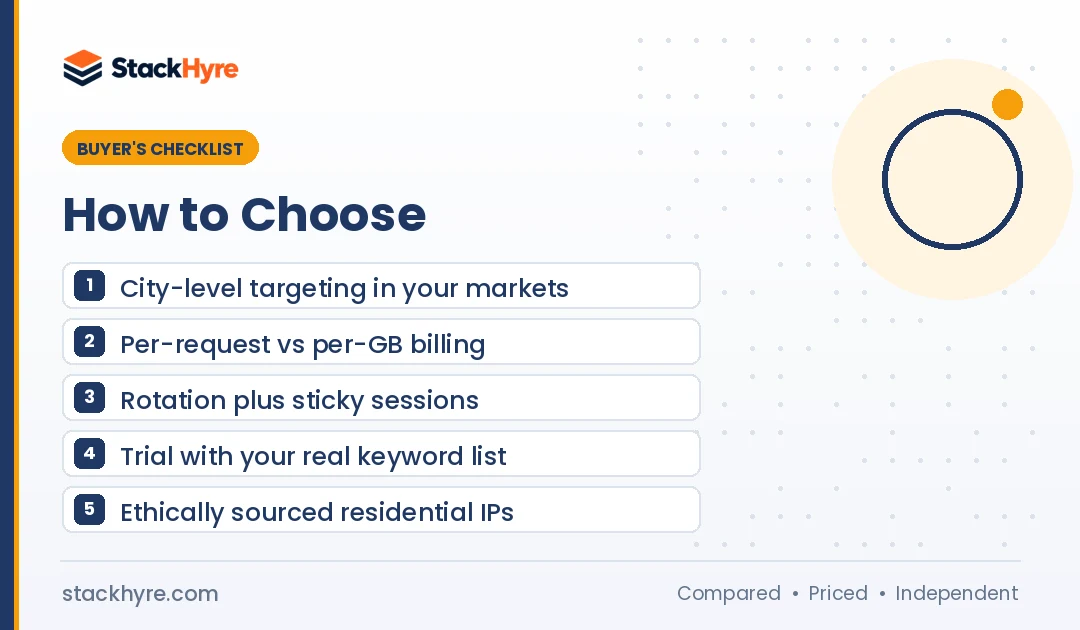
Run through this checklist before you buy:
- Location depth. Make sure the provider offers city targeting in every market you report on. Country-level alone won’t cut it.
- Billing model. Per-request APIs bill for results. Per-GB proxies bill for every byte, including failed pages and JavaScript files.
- Session control. You need rotation for bulk checks and sticky sessions for pagination.
- Trial or refund. Test with your real keyword list. My proxy pricing guide explains how plans and hidden costs compare.
- Ethical sourcing. Ask how residential IPs are obtained. In July 2026, the FBI seized domains tied to NetNut after reports linked it to a botnet of hacked devices. Skip NetNut and any vendor that can’t explain where its IPs come from.
My rough rule: if you track under a few hundred keywords, budget residential proxies are enough. Past a few thousand keywords across many cities, a SERP API usually costs less once you count failed requests and engineering time.
How I Evaluated These SEO Proxies
I didn’t run lab tests for this guide. I compared published pricing, product docs, refund and trial policies, and independent reviews. Every price comes from a vendor page or a dated third-party source as of October 2026.
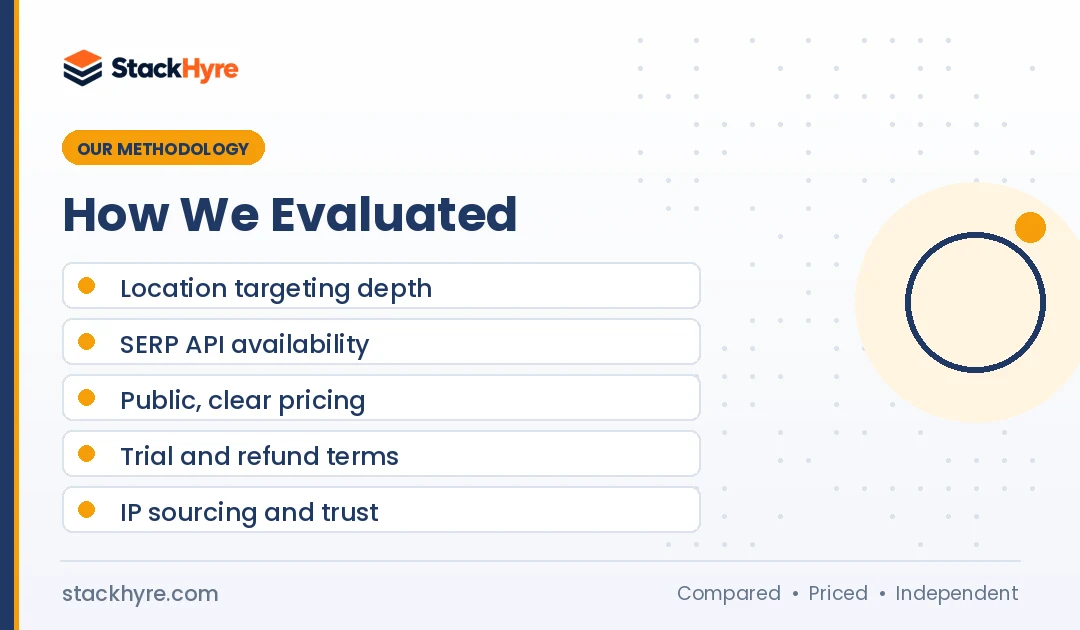
I scored each provider on five factors:
- Location targeting: Country, city and mobile carrier options.
- SERP tooling: Whether a search API or structured output is available.
- Price clarity: Public prices, entry cost and how billing handles failures.
- Trial and refund terms: How cheaply you can test before committing.
- Sourcing and trust: Public statements on IP sourcing and any red flags.
Vendor claims, like pool sizes, are labeled as the vendor’s own. You can read more about how I work in the editorial policy.
The Bottom Line
For most SEO teams, this comes down to scale. Do you track thousands of keywords across cities and engines? Then Bright Data’s SERP API or Oxylabs’ credit plan will save you engineering time and failed-request costs. If you run a mid-size agency, Decodo gives you low prices and an API in one account.
For smaller jobs, start with Webshare’s free plan to test your setup, then move to IPRoyal or DataImpulse residential traffic when you outgrow it. If you manage client profiles and need clean IPs, NodeMaven is worth a $3.50 trial.
Whatever you pick, test with your real keyword list first. Then compare providers across every use case in my full proxy provider rankings.
Frequently Asked Questions
What type of proxy is best for SEO?
Rotating residential proxies are the best all-round choice for SEO because they come from real home connections and get fewer CAPTCHAs on Google. Add city targeting for local rank tracking. Use mobile proxies for mobile SERPs, datacenter proxies for crawling your own site, and static ISP proxies for logging in to client tools.
Is it legal to scrape Google search results?
Scraping public data is legal in many places, but Google’s spam policies say automated rank-checking queries break its Terms of Service. Google also sued SerpApi in December 2025 over alleged circumvention of its protections. Laws differ by country, so keep volumes sane, respect rate limits and get legal advice for big commercial projects.
How much do SEO proxies cost?
As of October 2026, residential proxies range from about $1/GB at DataImpulse to $6 to $8/GB at premium vendors on small plans. SERP APIs cost about $1 to $1.50 per 1,000 requests at Oxylabs and Bright Data. Webshare has a free plan with 10 proxies, which works for small tests.
Can I use free proxies for rank tracking?
I wouldn’t. Free public proxies are often already blocked by Google, slow and of unknown origin, which can expose your traffic. A vendor free plan, like Webshare’s 10 free proxies, is a safer way to test. For real Google tracking, plan to pay for residential traffic or a SERP API.
Why did my rank tracker get more expensive in 2025?
In mid-September 2025, Google stopped supporting the num=100 parameter, so seeing the top 100 results now takes about 10 requests instead of one. Earlier in 2025, Google also began requiring JavaScript for search. Both changes raised the requests and bandwidth each keyword check needs, and many tools passed the cost on to you.
Related Articles



Daniel Brooks writes about proxies, web scraping and email infrastructure at StackHyre. He compares providers on published pricing, documentation and independent benchmarks so you can pick the right setup without overpaying.