
TL;DR: For price monitoring, I’d go with rotating residential proxies that offer city-level targeting. Bright Data and Oxylabs lead for large retail catalogs, Decodo and NodeMaven give you the best value, and Webshare suits small, low-risk checks. Residential traffic costs about $2 to $8 per GB as of October 2026. Below I compare 8 providers and show how to build a price tracker that stays unblocked.
Shoppers compare prices all the time. An Ipsos survey of 3,000 online shoppers in six countries found 68% always or often compare prices before they buy.
That puts pressure on every seller. If your price is a few cents higher on a key product, you can lose the sale. So retailers and brands track competitor prices, stock and promotions every day.
The catch is that retail sites fight back. Retail was the most bot-targeted industry until travel passed it in 2024, according to Imperva’s 2025 Bad Bot Report. So stores block repeated requests from the same IP. Many also show different prices by city, device or currency.
Price monitoring proxies fix both problems. They spread your checks across many real IPs and let you see local prices.
This guide is part of my web scraping proxy hub and my wider best proxy providers guide. Below, you’ll find 8 providers matched to catalog size, plus a setup checklist for accurate price data.
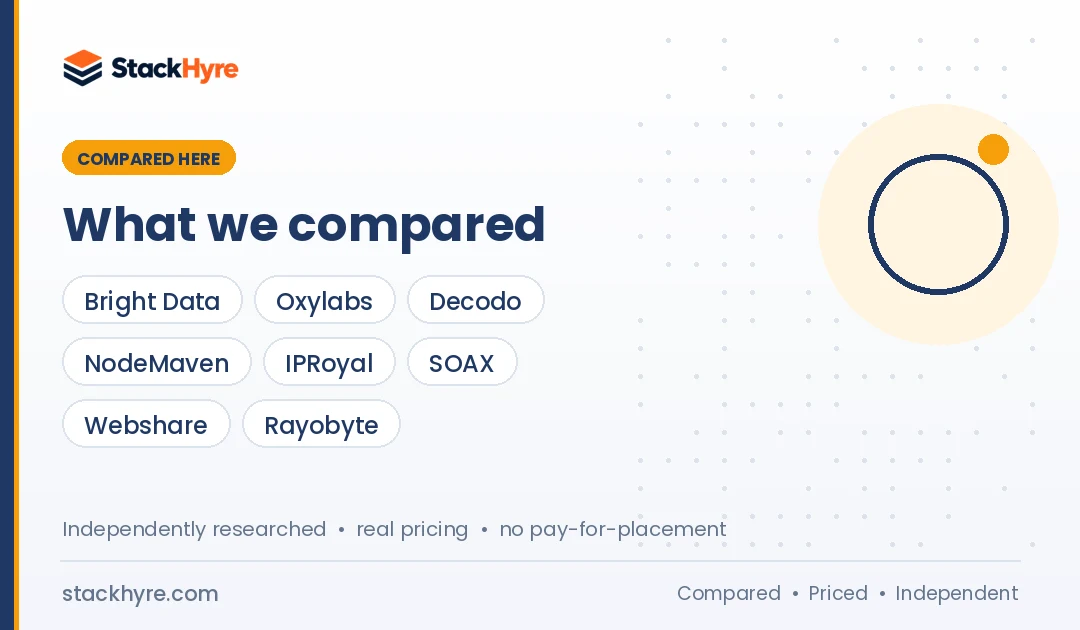
Quick Comparison: Best Proxies for Price Monitoring in 2026
| Provider | Best For | Starting Price | Key Feature |
|---|---|---|---|
| Bright Data | Large catalogs and marketplaces | $8/GB PAYG list (promo pricing on page) | Ready-made Amazon and Walmart scrapers |
| Oxylabs | Amazon and retail at volume | $30/month subscription | Amazon scraping from $0.25 per 1K results |
| Decodo | Mid-sized price tracking | $3.75/GB (3 GB plan) | Residential and cheap datacenter in one account |
| NodeMaven | Accurate local prices with clean IPs | $3.50 paid trial (750 MB) | City and ISP targeting, IP quality filter |
| IPRoyal | Weekly or seasonal checks | $7.35/GB (1 GB PAYG) | Traffic never expires |
| SOAX | Mobile-first stores and apps | $200/month (Builder) | Same rate for residential and mobile |
| Webshare | Small stores with light protection | Free plan, then $2.99/month | Cheap datacenter and static residential |
| Rayobyte | High-volume datacenter checks | $1 per IP/month (semi-dedicated, US) | Scraping API with 5,000 free requests |
What Makes a Great Proxy for Price Monitoring?
A good price monitoring proxy returns the same price a real local shopper would see, at a high success rate, on the stores you track. That takes residential or ISP IPs that retail sites trust, targeting down to city or ZIP level, sticky sessions for cart and shipping checks, and pricing that stays affordable when you run checks every day.
Here’s what each factor means in practice.
Location accuracy. Lots of stores price by region. A product can cost more in one city than another, or show a different delivery fee. If your IP is in the wrong place, your data is wrong.
Trust level. Big retailers block datacenter IPs fast. Residential and ISP proxies look like home shoppers. My guide to residential vs datacenter proxies explains why.
Session control. Final prices often show up only after you add a ZIP code or reach the cart. That needs one IP for several requests. Learn when to use each mode in my guide to rotating vs static proxies.
Cost per check. Price monitoring hits the same pages daily or hourly. Small savings per page add up fast over a month.
Best Proxies for Large Retail Catalogs
#1 Bright Data: Best for large catalogs and marketplaces
Bright Data pairs a huge residential network with ready-made ecommerce scrapers that return price fields directly.
What it does well. You can use raw proxies or skip parsing altogether. Bright Data’s Scraper API includes Amazon and Walmart scrapers that return fields like price, seller, availability and SKU. The company says its residential network covers 400M+ IPs in 195 countries, with free ZIP code targeting.
Key features:
- Country, state, city and ZIP targeting at no extra cost
- Amazon scrapers by keyword, category or UPC
- Walmart scrapers by SKU, keyword or category
- Billing only for delivered records on the Scraper API
Pricing. As of October 2026, residential pay-as-you-go lists at $8/GB, and the page shows a 50% promo code for three months. The Scraper API costs $1.50 per 1,000 records on pay-as-you-go, with 5,000 free records a month.
Best for: Brands and retailers tracking thousands of SKUs across big marketplaces.
Limitations. List prices are high outside promos. Small teams may find the dashboard heavy.
#2 Oxylabs: Best for Amazon and retail data at volume
Oxylabs pairs premium residential proxies with low per-result pricing for Amazon pages.
What it does well. If Amazon is your main target, Oxylabs’ dedicated endpoint is hard to beat on price. Its Web Scraper API also covers general retail pages. You can split one subscription between the API and residential proxies for other stores.
Key features:
- Dedicated Amazon scraping endpoint
- Optional AI parsing into structured data
- Residential, ISP and datacenter proxies on one plan
- $5 of free welcome credit
Pricing. As of October 2026, Oxylabs’ pricing page lists plans from $30 a month up to Enterprise from $2,500. Amazon non-JS scraping runs from $0.50 down to $0.25 per 1,000 results. Residential traffic runs from $6/GB down to $2.50/GB.
Best for: Retail analytics teams focused on Amazon and other large marketplaces.
Limitations. Small plans carry high per-GB rates. The single credit subscription is new, so confirm rollover terms first.
Best Value Proxies for Mid-Sized Price Tracking
#3 Decodo: Best for mid-sized price tracking
Decodo, formerly Smartproxy, lets you mix residential and datacenter proxies to match each store’s protection level.
What it does well. Smart price trackers don’t pay for expensive IPs everywhere. With Decodo, you can send checks on lightly protected stores through cheap datacenter IPs and save residential traffic for the big retailers. Decodo claims 115M+ IPs across 195+ locations.
Key features:
- Rotating and sticky residential sessions
- Advanced targeting on all plans
- Shared datacenter billed per GB or per IP
- 3-day trial with 100 MB and a 14-day money-back option
Pricing. As of October 2026, residential plans start at $3.75/GB for 3 GB and fall to $2.00/GB at 1,000 GB. Shared datacenter proxies start at $0.60/GB or $0.10 per IP.
Best for: Ecommerce teams and agencies tracking hundreds to a few thousand products.
Limitations. The free trial is small. And you can’t combine a monthly plan with pay-as-you-go.
#4 NodeMaven: Best for accurate local prices with clean IPs
NodeMaven filters out low-quality IPs and supports city and ISP targeting, which helps when stores price by location.
What it does well. Flagged IPs often get CAPTCHAs or different content, and that wrecks price data. NodeMaven runs an IP quality filter on all plans and says it delivers a 95% clean IP rate. Sticky sessions last up to 24 hours, so you can hold one location through ZIP entry and cart checks. NodeMaven also publishes a price monitoring use-case page with setup ideas.
Key features:
- Country, city and ISP targeting
- Sticky sessions up to 24 hours
- Static ISP proxies for fixed-location checks
- Unused traffic rolls over
Pricing. As of October 2026, residential and mobile traffic starts at $2.20/GB on the largest plan, and smaller plans cost more per GB. A $3.50 paid trial includes 750 MB. Static ISP proxies start at $2.33 per IP for 30 days.
Best for: Teams that need accurate city-level prices and fewer CAPTCHAs.
Limitations. No free trial. Its claimed 30M+ residential pool is smaller than the enterprise networks.
#5 IPRoyal: Best for weekly or seasonal price checks
IPRoyal’s residential traffic never expires, which fits price checks that come in bursts.
What it does well. Not every team checks prices hourly. If you track a category weekly, or ramp up only around big sales, monthly plans waste money. IPRoyal’s traffic stays available until you use it, with no monthly commitment.
Key features:
- Non-expiring residential traffic
- Claimed 64M+ IPs in 195+ countries
- Rotating and sticky sessions
- Pay-as-you-go or 5% cheaper subscription
Pricing. As of October 2026, IPRoyal charges $7.35/GB for 1 GB on pay-as-you-go and $5.51/GB at 10 GB. Large custom volumes drop to $1.84/GB.
Best for: Small sellers and analysts who check prices on an irregular schedule.
Limitations. Per-GB cost is high on small purchases. Volume discounts need big commitments.
#6 SOAX: Best for mobile-first stores and apps
SOAX charges one rate for residential and mobile traffic, which helps when stores show different prices on mobile.
What it does well. Some retailers and delivery apps run mobile-only deals. SOAX lets you check both views on one plan. Its pricing is tiered by country, so checks in lower-cost regions cost less.
Key features:
- Residential and mobile on one rate
- Country, region, city and ISP targeting
- Lower rates for Tier 2 and Tier 3 countries
- Dedicated IP pools as a plan feature
Pricing. As of October 2026, Builder costs $200 a month with Tier 1 traffic at $3.00/GB. Team costs $500 at $2.20/GB.
Best for: Brands that track app prices, delivery platforms or mobile-only promos.
Limitations. SOAX no longer lists ISP or datacenter proxies. There’s no free trial.
Best Budget Proxies for Price Monitoring
#7 Webshare: Best for small stores with light protection
Webshare has the cheapest entry point, including a permanent free plan.
What it does well. Plenty of niche stores and supplier sites have little bot protection. For those, cheap datacenter IPs do the job. Webshare’s free plan gives you 10 proxies and 1 GB a month to test your tracker.
Key features:
- Free plan with 10 proxies, no card
- Low-cost shared datacenter proxies
- Static residential proxies for fixed locations
- Rotating residential by GB
Pricing. As of October 2026, datacenter plans start at $2.99 a month for 100 proxies. Static residential starts at $6 a month for 20 proxies. Rotating residential costs $3.50/GB on a 1 GB plan.
Best for: Small sellers tracking a few competitors or suppliers.
Limitations. Datacenter IPs fail fast on major marketplaces. Targeting is less precise than on premium networks.
#8 Rayobyte: Best for high-volume datacenter checks
Rayobyte sells low-cost datacenter IPs and a pay-per-request Scraping API for large, repeated checks.
What it does well. If you check lots of lightly protected sites every hour, datacenter IPs keep cost per check very low. When a store starts blocking, you can move it to Rayobyte’s residential or Scraping API without switching vendors.
Key features:
- Semi-dedicated and static datacenter IPs
- Premium residential with volume tiers
- Scraping API with 5,000 free requests
- Web Unblocker billed per GB
Pricing. As of October 2026, Rayobyte’s pricing page lists semi-dedicated datacenter IPs at $1 per IP a month in the US and Canada. The Scraping API costs $0.0018 per request on self-serve. Premium residential starts at $3.50/GB.
Best for: Price aggregators and comparison sites with very high check volumes.
Limitations. The long list of products and price models can confuse new buyers. Datacenter IPs won’t work on the toughest retailers.
Should You Use Proxies or a Scraping API for Price Monitoring?
Use proxies when you track lots of smaller stores, need full control over timing and sessions, or run very high volumes on simple pages. Use a scraping API when major marketplaces block you often, or when you want price fields handed back as structured data. Many teams use both to keep cost per check low.
A ready-made Amazon endpoint saves you from writing and fixing parsers every time the page layout changes. That alone can justify the higher per-page price.
For custom stores, raw proxies are usually cheaper. Compare managed options in my guide to the best web scraping APIs.
How Should You Choose the Right Proxy for Price Monitoring?
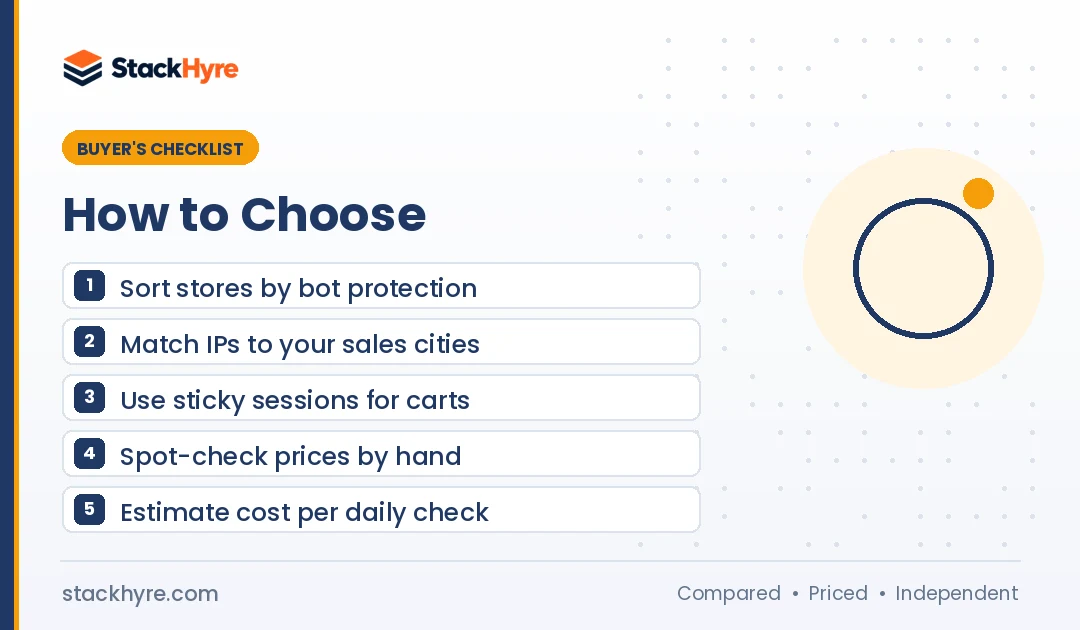
Start with your store list. Sort each target by protection level and by whether prices change by location. Then run a trial on 50 to 100 real product URLs and compare the prices you collect with what a local shopper sees. Pick the cheapest proxy type that returns correct prices. A 200 response alone proves nothing.
Group stores by difficulty. Use datacenter IPs for small stores, residential for big retailers, and an API for the hardest marketplaces.
Match locations to your market. If you sell in five cities, check from those five cities. Make sure your provider supports city or ZIP targeting where you need it.
Check the data. A page can load and still show the wrong price, a CAPTCHA or a default location. Spot-check results by hand each week.
Estimate your monthly bill. Multiply products by checks per day by 30. Then multiply by average page size. Add a buffer for retries. My proxy pricing guide shows how to compare per-GB and per-IP costs.
Check sourcing. Pick a provider with clear, consent-based IP sourcing. In July 2026, the FBI seized NetNut’s domains after a botnet link, per KrebsOnSecurity’s report. I don’t recommend NetNut.
Stay within the rules. Collect public prices only, keep request rates polite, and honor robots.txt as defined in RFC 9309. Read each store’s terms, and check local law for commercial use.
How I Evaluated These Price Monitoring Proxies
I didn’t run price-tracking tests of my own. I went through each provider’s published pricing, targeting options, session limits and policies in October 2026, and I compared them with independent research where it exists.
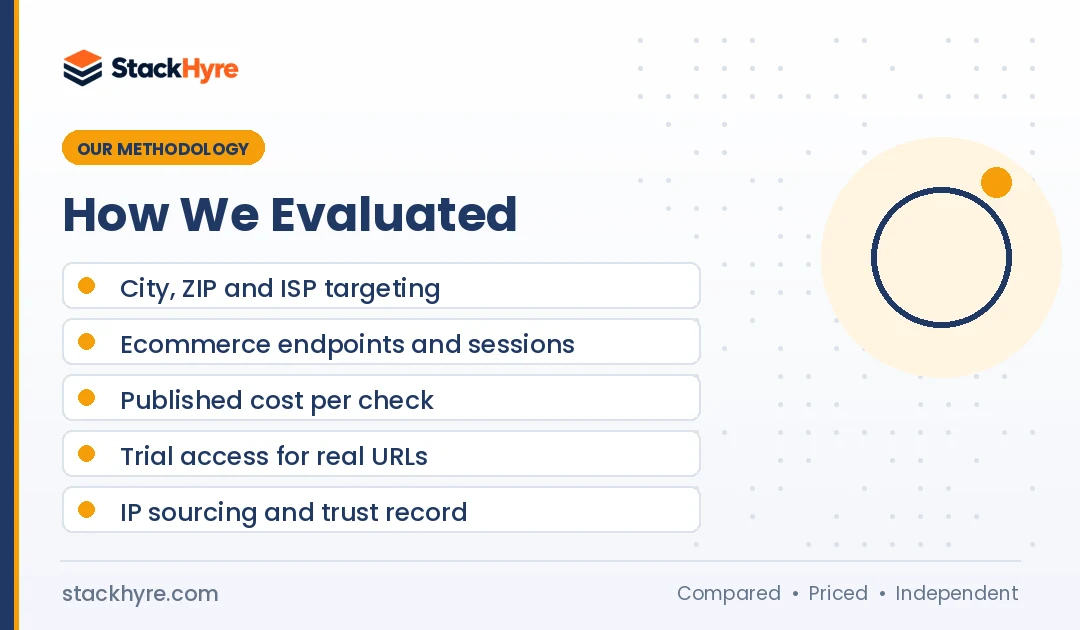
My criteria:
- Targeting depth: Country, city, ZIP and ISP options for accurate local prices.
- Retail fit: Ecommerce endpoints, sticky session length and support for cart or ZIP flows.
- Cost per check: Published per-GB, per-IP or per-result pricing at realistic monthly volumes.
- Trial access: Whether you can test your own product URLs before paying full price.
- Trust: Public IP sourcing statements and any security incidents.
Pool sizes and clean-IP rates are vendor claims, and I label them that way. See the editorial policy for how I research and update guides.
Checking competitor ads as well as prices? See my picks for ad verification proxies, where geo coverage and mobile IPs matter most.
The Bottom Line
For most price monitoring, rotating residential proxies with city targeting give you the most accurate data.
Pick Bright Data or Oxylabs if you track large catalogs on Amazon, Walmart and other big marketplaces. Choose Decodo to mix cheap datacenter and residential traffic by store. Go with NodeMaven when local accuracy and clean IPs matter most, or IPRoyal if you check prices in bursts. Webshare and Rayobyte keep costs low on lightly protected sites.
Start with a small trial on your real product URLs, and confirm the prices by hand. For search-based price tracking, see my best proxies for SEO guide. For more scraping use cases, visit my web scraping proxy hub.
Frequently Asked Questions
What proxies are best for price monitoring?
Rotating residential proxies are the best choice for most price monitoring. Retailers trust them more than datacenter IPs, and they support city-level targeting for local prices. Use sticky sessions when you need to enter a ZIP code or check a cart. Cheap datacenter proxies work for small stores with light protection, and scraping APIs suit the hardest marketplaces.
Why do I see different prices through different proxies?
Many online stores change prices by location, currency, device or delivery area. When your proxy IP sits in another city or country, the store may show a different price, shipping fee or stock level. To get accurate data, match your proxy location to the market you care about, and keep one session through ZIP or cart steps.
How much do price monitoring proxies cost?
As of October 2026, residential proxies cost about $2 to $8 per GB on published vendor pricing, depending on volume. Datacenter proxies are much cheaper, with Webshare starting at $2.99 a month for 100 proxies. Scraping APIs charge per result, such as Oxylabs’ Amazon endpoint at $0.25 to $0.50 per 1,000 results. Your bill depends on how many products you track and how often.
How often should I check competitor prices?
It depends on how fast your market moves. Fast-moving categories like electronics on big marketplaces may need several checks a day. Slower categories often need only a daily or weekly check. More checks mean more proxy traffic, so start with the products that bring in the most revenue and raise frequency only where prices change often.
Is price monitoring with proxies legal?
Collecting publicly visible prices is a common, widely accepted business practice in many countries. Proxies themselves are legal. Still, read each site’s terms, stay out of logged-in areas and personal data, and keep request rates reasonable. Rules differ by country, so get legal advice before you build a commercial price monitoring service.
Related Articles


Daniel Brooks writes about proxies, web scraping and email infrastructure at StackHyre. He compares providers on published pricing, documentation and independent benchmarks so you can pick the right setup without overpaying.