

TL;DR: To choose a proxy provider, match the proxy type to your task first. Then check IP sourcing, KYC checks, pricing and trial options. The small residential plans I reviewed cost about $3.75 to $7 per GB. Large plans drop to $2 per GB or less. Below you’ll find my buyer’s checklist, the red flags I watch for, a pricing comparison and a step-by-step trial plan.
Picking a proxy provider is now a security decision as much as a price decision. On July 2, 2026, the FBI seized the domains of NetNut, a major residential proxy service. KrebsOnSecurity reported that its network ran on the Popa botnet of at least two million compromised devices.
Customers who built workflows on that network lost access overnight. Some may also face hard questions about where their traffic came from.
And NetNut isn’t a one-off. Google disrupted the IPIDEA proxy network in January 2026, and U.S. authorities dismantled the 911 S5 botnet in 2024.
The good news? Red flags usually show up before you pay. Sourcing pages, KYC steps, refund rules and trial terms tell you a lot.
In this guide I’ll show you what to check and how to test a vendor in a few days. If you just want my ranked picks, see the best proxy providers guide. For a closer look at costs, read my proxy pricing guide.
Quick Checklist: What to Check Before You Buy Proxies
| Factor | What to Look For | Red Flag | How to Verify |
|---|---|---|---|
| Proxy type | Matches your target sites and task | One type sold for every use | Run a trial against your real targets |
| IP sourcing | Clear consent-based sourcing page | No sourcing info, or SDK secrecy | Read the sourcing page, check EWDCI status |
| KYC | Identity and use-case checks | Instant access, no questions | Go through signup yourself |
| Pricing | Clear per-GB or per-IP rates | Hidden fees, vague limits | Read the pricing page and terms |
| Expiry rules | Traffic that rolls over, or clear terms | Silent expiry of unused data | Check the billing FAQ |
| Trial and refunds | Free or paid trial, written refund policy | No way to test before a big plan | Read trial and refund terms |
| Targeting | Country, city or ASN as needed | Location claims you cannot test | Check IP locations during the trial |
| Support and docs | Public docs and responsive support | No docs, slow replies | Ask support a question before buying |
What Makes a Good Proxy Provider?
A good proxy provider sells the right proxy type for your task. It sources IPs with clear consent, checks its customers and prices its plans in plain terms. It also lets you test before you commit, and it publishes real documentation. Performance matters, but only on your own target sites. A provider that’s fast on someone else’s targets can still fail on yours.
I think of it as four layers, in order of importance:
- Legitimacy. Ethical sourcing and KYC protect you from the next takedown.
- Fit. The right proxy type and locations for your job.
- Cost. The real cost per successful request, not the headline per-GB price.
- Usability. Docs, dashboard, integrations and support.
Most buyers start with cost. That’s backwards. A cheap provider with shady sourcing can disappear, as NetNut customers found out. And a cheap provider with the wrong proxy type wastes your money on blocked requests.
Which Proxy Type Do You Actually Need?
Pick the proxy type before the provider. Datacenter proxies are fast and cheap but easier to block. Residential proxies use real home IPs and get past stricter sites. ISP proxies give you static, residential-looking IPs for long sessions. Mobile proxies use carrier IPs for the toughest targets. Each type is priced differently, so the type you need also sets your budget.
- Datacenter proxies. Best for sites with light bot protection and high-volume jobs. Usually priced per IP.
- Residential proxies. Best for scraping protected sites, SEO checks and price monitoring. Usually priced per GB.
- ISP proxies. Best for account work that needs the same IP for days. Usually priced per IP per month.
- Mobile proxies. Best for mobile apps and social platforms. Usually the most expensive per GB.
Not every vendor sells every type. For example, SOAX’s pricing page listed only residential and mobile proxies in October 2026. It showed no ISP or datacenter plans. So check product lists before you shortlist anyone.
My guide to proxy types covers each one in detail, including rotating, static and SOCKS5 options.
How Do You Check Whether Proxies Are Ethically Sourced?
Ask the provider where its residential and mobile IPs come from, and look for a public answer. Ethical providers explain that device owners opt in, know their bandwidth is being shared, and get paid or rewarded. Look for outside signals such as EWDCI certification. Stay away from any provider that hides its sourcing or has been tied to botnets or seized infrastructure.
Residential IPs come from real people’s devices. That’s what makes them hard to block. It’s also what turns sourcing into an ethical and legal issue.
Recent cases show you what bad sourcing looks like:
- NetNut (July 2026). The FBI seized hundreds of NetNut domains. KrebsOnSecurity reported that its software ran on smart TVs and streaming boxes, some of them with it preinstalled. Don’t buy NetNut proxies.
- IPIDEA (January 2026). The Hacker News reported that Google took down dozens of IPIDEA domains. Apps, including free VPNs, carried SDKs that turned phones into exit nodes. More than 550 threat groups used the network.
- 911 S5 (May 2024). U.S. authorities dismantled 911 S5, which spread through free VPN apps. It was tied to more than 19 million IP addresses.
Good signs to look for:
- A public sourcing page. For example, Decodo publishes an ethical residential proxy sourcing page.
- Industry certification. The Ethical Web Data Collection Initiative launched a certification program in 2023. Its first accredited companies included Oxylabs, Rayobyte, Smartproxy (now Decodo) and Zyte.
- Clear answers from sales. Ask how users opt in, how they get paid and how they can opt out. Vague answers are a warning.
Why Do KYC Checks Matter When You Buy Proxies?
KYC means know your customer. The provider checks who you are and what you plan to do before it gives you access. It can feel like a hassle, but it protects you. Providers that screen customers keep abusers off their networks. That keeps the IP pool cleaner, cuts block rates and lowers the odds of a sudden shutdown.
Bright Data is one of the strictest. Its KYC page says new customers go through live video identity verification and a review by a compliance officer. Customers have to describe their use case before they get access.
The same page says Bright Data blocks some use cases outright and keeps watching accounts after onboarding. It reports rejecting or suspending requests from many customers each year.
You don’t need that much checking for every project. But I’d be wary of residential or mobile proxies that ask no questions at all. If a provider sells to anyone, its IPs are probably used by everyone, abusers included.
Build KYC into your timeline. Some providers verify you instantly, while others take longer for restricted targets.
How Should You Compare Proxy Pricing?
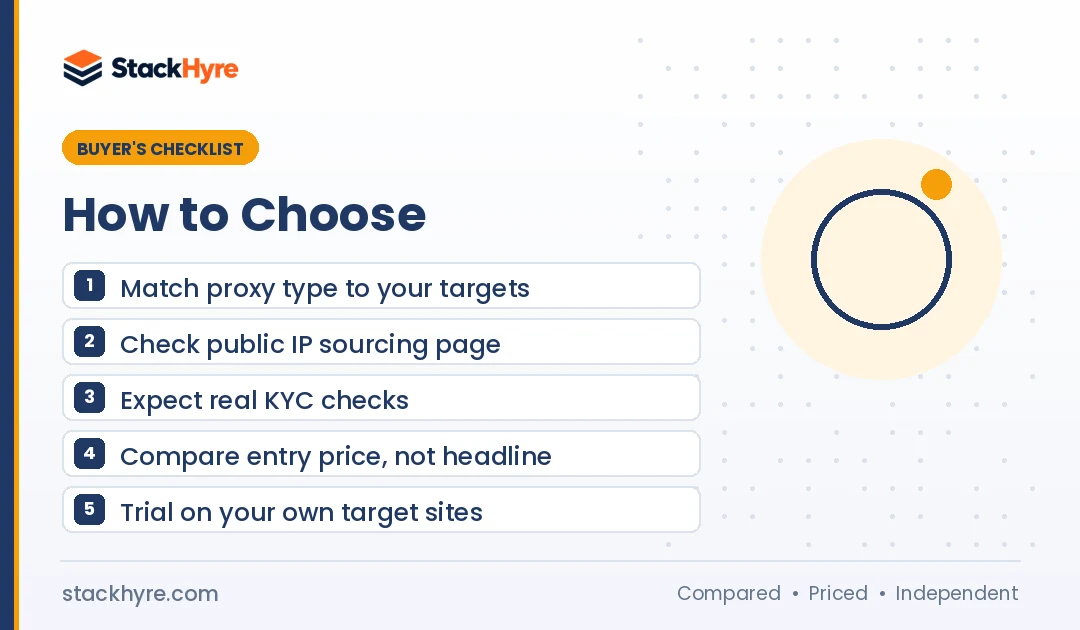
Compare the cost per successful request on your target sites, not the headline per-GB price. Then check the pricing model: pay as you go, monthly plans or credit subscriptions. Read the rules on expiry, minimum spend and country-based rates. A cheap plan that expires every month can cost you more than a pricier plan you use in full.
Here’s what the big vendors’ pages showed in October 2026. Prices change often, so confirm them before you buy.
| Provider | Pricing Model | Published Residential Price | Worth Knowing |
|---|---|---|---|
| Oxylabs | One subscription for all products | $6/GB down to $2.50/GB by tier | Plans of $30, $100, $500 and $2,500+ per month |
| Decodo | Monthly plans or pay as you go | $3.75/GB on 3 GB to $2/GB on 1,000 GB | Pay as you go at $4/GB |
| IPRoyal | Subscription or pay as you go | $7/GB for 1 GB, lower with volume | Traffic does not expire |
| Bright Data | Pay as you go or monthly plans | $4/GB pay as you go (promotional) | Monthly plans start at $499 |
| NodeMaven | Monthly plans | From $2.20/GB on larger plans | $3.50 paid trial for 750 MB |
| SOAX | Plans with country tiers | Varies by country tier | One rate across residential and mobile |
A few pricing traps I’d watch for:
- Headline vs entry price. The “from” price usually needs the biggest plan. Decodo’s $2/GB applies to its 1,000 GB plan, while its 3 GB plan is $3.75/GB. NodeMaven’s pricing page headlines $2.20/GB, but its FAQ lists the lowest monthly plan at $8.50 for 2 GB.
- Expiry. Some plans reset every billing cycle. IPRoyal states its traffic never expires. On a subscription, ask whether unused allowance carries over.
- Country tiers. SOAX prices by country tier, so U.S. traffic can cost more than other regions.
- Promotional rates. Bright Data showed its $4/GB pay-as-you-go rate as a discount from $8/GB. Find out when promos end.
- Per-IP products. ISP proxies are priced per IP. NodeMaven listed ISP proxies at $2.33 per IP for 30 days.
For bargain options and their catches, see my guide to cheap residential proxies.
How Do You Test a Proxy Provider Before Committing?
Start with a free or low-cost trial, then run your real workload against your real target sites. Measure success rate, speed, location accuracy and how long sticky sessions last. Contact support at least once. Only buy a bigger plan after the trial meets your needs. And read the refund rules before you start.
Trial terms vary a lot. Here’s what vendor pages showed in October 2026:
- Decodo. Its residential pricing page offers a 3-day trial with 100 MB. A plan kicks in after the trial unless you cancel. Its 14-day money-back option doesn’t apply if you used the trial.
- NodeMaven. A $3.50 paid trial gets you 750 MB on residential and mobile proxies.
- Webshare. Webshare’s pricing page lists a free plan with 10 shared proxies and 1 GB per month. Refunds are possible within 2 days under usage limits.
- Oxylabs. New accounts get $5 in welcome credits toward any product.
- SOAX. No free trial. Its Sandbox lets you top up credits and test at higher per-GB rates.
My list of proxy free trials tracks more vendors.
Here’s the simple five-step trial plan I’d follow:
- Pick three to five real target URLs. Use the sites you’ll actually scrape or check.
- Send a fixed batch of requests. Use the same script and the same rate for each provider.
- Record results. Track success rate, CAPTCHAs, errors and average response time.
- Check locations. Look up a sample of IPs to confirm the country or city you paid for.
- Test sticky sessions. Hold a session and note how long the IP stays the same.
For context, independent reviewers run bigger benchmarks. Proxyway’s 2025 market research compared 12 providers across residential, mobile, datacenter and ISP proxies. Use benchmarks like that to build your shortlist, then confirm with your own trial.
What Red Flags Should Make You Walk Away?
Walk away from any provider that won’t explain its IP sourcing. Same goes for links to botnets or seizures, missing customer checks, or hidden pricing and refund terms. Unrealistic claims are another warning. A huge pool at a tiny price with no sourcing detail is suspect. Those IPs may come from people who never agreed.
- Seized or sanctioned networks. NetNut’s infrastructure was seized in July 2026. Avoid it and any resellers built on it.
- No sourcing page. If the provider can’t say how devices join, assume the worst.
- Free VPN or “earn money” apps as the source. Both IPIDEA and 911 S5 used apps like these.
- No KYC for residential or mobile access. Instant, anonymous access invites abuse.
- Vague pool claims. Big numbers with no breakdown by country or type are hard to trust.
- No written refund policy. You should know your way out before you pay.
- Crypto-only payment with no company details. Real vendors list a legal entity and contact details.
- No public documentation. Good providers publish setup guides and API docs.
Which Type of Provider Fits Which Buyer?
Large enterprise providers suit teams that need scale, compliance reviews and lots of products under one contract. Mid-market providers suit growing teams that want lower entry prices and simple dashboards. Budget providers suit small projects and testing. Your best fit comes down to your monthly volume, your targets and how much compliance paperwork your company needs.
- Enterprise scale: Bright Data and Oxylabs offer wide product ranges, strict onboarding and high-tier plans. My Bright Data vs Oxylabs comparison breaks down the differences.
- Mid-market: Decodo, the former Smartproxy, offers small monthly plans and pay as you go. Proxyway covered the rebrand in April 2025. Read my Decodo review for details.
- Pay as you go with no expiry: IPRoyal suits uneven workloads, since its traffic doesn’t expire.
- Low-cost testing and account work: NodeMaven’s $3.50 trial and per-IP ISP pricing make small setups easy to test. Webshare’s free plan works for light datacenter use.
- Residential and mobile only: SOAX focuses on those two types with country-tier pricing.
How I Researched This Guide
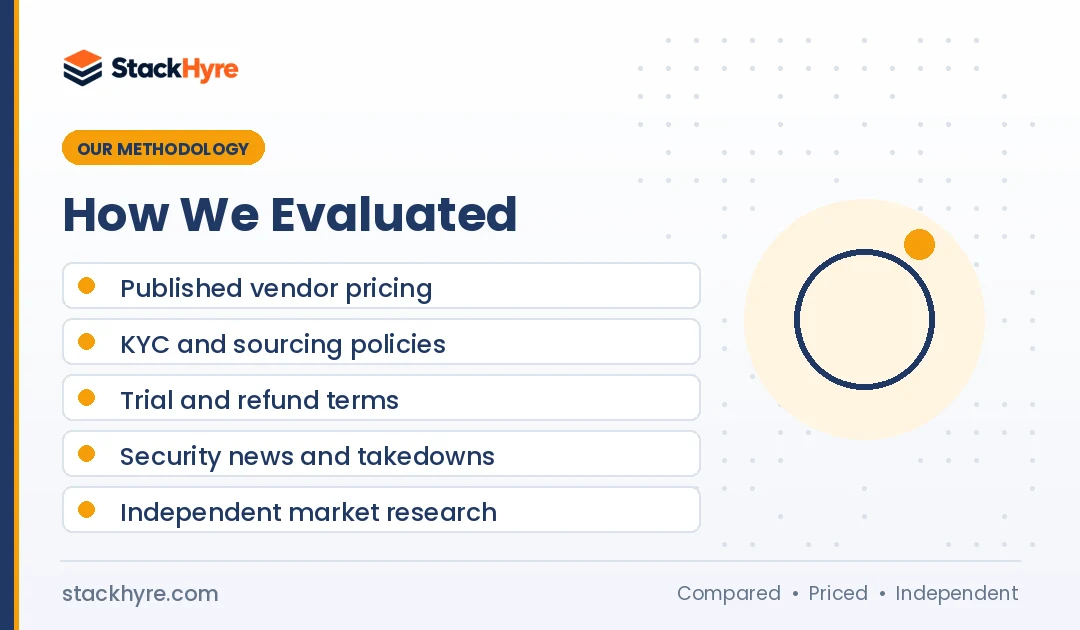
I didn’t run my own benchmark tests for this guide. I went through public information that any buyer can check.
- Vendor pricing pages. Every price and trial term came from each vendor’s own page in October 2026.
- Policy pages. I read KYC, sourcing and refund policies where vendors publish them.
- Security reporting. I used KrebsOnSecurity and The Hacker News coverage of the NetNut, IPIDEA and 911 S5 cases.
- Industry programs. I checked EWDCI certification announcements.
- Independent research. I used Proxyway’s market research for benchmark context.
I update this guide when vendors change their pricing, products or policies.
The Bottom Line
Choose the proxy type first, then the provider. Residential and mobile IPs come from real devices, so sourcing and KYC matter as much as price.
Shortlist providers with public sourcing pages, real customer checks and clear pricing. Skip any network tied to botnets or seizures, NetNut included.
Then compare what each plan really costs. Look past the headline per-GB price to entry tiers, expiry rules and country rates.
Last, run a short trial on your own targets before you buy a big plan. Your success rate on your sites is the only number that really counts.
Ready to compare? Start with my best proxy providers ranking, then check costs in my proxy pricing guide.
Frequently Asked Questions
What is the most important factor when choosing a proxy provider?
Fit and legitimacy come first. The provider has to sell the proxy type your targets need, and it has to source its IPs ethically. Price matters, but only after those two. A cheap provider with the wrong IP type wastes money on blocked requests. A provider with shady sourcing can be shut down without warning, as NetNut was in July 2026.
How can I tell if a proxy provider is legitimate?
Look for a public IP sourcing page that explains how device owners opt in and get paid. Check for KYC steps during signup and a named legal entity. Industry certification, such as EWDCI membership, is another good sign. Also search recent security news for the provider’s name. Avoid any provider linked to botnets, malware or domain seizures.
Is NetNut still safe to use?
No. The FBI seized hundreds of NetNut domains on July 2, 2026, according to KrebsOnSecurity. Security researchers had linked its residential network to the Popa botnet, which spans at least two million compromised devices. Using its IPs exposes you to legal and reputational risk, plus service outages. Pick a provider with open, consent-based sourcing instead.
Should I pay per GB or per IP for proxies?
It depends on your task. Per-GB pricing suits rotating residential and mobile proxies, where you send lots of requests across lots of IPs. Per-IP pricing suits datacenter and ISP proxies, where you keep the same addresses for a long time. If your pages are heavy, per-GB costs climb fast. If you need hundreds of fixed IPs, per-IP plans add up instead.
How long should I test a proxy provider before buying?
A few days is usually enough for a first decision. Run a fixed batch of requests against your real target sites. Track success rate, speed, location accuracy and session length. Many trials are short, like Decodo’s 3-day trial, so plan your tests ahead. Read the refund rules first, since some refunds don’t apply after a trial.
Related Articles



Daniel Brooks writes about proxies, web scraping and email infrastructure at StackHyre. He compares providers on published pricing, documentation and independent benchmarks so you can pick the right setup without overpaying.