

TL;DR: My top SMTP relay picks are SMTP2GO for simple setup and 24/7 support, Postmark for fast transactional mail, and Amazon SES for the lowest cost at volume. SendGrid, Mailgun, Brevo, MailerSend, Bird Email and Resend all offer solid SMTP too. Free tiers run from 100 to 3,000 emails a month, and paid plans start near $7 to $15 a month as of October 2026.
Sending mail straight from your own server is harder than it used to be. Google Cloud, for example, blocks outbound connections to port 25 when the destination is outside your VPC network. And mailbox providers now reject mail that fails authentication.
An SMTP relay fixes both problems. Your app or WordPress site hands mail to a trusted provider on port 587 or 465. The provider signs it, sends it from warmed-up IPs and reports bounces back to you.
I compared 9 SMTP relay services using their pricing pages and setup docs. I looked at ports, authentication, free tiers, logs and how well each one works with WordPress. I didn’t run my own send tests, so vendor claims are labeled as theirs.
This guide is part of my developer email API guide, which sits inside my best transactional email services for SaaS roundup. If you control your app’s code, an HTTP API is often the better choice. If you need SMTP, read on.
Quick Comparison: Best SMTP Relay Services in 2026
| Provider | Best For | Starting Price | Key Feature |
|---|---|---|---|
| SMTP2GO | Simple setup and support | Free 1,000/month, Starter $10/month | 24/7 support on all plans |
| Postmark | Fast transactional delivery | Free 100/month, Basic $15/month | Separate transactional and broadcast hosts |
| Amazon SES | Lowest cost at scale | $0.10 per 1,000 emails | Many SMTP ports supported |
| SendGrid (Twilio) | Wide plugin support | 60-day trial, Essentials $19.95/month | Huge integration ecosystem |
| Mailgun (Sinch) | Developers who also want inbound | Free 100/day, Basic $15/month | Inbound routing |
| Brevo | Small business all-in-one | Free 300/day | Marketing tools included |
| MailerSend | Budget small sites | Free 500/month, Hobby $7/month | SMTP relay on every plan |
| Bird Email (SparkPost) | High volume on a deposit model | Free 1,000/month, from $0.35 per 1,000 | SMTP relay on all plans |
| Resend | Modern apps adding SMTP | Free 3,000/month, Pro $20/month | Five SMTP ports |

What Is an SMTP Relay Service?
An SMTP relay service is a provider that accepts email from your app, website or device over SMTP and delivers it for you. You log in with a username and password or API key, usually on port 587 or 465. The provider handles DKIM signing, IP reputation, retries, bounces and complaint tracking, so your own server never talks to Gmail or Outlook directly.
Think of it as a trusted post office. Your server drops the letter off. The relay makes sure it’s stamped, sorted and sent through a route that mailbox providers trust.
You need one when:
- Your host blocks or throttles port 25.
- Your WordPress site’s contact forms and order emails go to spam.
- A legacy app, printer or tool only speaks SMTP.
- You want delivery logs and bounce data instead of guessing.
Best SMTP Relay Services for Ease of Use
#1 SMTP2GO: Best for simple setup and support
SMTP2GO is built around relay first, with an HTTP API as an extra.
What it does well. Setup is quick and the dashboard is easy to read. The SMTP2GO site lists 24/7 support at no extra cost, automatic SPF and DKIM handling, and reports on sent, bounced and complained mail. You can also test emails against spam filters and preview them in common email clients.
Key features:
- SMTP relay plus REST API
- Alerts when bounce rates rise
- Spam filter and render testing
- ISO 27001 and GDPR badges listed on the site
Pricing. As of October 2026, SMTP2GO’s pricing page lists a free plan with 1,000 emails a month. Starter is $10 a month for 10,000 emails, with $1 per extra 1,000. Professional is $75 a month for 100,000, with $0.85 per extra 1,000 and dedicated IP access.
Best for: Small businesses, agencies and WordPress sites that want a relay that just works, with humans on support.
Limitations. Reporting retention is 30 days on paid plans. Developer tooling is plainer than API-first providers.
#2 MailerSend: Best budget option for small sites
MailerSend gives you an API and SMTP relay on every plan, including the free one.
What it does well. It’s cheap to start and friendly for non-developers. The MailerSend site lists drag-and-drop, HTML and rich-text template editors, inbound routing and webhooks for email events.
Key features:
- SMTP relay and Email API on the free plan
- Visual template builders
- Webhooks and inbound routing
- SDKs for Node.js, Python, PHP, Go, Ruby, Java and Laravel
Pricing. As of October 2026, MailerSend’s pricing page lists a free plan with 500 emails a month and Hobby at $7 a month for 5,000 emails, with $1.50 per extra 1,000.
Best for: Small sites and side projects that need a reliable relay for a few thousand emails a month.
Limitations. Activity retention is only 1 day on Free and Hobby. Dedicated IPs are only for Enterprise accounts sending over 100,000 emails a week.
#3 Brevo: Best all-in-one for small businesses
Brevo (formerly Sendinblue) is a marketing platform with a transactional SMTP relay included.
What it does well. You get SMTP relay, newsletters, a CRM and SMS in one account. The Brevo pricing FAQ says all plans include transactional features such as REST APIs, SMTP, outbound webhooks and unlimited log retention.
Key features:
- SMTP relay and REST API
- Unlimited log retention per Brevo’s FAQ
- Outbound webhooks
- Marketing email, automation and CRM in the same account
Pricing. As of October 2026, Brevo’s free plan lets approved accounts send up to 300 emails a day. Paid volumes for transactional sending aren’t shown in plain text on the page, so check the current price on Brevo’s pricing page.
Best for: Small businesses that want store emails, contact forms and newsletters under one login.
Limitations. New accounts need approval before sending. Brevo lists a dedicated IP as part of its Enterprise plan, which is a big step up for small senders.
Best SMTP Relay Services for Transactional Apps
#4 Postmark: Best for fast transactional delivery
Postmark is a transactional specialist owned by ActiveCampaign.
What it does well. Postmark gives transactional and broadcast mail separate SMTP hosts. Its SMTP guide lists smtp.postmarkapp.com for transactional mail and smtp-broadcasts.postmarkapp.com for broadcasts. You authenticate with a Server API Token, and you can pick the message stream with a header.
Key features:
- Ports 25, 2525 and 587 with STARTTLS
- X-PM-MESSAGE-STREAM header to route mail to a stream
- SMTP Tokens tied to one stream for tools that can’t add headers
- Bounce webhooks and 45-day message history on Basic
Pricing. As of October 2026, Postmark’s pricing page lists a free developer tier of 100 emails a month. Paid plans start at $15 (Basic), $16.50 (Pro) or $18 (Platform) for 10,000 emails. Dedicated IPs start at $50 a month for senders of 300,000+ emails a month.
Best for: SaaS apps where password resets and receipts must arrive fast.
Limitations. It costs more per email than SES or Bird. Postmark doesn’t list port 465 in its SMTP guide, so check that your tool supports STARTTLS.
#5 Resend: Best for modern apps that also need SMTP
Resend is an API-first provider that also accepts SMTP.
What it does well. Resend’s SMTP docs list smtp.resend.com on ports 25, 465, 587, 2465 and 2587, with “resend” as the username. That port range helps when a host blocks the usual ones. You can mix SMTP for a CMS with the API for your app on one account.
Key features:
- Five SMTP ports with STARTTLS or implicit TLS
- Test addresses that simulate delivered, bounced and complained mail
- Webhooks for email events
- React Email support for code-first templates
Pricing. As of October 2026, Resend’s pricing page lists a free plan of 3,000 emails a month (100 a day), Pro at $20 a month for 50,000 and Scale at $90 a month for 100,000.
Best for: Dev teams using Resend’s API who also need SMTP for a CMS, a support tool or a legacy service.
Limitations. The 100-a-day free cap is tight for a busy site. Data retention is 30 days on every listed plan.
#6 Mailgun: Best for developers who also need inbound mail
Mailgun is a developer-focused provider owned by Sinch.
What it does well. Mailgun pairs SMTP and API sending with inbound routes that parse incoming mail and post it to your app. That’s handy for reply-by-email features and support inboxes.
Key features:
- SMTP relay and HTTP API on the same domain setup
- Inbound routing rules
- Webhooks and event logs
- Dedicated IP pools on Scale
Pricing. As of October 2026, Mailgun’s pricing page lists a free plan at 100 emails a day, Basic from $15 a month for 10,000, Foundation at $35 for 50,000 and Scale at $90 for 100,000.
Best for: Apps that need both outbound SMTP and inbound email processing.
Limitations. Logs last just 1 day on Free and Basic, which makes it hard to trace a missing email. Extra dedicated IPs cost $59 a month each.
Best SMTP Relay Services for High Volume
#7 Amazon SES: Best for lowest cost at scale
Amazon SES is the cheapest relay here once you send real volume.
What it does well. The SES SMTP interface supports STARTTLS on ports 25, 587 or 2587, and TLS Wrapper on 465 or 2465. That covers almost any client. Pricing is pure pay per use.
Key features:
- SMTP credentials generated per region
- Mailbox simulator for safe testing
- Standard and managed dedicated IPs
- Event publishing to other AWS services
Pricing. As of October 2026, Amazon SES charges $0.10 per 1,000 emails plus $0.12 per GB of attachments. A standard dedicated IP is $24.95 a month.
Best for: High-volume senders and teams already on AWS.
Limitations. New accounts start in the sandbox, with 200 messages per 24 hours and verified recipients only until AWS approves production access. If you send from EC2, AWS throttles port 25 by default, so use 587 or 465. There’s no friendly log viewer out of the box.
#8 Bird Email (formerly SparkPost): Best for high volume on a deposit model
SparkPost is now Bird Email, part of the Bird messaging platform.
What it does well. The Bird email pricing page lists SMTP relay on every plan, including Free, and publishes SMTP connection limits per plan. That’s rare and useful when you plan capacity.
Key features:
- SMTP connections from 10 on Free to 100 or more on Scale
- Inbound email and templates included
- Dedicated IP add-ons and IP pools on Growth and Scale
- One balance shared across email, SMS and other channels
Pricing. As of October 2026, Bird lists a free plan with 1,000 emails a month and 50 a day. Startup is a $15 monthly deposit at $0.40 per 1,000 emails, Growth is $250 at $0.45, and Scale is $1,000 at $0.35.
Best for: Larger senders who also use SMS or WhatsApp and want one bill.
Limitations. The deposit model is less simple than a flat plan. Startup has no dedicated IP option.
#9 SendGrid: Best for wide plugin and tool support
SendGrid, owned by Twilio, is the relay most third-party tools support by default.
What it does well. Nearly every CMS, form tool and helpdesk has a SendGrid option. Its SMTP guide uses smtp.sendgrid.net on port 587 with TLS. The username is the literal string “apikey” and the password is your API key.
Key features:
- Ports 25, 587, 2525 and 465
- Scoped API keys as SMTP passwords
- Event Webhook for bounces and complaints
- One dedicated IP included on Pro
Pricing. As of October 2026, SendGrid’s Email API pricing offers a 60-day free trial at 100 emails a day. Essentials starts at $19.95 a month and Pro at $89.95.
Best for: Teams using many tools that already have a SendGrid setting.
Limitations. No permanent free plan. Searchable activity is 3 days on Essentials. If SendGrid’s pricing or support doesn’t suit you, my SendGrid alternatives guide lists other options.
What Is the Best SMTP Relay for WordPress?
For most WordPress sites, the best setup is a free SMTP plugin plus a relay with a free or cheap tier, such as SMTP2GO, MailerSend, Brevo or Postmark. The plugin replaces WordPress’s default PHP mail with authenticated SMTP or a provider API. That fixes most “contact form emails go to spam” problems in under an hour.
Two plugins cover most sites:
- WP Mail SMTP. The WordPress.org listing shows 4+ million active installs. The free version supports Brevo, Mailgun, MailerSend, Postmark, Resend, SendGrid, SMTP2GO, SparkPost and generic SMTP. Amazon SES and Microsoft are Pro-only.
- FluentSMTP. The FluentSMTP listing shows 700,000+ active installs and says it’s 100% free and open source. It connects to Amazon SES, SendGrid, Mailgun, Brevo, Postmark, SparkPost, SMTP2GO and any SMTP server.
My take: if you want Amazon SES on WordPress for free, FluentSMTP is the easy path. If you prefer a guided setup wizard and don’t need SES, WP Mail SMTP is fine.
What about Gmail? A Google Workspace mailbox can relay small amounts of mail. But Google’s Workspace sending limits cap a user account at 2,000 messages a day. It works for a small site’s contact form. It’s the wrong tool for an online store or an app.
How Should You Choose the Right SMTP Relay Service?
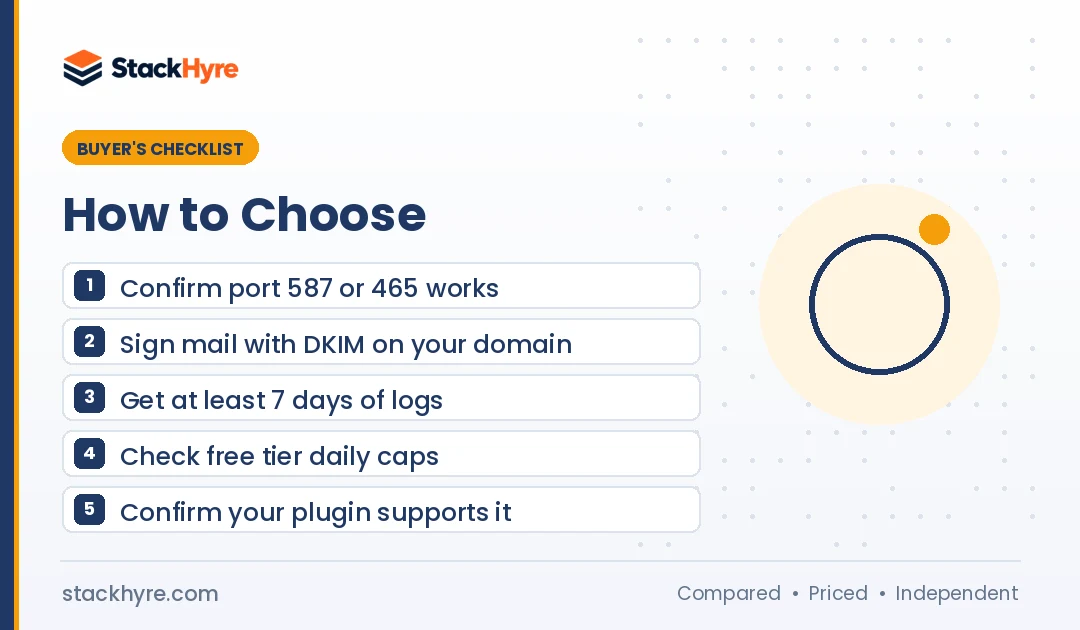
Choose an SMTP relay by matching it to your volume, your platform and the support you need. Check which ports it supports, how long logs last, whether the free tier has a daily cap, and when dedicated IPs become available. For WordPress, confirm your plugin supports the provider. For apps, compare the price per 1,000 at your real monthly volume.
Here’s my short checklist:
- Ports. Make sure 587 or 465 works from your host. Some hosts block 25 and sometimes others.
- Authentication. The provider should sign mail with DKIM on your own domain and guide you through SPF and DMARC.
- Logs. One day of logs is not enough to debug a missing order email. Aim for 7 to 30 days.
- Bounce handling. You want automatic suppression of hard bounces and a webhook or report you can check.
- Support. Agencies and small teams should weigh live support higher than a slightly lower price.
Authentication is not optional anymore. Since February 1, 2024, Gmail requires SPF and DKIM plus DMARC for senders of more than 5,000 messages a day. Yahoo enforces similar rules, and Outlook began enforcing its own high-volume sender rules on May 5, 2025. My email deliverability guide covers the DNS records step by step.
Bad addresses also hurt. If your forms collect a lot of typos, add one of the best email verification APIs before mail reaches your relay.
Is an SMTP Relay Better Than an Email API?
Not better, just different. SMTP works with almost any software and needs no code changes, which makes it ideal for WordPress, legacy apps and devices. An HTTP API is faster to debug, supports batch sends and templates, and returns clear errors. If you write the code, use the API. If you don’t, use SMTP.
The good news: every provider in this list offers both. You can run SMTP for your CMS and the API for your app on one account. For a deeper look at API features, see my best email API for developers guide.
How I Evaluated These SMTP Relay Services
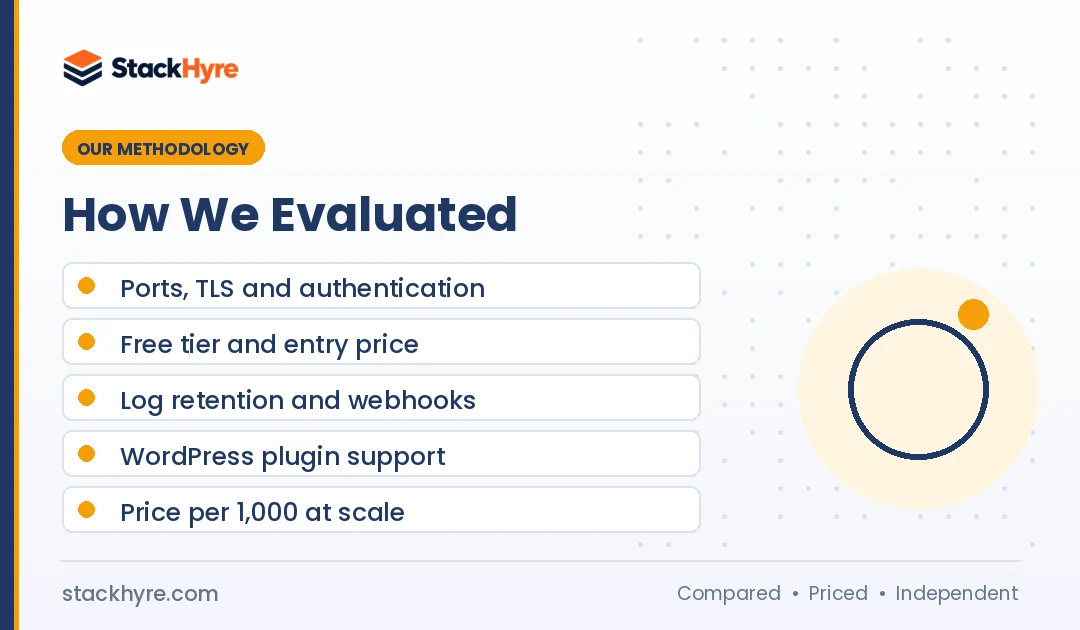
I compared each service using its public pricing page, SMTP setup docs and plugin listings. I didn’t run my own delivery or inbox placement tests. All prices are from vendor pages as of October 2026, and I note where a vendor page didn’t show a clear number.
My criteria:
- SMTP setup: supported ports, TLS options and authentication method.
- Free tier and entry price: monthly and daily caps.
- Logs and bounce data: retention days and webhook support.
- WordPress fit: support in WP Mail SMTP and FluentSMTP.
- Scale options: price per 1,000 and dedicated IP access.
No vendor paid for placement. You can read how I handle reviews in my editorial policy.
The Bottom Line
For most small sites and agencies, I’d start with SMTP2GO or MailerSend. Both are easy to set up and cheap at low volume. If your app sends business-critical mail like login codes, Postmark is worth the higher price. If you send hundreds of thousands of emails a month, Amazon SES or Bird Email will keep your bill low.
Whatever you choose, set up SPF, DKIM and DMARC first, and use port 587 or 465. Then compare prices at your real volume in my transactional email pricing guide, or see the full field in my transactional email services roundup.

Frequently Asked Questions
What is the best free SMTP relay service?
Resend has the largest free allowance in this list at 3,000 emails a month, capped at 100 a day, as of October 2026. SMTP2GO and Bird Email each offer 1,000 a month. Brevo allows 300 a day once your account is approved. MailerSend gives 500 a month. Pick based on your daily peak, not just the monthly number.
Which SMTP port should I use?
Use port 587 with STARTTLS for most setups. Use 465 if your client prefers implicit TLS. Avoid port 25 for client submission, because many cloud hosts block or throttle it. Google Cloud blocks it for external destinations, and AWS throttles it from EC2 by default. Some providers also offer 2525 or 2587 as backups.
Can I use Gmail as an SMTP relay for my website?
You can for a small site, but it’s not a good long-term choice. Google Workspace limits a user account to 2,000 messages a day, and you lose proper bounce handling and logs. For a store, a membership site or an app, a dedicated relay like SMTP2GO, Postmark or Amazon SES is safer and easier to monitor.
Do I need a dedicated IP for SMTP relay?
Not at low volume. A dedicated IP needs steady sending to build a good reputation. Providers gate them by volume: Postmark lists them for senders of 300,000 or more emails a month, and MailerSend only for Enterprise accounts over 100,000 a week. Below that, a well-run shared pool usually delivers better.
How do I set up an SMTP relay on WordPress?
Install an SMTP plugin like WP Mail SMTP or FluentSMTP. Create an account with your relay provider, verify your sending domain and add the SPF, DKIM and DMARC records it gives you. Then enter the SMTP host, port, username and password or API key in the plugin. Send a test email and check that it lands in the inbox.
Related Articles


Daniel Brooks writes about proxies, web scraping and email infrastructure at StackHyre. He compares providers on published pricing, documentation and independent benchmarks so you can pick the right setup without overpaying.