
TL;DR: Email deliverability for SaaS comes down to four things: authenticate your domain with SPF, DKIM and DMARC, meet the Gmail, Yahoo and Outlook.com sender rules, keep bounces and spam complaints low, and keep transactional mail apart from marketing mail. This guide walks through each step in order, with the exact thresholds the mailbox providers publish and a checklist you can run before launch.
Gmail draws a hard line at 5,000 messages a day. Cross it, and Google’s email sender guidelines require SPF, DKIM and DMARC on your domain, plus a spam rate under 0.30%.
Yahoo set nearly identical rules in February 2024. Microsoft followed for Outlook.com in May 2025.
For a SaaS app, this matters more than most teams think. A password reset that lands in spam is a support ticket. A missed invoice is churn.
The good news: the fixes are mostly DNS records and a few habits. You set them up once and then watch a couple of numbers.
Here’s how I’d set up email deliverability for a SaaS product, step by step. If you haven’t picked a sending provider yet, start with my list of the best transactional email services for SaaS. And if you’re still mixing receipts with newsletters, read transactional vs marketing email first, because that split shapes everything below.
Quick Comparison: Gmail, Yahoo and Outlook.com Sender Rules
| Requirement | Gmail | Yahoo | Outlook.com |
|---|---|---|---|
| Bulk sender threshold | 5,000+ messages per day | Bulk senders (no fixed number published) | 5,000+ emails per day |
| SPF and DKIM | Both required for bulk | Both required for bulk | Both must pass |
| DMARC | Required, p=none is fine | Required, at least p=none | Required, at least p=none |
| Domain alignment | From: aligns with SPF or DKIM | From: aligns with SPF or DKIM | Align with SPF or DKIM |
| Spam rate | Below 0.30%, aim under 0.10% | Below 0.3% | Not published as a number |
| One-click unsubscribe | Marketing and subscribed mail | Marketing and subscribed mail, honored within 2 days | Visible unsubscribe link recommended |
| Start date | February 1, 2024 | February 2024 | May 5, 2025 |
What Is Email Deliverability for SaaS?
Email deliverability is the share of your emails that reach the inbox, not spam or a bounce. For a SaaS product, it covers sign-up confirmations, password resets, receipts and alerts. Delivery means the receiving server accepted the message. Deliverability means it landed where the user will see it. Authentication, sender reputation and list quality decide the gap between the two.
People mix these two words up all the time. Your provider’s dashboard may say “delivered” for 99% of messages. That only means the receiving server said yes.
Gmail can accept a message and still drop it in spam. So “delivered” is not the number you care about. Inbox placement is.
Three things drive inbox placement:
- Authentication. Can the receiver prove the mail really came from your domain?
- Reputation. Has mail from your domain and IP been wanted in the past?
- Engagement and complaints. Do people open it, or mark it as spam?
Transactional mail has a natural edge here. People expect a reset link and they open it fast. But that edge vanishes if your app shares a domain with cold outreach or noisy newsletters.
How Do You Set Up SPF, DKIM and DMARC?
You set up SPF, DKIM and DMARC by adding DNS records to your sending domain. SPF lists the servers allowed to send for you. DKIM adds a cryptographic signature your provider creates. DMARC tells receivers what to do when checks fail and sends you reports. Your email provider gives you the exact SPF and DKIM values. You write the DMARC record yourself.
Step 1: Use a sending subdomain
I’d send app mail from a subdomain like mail.yourapp.com or notify.yourapp.com. That keeps its reputation apart from your main domain and from marketing mail.
If a marketing blast goes badly, your password resets don’t take the hit. This one choice saves a lot of pain later.
Step 2: Publish SPF
SPF is a TXT record that names the servers allowed to send mail for your domain. Your provider will give you an include: value to add.
Watch the lookup limit. The SPF standard, RFC 7208, caps SPF at 10 DNS lookups. Stack too many includes and SPF fails outright.
Keep one SPF record per domain. Two records on the same name is a common mistake, and it breaks SPF.
Step 3: Turn on DKIM
DKIM signs each message with a private key. Receivers check the signature against a public key in your DNS. The method is defined in RFC 6376.
Your provider generates the keys. You paste one or more CNAME or TXT records into DNS. Use a 2048-bit key if your provider offers it.
DKIM matters more than SPF for alignment. SPF can break when mail is forwarded. A DKIM signature usually survives.
Step 4: Publish DMARC
DMARC, defined in RFC 7489, ties SPF and DKIM to the domain in your From: header. A simple starting record looks like this:
v=DMARC1; p=none; rua=mailto:dmarc@yourapp.com
Start at p=none so nothing gets blocked while you learn. Read the reports for a few weeks. Find every service that sends as your domain, like your help desk or billing tool.
Then move to p=quarantine, and later p=reject. Enforcement stops others from spoofing your brand. It’s also required for BIMI, which I cover below.
Step 5: Check alignment
Alignment means the domain that passed SPF or DKIM matches the domain in your From: address. Gmail requires this for bulk senders. Its guidelines say the From: domain must align with either the SPF domain or the DKIM domain.
Most providers handle this once you set a custom return-path and DKIM on your own domain. If you skip that step, mail may pass SPF on the provider’s domain and still fail DMARC on yours.
What Do Gmail, Yahoo and Microsoft Require From Senders?
All three now require authentication from high-volume senders. Gmail and Yahoo started in February 2024. Bulk senders need SPF, DKIM, DMARC at p=none or stronger, From: alignment, and a spam rate under 0.3%. Microsoft added similar rules for Outlook.com on May 5, 2025, for senders above 5,000 emails per day. Marketing mail also needs one-click unsubscribe.
Gmail
Gmail’s sender guidelines have two tiers. Every sender needs SPF or DKIM, valid forward and reverse DNS, TLS, and a spam rate below 0.3%.
Senders above 5,000 messages a day need both SPF and DKIM, plus DMARC. The DMARC policy can be set to none. Google also asks you to keep spam rates below 0.10% and avoid ever reaching 0.30%.
The one-click unsubscribe rule applies to marketing and subscribed messages. Your pure transactional mail, like a password reset, isn’t the target. But a “weekly digest” users opted into probably is.
Yahoo
Yahoo’s sender best practices say enforcement began in February 2024. All senders need SPF or DKIM and a spam rate below 0.3%.
Bulk senders need SPF, DKIM and a passing DMARC policy of at least p=none. They also need a one-click List-Unsubscribe header, a visible unsubscribe link, and must honor unsubscribes within 2 days.
Microsoft Outlook.com
Microsoft announced its rules in a Microsoft Defender for Office 365 blog post. Domains sending more than 5,000 emails a day to Outlook.com consumer addresses must pass SPF and DKIM. They also need DMARC at p=none or stronger, aligned with SPF or DKIM.
The rules took effect May 5, 2025. Microsoft’s April 29 update says mail that fails will be rejected with the error 550; 5.7.515 Access denied.
Microsoft also recommends a valid From: or Reply-To address, working unsubscribe links, and regular list cleaning.
One-click unsubscribe in practice
One-click unsubscribe is defined in RFC 8058. You add two headers: List-Unsubscribe with an HTTPS URL, and List-Unsubscribe-Post: List-Unsubscribe=One-Click.
When a user clicks unsubscribe in Gmail, your server gets a POST request. Your endpoint must remove that address without asking the user to log in or confirm.
Most transactional email APIs can add these headers for you. Check your provider’s docs before you build it yourself.
What Is BIMI and Do You Need It?
BIMI shows your logo next to your emails in supporting inboxes like Gmail. It needs DMARC at enforcement, a logo in SVG Tiny PS format, and usually a Verified Mark Certificate or Common Mark Certificate. BIMI doesn’t fix deliverability on its own. It’s a trust signal you add after SPF, DKIM and DMARC are solid.
Google’s BIMI setup guide spells out the rules. Your DMARC policy must be quarantine or reject, with pct set to 100.
A Verified Mark Certificate usually needs a registered trademark. A Common Mark Certificate is the option for logos without one.
My take: BIMI is nice for a mature SaaS brand that sends a lot of billing mail. For an early product, I’d spend that time on bounce handling first.
How Do You Warm Up a New Domain or IP?
You warm up a new domain or IP by starting with a small daily volume to your most engaged users, then raising it over a few weeks. Receivers trust senders with a steady history. A sudden jump from zero to 50,000 emails looks like spam. Most SaaS apps on a shared IP only need to warm the domain, not an IP.
Shared vs dedicated IP
Most SaaS teams don’t need a dedicated IP. On a shared pool, your provider manages IP reputation across many senders.
A dedicated IP only helps when you send enough steady volume to build your own reputation. Providers set their own floors.
For example, Postmark’s pricing page offers dedicated IPs only to senders at 300,000 or more emails a month. Resend’s pricing page pitches its dedicated IP add-on to senders above 3,000 emails a day.
If you send less than that, a dedicated IP can hurt. Low, spiky volume gives receivers too little data to trust you.
A simple warmup plan
- Week 1: send only your highest-engagement mail, like logins and resets.
- Week 2: add receipts and account alerts.
- Week 3 and later: add product notifications and digests.
- Watch bounces and complaints daily. Pause the ramp if either jumps.
Some providers warm dedicated IPs for you automatically. If yours does, follow its schedule rather than your own.
How Should You Handle Bounces, Complaints and Suppression?
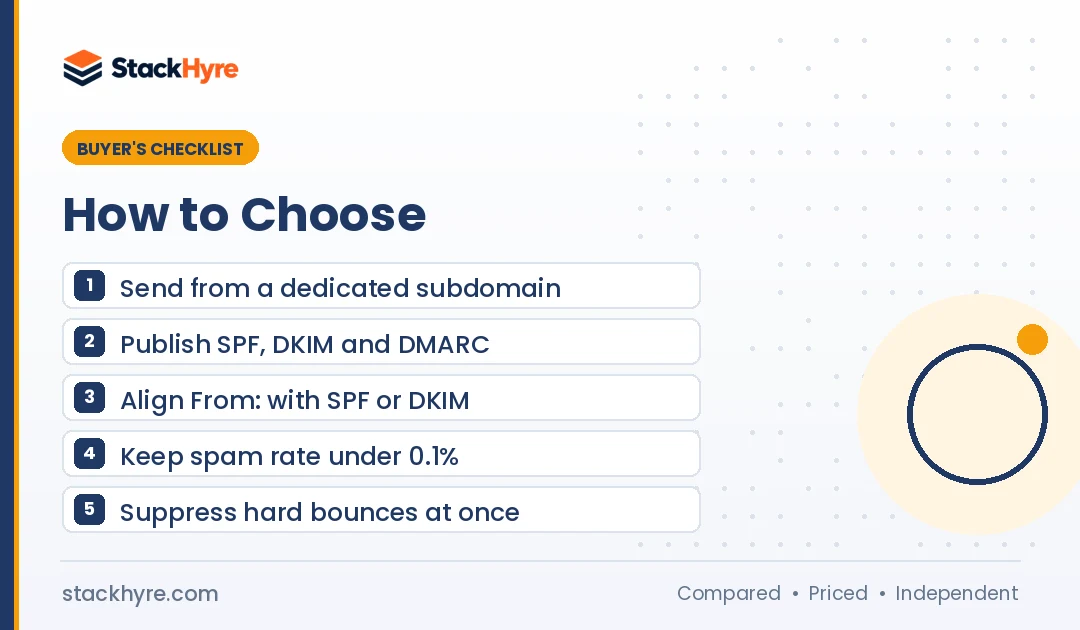
Handle bounces by never retrying a hard bounce and adding that address to a suppression list. Remove anyone who marks your mail as spam. Keep your bounce rate under 2% and complaints under 0.1%. Use your provider’s webhooks to sync bounces and complaints back to your app, so you stop emailing bad addresses everywhere.
Know the thresholds
Amazon publishes clear numbers. Per Amazon SES’s enforcement FAQ, you should keep bounces below 2% and complaints below 0.1%.
SES puts an account under review at a 5% bounce rate or a 0.1% complaint rate. It may pause sending at 10% bounces or 0.5% complaints.
Other providers run similar reviews, even if they publish fewer numbers. Treat these as safe targets anywhere.
Hard vs soft bounces
- Hard bounce: the address doesn’t exist or the domain is gone. Suppress it right away.
- Soft bounce: a full mailbox or a temporary server issue. Retry a few times, then suppress if it keeps failing.
Stop bad addresses at sign-up
Typos like “gmial.com” create bounces before a user ever logs in. Double opt-in fixes this for marketing lists. For apps, a verification email at sign-up does the same job.
If you import user lists or allow bulk invites, check addresses first. My guide to the best email verification APIs covers tools that catch bad addresses before you send.
Sync suppression back to your app
Your provider keeps its own suppression list. But if you ever switch providers, that list doesn’t come with you.
So I’d store bounce and complaint events in your own database through webhooks. Then your app knows which users have bad addresses. You can prompt them to update their email in the product.
How Do You Monitor Deliverability Over Time?
Monitor deliverability with three sources: your provider’s bounce and complaint data, Google Postmaster Tools for Gmail spam rates, and your DMARC aggregate reports. Check them weekly, and set alerts for bounce and complaint spikes. Most problems show up as a slow climb in spam rate long before mail starts failing outright.
Here’s my short list:
- Google Postmaster Tools. This is where Gmail reports the spam rate it uses in its sender rules. Verify your sending domain here on day one.
- DMARC reports. The rua address in your record collects daily XML reports. A DMARC report tool turns them into readable charts.
- Provider dashboards and webhooks. Track bounces, complaints and deferrals by message type.
- Seed tests before big changes. Send to a few test inboxes at Gmail, Yahoo and Outlook.com when you change templates or domains.
Log retention matters for this. Some providers keep searchable logs for only a few days on cheaper plans. I compare that across vendors in my guide on how to choose a transactional email service.
Which SaaS Email Habits Hurt Deliverability Most?
The habits that hurt most are sending marketing mail from your transactional domain, skipping DMARC, retrying hard bounces, and blasting a sudden spike of mail from a cold domain. Spammy link shorteners, image-only emails and broken unsubscribe flows also hurt. Each one is easy to fix once you know to look for it.
- Mixing streams. Product updates and promos belong on a separate subdomain, and often a separate provider stream.
- Using a no-reply address with no inbox behind it. Microsoft recommends a From: or Reply-To address that can receive replies.
- Link shorteners. Shared shortener domains often carry bad reputation. Use your own branded tracking domain.
- Huge HTML or image-only emails. Keep transactional templates light, with real text.
- Sending from localhost or the app server. Use an API or a proper relay. My guide to the best SMTP relay services covers the relay option.
How I Evaluated These Deliverability Rules
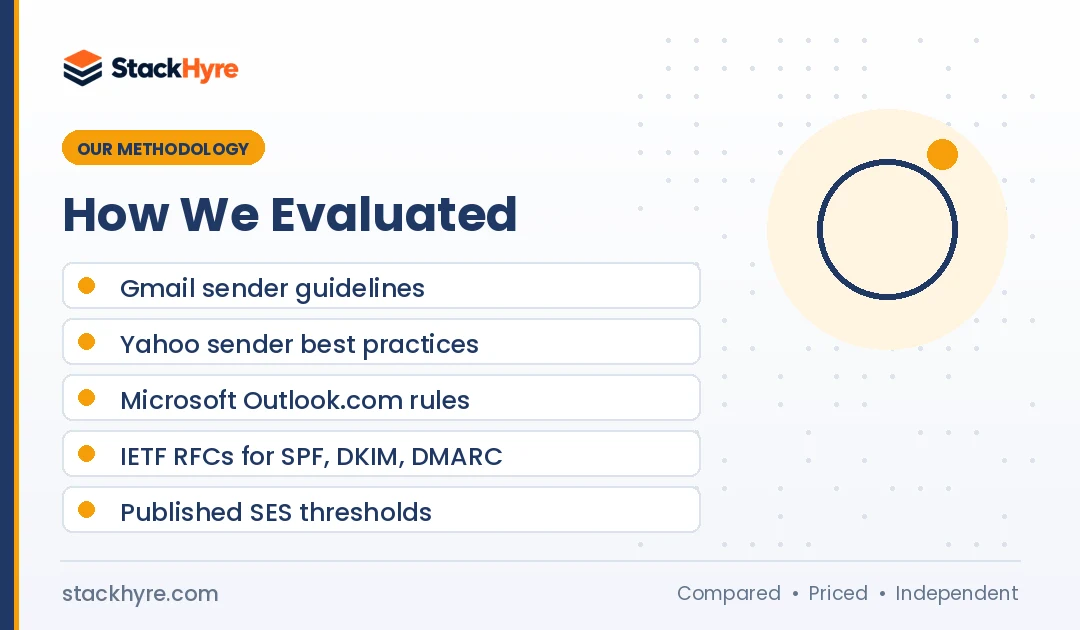
I didn’t run inbox placement tests for this guide. Instead, I read the primary sources and kept every number tied to them.
- Sender requirement pages from Google, Yahoo and Microsoft.
- The IETF standards for SPF, DKIM, DMARC and one-click unsubscribe.
- Google’s BIMI setup guide.
- Published enforcement thresholds from Amazon SES.
- Dedicated IP terms on vendor pricing pages, checked in October 2026.
Mailbox providers change their rules without much notice. I re-check these pages when I update this guide. You can read more about how I research in my editorial policy.
The Bottom Line
Good SaaS deliverability isn’t a secret trick. It’s a short list of DNS records and a few steady habits.
Send app mail from its own subdomain. Publish SPF, DKIM and DMARC, and move DMARC toward enforcement. Meet the Gmail, Yahoo and Outlook.com bulk rules even if you’re under 5,000 a day today, because you’ll cross that line as you grow.
Then watch two numbers: bounces under 2% and spam complaints under 0.1%. Use webhooks so your app knows about bad addresses.
Your provider choice matters too. Some make authentication and suppression far easier than others. Compare them in my transactional email services guide, and check what each one costs in my transactional email pricing breakdown.
Frequently Asked Questions
Do transactional emails need an unsubscribe link?
Gmail and Yahoo require one-click unsubscribe for marketing and subscribed messages from bulk senders. Pure transactional mail, like password resets and receipts, isn’t the target of that rule. But anything users opted into, such as digests or product news, likely counts as subscribed mail. If in doubt, add one-click unsubscribe headers to those streams.
What DMARC policy should a SaaS app start with?
Start with p=none and a rua address so you get reports without blocking anything. Use those reports to find every service that sends as your domain. Once all of them pass SPF or DKIM with alignment, move to p=quarantine, then p=reject. Gmail, Yahoo and Outlook.com all accept p=none for their bulk sender rules.
What is a good bounce rate for transactional email?
Aim to keep your bounce rate under 2%. Amazon SES recommends that target and puts accounts under review at 5%, with possible pausing at 10%. Suppress hard bounces right away and verify addresses at sign-up. A rising bounce rate usually points to typos at sign-up or old, imported user lists.
Do I need a dedicated IP for my SaaS emails?
Most SaaS apps don’t. A shared IP pool from a good provider works well at low and mid volume. Dedicated IPs make sense only with steady, high volume, and providers set their own floors. Postmark offers them from 300,000 emails a month. Below that, a dedicated IP may hurt, because receivers see too little traffic to trust it.
Does the 5,000 emails per day rule apply to me?
Gmail and Outlook.com apply their strictest rules to senders above 5,000 messages a day to their users. Even if you’re under that today, meet the rules anyway. A product launch or a busy billing day can push you over fast. SPF, DKIM and DMARC take an afternoon to set up and protect you either way.
Related Articles

Daniel Brooks writes about proxies, web scraping and email infrastructure at StackHyre. He compares providers on published pricing, documentation and independent benchmarks so you can pick the right setup without overpaying.