
TL;DR: The best MongoDB alternatives in 2026 are PostgreSQL with JSONB for most apps, FerretDB if you want to keep MongoDB drivers on PostgreSQL, Amazon DynamoDB for serverless key-value scale, and Apache Cassandra for huge write-heavy workloads. Couchbase, CouchDB, Redis and Elasticsearch cover sync, caching and search. Open-source options are free to self-host; managed plans start free or at a few cents an hour, as of November 2026.
MongoDB is still one of the most used databases. It ranks fifth on the DB-Engines popularity ranking, right behind PostgreSQL.
So why do people leave? Three reasons come up again and again.
The first is the license. MongoDB versions released on or after October 16, 2018 use the Server Side Public License (SSPL). That’s fine for most internal use, but it’s not an OSI-approved open source license, and it bites if you offer MongoDB as a service.
The second is cost. The Atlas pricing page lists a free M0 tier, Flex from $8 a month (capped at $30), and dedicated M10 clusters from $56.94 a month, as of November 2026. That climbs fast as you add bigger tiers and replicas.
The third is fit. Many teams picked MongoDB for flexible JSON, then found they needed joins, strict schemas and transactions after all.
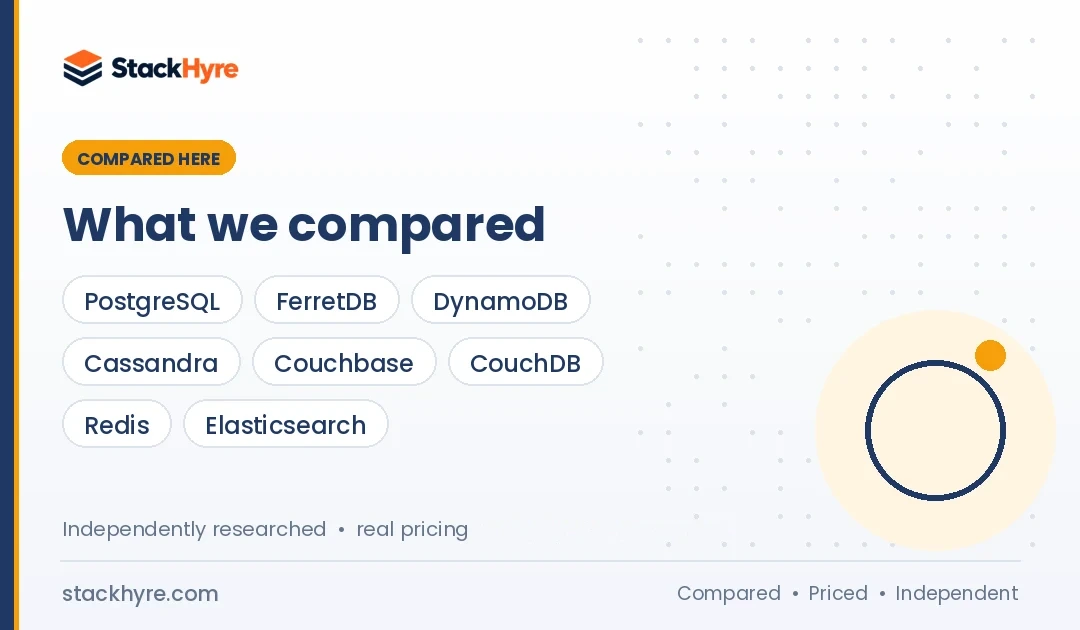
I compared 8 MongoDB alternatives on data model, license, pricing and how hard it is to move off MongoDB. If you’re also weighing a relational switch, my guide to MySQL alternatives covers that side.
Quick Comparison: 8 Best MongoDB Alternatives
| Database | Best For | Starting Price | Key Feature |
|---|---|---|---|
| PostgreSQL (JSONB) | Most apps that need JSON and SQL | Free, open source | Indexed JSON plus joins |
| FerretDB | Keeping MongoDB drivers | Free, Apache 2.0 | MongoDB wire protocol on Postgres |
| Amazon DynamoDB | Serverless key-value scale | Free tier; pay per request | No servers to manage |
| Apache Cassandra | Massive write-heavy data | Free, Apache 2.0 | Masterless, multi-datacenter |
| Couchbase Capella | Documents with SQL and mobile sync | Free tier; from $0.15/hr per node | SQL++ query language |
| Apache CouchDB | Offline-first and sync | Free, open source | Two-way replication |
| Redis | Caching and real-time data | Free (AGPLv3 option) | In-memory speed |
| Elasticsearch | Full-text search and logs | Free (AGPL option) | Relevance-ranked search |
What Makes a Good MongoDB Alternative?
A good MongoDB alternative stores your data in a model that matches how your app reads and writes it, under a license you’re comfortable with. For most teams that means flexible JSON documents with real indexes, transactions and a clear scaling path. Migration effort matters as much as features, because rewriting every query is the real cost of switching.
Here’s what I weigh most.
Data model. MongoDB stores documents. Alternatives store documents, rows, wide columns, key-value pairs or search indexes. Pick the one that fits your access patterns, not the one with the best marketing.
Query language. Moving from MongoDB’s query API to SQL is a rewrite. Moving to a MongoDB-compatible layer is not. That single choice drives most of your migration effort.
License. Check whether the license is OSI-approved and what it says about offering the database as a service.
Operations. Self-hosting saves license money but costs engineer time. A managed service flips that trade.
Best Document Database Alternatives to MongoDB
#1 PostgreSQL with JSONB: Best overall MongoDB alternative
PostgreSQL is my default pick. It does JSON documents well and SQL even better.
What it does well. The jsonb type stores JSON in a binary format that’s faster to query than plain text. You can index it with GIN indexes and run containment queries on nested fields. So you keep flexible documents where you need them and use normal tables, joins and foreign keys everywhere else.
Key features:
- JSONB columns with GIN indexes
- Full ACID transactions across tables
- Joins, views and constraints
- Huge extension ecosystem, including vector search
- Managed on every major cloud
Pricing. PostgreSQL is free under the PostgreSQL License, a permissive license similar to BSD or MIT. Managed hosting prices vary by provider, so check the current price with your cloud.
Best for: Most web and SaaS apps, especially ones whose data turned out to be more relational than expected.
Limitations. Moving from MongoDB means rewriting queries in SQL. Horizontal sharding isn’t built in the way MongoDB’s is, so very large write-heavy data needs extensions or a distributed SQL engine.
#2 FerretDB: Best for keeping your MongoDB code
FerretDB lets your app keep talking MongoDB while the data lives in PostgreSQL.
What it does well. Its GitHub README says FerretDB is a proxy that converts MongoDB 5.0+ wire protocol queries to SQL, using PostgreSQL with the DocumentDB extension as the engine. Your drivers and many tools keep working. That’s the lowest effort way off the SSPL.
Key features:
- MongoDB wire protocol compatibility
- Apache 2.0 license
- Runs on PostgreSQL you already know
- Docker images for dev and production
- Self-host on premises or in the cloud
Pricing. FerretDB is free and open source. Support and consulting are offered by the company, with no public price, so check the current price with FerretDB.
Best for: Teams that want an open source license without rewriting their data layer.
Limitations. Compatibility is not 100%. Test your exact aggregation pipelines and index types before you commit. Performance will differ from MongoDB, so benchmark your own workload.
#3 Couchbase Capella: Best for documents with SQL and mobile sync
Couchbase is a JSON document database that you query with a SQL dialect.
What it does well. You write SQL++ against JSON documents, so your team keeps SQL skills without giving up a flexible schema. Search, caching and mobile sync come in the same platform. That combination is rare.
Key features:
- SQL++ queries over JSON
- Built-in full-text search
- App services for mobile and edge sync
- Memory-first design for low latency
- Cross datacenter replication (XDCR)
Pricing. Couchbase’s Capella pricing page lists a Free tier with one node and no credit card. Basic starts from $0.15 per node per hour, Developer Pro from $0.35 and Enterprise from $0.49, as of November 2026. Costs scale with each node’s vCPU and RAM.
Best for: Apps that need documents, SQL-style queries and offline mobile sync together.
Limitations. It’s a different API from MongoDB, so expect a query rewrite. The platform has many parts, which can feel heavy for a simple app.
#4 Apache CouchDB: Best for offline-first and sync
CouchDB is built around one idea: replicate data anywhere, and merge it back later.
What it does well. The CouchDB technical overview describes a RESTful HTTP API and two-way, incremental replication that resumes from the last checkpoint. Paired with PouchDB in the browser, it’s a strong base for apps that must work offline.
Key features:
- Plain HTTP and JSON API
- Bi-directional, incremental replication
- MVCC so readers never wait on writers
- Filtered replication
- Apache Software Foundation project
Pricing. CouchDB is free and open source. You pay only for hosting.
Best for: Field apps, point of sale and anything that must sync after being offline.
Limitations. Ad hoc queries are weaker than MongoDB or SQL. Conflict handling is your job. The community is smaller than it once was.
Best NoSQL Alternatives for Scale
#5 Amazon DynamoDB: Best for serverless key-value scale
DynamoDB is what you pick when you want no servers and predictable speed at any size.
What it does well. There’s nothing to patch or shard. You design your tables around access patterns, and AWS handles the rest. For AWS-native apps with clear key-based lookups, it’s very hard to beat on operations.
Key features:
- Fully managed and serverless
- On-demand or provisioned capacity
- Global tables across regions
- Streams for change events
- Point in time recovery
Pricing. AWS’s on-demand pricing page uses $0.625 per million write request units, $0.125 per million read request units and $0.25 per GB-month of standard storage in its US East examples, as of November 2026. The free tier includes 25 GB of storage plus 25 read and write capacity units each month.
Best for: AWS apps with known, key-based access patterns and spiky traffic.
Limitations. You must design for your queries up front. Ad hoc queries and joins are poor. It’s AWS-only, so leaving later is a full rewrite.
#6 Apache Cassandra: Best for massive write-heavy workloads
Cassandra is a wide-column store built for huge write volumes across many datacenters.
What it does well. The Cassandra project site highlights a masterless design that can survive a full datacenter outage without data loss, and multi-datacenter replication it calls best in class. If you write time series, events or IoT data at scale, it’s a proven choice.
Key features:
- Masterless, no single point of failure
- Linear scaling by adding nodes
- Tunable consistency per query
- CQL, a SQL-like query language
- Apache 2.0 license
Pricing. Cassandra is free and open source. Managed options exist from several clouds, so check the current price with each.
Best for: Write-heavy data at very large scale, spread across regions.
Limitations. Data modeling is strict: one table per query pattern. Running a cluster well takes real expertise. It’s overkill for most apps.
Best Specialized Alternatives
#7 Redis: Best for caching and real-time data
Redis isn’t a full MongoDB replacement. But many teams use MongoDB for jobs Redis does better.
What it does well. It keeps data in memory, so reads and writes are very fast. Sessions, leaderboards, rate limits, queues and caches all fit. Redis 8 also includes JSON and query features, which covers some light document use.
Key features:
- In-memory data structures
- JSON documents and secondary indexes
- Pub/sub and streams
- Replication and clustering
- Managed Redis Cloud option
Pricing. Self-hosted Redis is free. On May 1, 2025, Redis added AGPLv3 as a license option with Redis 8, after its March 2024 move to the SSPL. Redis Cloud pricing varies, so check the current price with Redis. Valkey is a BSD-licensed fork if you prefer a permissive license.
Best for: Caches, sessions and real-time features next to your main database.
Limitations. Memory is expensive, so large datasets cost a lot. It’s not a primary store for most apps.
#8 Elasticsearch: Best for full-text search and logs
If you use MongoDB mainly to search text, a search engine will do the job better.
What it does well. Elasticsearch stores JSON documents and ranks results by relevance. It handles fuzzy matching, facets and log analytics at scale. Many teams pair it with a primary database rather than replace one.
Key features:
- Full-text search with relevance scoring
- Aggregations for analytics
- Vector search for AI features
- Kibana for dashboards
- Elastic Cloud managed option
Pricing. Elastic announced AGPL as a license option for Elasticsearch and Kibana on August 29, 2024, alongside ELv2 and SSPL. Elastic Cloud pricing varies by usage, so check the current price with Elastic. OpenSearch is an Apache 2.0 fork.
Best for: Product search, site search and log analytics.
Limitations. It’s not a transactional database. Don’t use it as your only source of truth.
Are There Other MongoDB Alternatives Worth a Look?
Yes, three more show up on most lists. MySQL has a JSON type and is a fine relational pick if your team already knows it. CockroachDB is distributed SQL with PostgreSQL compatibility for multi-region apps. ArangoDB mixes documents and graphs in one engine.
I’d skip RethinkDB and OrientDB for new projects. One of the top ranking guides dropped them over weak maintenance, and I agree.

How Should You Choose the Right MongoDB Alternative?
Match the database to how your app reads data. If you need joins, transactions and some flexible JSON, choose PostgreSQL. If you can’t rewrite queries, try FerretDB. If you’re on AWS with key-based lookups, choose DynamoDB. If you write huge volumes across regions, choose Cassandra. Use Redis and Elasticsearch next to a primary database, not instead of one.
Then plan the move. Here’s how I’d rate migration effort from MongoDB.
| Target | Migration Effort | What Changes |
|---|---|---|
| FerretDB | Low | Connection string; test edge cases |
| Couchbase | Medium | Queries rewritten in SQL++ |
| PostgreSQL | Medium to high | Schema design and SQL rewrite |
| DynamoDB | High | Redesign around access patterns |
| Cassandra | High | One table per query; new data model |
A few tips that save pain.
Export with mongodump or mongoexport first. Keep a clean copy of your data before you transform anything.
List your real queries. Pull the top queries from your logs. Those are what you must support, not every feature MongoDB has.
Run both databases for a while. Dual writes or change streams let you compare results before you cut over.
Budget for monitoring. A new database needs new dashboards and alerts. My guides to Grafana alternatives and Datadog alternatives help there.
How I Evaluated These MongoDB Alternatives
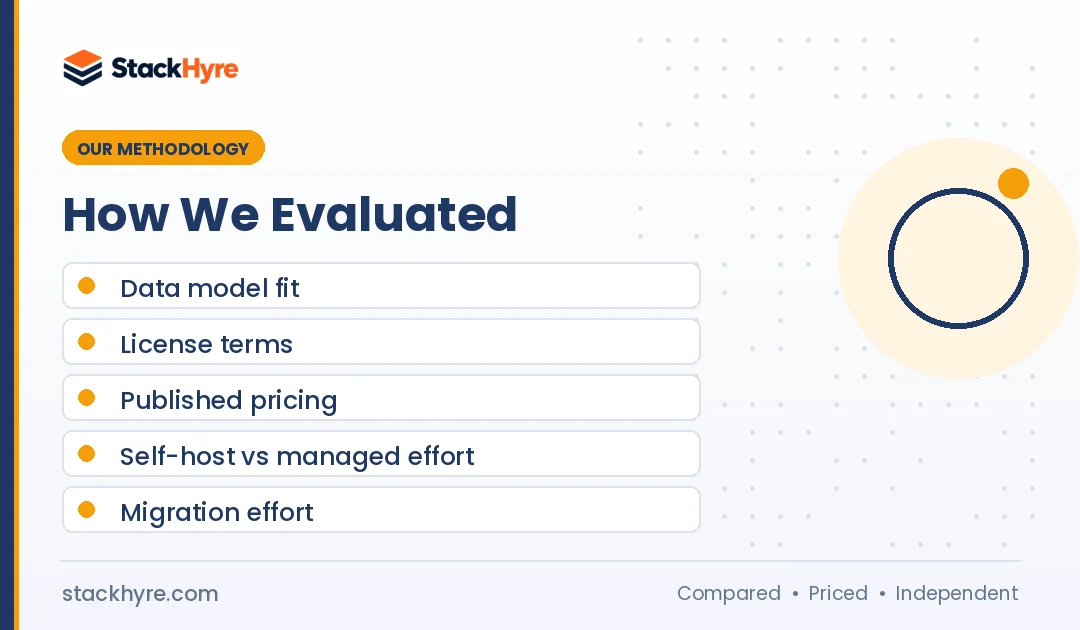
I didn’t run benchmarks for this guide. I compared each database using public information and link to the source for every price and license claim.
- Data model fit. How well each one replaces MongoDB’s document model, based on official docs.
- License. Current license terms and recent license changes.
- Published pricing. Vendor pricing pages, checked in November 2026.
- Operations. Self-host effort versus managed options.
- Migration effort. How much code and data model must change.
I also read the top ranking guides for this keyword and included the databases that appeared on most of them. My editorial policy explains how I research and update guides.
The Bottom Line
For most teams leaving MongoDB, PostgreSQL with JSONB is the right answer. You keep flexible documents, gain joins and transactions, and get a permissive license.
If rewriting queries isn’t an option right now, put FerretDB in front of PostgreSQL and buy yourself time. Choose DynamoDB for serverless AWS apps with clear access patterns, and Cassandra only for truly massive write loads. Couchbase and CouchDB fit sync-heavy apps. Keep Redis and Elasticsearch for caching and search.
Start by listing your real queries, then test one service on the new database. If you’re also moving your app off Kubernetes, see my guide to Kubernetes alternatives.
Frequently Asked Questions
What is the best free alternative to MongoDB?
PostgreSQL is the best free alternative for most apps. It’s released under the permissive PostgreSQL License, stores JSON in indexed JSONB columns, and adds joins and full transactions. If you want to keep MongoDB drivers, FerretDB is free under Apache 2.0 and runs on PostgreSQL. Both cost nothing to self-host beyond your servers.
Is MongoDB still open source?
Not by the OSI definition. MongoDB versions released on or after October 16, 2018 use the Server Side Public License. MongoDB says internal use and SaaS apps that just use it as a database aren’t affected. But if you offer MongoDB itself as a service, the SSPL requires you to release the source of your whole service stack.
Can PostgreSQL replace MongoDB?
For most apps, yes. PostgreSQL’s JSONB type stores documents in a binary format, supports GIN indexes and handles nested containment queries. You also get joins, constraints and transactions. The cost is a query rewrite from MongoDB’s API to SQL. Very large write-heavy datasets may need extra tooling for horizontal scaling.
Is FerretDB a drop-in replacement for MongoDB?
Close, but not fully. FerretDB speaks the MongoDB 5.0+ wire protocol and stores data in PostgreSQL with the DocumentDB extension, so many drivers and tools work unchanged. Some commands, aggregation stages or index types may behave differently. Test your actual queries and measure performance before moving production traffic.
Is DynamoDB cheaper than MongoDB Atlas?
It depends on your traffic. DynamoDB on-demand bills per request, so spiky or low traffic can be very cheap, and the free tier covers 25 GB of storage. Atlas dedicated clusters bill by the hour whether busy or idle. For steady heavy traffic, provisioned capacity or a sized Atlas cluster may cost less. Model both with real numbers.
Related Articles



The StackHyre Editorial Team writes about proxies, web scraping and email infrastructure. We compare providers using published pricing, official documentation and third-party reviews. All content is for educational and informational purposes only.