
TL;DR: The best Heroku alternatives in 2026 are Render for the closest Heroku feel, Railway for fast usage-based deploys, and Fly.io for apps that need to run close to users. Pick DigitalOcean App Platform for simple flat pricing, Google Cloud Run for serverless containers, and Coolify or Dokku to self-host for the cost of a server. Paid entry points run from about $2 to $7 a month, as of November 2026.
Heroku told its customers in February 2026 that it is moving to a sustaining engineering model focused on stability, security, reliability and support. TechRadar reported that this means Salesforce has halted new feature work on the platform.
Heroku is not shutting down. Your apps keep running. But a platform that stops shipping features is a platform you should have an exit plan for.
Cost is the other push. The free dynos ended back in 2022. Today the Heroku pricing page lists Eco dynos at $5 a month, Basic at $7, Standard-1X at $25 and Performance-M at $250. Add Postgres and workers and a small production app gets expensive fast.
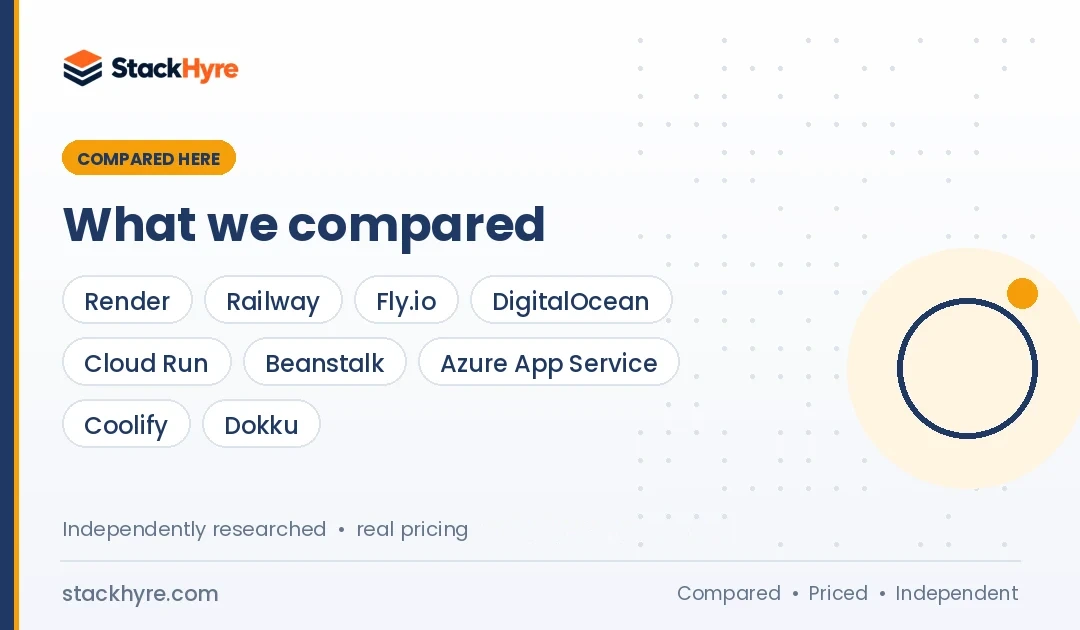
I compared 9 Heroku alternatives on published pricing, deploy workflow, managed databases, scaling and how much work it takes to move. If your app runs in containers already, my guides to Docker alternatives and Kubernetes alternatives cover the layer underneath.
Quick Comparison: 9 Best Heroku Alternatives
| Platform | Best For | Starting Price | Key Feature |
|---|---|---|---|
| Render | Closest Heroku experience | Free; paid service $7/mo | Managed Postgres and workers |
| Railway | Fast deploys, usage billing | Hobby $5/mo minimum | Visual project canvas |
| Fly.io | Global, low-latency apps | About $2.19/mo per small VM | Runs apps in many regions |
| DigitalOcean App Platform | Simple flat pricing | Free static; $5/mo container | Predictable fixed instances |
| Google Cloud Run | Serverless containers | Free tier, then usage | Scales to zero |
| AWS Elastic Beanstalk | Teams already on AWS | No extra charge; pay for AWS | Full AWS access |
| Azure App Service | Microsoft and .NET shops | Check current price | Deep Azure integration |
| Coolify | Self-hosted Heroku feel | Free self-hosted; Cloud $5/mo | Web UI on your own servers |
| Dokku | Cheapest git push deploys | Free, open source | Heroku buildpacks on a VPS |
What Makes a Good Heroku Alternative?
A good Heroku alternative keeps the part people loved: push code and it runs. It should build from Git or a Dockerfile, give you managed Postgres and Redis-style add-ons, handle TLS and custom domains, and scale without a support ticket. Pricing should be clear enough that you can predict next month’s bill before it arrives.
Here’s what I weigh most.
Deploy workflow. Heroku’s magic was buildpacks plus git push. Render, Railway and Dokku come closest. Fly.io and Cloud Run lean on containers, which is more portable but asks you to own a Dockerfile.
Managed data. Most Heroku apps lean on Heroku Postgres and Key-Value Store. Check that your new home offers managed Postgres with backups, or plan to use a separate database provider.
Pricing model. There are three styles. Fixed instances (Render, DigitalOcean) are easy to predict. Usage billing (Railway, Fly.io, Cloud Run) can be cheaper for spiky apps but harder to forecast. Self-hosting (Coolify, Dokku) is cheapest in cash and most expensive in your time.
Lock-in. Ask how hard it would be to leave again. A plain container image moves almost anywhere. Platform-specific config files and proprietary add-ons do not.
Heroku-Style PaaS Platforms
These three are where most Heroku refugees land first. They feel familiar and need the least rework.
#1 Render: Best for the closest Heroku experience
Render is the platform that feels most like Heroku did at its best, with web services, workers, cron jobs and Postgres in one dashboard.
What it does well. You connect a repo, pick a service type and Render builds and deploys on every push. It supports native runtimes and Docker. Background workers and cron jobs are first-class, which matters because most Heroku apps run a worker dyno. A blueprint file lets you describe your whole stack as code, much like a Heroku app.json.
Key features:
- Web services, private services, background workers and cron jobs
- Managed Postgres and key-value storage
- Preview environments for pull requests
- Free TLS, custom domains and zero-downtime deploys
Pricing. The Render pricing page lists workspace plans at Hobby $0, Pro $25 a month and Scale $499 a month, plus compute. A free web instance exists. The smallest paid instance is $7 a month for 512 MB of RAM, and 1 CPU with 2 GB is $25. Paid Postgres starts at $6 a month, as of November 2026.
Best for: Small and mid-size teams who want Heroku’s workflow with lower per-instance prices and active development.
Limitations. Free instances spin down when idle, so they suit demos, not production. Team plans add a workspace fee on top of compute, so check the total for your seat count.
#2 Railway: Best for fast deploys with usage-based billing
Railway is a deploy platform built around a visual canvas where your app, database and workers sit side by side.
What it does well. Railway detects your language and builds without config in many cases. You can add Postgres, MySQL, Redis or MongoDB in a couple of clicks. Billing follows the CPU, memory and network you actually use, so a quiet app costs little. Templates let you spin up common stacks fast.
Key features:
- Auto-detected builds from a repo or Dockerfile
- One-click databases on the same private network
- Environments for staging and pull requests
- Usage-based billing with included monthly credits
Pricing. The Railway pricing page lists a 30-day free trial with $5 of credit. Hobby has a $5 monthly minimum that includes $5 of usage. Pro has a $20 minimum that includes $20 of usage. Enterprise is custom, as of November 2026.
Best for: Solo developers and startups who want speed and are fine with a bill that moves with traffic.
Limitations. Usage billing is harder to forecast than fixed instances. Set usage limits early so a runaway process does not surprise you.
#3 Fly.io: Best for global, low-latency apps
Fly.io runs your app as lightweight virtual machines in regions around the world, so users hit a server near them.
What it does well. If your users are spread across continents, Fly.io is the cleanest way to run close to all of them. The flyctl CLI can take a Heroku-style app and generate the config for you. You get persistent volumes, private networking between apps and Anycast routing by default.
Key features:
- Fly Machines that start fast and can stop when idle
- Deploy to many regions from one config
- Persistent volumes and private networking
- Shared IPv4 and unlimited Anycast IPv6 per app
Pricing. Per the Fly.io pricing page, the smallest shared-cpu-1x machine with 256 MB is $2.19 a month. Volumes are $0.15 per GB a month and a dedicated IPv4 is $2 a month. Support plans are Standard at $29, Premium at $199 and Enterprise from $2,500 a month, as of November 2026.
Best for: Teams with a global audience, real-time apps and anyone comfortable with containers and a CLI.
Limitations. There is more to learn than on Render. Pay close attention to how you run Postgres here, because a self-managed database on volumes is your job to back up.
Cloud Provider Platforms
If you want a big cloud behind you, or your company already pays one, these four are the safer long-term bets.
#4 DigitalOcean App Platform: Best for simple, flat pricing
DigitalOcean App Platform is a managed PaaS on top of DigitalOcean’s cloud, with fixed-size containers and clear prices.
What it does well. You deploy from GitHub, GitLab or a container registry and pick a fixed instance size. That makes the bill easy to predict. Managed databases, Spaces object storage and Droplets sit in the same account if you outgrow the PaaS layer.
Key features:
- Buildpack and Dockerfile builds
- Static sites, services, workers and jobs
- Managed Postgres, MySQL and caching add-ons
- Autoscaling on dedicated instances
Pricing. The App Platform pricing page lists a free tier for up to 3 static-site apps. The smallest paid container is $5 a month for 1 vCPU, 512 MiB of memory and 50 GiB of transfer, as of November 2026.
Best for: Small businesses and side projects that want a predictable bill and a simple dashboard.
Limitations. Fewer advanced features than the hyperscalers, and the free tier covers static sites only.
Visit DigitalOcean App Platform
#5 Google Cloud Run: Best for serverless containers
Cloud Run runs any container that listens on a port, scales it up with traffic and down to zero when idle.
What it does well. You never pick a server size in advance. Cloud Run can build from source or take an image you push. For APIs and web apps with uneven traffic, scaling to zero can cut the bill a lot compared to an always-on dyno.
Key features:
- Request-based or instance-based billing
- Scale to zero and fast autoscaling
- Jobs for batch and scheduled work
- Tight links to Cloud SQL, Pub/Sub and IAM
Pricing. The Cloud Run pricing page lists a monthly free tier for request-based billing of 180,000 vCPU-seconds, 360,000 GiB-seconds and 2 million requests. You pay for usage above that, as of November 2026.
Best for: Container-based APIs with spiky traffic, and teams already on Google Cloud.
Limitations. Cold starts can add latency after idle periods. Cloud SQL and networking are billed separately and can outweigh compute.
#6 AWS Elastic Beanstalk: Best for teams already on AWS
Elastic Beanstalk is AWS’s own managed app platform. It wraps EC2, load balancers and autoscaling in a deploy workflow.
What it does well. You upload code and Beanstalk provisions the AWS pieces for you. You keep full access to those pieces, so you can tune anything. It suits companies that already have AWS accounts, security reviews and credits.
Key features:
- Managed platforms for common languages and Docker
- Rolling and blue/green style deployments
- Health monitoring and autoscaling
- Easy links to RDS, ElastiCache and S3
Pricing. The Elastic Beanstalk pricing page says there is no additional charge for the service. You pay for the EC2 instances, load balancers and other resources it creates, as of November 2026.
Best for: AWS-first companies that want a Heroku-like layer without leaving AWS.
Limitations. It feels dated next to Render or Railway. You still need AWS knowledge to debug networking and IAM.
#7 Azure App Service: Best for Microsoft and .NET shops
Azure App Service is Microsoft’s managed platform for web apps and APIs on Windows or Linux.
What it does well. It runs .NET, Node.js, Python, Java and PHP, plus containers. Deployment slots let you warm up a new release and swap it in. It fits companies already using Entra ID, Azure DevOps and Microsoft contracts. Microsoft has also published a migration path for Heroku customers.
Key features:
- Deployment slots for staged releases
- Windows and Linux plans
- Built-in auth with Entra ID
- Autoscale and VNet integration on higher tiers
Pricing. App Service has a free tier and many paid plan sizes that vary by region. Check the current price on the Azure App Service pricing page for your region.
Best for: Enterprises standardised on Microsoft tooling and compliance.
Limitations. The plan matrix is confusing, and the Azure portal has a steep learning curve for small teams.
Open-Source and Self-Hosted Options
These give you a Heroku-style workflow on a server you rent yourself. The software is free. Your time is not.
#8 Coolify: Best self-hosted Heroku feel
Coolify is an open-source, self-hostable platform with a web dashboard for deploying apps, databases and services to your own servers.
What it does well. You install it on a VPS and get a UI that looks like a modern PaaS. It deploys from Git, Dockerfiles or Docker Compose and can run one-click databases. You can connect several servers and manage them from one place.
Key features:
- Git, Dockerfile, Compose and buildpack deploys
- One-click Postgres, MySQL, Redis and more
- Automatic TLS and backups to S3-compatible storage
- Manage multiple servers from one dashboard
Pricing. The Coolify pricing page says self-hosted is free with all features. Coolify Cloud, where they host the dashboard, is $5 a month for 2 connected servers plus $3 per extra server, as of November 2026. You still pay your server provider.
Best for: Developers who want a PaaS dashboard but VPS-level prices.
Limitations. You own patching, backups, uptime and security of the servers. If the box dies at 2 a.m., that is your pager.
#9 Dokku: Best for the cheapest git push deploys
Dokku describes itself as an open source PaaS alternative to Heroku. It is a small tool that turns one server into a mini Heroku.
What it does well. You push with Git and Dokku builds with Heroku buildpacks or a Dockerfile, then runs the app in a container. Procfiles and many Heroku habits carry over almost unchanged. Plugins add Postgres, Redis and Let’s Encrypt.
Key features:
- Heroku-compatible buildpacks and Procfiles
- Git push deploys on any Linux server
- Plugin system for databases and TLS
- Optional paid Pro edition with a web UI
Pricing. Dokku is free and open source. A paid Pro edition is offered; check the current price on the Dokku Pro page.
Best for: Side projects and small apps where a single VPS is enough.
Limitations. It is built around one server. Multi-server scaling and high availability need more work than on a hosted PaaS.
How Much Does Each Option Cost Compared to Heroku?
For a small app with one web process, one worker and a small Postgres database, most alternatives land below Heroku’s Standard tier. Render and DigitalOcean are cheapest with fixed instances. Railway and Fly.io can be cheaper still for quiet apps. Self-hosting on one VPS is the lowest cash cost but adds your own time for upkeep.
| Platform | Smallest always-on web instance | Pricing model |
|---|---|---|
| Heroku | Basic $7/mo; Standard-1X $25/mo | Fixed dynos |
| Render | $7/mo (512 MB) | Fixed instances plus workspace plan |
| DigitalOcean | $5/mo (512 MiB) | Fixed instances |
| Fly.io | $2.19/mo (256 MB) | Usage per machine |
| Railway | $5/mo minimum (Hobby) | Usage with included credit |
| Cloud Run | Free tier, then usage | Per request or instance |
| Coolify / Dokku | Cost of your VPS | Self-hosted |
Don’t compare instance prices alone. Heroku Postgres Essential-0 starts at $5 a month and Standard-0 at $50, per its pricing page. Your database choice often moves the total more than the web tier does.
How Should You Choose the Right Heroku Alternative?
Start with how much ops work you want to own. If the answer is none, pick Render or DigitalOcean. If you want lower bills and can handle usage pricing, pick Railway or Fly.io. If your company lives on one big cloud, use its native platform. If cash matters more than time, self-host with Coolify or Dokku.
Then run through these checks.
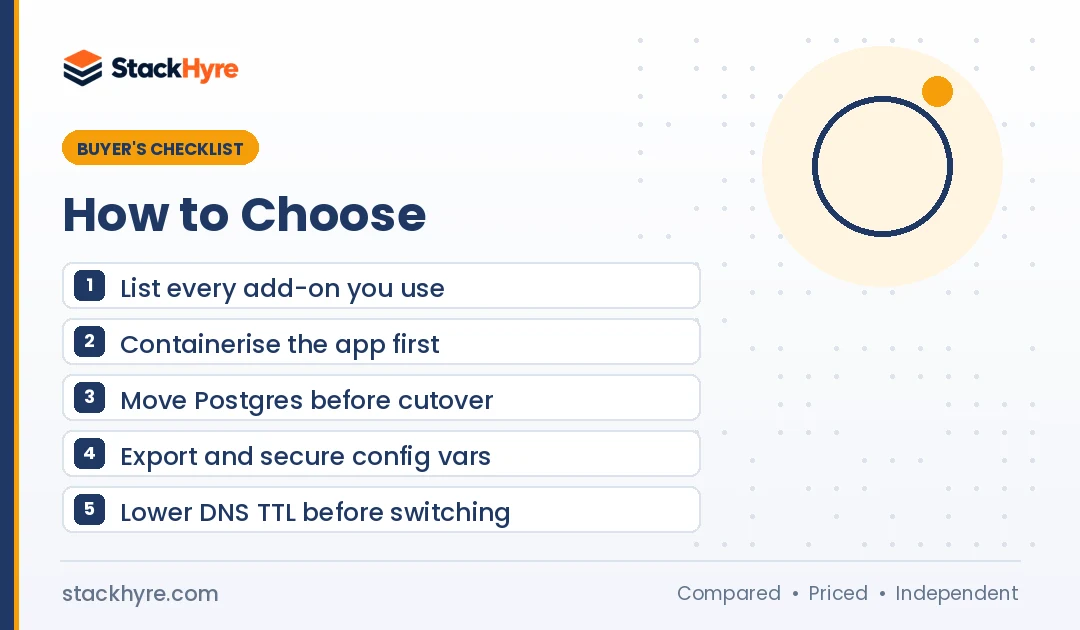
- List every add-on you use. Postgres, Redis, Scheduler, logging, email. Each needs a new home. This list is your real migration scope.
- Containerise if you can. A Dockerfile makes you portable to almost every option here, and to the next one if you move again.
- Plan the database move first. Use pg_dump and restore for small databases. For larger ones, plan a short maintenance window or a replication-based cutover.
- Move config vars. Export them with the Heroku CLI and keep secrets in a proper store. My guide to secrets management tools covers options.
- Set up monitoring before cutover. You lose Heroku’s metrics when you leave. Have logs and error tracking ready, with a dedicated error tracker.
- Cut over with DNS. Lower your DNS TTL a day ahead, run both stacks briefly, then switch.
How Hard Is It to Migrate Off Heroku?
For a typical web app with Postgres, migration is a few days of work, not months. Code rarely changes. The work is in moving the database, re-creating config vars, replacing add-ons and testing. Platforms that support buildpacks or Procfiles, like Dokku and Render, need the least rework. Container platforms need a Dockerfile first.
The hardest parts are usually add-ons with no direct match and apps that rely on Heroku-specific features like Review Apps or Pipelines. Render’s preview environments and Railway’s environments cover much of that ground.
How I Evaluated These Heroku Alternatives
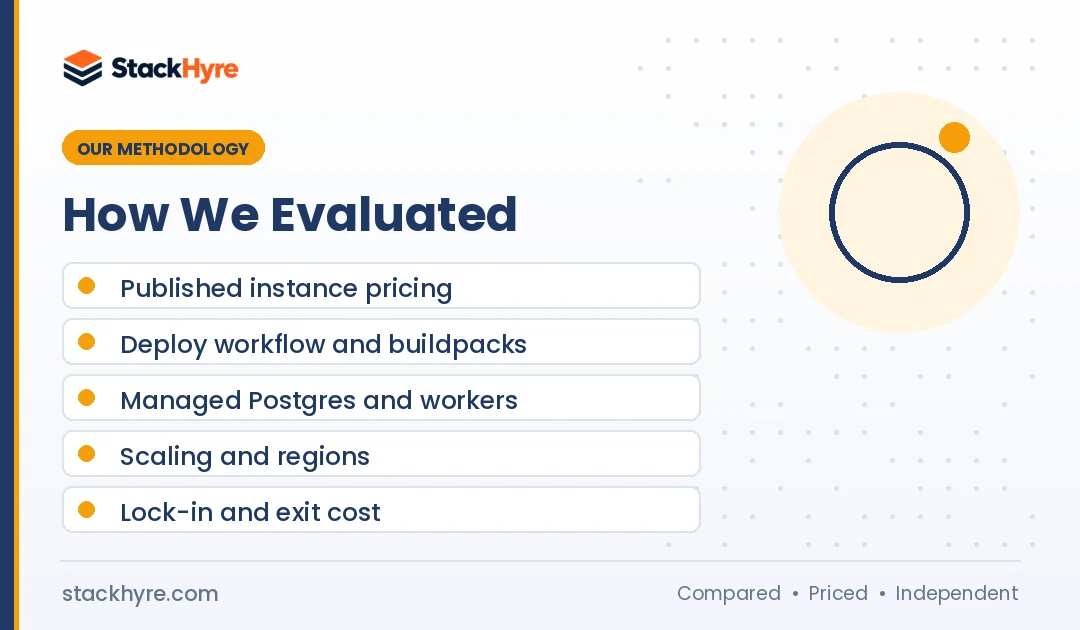
I did not deploy production workloads to each platform for this guide. Here is exactly what I checked:
- Published pricing. I read each vendor’s own pricing page in November 2026 and only quoted numbers shown there. Where a page did not load or varied by region, I say to check the current price.
- Top-ranking guides. I read the leading Heroku alternatives roundups and included every platform that appeared on at least three of them.
- Docs and workflow. I went through each platform’s docs for deploy methods, managed databases, workers and scaling.
- Independent sources. I used Heroku’s own announcement, TechRadar’s coverage and Microsoft’s migration guide for context on why teams are moving.
- Lock-in and exit cost. I weighed how portable each option is if you need to move again.
You can read more about how I work in my editorial policy.
The Bottom Line
Heroku still runs, but with new feature work halted, it is smart to plan your next home now rather than in a hurry later.
My pick for most teams is Render. It is the closest match to Heroku’s workflow, it has managed Postgres and workers, and its smallest paid instance is $7 a month. Choose Railway or Fly.io if you want usage billing or global regions. Choose your cloud’s native platform if your company is already committed to one. Choose Coolify or Dokku if you are happy to run your own server.
Whatever you pick, containerise first and move the database carefully. And set up observability on day one; my Datadog alternatives guide has cheaper options.
Frequently Asked Questions
Is Heroku shutting down in 2026?
No. In February 2026 Heroku said it is moving to a sustaining engineering model focused on stability, security, reliability and support. Existing apps keep running and Heroku still sells its plans. What changes is that new feature work has been halted, so many teams are planning a gradual move to a platform with an active roadmap.
What is the closest alternative to Heroku?
Render is the closest match for most apps. It offers Git-based deploys, web services, background workers, cron jobs and managed Postgres in one dashboard, which maps neatly to Heroku dynos and add-ons. If you want the classic git push and buildpack flow on your own server, Dokku is the closest self-hosted match.
Is there a free Heroku alternative?
Yes, with limits. Render has a free web instance that sleeps when idle, DigitalOcean App Platform hosts up to three static sites free, and Google Cloud Run has a monthly free tier. Coolify and Dokku are free open-source software, but you still pay for the server they run on.
Is Railway or Render better than Heroku?
Both are cheaper than Heroku for most small apps and both are actively developed. Render suits teams that want fixed instance prices and a familiar dyno-style setup. Railway suits teams that want very fast setup and usage-based billing. Neither is better for every case, so match the pricing model to your traffic pattern.
How long does it take to migrate from Heroku?
A small web app with one Postgres database can usually move in a few days. The main tasks are exporting config vars, moving the database with pg_dump and restore, replacing add-ons, and switching DNS. Larger apps with many add-ons or big databases take longer, mostly because of data migration and testing.
Related Articles

The StackHyre Editorial Team writes about proxies, web scraping and email infrastructure. We compare providers using published pricing, official documentation and third-party reviews. All content is for educational and informational purposes only.