

TL;DR: The best Docker alternatives in 2026 are Podman for a daemonless, rootless Docker swap, Rancher Desktop and Podman Desktop for a free Docker Desktop replacement, OrbStack for the fastest Mac experience, and Colima for a lightweight Mac or Linux setup. containerd with nerdctl, Buildah and BuildKit cover servers and CI. Most are free and open source. OrbStack Pro is $8 per user a month, as of November 2026.
Docker made containers easy, and it’s still the tool most developers learn first. So why are so many teams looking for a Docker alternative?
The biggest reason is licensing. Docker’s Docker Desktop license page says Desktop is free for personal use and for small businesses with fewer than 250 employees and less than $10 million in annual revenue. Larger companies need a paid plan for professional use.
Docker’s pricing page lists Pro at $9 per user a month billed annually, Team at $15, and Business at $24, as of November 2026. For a 300-person engineering org, that adds up.
Other teams want rootless containers for security, a lighter app on their laptop, or a build tool that runs in CI without a daemon.
Here’s the good news. Docker images follow the OCI standard, so most alternatives run the same images you already use.
I compared 9 Docker alternatives on cost, license, Docker CLI compatibility and migration effort. If you’re also rethinking orchestration, see my guide to Kubernetes alternatives.
Quick Comparison: 9 Best Docker Alternatives
| Tool | Best For | Price | Replaces |
|---|---|---|---|
| Podman | Daemonless, rootless containers | Free, Apache 2.0 | Docker Engine and CLI |
| Podman Desktop | Free GUI on any OS | Free | Docker Desktop |
| Rancher Desktop | Local Kubernetes plus containers | Free, open source | Docker Desktop |
| OrbStack | Fast Docker on macOS | Free personal; Pro $8/user/mo | Docker Desktop on Mac |
| Colima | Minimal CLI setup on Mac or Linux | Free, MIT | Docker Desktop |
| Finch | containerd stack on Mac, Windows, Linux | Free, Apache 2.0 | Docker Desktop |
| containerd + nerdctl | Servers and Kubernetes nodes | Free | Docker Engine |
| Buildah and BuildKit | Image builds in CI | Free | docker build |
| LXC and Incus | System containers | Free | VM-like workloads |
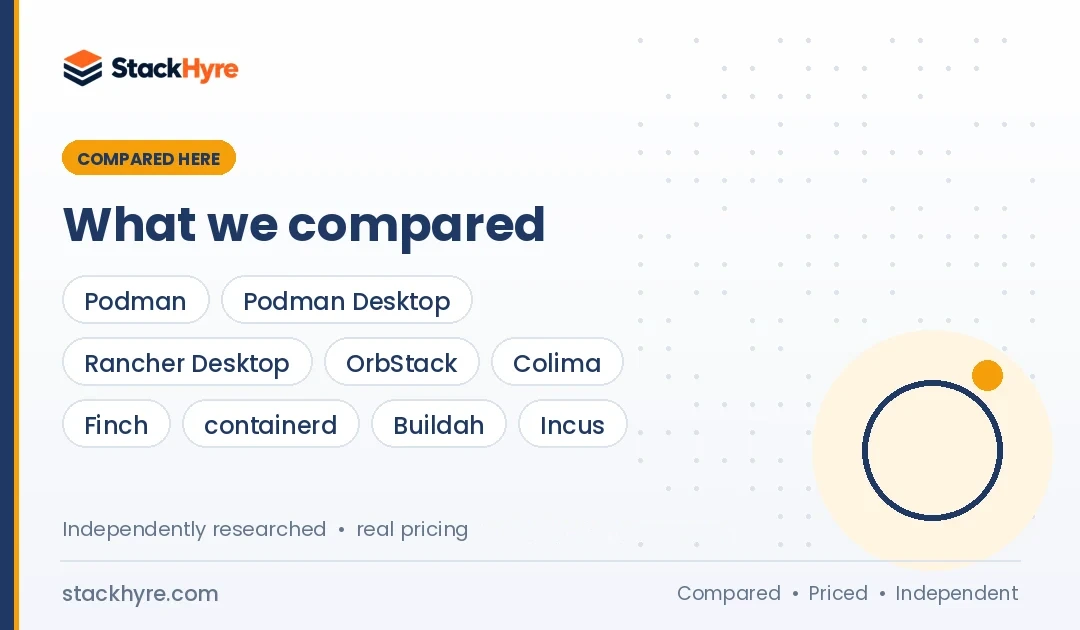
What Makes a Good Docker Alternative?
A good Docker alternative runs your existing OCI images without changes, supports the commands and Compose files your team already uses, and fits where you run it: a laptop, a server or a CI pipeline. It should be free or cheaply licensed for your company size, run with fewer privileges where possible, and have an active open-source community behind it.
The key thing to understand: “Docker” is really several tools. Pick an alternative for the part you want to replace.
- Docker Desktop is the laptop app. Replace it with Podman Desktop, Rancher Desktop, OrbStack, Colima or Finch.
- Docker Engine and CLI run containers. Replace them with Podman or containerd plus nerdctl.
- docker build makes images. Replace it with Buildah or BuildKit.
- Docker Swarm runs clusters. Most teams use Kubernetes instead.
Docker Engine Alternatives
#1 Podman: Best daemonless, rootless Docker replacement
Podman is the most popular Docker alternative, and for good reason.
What it does well. Podman runs containers without a central daemon, and it can run them as a normal user instead of root. That shrinks the attack surface. Its commands mirror Docker’s, so many people simply alias docker to podman. It also supports pods, a Kubernetes idea, and can generate Kubernetes YAML from running containers.
Key features:
- No daemon, rootless by default option
- Docker-style CLI commands
- Pods and Kubernetes YAML support
- Works with Compose files through compose tooling
- Apache 2.0 license
Pricing. Free. Podman’s site lists it under the Apache License 2.0, maintained by Podman Container Tools, a Series of LF Projects.
Best for: Linux servers, security-focused teams and anyone on Red Hat, Fedora or similar systems.
Limitations. A few Docker-specific features and scripts that expect the Docker socket need tweaks. Test your Compose files and CI jobs before switching everyone.
#2 containerd and nerdctl: Best for servers and Kubernetes nodes
containerd is the runtime under Docker itself, and Kubernetes uses it directly.
What it does well. containerd is a CNCF graduated runtime. On its own it’s low level. Add nerdctl and you get a Docker-compatible CLI, including Compose support. Running containerd directly removes a layer, which is why most Kubernetes clusters now use it or CRI-O.
Key features:
- Industry standard container runtime
- nerdctl gives Docker-style commands
- Used by Kubernetes, Rancher Desktop, Colima and Finch
- Rootless mode and lazy image pulling options
Pricing. Free and open source.
Best for: platform and infrastructure teams running production nodes.
Limitations. It’s not friendly for beginners. On a laptop, you’ll want a desktop app that wraps it.
Docker Desktop Alternatives
#3 Podman Desktop: Best free GUI on every OS
Podman Desktop puts a graphical app on top of Podman.
What it does well. It gives you the familiar Docker Desktop experience: a list of containers, images, volumes and pods, with logs and a terminal. It runs on macOS, Windows and Linux. It can also manage local Kubernetes clusters through Kind and similar tools. Podman’s site lists version 1.30.5 as the latest stable release when I checked.
Key features:
- GUI for containers, images and pods
- macOS, Windows and Linux support
- Extensions and local Kubernetes support
- Free for companies of any size
Pricing. Free and open source.
Best for: larger companies that need a no-cost Docker Desktop replacement for many developers.
Limitations. On Mac and Windows it runs a VM, like Docker Desktop. Some Docker Desktop extensions won’t carry over.
#4 Rancher Desktop: Best for local Kubernetes
Rancher Desktop, from SUSE, pairs containers with a local Kubernetes cluster.
What it does well. Rancher Desktop’s site says you can pick your container engine: containerd with nerdctl, or Docker (Moby) with the Docker CLI. You can also choose the Kubernetes version and reset it to defaults. That’s handy for testing upgrades before they hit production.
Key features:
- Choice of containerd or Docker engine
- Pick and switch Kubernetes versions
- Cluster dashboard
- macOS, Windows (WSL 2) and Linux
Pricing. Free and open source.
Best for: developers who build for Kubernetes and want a cluster on their laptop.
Limitations. Running Kubernetes uses memory. If you only need plain containers, turn it off or pick something lighter.
#5 OrbStack: Best for fast Docker on macOS
OrbStack is the Mac app I see developers rave about most.
What it does well. OrbStack runs Docker containers and full Linux machines on macOS with a light footprint. It works with the Docker CLI and Compose, so your commands stay the same. It’s built for Mac only, which lets it focus on speed and battery life.
Key features:
- Docker CLI and Compose compatible
- Linux machines alongside containers
- Debug Shell on Pro
- Native macOS app
Pricing. OrbStack’s pricing page lists a free plan for personal, non-commercial use, as of November 2026. Pro, for business and commercial use, is $8 per user a month or $96 billed annually. Enterprise is custom.
Best for: Mac-based teams that want speed and will pay a small license.
Limitations. It’s Mac only and commercial use isn’t free. At $8 a user, it’s cheaper than Docker Team, but not zero.
#6 Colima: Best minimal setup for Mac and Linux
Colima is a no-GUI option for people who live in the terminal.
What it does well. Colima’s GitHub page describes it as a way to run container runtimes on macOS and Linux with minimal setup. It builds on Lima. You get Docker, containerd or Incus, with optional Kubernetes. It also supports port forwarding, volume mounts, multiple instances and GPU-accelerated containers.
Key features:
- Docker, containerd or Incus runtimes
- Optional Kubernetes
- Install with Homebrew, MacPorts, Nix or Mise
- MIT license
Pricing. Free and open source.
Best for: developers who want the Docker CLI on a Mac without Docker Desktop.
Limitations. No graphical app. You manage VM size and settings yourself.
#7 Finch: Best containerd stack across Mac, Windows and Linux
Finch bundles open-source parts into one simple client.
What it does well. Finch’s GitHub page says it uses nerdctl for commands, containerd for containers, BuildKit for builds and Lima for the VM. It runs on macOS, on Windows through WSL 2, and on Linux, with installers packaged for Amazon Linux.
Key features:
- nerdctl commands with containerd underneath
- BuildKit for OCI image builds
- macOS, Windows and Linux
- Apache 2.0 license
Pricing. Free and open source.
Best for: teams that want a containerd-based setup with one install, especially on Amazon Linux.
Limitations. It’s CLI first and has a smaller community than Podman or Rancher Desktop.
Image Build and System Container Alternatives
#8 Buildah and BuildKit: Best for image builds in CI
You don’t need a Docker daemon to build images.
What it does well. Buildah builds OCI images from a Dockerfile or from scripts, without a daemon and without root. BuildKit is the modern build engine behind docker build, and it can run on its own. Both fit well in CI runners where giving jobs Docker socket access is a security risk.
Key features:
- Build from Dockerfiles without a daemon
- Rootless builds
- Layer caching and parallel steps (BuildKit)
- Scriptable builds (Buildah)
Pricing. Free and open source.
Best for: CI pipelines and Kubernetes-based build runners.
Limitations. They build images only. You still need a runtime to run them. Also, if you used kaniko for this job, note that its GitHub repository says it was archived and is no longer maintained. Plan to move those pipelines to Buildah or BuildKit.
#9 LXC and Incus: Best for system containers
LXC runs full Linux systems in containers, not single apps.
What it does well. Linux Containers projects like LXC and Incus give you a container that behaves like a lightweight VM, with init, services and SSH. That suits workloads you’d normally put on a small VM. Incus can also run VMs from the same tool.
Key features:
- Full OS containers with init
- Containers and VMs in one tool (Incus)
- Snapshots and live migration options
- Clustering
Pricing. Free and open source.
Best for: homelabs, hosting providers and teams replacing small VMs.
Limitations. It’s a different model from Docker. It doesn’t use Dockerfiles, so it’s not a drop-in for app containers.

How Should You Choose the Right Docker Alternative?
Start with what you’re replacing and why. If it’s Docker Desktop licensing at a large company, Podman Desktop or Rancher Desktop are free for any size. On a Mac where speed matters, OrbStack or Colima. On servers, Podman or containerd. In CI, Buildah or BuildKit. Then test your Compose files, volume mounts and build scripts on one team before rolling out.
| Your Situation | My Pick | Why |
|---|---|---|
| Big company, avoid Desktop fees | Podman Desktop | Free for any company size |
| Build for Kubernetes | Rancher Desktop | Local cluster, version switching |
| Mac team wants speed | OrbStack | Fast, Docker CLI compatible |
| Terminal user on Mac | Colima | Minimal, free, MIT |
| Secure Linux servers | Podman | Rootless and daemonless |
| CI image builds | Buildah or BuildKit | No Docker socket needed |
| Replacing small VMs | Incus | Full OS containers |
Is it worth paying for Docker instead?
Sometimes, yes. If your team uses Docker Hub heavily, Docker Scout, or Docker’s admin and SSO controls, the paid plans buy real value. Docker Team at $15 per user a month on annual billing is not much compared to a developer salary. Switch because the alternative fits better, not just to save a line item.
How hard is it to migrate off Docker?
Easier than most migrations. Your images are OCI images, so they run anywhere. The work is in the edges.
- Compose files. Most work as is. Test any that use unusual network or volume settings.
- The Docker socket. Tools like Testcontainers expect it. Podman and others can expose a compatible socket, but check your setup.
- Scripts. An alias from docker to podman or nerdctl handles most commands.
- File mounts on Mac. Each desktop tool handles them differently, and speed varies.
My advice: move one team for two weeks, list what broke, then write a short internal guide before rolling out.
How I Evaluated These Docker Alternatives
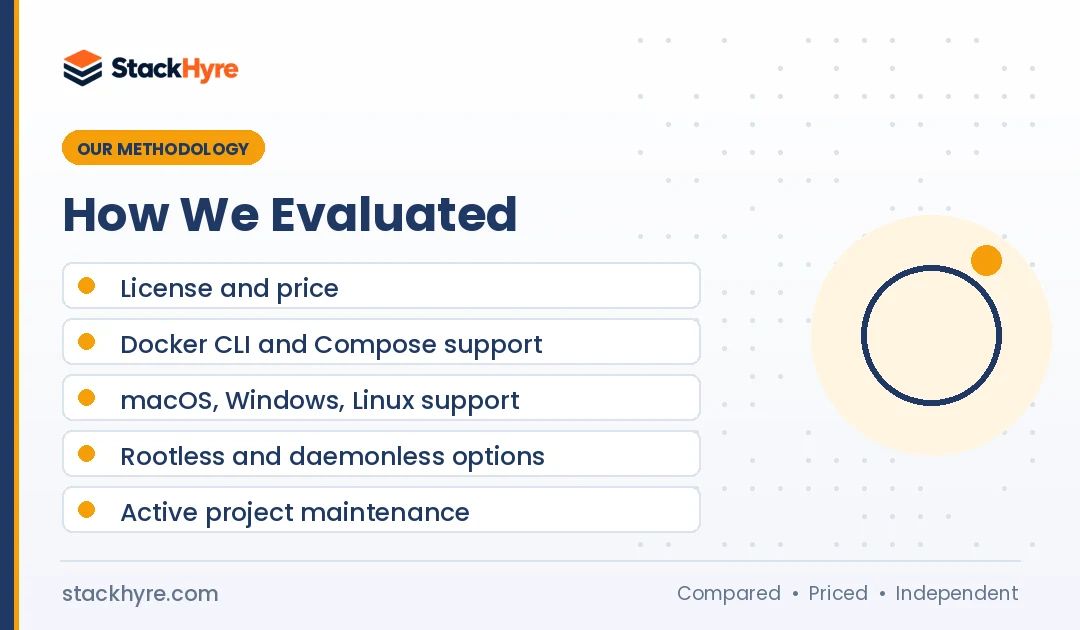
I didn’t run benchmarks. I compared tools from public sources, as set out in my editorial policy.
- Cost and license. I read each pricing page or license in November 2026.
- Docker compatibility. I checked CLI, Compose and OCI image support in the docs.
- Platforms. I noted macOS, Windows and Linux support.
- Security model. I gave credit for rootless and daemonless options.
- Project health. I checked that each project is maintained, which is how I flagged kaniko as archived.
The Bottom Line
Docker is still a great tool, and small companies can keep using Docker Desktop for free. But if you’re over the license threshold or want better security, you have strong free options.
For most teams, I’d start with Podman on servers and Podman Desktop or Rancher Desktop on laptops. Mac teams that care about speed should try OrbStack or Colima. Move CI builds to Buildah or BuildKit, and drop kaniko.
Once your containers are sorted, the next questions are orchestration and data. See my guides to Kubernetes alternatives and MongoDB alternatives, and my Grafana alternatives guide for monitoring what you run.
Frequently Asked Questions
What is the best alternative to Docker?
Podman is the best overall Docker alternative. It’s free under Apache 2.0, runs containers without a daemon, supports rootless mode, and uses Docker-style commands, so many teams just alias docker to podman. For a desktop app, Podman Desktop and Rancher Desktop are free for any company size, and OrbStack is a fast paid choice on macOS.
Is Docker Desktop still free?
Docker Desktop is free for personal use, education, non-commercial open-source projects and small businesses. Docker’s license page defines small businesses as fewer than 250 employees and less than $10 million in annual revenue. Larger companies need a paid plan. Docker’s pricing page lists Pro at $9, Team at $15 and Business at $24 per user a month on annual billing, as of November 2026.
Can Podman run Docker images?
Yes. Podman runs standard OCI container images, which is the format Docker uses, so images from Docker Hub and other registries work. Most Docker commands have the same name in Podman. Compose files usually work through compose tooling. Scripts or tools that expect the Docker socket may need Podman’s compatible socket turned on.
Is Kubernetes an alternative to Docker?
Not directly. Kubernetes orchestrates containers across many machines, while Docker builds and runs containers. Kubernetes doesn’t need Docker Engine and usually runs containerd or CRI-O as its runtime. You still build images with Docker, Buildah or BuildKit. If you want an alternative to Docker Swarm for clusters, Kubernetes is the common choice.
What is the best Docker Desktop alternative for Mac?
OrbStack is the most popular Mac choice for speed and Docker CLI compatibility, with a free personal plan and Pro at $8 per user a month for commercial use, as of November 2026. Colima is a free, MIT-licensed terminal option. Podman Desktop and Rancher Desktop are free graphical apps that also work on Mac.
Related Articles


The StackHyre Editorial Team writes about proxies, web scraping and email infrastructure. We compare providers using published pricing, official documentation and third-party reviews. All content is for educational and informational purposes only.