
TL;DR: Datacenter proxies are faster and roughly 5 to 6 times cheaper per GB. But strict sites spot and block them more often. Residential proxies cost more and run slower, yet they get through far more protected targets. I’d use datacenter IPs for speed, volume and open sites, and residential IPs for search engines, big retailers, social platforms and local results. Below I compare both on speed, success, price, risk and use case, with a decision table.
Websites are filtering more automated traffic than ever. Imperva’s 2025 Bad Bot Report found automated traffic made up 51% of all web traffic in 2024. Malicious bots alone accounted for 37%.
So sites judge every visitor by its IP address. Where your IP comes from now decides whether your request gets through.
That’s the core of the residential vs datacenter choice. One type looks like a home user. The other looks like a server.
Neither wins in every case. The right pick depends on your target, your budget and your volume.
This comparison is part of my guide to the best proxy providers. For every other proxy type, see my overview of proxy types. Below, I compare residential and datacenter proxies using published benchmark data and October 2026 prices.
Residential vs Datacenter Proxies: Side-by-Side Comparison
| Factor | Residential Proxies | Datacenter Proxies |
|---|---|---|
| IP source | Home internet connections from ISPs | Servers in hosting and cloud facilities |
| Median response time (Proxyway 2025) | 0.93 seconds | 0.29 seconds |
| Median success on Amazon and Google (Proxyway 2025) | 94.30% (harder target set) | 59.80% |
| Median price, 50 GB plan (Proxyway 2025) | $3.47 per GB | $0.60 per GB |
| Billing | Mostly per GB | Per IP or per GB |
| Detection risk | Low, looks like a normal user | Higher, hosting IPs are easy to flag |
| Session stability | Can drop when a device goes offline | Very stable |
| Sourcing risk | Depends on consent and vendor ethics | Low, IPs are leased from hosts |
| Best for | Protected sites, local results, social, ads | Bulk scraping, open sites, monitoring, testing |

The benchmark figures come from Proxyway’s Proxy Market Research 2025. Its residential and datacenter tests didn’t use identical setups. So read the gap as a direction, not an exact ratio.
What Is the Difference Between Residential and Datacenter Proxies?
It comes down to where the IP address comes from. A residential proxy uses an IP that an internet provider assigned to a home device. A datacenter proxy uses an IP owned by a hosting or cloud company. Websites can look up who owns an IP. Residential traffic looks like a person, and datacenter traffic looks like a server.
Every IP belongs to a network block with a known owner. IP data services sort those owners by type.
IPinfo explains that its data flags hosting IPs from cloud platforms and data centers. It notes that bots usually run on servers, because home connections can’t reliably support large automated jobs. Sites feed that flag into firewall rules and risk scores.
That one lookup shapes everything else:
- Datacenter IPs are cheap to create in bulk. Providers lease whole subnets from hosts. That makes them fast and cheap, but also easy to label.
- Residential IPs are spread across real households. Providers rent bandwidth from device owners, often through apps or SDKs. That makes them hard to label, but slower and costlier.
A detected datacenter IP isn’t always blocked. Plenty of sites allow it. You feel the difference on targets with strong bot protection.
Which Is Faster: Residential or Datacenter Proxies?
Datacenter proxies are faster. In Proxyway’s 2025 benchmarks, shared datacenter pools had a median response time of 0.29 seconds. Residential pools came in at 0.93 seconds. Datacenter servers sit on stable, high-capacity links. Residential traffic routes through home devices, which adds distance and variability. On real protected targets, though, the speed gap narrows.
Here’s what Proxyway measured in 2025:
- Infrastructure response time: 0.29 seconds median for datacenter, 0.93 seconds for residential.
- Response time on real targets: 3.71 seconds median for datacenter, 4.63 seconds for residential.
- Datacenter throughput: a median of 1.50 MB/s, with the fastest provider at 7.03 MB/s.
Speed also depends on stability. A residential IP can vanish if its device goes offline, and that can break long sessions. Datacenter IPs stay up as long as the server runs.
If raw speed is your top need and your target allows it, go datacenter. My best datacenter proxies list compares the fastest options.
Which Has Higher Success Rates on Protected Sites?
Residential proxies succeed far more often on well-protected sites. In Proxyway’s 2025 target tests, shared datacenter pools had a median success rate of 59.80% on Amazon and Google. Residential pools reached a median of 94.30% on a set that also included Instagram. Datacenter IPs do fine on open sites, but large platforms block them much more.
Success rate is the number I’d watch most for cost. A cheap request that fails isn’t cheap. You pay for the retry, the extra bandwidth and the delay.
Take a simple example. If 4 in 10 datacenter requests fail on your target, you need a lot of retries. Residential traffic costs more per GB, but fewer requests fail.
On easy targets, the math flips. If a site doesn’t screen hosting IPs, datacenter success can be close to 100%. Then you get the lower price and the higher speed.
The best datacenter provider in the 2025 tests reached 88.50% on the hard targets, well above the median. So provider choice matters as much as proxy type. That’s why I always tell people to test their real target.
How Much Do Residential and Datacenter Proxies Cost?
Datacenter proxies cost much less. Proxyway’s 2025 research found a median of $0.60 per GB for datacenter on 50 GB plans, against $3.47 per GB for residential. As of October 2026, entry residential plans at major vendors run about $3.50 to $7 per GB. Datacenter traffic starts around $0.30 to $0.60 per GB, or under $1 per IP.
Here are entry prices from vendor pricing pages, as of October 2026:
| Provider | Residential (entry) | Datacenter (entry) |
|---|---|---|
| Decodo | $4/GB pay as you go | $0.60/GB |
| Oxylabs | $6/GB small volumes | $0.60/GB or $1/IP |
| Bright Data | $4/GB pay as you go | $0.60/GB |
| IPRoyal | $7/GB for 1 GB | $1.57 per proxy, 30 days |
| Webshare | $3.50/GB for 1 GB | $2.99 for 100 shared proxies |
| Rayobyte | $3.50/GB Premium, 1 to 49 GB | $0.30/GB pay as you go |
Prices fall at volume. Decodo’s residential rate reaches $2/GB on its 1,000 GB plan. Oxylabs drops to $2.50/GB at 1,000 GB and above.
Watch for a few hidden costs:
- Expiring traffic. Oxylabs credits expire each billing cycle. IPRoyal advertises traffic that never expires.
- Fair-use caps. Bright Data includes 100 GB per datacenter IP each month.
- Retries. Failed requests still use bandwidth on per-GB plans.
For a full breakdown of billing models, see my proxy pricing guide.

When Should You Use Residential vs Datacenter Proxies?
Use datacenter proxies when your target is lightly protected, you need speed and you move a lot of data. Use residential proxies when the site blocks hosting IPs or you need local results. They’re also the safer pick for account work on strict platforms. If you’re unsure, test both on your real target and compare cost per successful request.
Use this decision table as a starting point:
| Your Task | Better Choice | Why |
|---|---|---|
| Scraping small sites, blogs or public data | Datacenter | Light protection, so speed and price win |
| Uptime and website monitoring | Datacenter | Stable IPs and fast responses |
| Bulk file downloads or API testing | Datacenter | High throughput at low cost per GB |
| Search engine results and rank tracking | Residential | Search engines screen hosting IPs heavily |
| Big ecommerce sites and price monitoring | Residential | Major retailers use strong bot protection |
| Local results by city or ZIP code | Residential | Real home IPs exist in those locations |
| Ad verification | Residential | You need to see ads as real users see them |
| Social media account management | Residential or ISP | Platforms flag hosting IPs, and logins need stable IPs |
| Long sessions on strict sites | ISP (static residential) | Home-like IP with datacenter stability |
My favorite pattern is to mix both. Send easy pages through datacenter IPs. Route only blocked or sensitive requests to residential IPs. That keeps your cost low without hurting your success rate.
Whichever type you use, follow each platform’s terms and your local law. Scraping public data and managing accounts both come with rules you need to respect.
How Can You Test Which Proxy Type Works for Your Target?
Run a small, equal test of both types on your real target. Send the same number of requests through each, at the same pace, for at least a day. Count only full, correct pages as successes. Then divide what you spent by the number of successes. Whichever type gives you the lowest cost per successful request is the right one for that target.
Most major vendors make this easy. Decodo offers a 3-day free trial, Oxylabs gives new users $5 in credit, and Webshare has a free plan.
Here’s how I’d set it up:
- Pick 3 to 5 sample URLs. Use the exact pages you plan to collect, not the home page.
- Set the same pace. Send requests at the rate you’ll use in production.
- Define success clearly. A 200 status isn’t enough. Check that the page has the content you expect, not a CAPTCHA.
- Log bandwidth and errors. Note retries, timeouts and blocks for each type.
- Compare cost per success. Divide total spend by successful pages for each proxy type.
Repeat the test every few months. Sites change their bot rules, and a target that allowed datacenter IPs last quarter may block them now.
Are ISP Proxies a Middle Ground?
Yes. ISP proxies, also called static residential proxies, are hosted in data centers but registered to consumer internet providers. Most IP lookups see them as residential, yet they run on server hardware. So you get a home-like IP with datacenter speed and stability. They’re usually priced per IP, and they suit long sessions and account work.
ISP proxies fix the main weakness of each type. Residential IPs can drop mid-session. Datacenter IPs get flagged. In many cases, ISP IPs avoid both.
The trade-off is pool size. You rent a fixed set of IPs instead of rotating through millions. That makes ISP proxies a poor fit for high-volume rotation.
For example, NodeMaven lists static ISP proxies from $2.33 per IP for 30 days, as of October 2026. Compare more options in my best ISP proxies roundup.
Are Residential Proxies Riskier to Buy?
They can be. Residential IPs come from real people’s devices, so the vendor has to get clear consent. Some networks have used devices without meaningful consent. In July 2026, the FBI seized the NetNut proxy platform over links to a botnet. Pick vendors that explain IP sourcing, enforce KYC and publish acceptable-use rules.
The NetNut case shows what’s at stake. KrebsOnSecurity reported on July 2, 2026 that the FBI and IRS Criminal Investigation seized NetNut-linked domains. Researchers tied its software to the Popa botnet, which they said includes at least two million compromised devices. Customers lost access overnight. I don’t recommend NetNut.
Responsible vendors add checks. Bright Data’s network access rules make KYC mandatory for residential access, with manual review of every application.
Datacenter proxies carry less sourcing risk. The IPs are leased from hosting companies, not from people’s homes.
Before you buy residential traffic, I’d ask these questions:
- How does the vendor get consent from device owners?
- Does it verify customers and use cases?
- Does it block abusive targets and traffic?
- Has it faced any legal or security action?
My proxy provider buying checklist covers more red flags.
How I Researched This Comparison
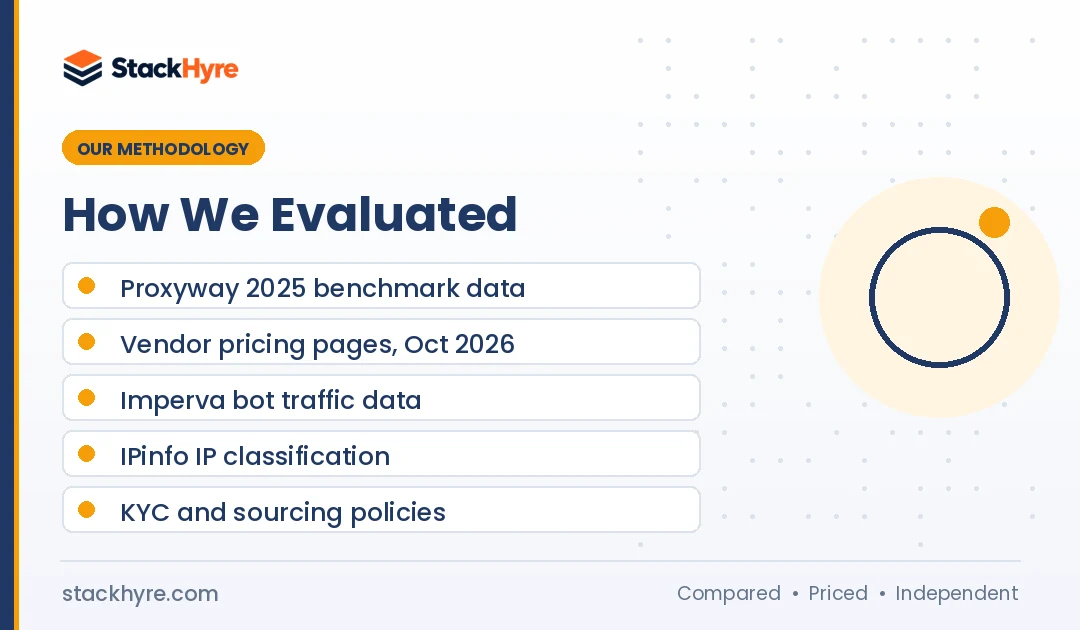
I built this guide from published data. I didn’t run my own benchmarks, and I don’t claim hands-on test results.
- Independent benchmarks. Speed, success rate and median price figures come from Proxyway’s 2025 market research, collected mainly in February to April 2025.
- Vendor pricing. I read each vendor’s own pricing page in October 2026.
- Industry data. Bot traffic figures come from Imperva’s 2025 report. IP classification details come from IPinfo.
- Security news. I used KrebsOnSecurity’s reporting for the NetNut seizure.
- Vendor policies. I checked KYC and access rules in vendor documentation.
Prices and pool sizes change often. Confirm them on vendor pages before you buy. My editorial policy explains how I stay independent.
The Bottom Line
Datacenter proxies win on speed and price. Residential proxies win on success rate against protected sites. That’s the whole trade-off.
Start with datacenter IPs if your targets are open and your volume is high. Switch to residential when blocks and CAPTCHAs pile up, or when you need real local results. Look at ISP proxies for long, stable sessions.
The best way to decide is to measure cost per successful request on your own target. Run a trial of each type and compare.
Ready to buy? Start with my best residential proxies list or my ranking of top datacenter proxy providers.

Frequently Asked Questions
Are residential proxies better than datacenter proxies?
Not always. Residential proxies are better for sites with strong bot protection, such as search engines and large retailers. Datacenter proxies are better for speed, cost and open sites. In Proxyway’s 2025 research, residential pools had much higher success on protected targets. Datacenter pools were about three times faster and far cheaper per GB.
Why are residential proxies more expensive?
Residential IPs come from real home devices, so providers have to pay or reward device owners for bandwidth. The IPs are spread across many networks and are harder to manage. Datacenter IPs are leased in bulk from hosting companies. Proxyway’s 2025 research found median prices of $3.47 per GB for residential and $0.60 per GB for datacenter.
Can websites tell if I use a datacenter proxy?
Often, yes. IP data services can see that an address belongs to a hosting or cloud network. Sites use that signal in bot scores and firewall rules. Detection doesn’t always mean a block, since many sites allow datacenter traffic. But strict sites like search engines and major marketplaces block or challenge it much more often.
Are residential proxies legal?
Using residential proxies is legal in most countries when you use them for lawful purposes. The real questions are how the vendor sourced the IPs and what you do with them. Pick providers with clear consent and KYC policies. Follow each website’s terms and your local laws, especially for scraping personal data or managing accounts.
What is the difference between ISP and residential proxies?
Residential proxies route through real home devices and usually rotate. ISP proxies are hosted on servers but registered to consumer internet providers, so they look residential. ISP proxies are faster and more stable, and they usually stay fixed. Residential proxies offer far larger pools for rotation. ISP proxies are often priced per IP rather than per GB.
Related Articles


Daniel Brooks writes about proxies, web scraping and email infrastructure at StackHyre. He compares providers on published pricing, documentation and independent benchmarks so you can pick the right setup without overpaying.