
TL;DR: Datacenter proxies are the fastest and cheapest proxy type you can buy. I’d pick Decodo or Oxylabs for the best mix of speed, price and support. Webshare and DataImpulse win on budget, and IPRoyal is my pick for long-term static IPs. Prices run from about $0.02 per IP to $2.50 per IP, or roughly $0.40 to $0.60 per GB. I compare 8 providers below, with pricing as of October 2026, and show you when datacenter IPs fail.
Datacenter proxies are cheap and fast. In Proxyway’s 2025 proxy market research, shared datacenter pools had a median response time of 0.29 seconds. Residential pools had a median of 0.93 seconds.
The same report found a median price of $0.60 per GB for datacenter traffic on a 50 GB plan. Residential traffic cost a median $3.47 per GB.
That gap adds up fast if you move a lot of data. It’s also why datacenter IPs are still my default for bulk jobs, uptime checks and unprotected targets.
But speed isn’t everything. Websites can see that a datacenter IP belongs to a hosting company. On tough targets, that costs you success rate.
This guide is part of my full proxy provider rankings. It sits inside my guide to every proxy type explained. Below, I compare 8 datacenter providers on price, pool, protocols and fit, and tell you which one I’d pick for your job.
Quick Comparison: Best Datacenter Proxies in 2026
| Provider | Best For | Starting Price | Key Feature |
|---|---|---|---|
| Decodo | Best overall value | $0.60/GB or $2.50/IP dedicated | 3-day free trial, HTTP(S) and SOCKS5 |
| Oxylabs | Large teams | $1/IP, $0.60/GB | One subscription covers all products |
| Bright Data | Enterprise control | $0.60/GB pay as you go | 1.3M+ IP shared and dedicated pool (vendor claim) |
| Webshare | Small budgets | $2.99 for 100 shared proxies | Free plan with 10 proxies |
| DataImpulse | Pay-per-GB that never expires | $0.50/GB | Non-expiring traffic |
| Rayobyte | High-volume rotation | $0.30/GB pay as you go | Sub-cent per GB on monthly plans |
| IPRoyal | Long-term static IPs | $1.57 per proxy (30 days) | Discounts for 60 and 90 day terms |
| Proxy-Seller | Country-specific IPv4 | $0.49 per IPv4 | Wide country list, SOCKS5 included |

What Makes a Great Datacenter Proxy Provider?
A great datacenter proxy provider gives you fast, stable IPs from many subnets. It charges a fair price per IP or per GB and supports HTTP(S) and SOCKS5. It publishes clear bandwidth limits and refund terms. And it offers dedicated IPs for sensitive work plus shared pools for cheap bulk jobs.
Datacenter proxies come from servers in hosting facilities, not from home internet connections. Detection services know this. IPinfo explains that its data flags hosting IPs from cloud and datacenter networks. Sites plug that flag into firewall rules.
So when I size up a datacenter provider, I look at a few things:
- Subnet diversity. IPs spread across many subnets are less likely to get blocked together.
- Shared vs dedicated options. Shared IPs are cheap. Dedicated IPs keep a clean history because only you use them.
- Billing model. Per-IP billing fits steady, long sessions. Per-GB billing fits rotation across many IPs.
- Protocol support. SOCKS5 matters for non-HTTP tools. My SOCKS5 proxy comparison covers this in more detail.
- Clear fair-use rules. Plenty of “unlimited” plans still cap traffic per IP in the fine print.
Best Datacenter Proxies for Enterprise and Scale
#1 Decodo: Best for overall value
Decodo, the former Smartproxy, pairs low per-GB pricing with a simple dashboard and a real free trial. It’s where I’d tell most people to start.
What it does well. Decodo sells shared per-GB, shared per-IP and dedicated datacenter plans in one place. So you can start small and switch models as your project grows. Decodo’s datacenter page claims a 500K+ IP pool and response times under 0.3 seconds. Independent data backs up the speed. In Proxyway’s 2025 benchmarks, Decodo posted the best datacenter infrastructure success rate at 99.98%.
Key features:
- HTTP(S) and SOCKS5 on all datacenter proxy types
- Shared proxies in 18 countries, dedicated proxies in 5
- City, state and ASN targeting for datacenter and ISP proxies
- 3-day free trial with 100 MB, plus a 14-day money-back option
Pricing. As of October 2026, Decodo’s datacenter pricing page lists pay-per-GB plans from $0.60/GB on 10 GB ($6 a month). The rate drops to $0.38/GB on 10,000 GB. Dedicated IPs start at $2.50 per IP. Prices exclude VAT.
Best for: Small and mid-size teams that want fast IPs, a trial and room to grow.
Limitations. Dedicated IPs are only in the US, UK, Germany, France and Japan. The pricing page also shows the per-IP starting price two different ways, so confirm it at checkout.
#2 Oxylabs: Best for large teams
Oxylabs is a premium provider that now sells every product through a single credit subscription.
What it does well. Oxylabs gives you three datacenter options: shared per-IP, shared per-GB and dedicated per-IP. Per-IP prices drop as your order grows. The Proxyway 2025 report measured Oxylabs as the fastest datacenter pool for throughput, at 7.03 MB/s. That’s a real plus if you download large files or pages.
Key features:
- One subscription gives you proxies and scraper APIs
- Dedicated datacenter IPs with SOCKS5 support
- Volume tiers that cut per-IP cost at scale
- $5 in free welcome credit for new users
Pricing. As of October 2026, Oxylabs’ pricing page shows plans at $30, $100 and $500 a month. Enterprise starts at $2,500. Datacenter prices start at $1/IP shared, $2/IP dedicated, and $0.60/GB. Credits expire at the end of each billing cycle, so size your plan with care.
Best for: Companies that also want scraper APIs or residential proxies on the same bill.
Limitations. Expiring credits can waste money if your usage swings month to month. For small projects, entry pricing is higher than the budget sellers.
#3 Bright Data: Best for enterprise control
Bright Data is the biggest name in the market, with deep controls and strict compliance rules.
What it does well. Bright Data gives you shared and dedicated datacenter IPs, per-IP or per-GB billing, and detailed zone settings. Its datacenter pricing page claims a pool of 1,300,000+ datacenter proxies. Bright Data’s SOCKS5 documentation confirms SOCKS5 works on its datacenter network for target ports above 1024.
Key features:
- Shared and dedicated pools with country targeting
- Pay-as-you-go per GB with no commitment
- SOCKS5 through port 22228
- Proxy Manager for rules, rotation and logging
Pricing. As of October 2026, the pricing page lists $0.60/GB pay as you go. That falls to $0.42/GB on a $1,999 plan. Per-IP plans start at $1.40 per IP for 10 IPs. Each IP includes 100 GB a month under the fair-use rule.
Best for: Enterprises that need audit trails, compliance and many proxy types from one vendor.
Limitations. The dashboard takes time to learn. The pricing page doesn’t clearly label the shared and dedicated tables, so check with sales before you commit.
Best Budget Datacenter Proxies
#4 Webshare: Best for small budgets
Webshare is the cheapest way I know to get a working list of datacenter proxies today.
What it does well. Webshare sells shared datacenter proxies by the hundred. You can start free and only pay when you need more. The self-serve dashboard lets you swap IPs and change locations without a sales call.
Key features:
- Free plan with 10 shared proxies and 1 GB a month, no card needed
- HTTP and SOCKS5 on all endpoints
- Shared, private and dedicated options
- 250 GB of bandwidth included, with an unlimited upgrade
Pricing. As of October 2026, Webshare’s pricing page lists 100 shared proxies for $2.99 a month. At 100,000 proxies, the price is $1,794 a month. Yearly billing saves 30%. Private and dedicated plans are priced at checkout.
Best for: Hobby projects, students, testers and anyone who needs proxies for a few dollars.
Limitations. Other customers use the same shared IPs, so some may already be flagged. Expect weaker results on well-protected sites.
#5 DataImpulse: Best for non-expiring per-GB traffic
DataImpulse is a low-cost provider, and its datacenter traffic never expires.
What it does well. Most per-GB plans reset each month. DataImpulse lets you keep unused traffic, which is great for irregular jobs. In Proxyway’s 2025 tests, DataImpulse returned the most unique US datacenter IPs: 52,548 from 70,000 requests.
Key features:
- Traffic that never expires
- HTTP(S) and SOCKS5 support
- 20M datacenter IPs and 195+ locations (vendor claims)
- 7-day refund policy
Pricing. As of October 2026, DataImpulse’s datacenter page lists pay as you go from $0.50/GB. An intro offer gets you 10 GB for $5. The 1 TB tier is $0.45/GB.
Best for: Freelancers and small teams whose usage jumps around from month to month.
Limitations. There’s no free trial. Support and tooling are lighter than the premium vendors.
#6 Rayobyte: Best for high-volume rotation
Rayobyte is a US provider with very low rotating datacenter prices after its October 2026 repricing.
What it does well. Rayobyte sells static, semi-dedicated and rotating datacenter IPs. On October 6, 2026, Proxyway reported that Rayobyte cut rotating datacenter prices. Monthly plans now run $0.0130 to $0.0080 per GB. For bulk traffic, that’s far below most rivals.
Key features:
- Rotating datacenter, static dedicated and semi-dedicated options
- Semi-dedicated IPs shared by up to 3 users
- Static datacenter IPs in 29 countries
- Free trial on self-serve products, no card needed
Pricing. As of October 2026, Rayobyte’s pricing page lists rotating datacenter at $0.30/GB pay as you go. Monthly plans start at $100 for $0.0130/GB. Semi-dedicated US and Canada IPs cost $1.00 each for 5 to 99 IPs.
Best for: Teams pushing huge volumes at lightly protected targets.
Limitations. The sub-cent monthly plans need at least $100 a month and go through sales. Proxyway’s 2025 tests found Rayobyte’s datacenter pool fell short of its advertised numbers, so run a trial first.
Best Datacenter Proxies for Static, Dedicated IPs
#7 IPRoyal: Best for long-term static IPs
IPRoyal sells dedicated datacenter proxies and gives you discounts for longer rental terms.
What it does well. Each IPRoyal datacenter proxy is reserved for you while you rent it, so its history stays clean. Longer terms lower the price. That makes it a good fit for accounts and tools that need the same IP for months.
Key features:
- Dedicated IPs, not shared with other users
- Over 50 countries, with state and city targeting
- HTTP/HTTPS and SOCKS5
- Unlimited sessions and threads per proxy
Pricing. As of October 2026, IPRoyal’s datacenter pricing page lists $1.57 per proxy for 30 days. Longer terms cost $1.48 (60 days) and $1.39 (90 days).
Best for: Account management, monitoring and tools that need one fixed IP.
Limitations. The pricing page doesn’t state a bandwidth cap or a refund policy. Read the terms before you buy in bulk.
#8 Proxy-Seller: Best for country-specific IPv4
Proxy-Seller sells single IPv4 and IPv6 datacenter proxies across many networks and countries.
What it does well. Proxy-Seller lets you buy one IP at a time in specific countries. That’s handy for local testing or regional tools. It also sells very cheap IPv6, which works on sites that accept IPv6 traffic.
Key features:
- IPv4 and IPv6 datacenter proxies
- HTTP, HTTPS and SOCKS5 support
- 1 Gbps channel per proxy
- Residential, ISP and mobile products on the same account
Pricing. As of October 2026, Proxy-Seller’s datacenter page lists IPv4 from $0.49 per IP and IPv6 from $0.02 per IP.
Best for: People who need a handful of IPs in named countries.
Limitations. The page says bandwidth is unlimited, but its fair-use FAQ mentions 100 GB per IP by default. Ask support before you count on heavy traffic.

How Should You Choose the Right Datacenter Proxy?
Pick a datacenter proxy by matching three things: your target, the billing model and the IP type. Use shared IPs for cheap bulk work on open sites. Use dedicated IPs when you need a clean, fixed address. Go per-GB for rotation and per-IP for long sessions. And always start with a trial.
1. Check your target first. Datacenter IPs do well on sites with light bot protection. They struggle on major retail and search sites. In Proxyway’s 2025 target tests against Amazon and Google, shared datacenter pools had a median success rate of 59.80%. Residential pools reached a median of 94.30% on harder targets. If your target keeps blocking you, read my residential vs datacenter comparison.
2. Pick shared or dedicated. Shared proxies cost less, but other users can burn them. Dedicated proxies cost more, but only your traffic shapes their reputation. For anything tied to a login, I’d pay for dedicated.
3. Match billing to your traffic. Per-IP plans fit long sessions on a few addresses. Per-GB plans fit high rotation across many IPs. My proxy pricing guide breaks down each model.
4. Read the fair-use terms. “Unlimited” often means a soft cap. Bright Data includes 100 GB per IP each month, and Proxy-Seller lists a similar default.
5. Confirm protocols. Most providers here support SOCKS5. Bright Data restricts some ports, so check the docs for your tool.
6. Plan for an upgrade path. If you outgrow datacenter IPs, a provider that also sells ISP and residential saves you a migration. Static ISP proxies are a common middle step. See my best ISP proxies list.
How I Evaluated These Datacenter Proxy Providers
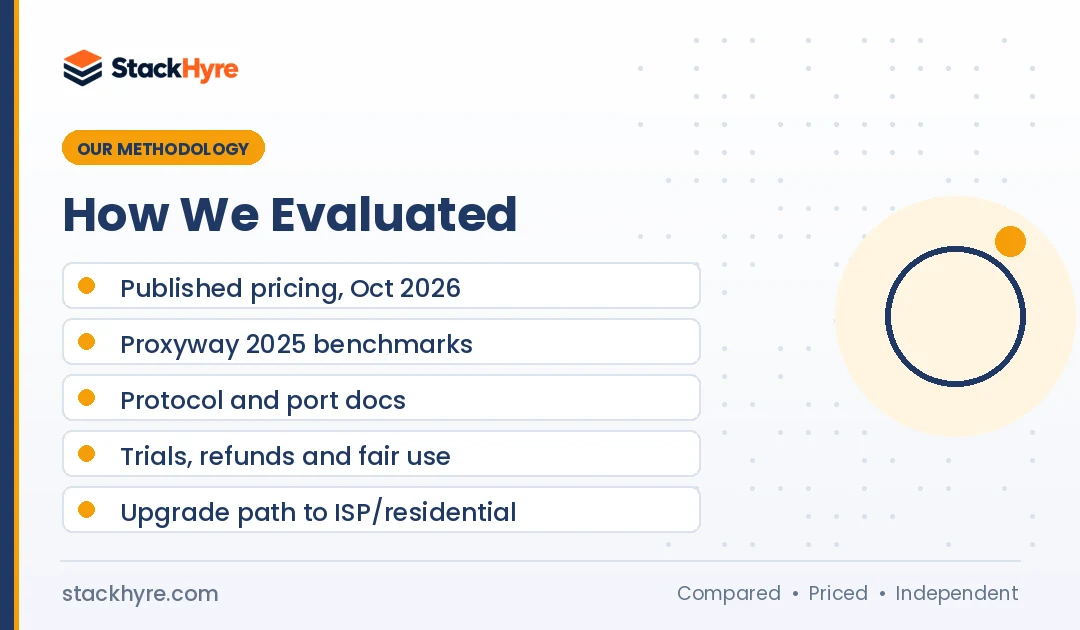
I compared these providers using published information. I didn’t run my own speed tests for this guide, and I don’t claim to have tested each service.
Here’s what I went through:
- Published pricing. I read each vendor’s own pricing page in October 2026 and noted per-IP and per-GB rates.
- Independent benchmarks. I used Proxyway’s 2025 market research for speed, success rate and IP uniqueness data.
- Documentation. I went through vendor docs for protocol support, port limits and setup guides.
- Terms and policies. I looked at fair-use caps, trials and refund options.
- Product range. I gave credit to providers that let you move to ISP or residential IPs later.
Vendor pool sizes and speed claims are labeled as vendor claims. Prices change often, so confirm them on each pricing page. My editorial policy explains how I keep reviews independent.
The Bottom Line
Datacenter proxies are still the best value for speed and volume. If you want one pick, start with Decodo for its trial, pricing and benchmark results. Choose Oxylabs if you also need scraper APIs, or Bright Data if compliance and control come first.
On a tight budget, Webshare’s free plan and DataImpulse’s non-expiring traffic are hard to beat. Rayobyte fits huge rotation volumes, and IPRoyal fits long-term static IPs.
Your next step is simple. Test your real target with a trial before you buy in bulk. If success rates stay low, look at my best residential proxies guide.

Frequently Asked Questions
What is a datacenter proxy?
A datacenter proxy is an IP address hosted on a server in a commercial data center. It isn’t tied to a home internet provider. When you send traffic through it, the website sees the server’s IP instead of yours. Datacenter proxies are fast and cheap. But sites can tell they come from hosting networks, so strict targets may block them.
Are datacenter proxies faster than residential proxies?
Yes, in most cases. Proxyway’s 2025 research measured a median response time of 0.29 seconds for shared datacenter pools. Residential pools had a median of 0.93 seconds. Datacenter servers sit on fast, stable connections, while residential IPs route through home devices. Speed on a real target still depends on the site’s bot protection and your setup.
How much do datacenter proxies cost?
As of October 2026, shared proxies start around $0.03 per IP at Webshare. Proxy-Seller sells IPv4 from $0.49. Dedicated IPs cost about $1.40 to $2.50 each. Per-GB plans run about $0.30 to $0.60 per GB for small volumes. Rayobyte’s large monthly plans drop below a cent per GB.
Should I use shared or dedicated datacenter proxies?
Go shared when cost matters most and your targets aren’t strict. Other customers use the same IPs, so some may already be flagged. Go dedicated when you need a fixed IP with a clean history. Account logins and long sessions are good examples. Dedicated IPs cost more, but you fully control their reputation.
Can websites detect datacenter proxies?
Yes. IP data services can spot addresses that belong to hosting and cloud networks. Sites use that signal in firewalls and bot scores. Detection doesn’t always mean a block, since many sites allow datacenter traffic. For heavily protected targets, residential or ISP proxies usually do better, because they appear to come from real internet providers.
Related Articles



Daniel Brooks writes about proxies, web scraping and email infrastructure at StackHyre. He compares providers on published pricing, documentation and independent benchmarks so you can pick the right setup without overpaying.