
TL;DR: The best Supabase alternatives in 2026 are Firebase for mobile apps and real-time NoSQL, Appwrite for an open-source, self-hostable backend, PocketBase for tiny single-file backends, and Neon for serverless Postgres without the extras. Nhost and Hasura suit GraphQL fans, Convex suits reactive TypeScript apps, and Xano suits no-code builders. Free tiers are common, and paid plans often start near $25 a month, as of November 2026.
Supabase has become a default backend for new apps. In the 2025 Stack Overflow Developer Survey, 6% of respondents reported using Supabase as a database, while PostgreSQL itself led at 55.6%.
That Postgres base is a big part of the appeal. You get a real SQL database plus auth, storage, real-time and edge functions in one dashboard.
So why switch? The reasons I see most are the free tier’s limits, the jump from free to paid, a preference for NoSQL or GraphQL, and teams who want a lighter self-hosted setup.
The free tier details matter. Supabase’s pricing page says free projects pause after 1 week of inactivity, with a limit of 2 active projects and 500 MB of database space per project.
I compared 8 Supabase alternatives on data model, open-source status, self-hosting, pricing and migration effort. If you’re weighing databases more broadly, my guide to MongoDB alternatives is a useful companion.
Quick Comparison: 8 Best Supabase Alternatives
| Platform | Best For | Starting Price | Key Feature |
|---|---|---|---|
| Firebase | Mobile apps and NoSQL | Free Spark; Blaze pay as you go | Firestore plus Google services |
| Appwrite | Open-source, self-hostable BaaS | Free tier; check the current price | Docker self-hosting |
| PocketBase | Small apps in one file | Free, open source | Single binary backend |
| Neon | Serverless Postgres only | Free; usage-based paid | Branching, scale to zero |
| Nhost | Postgres with GraphQL | Free; Pro from $25/mo | Hasura-powered APIs |
| Hasura | GraphQL over existing databases | Free; Base from $5/model/mo | Instant GraphQL APIs |
| Convex | Reactive TypeScript apps | Free; Pro $25/dev/mo | Real-time by default |
| Xano | No-code backend builders | Free; Essential from $85/mo | Visual API builder |

What Makes a Good Supabase Alternative?
A good Supabase alternative covers the backend pieces you actually use: a database, auth, file storage, real-time updates and server functions. It should fit your data model, SQL or NoSQL, and give you an exit path through open source or self-hosting. Clear pricing for database size, bandwidth and compute matters too, so your bill grows in a way you can predict.
The trick is to know which part of Supabase you’re replacing. Many teams don’t need all of it.
- The whole backend. Firebase, Appwrite, Nhost and PocketBase all bundle auth, data and storage.
- Just the Postgres database. Neon gives you managed serverless Postgres.
- The API layer. Hasura turns a database into a GraphQL API.
- A no-code backend. Xano lets you build APIs visually.
What Does Supabase Cost in 2026?
Supabase’s official pricing page lists Free at $0, Pro from $25 a month with the first project included, Team from $599 a month, and custom Enterprise pricing, as of November 2026. Extra projects start at $10 a month on paid plans.
For a single production app, $25 a month is a fair price. The pain comes from free projects pausing, or from several small projects that each need their own paid slot.
Full Backend-as-a-Service Alternatives
#1 Firebase: Best for mobile apps and real-time NoSQL
Firebase is Google’s backend platform and the original tool Supabase set out to replace.
What it does well. Firebase bundles Firestore, auth, hosting, cloud functions, analytics and push messaging. Its mobile SDKs are mature, and offline sync works well for phone apps.
Key features:
- Firestore and Realtime Database
- Auth with many sign-in providers
- Cloud Functions and Hosting
- Strong iOS, Android and Flutter SDKs
Pricing. The Firebase pricing page lists the no-cost Spark plan and the pay-as-you-go Blaze plan. Firestore’s no-cost quotas include 1 GiB stored, 50K document reads and 20K writes per day, and 10 GiB of egress a month, as of November 2026.
Best for: Mobile-first apps and teams already on Google Cloud.
Limitations. Firestore is NoSQL, so complex joins and reports are harder than in Postgres. Moving off Firebase later is also harder than moving off Supabase, because there’s no standard SQL export.
#2 Appwrite: Best open-source, self-hostable backend
Appwrite is the closest open-source rival if self-hosting is the priority.
What it does well. Appwrite offers databases, auth, storage, functions, messaging and real-time, and you can run it yourself with Docker. Its source code is public on GitHub, and it also sells a managed cloud.
Key features:
- Self-host with Docker
- Auth, storage and functions included
- SDKs for web, mobile and server
- Managed cloud option
Pricing. The Appwrite pricing page names Free and Pro plans, but their prices did not show when I checked, so check the current price there. It also lists dedicated database compute from $10 a month and serverless databases with a $0 fixed fee, as of November 2026.
Best for: Teams that want a full backend they can move onto their own servers.
Limitations. It doesn’t give you raw Postgres the way Supabase does. If you love writing SQL, that’s a real trade-off.
#3 PocketBase: Best for small apps in one file
PocketBase is the simplest backend on this list, and I mean that as praise.
What it does well. The PocketBase site describes it as an open-source backend in one file, with a real-time database, auth, file storage and an admin dashboard. You can extend it with Go or JavaScript hooks.
Key features:
- One binary, no external services
- Embedded database with real-time subscriptions
- Auth and file storage
- Admin dashboard built in
Pricing. Free and open source. You pay only for the server you run it on.
Best for: Side projects, internal tools, prototypes and small SaaS apps.
Limitations. The site showed version v0.41.1 when I checked, a 0.x release, so plan for breaking changes between versions. It runs on one server, so it isn’t built for large horizontal scale.
#4 Convex: Best for reactive TypeScript apps
Convex takes a different approach, with your backend written as TypeScript functions.
What it does well. Queries are reactive by default, so the UI updates when data changes without extra real-time setup. It has a self-host and local development option alongside its cloud.
Key features:
- Backend functions in TypeScript
- Automatic real-time updates
- Built-in scheduling and file storage
- Self-host and local dev option
Pricing. The Convex pricing page lists Free and Starter at $0 with pay as you go, Professional at $25 per developer a month, and Business and Enterprise with a $2,500 monthly minimum, as of November 2026.
Best for: React and TypeScript teams building collaborative or live apps.
Limitations. It’s not SQL, so moving from Supabase means rewriting queries and data access. Per-developer pricing adds up on bigger teams.
Postgres and GraphQL Alternatives
#5 Neon: Best for serverless Postgres only
Neon is the pick if you mainly used Supabase for its database.
What it does well. Neon is managed serverless Postgres with database branching and scale to zero. Branches let you spin up a copy of your database for each preview or test run. Because it’s standard Postgres, a move from Supabase is mostly a dump and restore.
Key features:
- Standard Postgres
- Instant database branching
- Scale to zero when idle
- Usage-based billing with no monthly minimum
Pricing. The Neon pricing page lists Free at $0 with 100 CU-hours and 1 GB of storage per project. Launch is usage-based at $0.106 per CU-hour, Scale is $0.222 per CU-hour, and storage is $0.35 per GB-month on both, as of November 2026.
Best for: Developers who want Postgres and will add auth and storage from other tools.
Limitations. No built-in storage or real-time like Supabase, so you assemble more pieces yourself.
#6 Nhost: Best for Postgres with GraphQL
Nhost is the most Supabase-like option for teams that prefer GraphQL.
What it does well. Nhost pairs Postgres with Hasura for GraphQL, plus auth, storage and functions. You keep a SQL database, but your app talks to it through GraphQL.
Key features:
- Postgres database
- GraphQL API through Hasura
- Auth, storage and functions
- Per-minute compute billing
Pricing. The Nhost pricing page lists Starter at $0, Pro from $25 a month and Team from $599 a month, each paid tier with $15 in compute credits, as of November 2026. Enterprise is custom.
Best for: Frontend teams who already use GraphQL clients.
Limitations. Its community is smaller than Supabase’s, so you’ll find fewer tutorials and templates.
#7 Hasura: Best for GraphQL over existing databases
Hasura isn’t a full backend. It’s an API layer you put on top of your data.
What it does well. Hasura generates GraphQL APIs from databases you already have, including Postgres. Its pricing page says it’s available as both a self-hosted and a fully managed product.
Key features:
- Instant GraphQL from your database
- Fine-grained permissions
- Self-hosted or managed
- Works with many data sources
Pricing. Hasura lists DDN Free at $0, DDN Base from $5 per active model a month, and DDN Advanced from $30 per active model a month, as of November 2026. An active model is one accessed more than 1,000 times a month.
Best for: Teams that want to keep Postgres, maybe on Neon, and add a strong API layer.
Limitations. You still need separate auth and storage. Per-model pricing takes some work to estimate.
No-Code Backend Alternatives
#8 Xano: Best for no-code backend builders
Xano suits people who build apps visually and don’t want to write backend code.
What it does well. Xano gives you a database and a visual API builder. It pairs well with no-code front ends that need a proper backend behind them.
Key features:
- Visual API and logic builder
- Managed database
- Add-ons for compute and security
- Works with no-code front ends
Pricing. The Xano pricing page lists Free at $0, Essential at $85 a month billed annually or $99 monthly, and Pro at $224 a month billed annually or $249 monthly, as of November 2026.
Best for: No-code founders and agencies.
Limitations. It costs much more than Supabase’s Pro plan. Developers who like SQL will find it slower than writing code.

How Should You Choose the Right Supabase Alternative?
Start with your data model. If you want SQL, stay on Postgres with Neon or Nhost. If your data is document-shaped and mobile-first, Firebase fits. Then decide if self-hosting matters: Appwrite and PocketBase are the strongest open-source picks. Finally, list which Supabase features you really use, so you don’t pay for a full platform when you only need a database.
My checklist:
- SQL or NoSQL. This decides most of the shortlist.
- Self-hosting. Do you need the option to leave the vendor’s cloud?
- Auth needs. Social logins, row-level rules and enterprise SSO differ by platform.
- Pricing at scale. Model database size, bandwidth and compute for year two.
- AI features. If you need vector search, check pgvector support or see my guide to vector databases.
Also plan how you’ll store service keys. Backend keys give full database access, so keep them in a vault. My guide to secrets management tools covers that.
How hard is it to migrate off Supabase?
Moving to another Postgres host like Neon or Nhost is the easiest path. You export with pg_dump, restore, and update connection strings. The harder parts are auth users, storage files and row-level security policies, which you need to move or rebuild. Moving to Firebase, Convex or Appwrite means remodeling your data and rewriting queries, so budget weeks, not days.
How I Evaluated These Supabase Alternatives
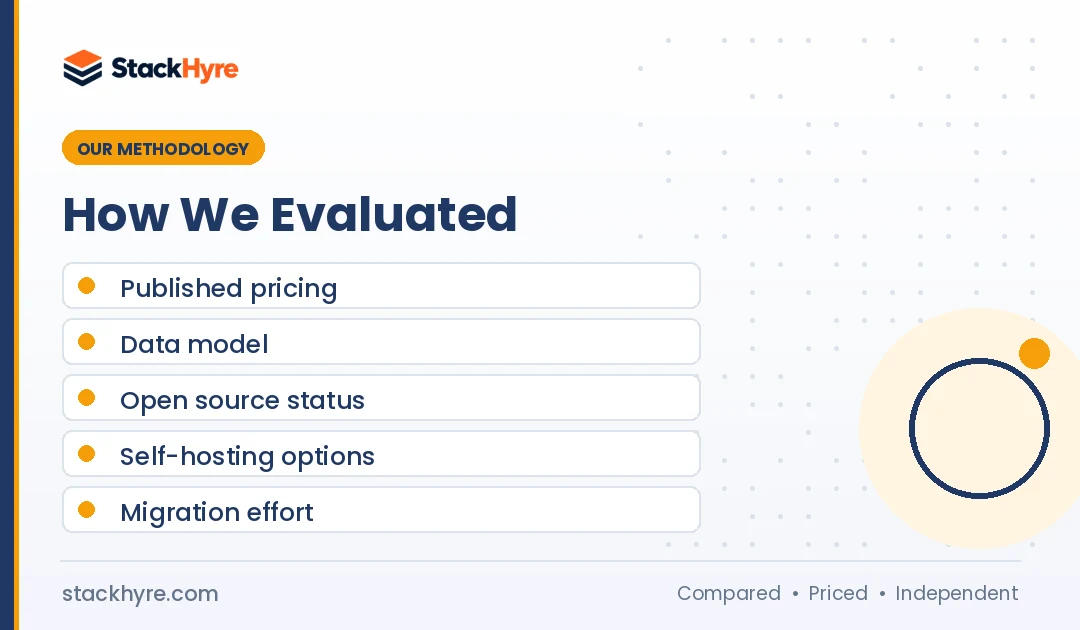
I did not run hands-on benchmarks for this guide. Here’s what I checked, as of November 2026.
- Ranking pages. I read the top pages ranking for “supabase alternatives” and included every platform that appeared on three or more of them: Firebase, Appwrite, PocketBase, Xano and Hasura. I added Neon, Nhost and Convex for Postgres, GraphQL and TypeScript needs.
- Vendor pricing pages. Every price comes from the vendor’s own page. Where a price didn’t show, I say so.
- Vendor docs for data model, self-hosting and features.
- Independent data from the 2025 Stack Overflow Developer Survey.
- Fit criteria: data model, open source, self-hosting, pricing model and migration effort.
See my editorial policy for how I research and update guides.
The Bottom Line
If you just need Postgres without the extras, Neon is the cleanest Supabase alternative. If you want a full open-source backend you can self-host, choose Appwrite, or PocketBase for small projects. Firebase still leads for mobile apps. Nhost and Hasura suit GraphQL teams, Convex suits reactive TypeScript apps, and Xano suits no-code builders.
Honestly, many teams should stay on Supabase and simply move to Pro. Switch when your data model, hosting needs or costs clearly point elsewhere. If you’re also choosing a classic SQL database, see my guide to MySQL alternatives.
Frequently Asked Questions
What is the best alternative to Supabase?
It depends on what you use Supabase for. Firebase is the best full alternative for mobile apps. Appwrite is the best open-source backend you can self-host. Neon is the best choice if you only need serverless Postgres. For small projects, PocketBase runs a complete backend from a single file on any cheap server.
Is there a free alternative to Supabase?
Yes. PocketBase and self-hosted Appwrite are free and open source, so you only pay for your server. Firebase, Neon, Nhost, Hasura, Convex and Xano also list free tiers as of November 2026. Each free tier has limits on storage, compute or usage, so check them before you put a production app on one.
Is Firebase better than Supabase?
Neither is better for everyone. Firebase is stronger for mobile apps, offline sync and Google Cloud integration. Supabase is stronger if you want SQL, joins and an open-source Postgres base that’s easier to leave. If your data has many relationships, Supabase usually fits better. If it’s document-shaped, Firebase is a good choice.
Can I self-host an alternative to Supabase?
Yes. Appwrite can be self-hosted with Docker, PocketBase runs as a single binary on any server, and Hasura and Convex both offer self-hosted options. Supabase can be self-hosted too. Self-hosting saves platform fees but means you handle backups, updates, monitoring and security yourself, which takes real time.
Why do free Supabase projects pause?
Supabase’s pricing page says free projects pause after 1 week of inactivity, and the free plan allows 2 active projects with 500 MB of database space each. This keeps free resources available for active users. If your app gets little traffic but must stay online, upgrade to Pro or choose a host without pausing.
Related Articles

The StackHyre Editorial Team writes about proxies, web scraping and email infrastructure. We compare providers using published pricing, official documentation and third-party reviews. All content is for educational and informational purposes only.