

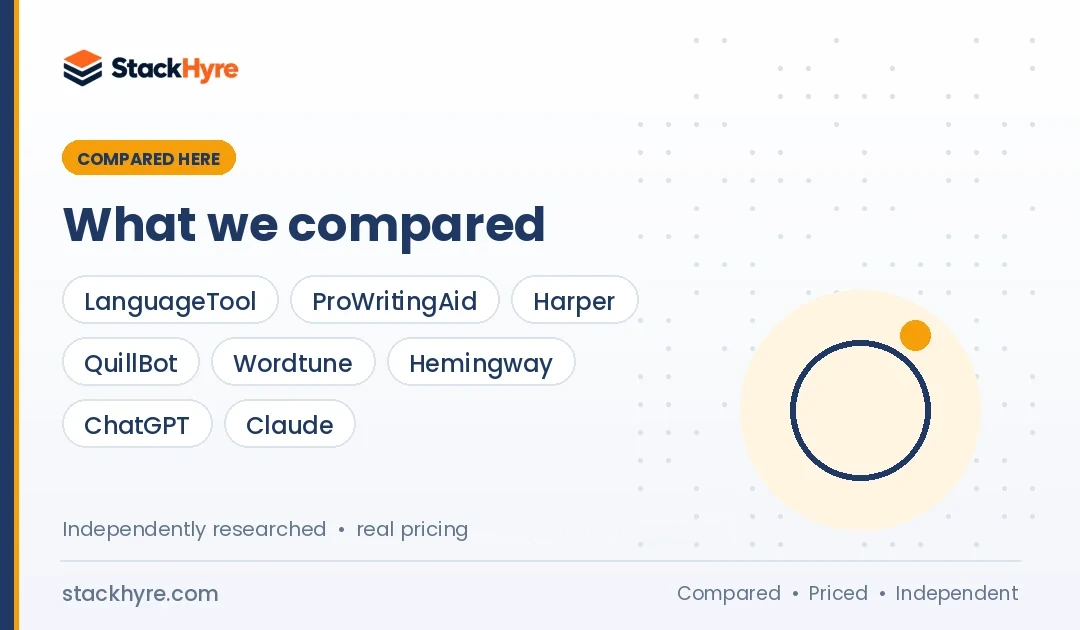
TL;DR: My top Grammarly alternative for most people is LanguageTool, because it checks 30+ languages and costs about half as much. Pick ProWritingAid for long-form work. Choose Harper for a free checker that keeps text on your device. Try QuillBot or Wordtune if you mostly rewrite sentences. Paid plans run from about $5 to $13 a month as of October 2026. Below I cover seven options, by need.
Grammarly is the default for a reason. Its own plans page says it is trusted by over 40 million people and 50,000 organizations. But default does not mean best for you.
The Pro plan costs $30 a month on monthly billing, or $144 a year. That is a lot if you only need commas fixed.
Other people leave for different reasons. Some write in more than one language. Some cannot send client text to a cloud service. Some want deep style reports for a novel. And some mostly need a sentence rewriter, not a proofreader.
So I sorted the options by the job you need done. If you want the full picture of AI writing software first, start with my guide to the best AI writing tools. For a broader ranking of editors, see my list of the best AI grammar checkers.
Everything here comes from vendor pricing pages, product docs and published reviews. Prices are as of October 2026.
Quick Comparison: Grammarly Alternatives at a Glance
| Tool | Best For | Starting Price | Key Feature |
|---|---|---|---|
| LanguageTool | Multilingual writers | Free; Premium $69.90/year | 30+ languages, self-host option |
| ProWritingAid | Long-form and fiction | Free; Premium $10/month yearly | 25+ writing reports, lifetime plan |
| Harper | Privacy, offline checking | Free (open source) | Runs fully on your device |
| QuillBot | Paraphrasing on a budget | Free; Premium $8.33/month yearly | 9 paraphrase modes plus custom |
| Wordtune | Non-native English writers | Free; paid from $4.89/month yearly | Sentence-level rewrites |
| Hemingway Editor Plus | Clear, plain writing | Free web app; Plus $8.33/month yearly | Readability grade scoring |
| ChatGPT or Claude | Whole-document edits | Free tiers available | Edits from plain instructions |
What Makes a Good Grammarly Alternative?
A good Grammarly alternative catches real errors without flooding you with false flags. It works inside the apps you already use, and it costs less for the features you actually need. It should also fit your special case. That might be more languages, local processing for privacy, deeper style reports, or better rewrites for non-native writers. Price alone is a weak reason to switch.
Here is how I think about it. Grammarly does four jobs: grammar fixes, style and tone advice, rewriting, and AI text generation. Most alternatives beat it at one of those jobs and trail it at the others.
So name your main job first. Then pick the tool that wins that job. You do not need a tool that copies all of Grammarly.
Coverage matters too. Grammarly says it works across 1 million+ apps and sites, from browsers to Word, Slack and mobile keyboards. Few rivals match that reach. If you write in many places, check each tool’s integration list before you pay.
Best All-Round Grammar Checkers
#1 LanguageTool: Best for multilingual writers
LanguageTool is the closest like-for-like swap for Grammarly, with far wider language support.
What it does well. It checks grammar, punctuation and style in 30+ languages, so you can switch between English, German, French or Spanish without changing tools. Premium adds more than 20,000 extra checks across seven of those languages, per LanguageTool. It also has a style guide feature for consistent wording.
Key features:
- Browser add-ons for Chrome, Edge, Firefox, Safari and Opera, plus Windows, macOS and iOS apps
- Up to 150,000 characters per text field on Premium (2,000 on the free plan)
- Unlimited AI sentence rephrasing on Premium (3 per day free)
- Personal dictionary and personal style guide
- A self-hostable server for teams that want text to stay in-house
Pricing. The free plan covers basic checks. As of October 2026, the LanguageTool Premium page listed the annual plan at $69.90 a year (about $5.83 a month). A limited-time discount was running at the time. A two-year option was also listed. LanguageTool offers a 14-day money-back guarantee.
Best for: people who write in two or more languages, and teams who need a self-hosted checker.
Limitations. The self-hosted route is for technical users. LanguageTool’s own docs say the AI-based rules are only available in the cloud, and the synonym feature does not work on a local server. Its AI rewriting is also lighter than Grammarly’s.
#2 ProWritingAid: Best for long-form and fiction writers
ProWritingAid is a full manuscript editor dressed up as a grammar checker.
What it does well. Grammarly tells you what is wrong in a sentence. ProWritingAid tells you what is going on across a chapter. Its Premium plan includes 25+ writing analysis reports covering readability, overused words, sentence structure and more. It also offers chapter critiques and story planning tools.
Key features:
- Custom style guide and custom dictionary
- Comparison of your writing with 90 fiction authors
- Unlimited rephrases and line editing reports on Premium
- Desktop Everywhere app that works in Word, Scrivener and Vellum, per ProWritingAid’s integrations page
- A one-time lifetime license
Pricing. As of October 2026, Premium costs $30 a month billed monthly, or $10 a month billed yearly ($120). Premium Pro costs $12 a month billed yearly ($144). Lifetime Premium is a one-time $399, and Lifetime Premium Pro is $699. All from ProWritingAid’s pricing page.
Best for: novelists, bloggers and anyone editing long documents. I compare the two head to head in ProWritingAid vs Grammarly.
Limitations. It is English only, per its pricing FAQ. The free plan checks just 500 words at a time. And the reports can feel like a lot if you only want quick email fixes.
Best Free and Privacy-First Option
#3 Harper: Best for privacy and offline checking
Harper is a free, open-source grammar checker that never sends your writing to a server.
What it does well. Harper runs on your device. Its site says checks happen with no cloud round-trips, telemetry or LLM involved. That makes it a strong fit for lawyers, developers and anyone with a strict data policy. It is licensed under Apache-2.0 and is maintained at Automattic, the company behind WordPress.com.
Key features:
- Browser extensions for Chrome, Edge and Firefox
- Editor plugins for VS Code, Neovim, Zed and Obsidian
- A WordPress plugin and a macOS desktop app
- A language server, so developers can wire it into other tools
Pricing. Free. No credit card, no paid tier.
Best for: privacy-first writers, developers who write docs in a code editor, and anyone who wants a free Grammarly alternative with no account.
Limitations. Harper is English only for now. It has no AI rewriting or tone tools, by design. Expect fewer catches on subtle style issues than a paid cloud checker.
One note for Microsoft users. Microsoft retired the Editor browser extensions on October 31, 2025. Their features now live in Edge’s built-in proofing tools. If you used that extension as your free Grammarly stand-in, Harper or LanguageTool’s free plan is the easiest replacement.
Best for Rewriting and Non-Native Writers
#4 QuillBot: Best budget pick for paraphrasing
QuillBot is a paraphraser first and a grammar checker second, at a lower price than Grammarly Pro.
What it does well. If you spend more time reworking sentences than fixing typos, QuillBot fits better. Premium adds 9 built-in paraphrase modes plus unlimited custom modes. It also bundles a summarizer, citation generator, plagiarism checker and AI detector.
Key features:
- Paraphrasing in 23 languages and grammar correction in 6
- Plagiarism checks up to 25,000 words a month on Premium
- Summaries up to 6,000 words on Premium (1,200 free)
- Chrome and Edge extensions, a Word add-in, a macOS app and mobile keyboards
Pricing. The free plan paraphrases up to 100 words at a time in 2 modes. As of October 2026, Premium is $8.33 a month billed annually, per QuillBot’s Premium page. Monthly and semi-annual billing cost more per month; check the current price on that page.
Best for: students, researchers and content writers who rewrite a lot. My QuillBot vs Grammarly comparison covers when each one makes sense.
Limitations. Its grammar suggestions are less deep than Grammarly’s style advice. QuillBot also notes that usage limits apply even on paid plans. And a paraphraser does not make borrowed ideas your own: cite your sources.
#5 Wordtune: Best for non-native English writers
Wordtune helps you say what you mean in natural English, one sentence at a time.
What it does well. Grammarly fixes mistakes. Wordtune offers several ways to phrase the same idea, so you can pick the one that sounds right. That is useful if English is your second language and your grammar is fine but your phrasing feels stiff. It also summarizes long articles.
Key features:
- Rewrites and AI suggestions, from 10 a day free to unlimited on the top plan
- Spelling and grammar corrections
- AI summaries (3 a month free, 15 on Advanced)
- Vocabulary and fluency improvements on paid plans
Pricing. As of October 2026, Wordtune’s plans page lists Advanced at $4.89 a month and Unlimited at $6.99 a month, both billed annually. Paid plans start with a 3-day free trial. Wordtune says it does not offer refunds, so cancel before the trial ends if it is not for you.
Best for: non-native speakers writing work emails, proposals and posts. For similar tools, see my Wordtune alternatives guide.
Limitations. It is not a deep grammar checker. The Advanced plan caps daily rewrites. And it is English-focused.
Best for Clarity and Whole-Document Edits
#6 Hemingway Editor Plus: Best for plain, readable writing
Hemingway is the tool I’d point you to if your problem is long, foggy sentences rather than typos.
What it does well. The free web editor highlights hard-to-read sentences, passive voice and weak phrases, and scores your readability grade. Editor Plus adds AI rewrites, grammar fixes, tone changes and document feedback. Hemingway says it does not store your documents or use them to train AI.
Key features:
- Readability grade scoring and target reading level
- One-click fixes for wordy sentences and passive voice
- Eight AI styles, such as shorter, more formal or more persuasive
- Style guide and file import and export
Pricing. As of October 2026, Editor Plus Individual 5K costs $8.33 a month ($100 billed annually) for 5,000 AI sentence rewrites a month. Individual 10K costs $12.50 a month ($150 billed annually). A 2-week free trial needs no card. Prices are from Hemingway’s Editor Plus page.
Best for: marketers, bloggers and anyone writing for a general audience.
Limitations. It is not a browser-wide checker like Grammarly. You paste or import text into its editor. AI rewrites are capped by plan.
#7 ChatGPT or Claude: Best for edits you can describe in plain words
A general AI assistant can act as an on-demand editor for a whole draft.
What it does well. You can paste a page and ask for exactly what you want: “fix grammar only,” “cut this by 20%,” or “make it friendlier for customers.” Inline checkers are built for sentence fixes, not open-ended requests like these. Both assistants handle many languages.
Key features:
- Edits driven by your own instructions and examples
- Restructuring, summarizing and tone shifts across a full document
- Explanations of why a change was made, if you ask
Pricing. Both have free tiers. Check current paid plan prices on OpenAI’s ChatGPT pricing page and Anthropic’s Claude pricing page.
Best for: people who already pay for an assistant and want bigger rewrites, not inline proofreading.
Limitations. No real-time underlines as you type. Assistants can also change your meaning or add errors, so read every edit. If your aim is to make AI drafts read well, my guide on editing AI drafts for readers covers a careful method.

How Should You Choose the Right Grammarly Alternative?
Start with your main reason for leaving Grammarly. If it is cost, LanguageTool or QuillBot gives you most of the value for less. If it is privacy, Harper keeps text on your device. If it is long-form editing, ProWritingAid is the stronger tool. If it is phrasing, Wordtune fits. Then confirm the tool works in the apps where you write.
Use these checks before you pay:
- Where you write. Grammarly covers browsers, desktop apps and mobile keyboards. Most rivals cover browsers and Word. Fewer cover phones.
- Languages. LanguageTool handles 30+. QuillBot paraphrases in 23 and corrects grammar in 6. ProWritingAid, Harper and Wordtune focus on English.
- Data handling. Read each privacy page. Harper runs locally. LanguageTool can be self-hosted. ProWritingAid says it never stores text you send for analysis, outside documents you save to your account.
- Usage caps. Watch for daily rewrite limits, word caps per check and monthly AI credits. These hide in the fine print.
- Billing terms. Annual plans are cheaper. Refund windows vary a lot: 14 days at LanguageTool, 3 days at ProWritingAid on yearly and lifetime plans, none at Wordtune.
My blunt advice: most people overpay for writing tools they use twice a week. Try the free tier for two weeks of real work. Upgrade only if you hit a limit that slows you down.
And do not stack three tools that do the same job. One grammar checker plus one rewriter covers almost everyone.
How I Evaluated These Grammarly Alternatives
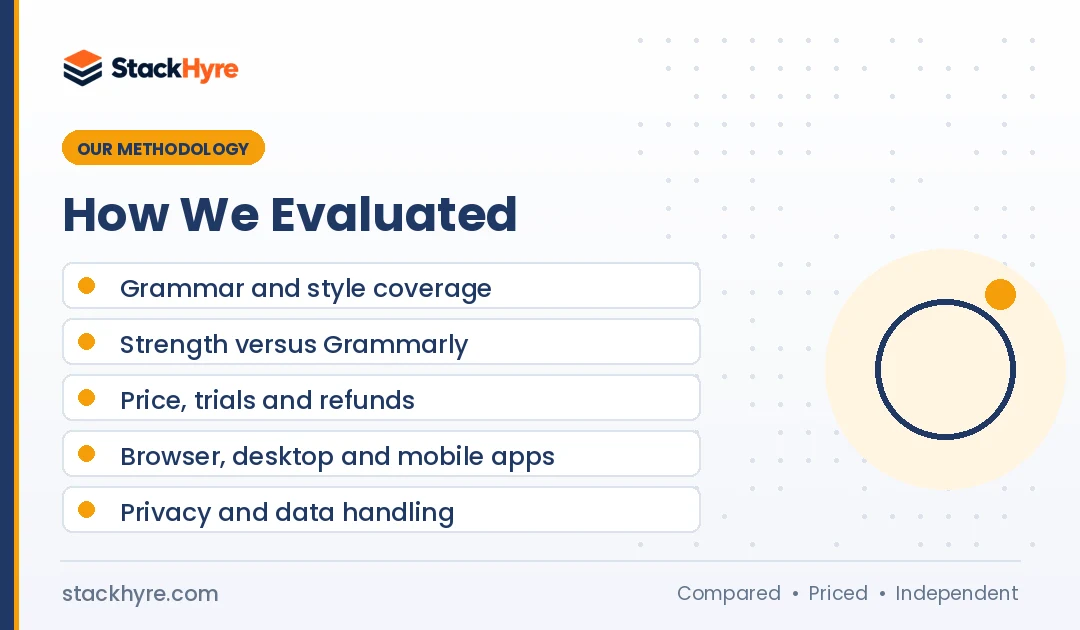
I compared each tool against Grammarly’s current Free and Pro plans. My sources were vendor pricing pages, help centers, product docs and published reviews, all checked in October 2026. I did not run lab tests or score error-catch rates myself.
I weighed five things:
- Core checking. Grammar, spelling, punctuation and style coverage, as documented by each vendor.
- Special strength. What the tool does better than Grammarly for a specific need.
- Price and terms. Monthly versus annual cost, free plan limits, trials and refund rules.
- Integrations. Browsers, Word, Google Docs, desktop and mobile support.
- Privacy. Where text is processed, stored or used for training, per each vendor’s own statements.
Vendor claims are labeled as the vendor’s. None of the links are affiliate links. You can read more in my editorial policy.
The Bottom Line
Grammarly is still the most widely integrated writing assistant. But you may not need all of it.
If you want a near-identical swap that costs less and speaks more languages, choose LanguageTool. If you write books or long reports, ProWritingAid’s reports and lifetime license are hard to beat. If privacy is the deal-breaker, Harper is free and stays on your machine. For rewriting, pick QuillBot on a budget or Wordtune for natural English phrasing.
My suggestion: pick one tool, run it on a week of real writing, and keep it only if it saves you time. If rewriting is your main need, my QuillBot alternatives guide goes deeper. For the full editing shortlist, see the best AI grammar checkers.
Frequently Asked Questions
What is the best free alternative to Grammarly?
For most people, LanguageTool’s free plan is the best free Grammarly alternative because it checks 30+ languages and works in major browsers. It caps each text field at 2,000 characters. If privacy matters more, Harper is fully free, open source and runs on your device, though it is English only and has no AI rewriting.
Is there a Grammarly alternative that does not upload my text?
Yes. Harper checks grammar entirely on your device, with no cloud processing or telemetry, according to its developers. LanguageTool can also be self-hosted as a local server, though its docs say AI-based rules only work in the cloud. Both are good choices for confidential client, legal or company writing.
Is ProWritingAid better than Grammarly?
ProWritingAid is better for long-form and fiction work because of its 25+ writing reports and chapter critiques. Grammarly is better for everyday writing across many apps, thanks to wider integrations and stronger tone tools. ProWritingAid also sells a lifetime license, which Grammarly does not offer. Your writing type should decide it.
Is QuillBot a good replacement for Grammarly?
QuillBot is a good replacement if you mainly paraphrase, summarize or rewrite. Its Premium plan costs $8.33 a month billed annually as of October 2026, and it paraphrases in 23 languages. It is a weaker choice if you want deep style and tone advice while typing, which is still Grammarly’s main strength.
Which Grammarly alternative is best for non-native English speakers?
Wordtune is my pick for non-native English speakers, because it suggests several natural ways to phrase each sentence. LanguageTool is a strong second if you also write in your first language, since it checks 30+ languages in one tool. Both have free plans, so you can compare them on your own writing first.
Related Articles



The StackHyre Editorial Team writes about proxies, web scraping and email infrastructure. We compare providers using published pricing, official documentation and third-party reviews. All content is for educational and informational purposes only.