

TL;DR: QuillBot is a paraphraser with a grammar checker attached. Grammarly is a grammar and tone assistant with rewriting attached. Pick QuillBot if you mostly rework sentences, summarize sources or write in several languages, for about $100 a year. Pick Grammarly if you want live corrections and tone help across every app, for $144 a year. Both have useful free plans, as of October 2026.
These two tools get compared a lot, but they started from opposite ends. QuillBot says it is trusted by over 35 million writers, mostly for its paraphraser. Grammarly says it is trusted by over 40 million people, mostly for catching mistakes as they type.
Over time, each has moved into the other’s space. QuillBot added grammar checks, tone insights and an AI chat. Grammarly added full-sentence rewrites and, in 2025, a paraphraser agent.
So the overlap is real. But the core of each product is still different, and that core is what you pay for.
I compared them on price, grammar checking, rewriting, AI detection, plagiarism checks and app coverage. My sources are each vendor’s pricing pages and docs, plus published reporting, as of October 2026.
For the wider picture, see my guide to the best AI writing tools. If you only want editors, my ranking of the best AI grammar checkers covers more options.
QuillBot vs Grammarly: Summary Verdict
| Category | QuillBot | Grammarly | Edge |
|---|---|---|---|
| Core job | Paraphrasing and rewriting | Grammar, clarity and tone | Depends on need |
| Paid plan (yearly) | $8.33/month billed annually | $144/year ($12/month) | QuillBot |
| Paid plan (monthly) | Check QuillBot’s page | $30/month | Check current prices |
| Grammar checking | 6 languages, advanced tips on Premium | Deep English checks, tone, fluency | Grammarly |
| Paraphrasing | 9 modes plus custom modes, 23 languages | Full-sentence rewrites, Paraphraser agent | QuillBot |
| Extra tools | Summarizer, citations, translator, humanizer | AI prompts, citation finder, reader reactions | Tie |
| Plagiarism checks | 25,000 words/month on Premium | Included in Pro | Tie |
| App coverage | Chrome, Edge, Word, macOS, mobile | 1 million+ apps and sites | Grammarly |
| Best for | Students, researchers, content rewriters | Professionals, teams, daily writing | Depends on use |

What Is the Difference Between QuillBot and Grammarly?
QuillBot rewrites what you already wrote: it paraphrases sentences in different modes, summarizes long text and translates. Grammarly checks what you are writing right now: it flags errors, unclear phrasing and tone as you type in almost any app. QuillBot is the better rewriter, and Grammarly is the better proofreader. Both now offer a lighter version of the other’s main feature.
Think of it this way. If your draft is correct but sounds wrong, QuillBot helps. If your draft sounds fine but has errors, Grammarly helps.
Most writers need the second job more often than the first. That is why Grammarly is usually the default. But students and researchers who work with a lot of source material often lean on rewriting and summaries. For them, QuillBot can be the better first purchase.
Which Is Cheaper: QuillBot or Grammarly?
QuillBot is cheaper. As of October 2026, QuillBot Premium costs $8.33 a month billed annually, which works out to about $100 a year. Grammarly Pro costs $144 a year on annual billing, or $30 a month on monthly billing. Both have free plans. QuillBot also lets you pause a subscription instead of canceling, which helps students on a term schedule.
| Plan | Price (as of October 2026) | Main limits |
|---|---|---|
| QuillBot Free | $0 | Paraphrase 100 words in 2 modes, basic grammar, 1,200-word summaries |
| QuillBot Premium | $8.33/month billed annually | Full paraphrasing, 25,000 plagiarism words/month, 6,000-word summaries |
| QuillBot Team | Contact sales | Adds team metrics, user management, central billing |
| Grammarly Free | $0 | Core fixes, tone detection, 100 AI prompts/month |
| Grammarly Pro | $30/month, $60/quarter or $144/year per member | Rewrites, tone adjust, plagiarism, 2,000 AI prompts/month |
| Grammarly Enterprise | Contact sales | SSO, data loss prevention, unlimited prompts |
Sources: QuillBot’s Premium page, Grammarly’s plans page and Grammarly’s billing help article.
QuillBot sells monthly and semi-annual plans too. Those cost more per month than annual billing, so check the current price on its page before you commit. QuillBot also notes that usage limits apply on all plans and may vary by app.
On QuillBot’s FAQ, you can pause your subscription from your account page and not be billed during the pause. That is a nice touch if you only need it during exams or a big project.
How Do the Free Plans Compare?
Both free plans are useful, but for different jobs. Grammarly Free fixes spelling and grammar in most apps, shows your tone and includes 100 AI prompts a month. QuillBot Free paraphrases up to 100 words at a time in 2 modes. It also fixes basic grammar, summarizes up to 1,200 words and gives limited AI detector access. For daily proofreading, Grammarly Free is stronger. For occasional rewording, QuillBot Free is enough.
The 100-word paraphrase cap is the limit you will feel first on QuillBot’s free plan. It works for a sentence or a short paragraph, not a full page.
On Grammarly’s free plan, the gap is tone adjustment and full-sentence rewrites. You can see your tone, but you cannot change it with one click.
My advice: keep both free plans for a couple of weeks. Note which limit you hit first. That tells you which one to pay for.
Which Is Better at Grammar Checking?
Grammarly is the stronger grammar checker for English. It goes past basic errors into clarity, tone, fluency, inclusive language and citation consistency, and it works live inside most apps. QuillBot’s grammar checker covers 6 languages and adds advanced suggestions and tone insights on Premium, which is solid for the price. But it is a secondary feature, not the product’s focus.
Grammarly Pro’s writing features, per its plan comparison, include:
- Tone detection on Free, and tone adjustment on Pro
- Full-sentence rewrites
- Fluency help for people writing in English as a second language
- Inclusive language and citation consistency checks
QuillBot Premium’s grammar features, per its Premium page, include:
- Advanced writing suggestions, such as removing passive voice
- Tone insights on how your audience may read you
- Grammar correction in 6 languages
My take: if grammar is your main concern, Grammarly earns its higher price. If grammar is a nice extra on top of rewriting, QuillBot’s checker is good enough for most school and blog writing.
Which Is Better for Paraphrasing and Rewriting?
QuillBot is better for paraphrasing. Premium gives you 9 built-in modes, unlimited custom modes, a synonym slider, side-by-side mode comparison and paraphrasing in 23 languages. Grammarly offers one-click full-sentence rewrites in Pro. Its Docs editor adds a Paraphraser agent that adapts text to a tone, audience or custom voice. Grammarly’s option is handy, but QuillBot gives you far more control.
QuillBot’s free plan paraphrases up to 100 words in 2 modes: Standard and Fluency. Premium removes the word cap and adds the rest of the modes, per its plan comparison. You can also save your history and compare outputs from different modes.
Grammarly’s approach is built into the flow of writing. It suggests rewrites for unclear sentences as you go. The Paraphraser agent launched in August 2025 can adapt text to academic, professional, creative or custom styles.
A fair warning on paraphrasers. Rewording someone else’s work does not make it yours. Quote and cite sources, whichever tool you use. For other rewriting tools, see my QuillBot alternatives and Wordtune alternatives guides.
What Extra Tools Does Each One Include?
QuillBot bundles more standalone tools: a summarizer, citation generator, translator for 40+ languages, AI chat, AI image generator and document storage in QuillBot Flow. Grammarly bundles AI writing help into its main assistant: 2,000 AI prompts a month on Pro, plus agents for citations, reader reactions and AI grading in its Docs editor. QuillBot suits research workflows, and Grammarly suits writing workflows.
QuillBot’s summarizer handles up to 6,000 words on Premium and lets you create custom summaries. Its citation generator is handy for reference lists. Premium also gives you 100 MB of storage in QuillBot Flow, its writing space.
Grammarly’s extras center on the draft in front of you. The reader reactions agent predicts how a manager, client or professor might read your text. The citation finder searches for sources and formats them.
If you read a lot of papers or reports before you write, QuillBot’s toolkit saves time. If you mostly write and send, Grammarly’s extras fit better.
How Do Their AI Detectors and Plagiarism Checkers Compare?
Both include an AI detector and a plagiarism checker on paid plans. QuillBot Premium covers plagiarism checks up to 25,000 words a month and full access to its AI detector. Grammarly Pro includes AI-text detection and plagiarism checks. Treat any AI detector score as a rough signal, not proof. Detectors make mistakes, and research has found they can unfairly flag non-native English writing.
The evidence on detector accuracy is not encouraging. OpenAI shut down its own AI text classifier in 2023, saying it was no longer available due to its low rate of accuracy.
A Stanford study in the journal Patterns tested seven popular detectors on TOEFL essays by non-native writers. As Times Higher Education reported, the average false-positive rate was 61.3%.
Plagiarism checkers are more reliable, because they compare your text against known sources. Use them to catch missing citations before you submit or publish.
QuillBot also sells an AI Humanizer. I’d treat it as a tone and style tool for your own drafts, nothing more. Disguising AI work breaks most school policies and many client contracts. If you publish AI-assisted content, the better route is careful human editing. My guide on how to humanize AI content shows how to make drafts accurate and useful for readers.
Which Works in More Apps and Languages?
Grammarly works in more apps. It says it runs across 1 million+ apps and sites, including browsers, Word, Gmail, Outlook, Slack, Figma and mobile keyboards. QuillBot works in more languages: it paraphrases in 23, corrects grammar in 6 and translates into 40+. QuillBot also covers Chrome, Edge, a Word add-in, a macOS app and iOS and Android keyboards, which is enough for most students.
Grammarly’s coverage page lists desktop apps for Windows and Mac, browser extensions for Chrome, Safari, Firefox and Edge, Google Docs support and mobile apps.
QuillBot’s integration list includes Chrome and Edge extensions, a macOS app, a Word add-in and iOS and Android keyboards. Premium works on up to 10 devices at a time.
If you write in a language other than English, QuillBot has the edge. For broader multilingual grammar checks, LanguageTool is worth a look. I cover it in my Grammarly alternatives roundup.

Who Should Pick QuillBot, and Who Should Pick Grammarly?
Pick QuillBot if you mostly rephrase, summarize and cite sources, write in more than one language, or need a cheaper plan you can pause. Pick Grammarly if you want live grammar and tone help in every app, write mostly in English for work, or manage a team. If budget allows, Grammarly Free plus QuillBot Premium is a sensible combo that covers both jobs.
Choose QuillBot if you:
- Rewrite and summarize research or source material often
- Want many paraphrase modes and custom modes
- Write or translate in several languages
- Need a citation generator built in
- Want the lower annual price
Choose Grammarly if you:
- Want corrections as you type in email, Slack and docs
- Care most about clarity and tone in professional writing
- Need team style guides, brand tones or admin controls
- Write in many apps across desktop and mobile
Still weighing Grammarly against a deeper editor? My ProWritingAid vs Grammarly comparison looks at long-form editing and lifetime pricing.
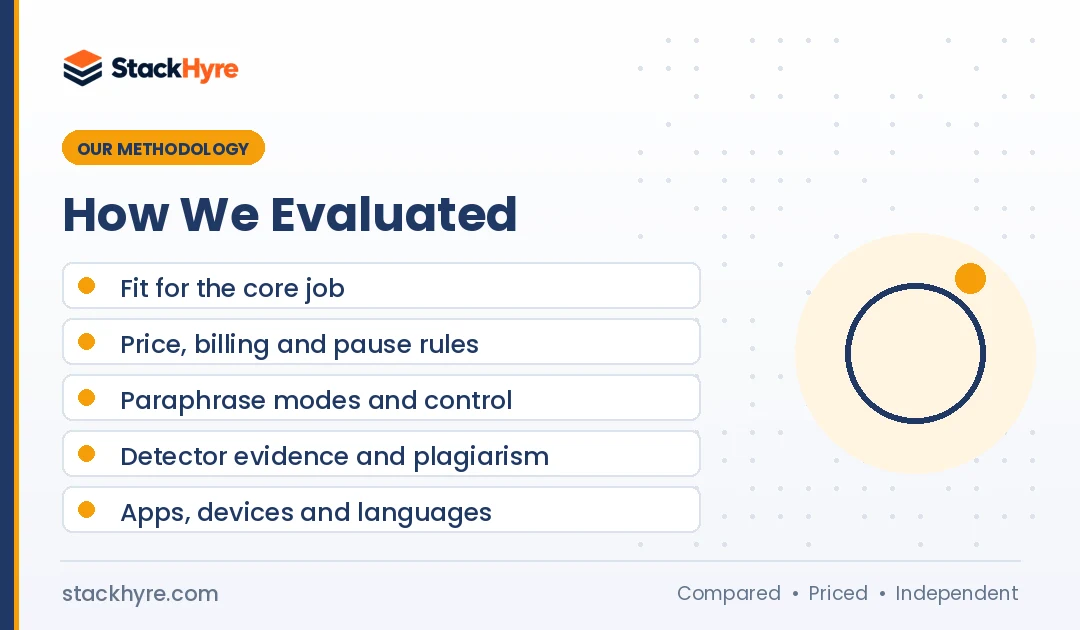
How I Compared QuillBot and Grammarly
I compared both tools using their public pricing and plan pages, help center articles, usage policies and dated reporting on new features. All checks were done in October 2026. I did not run my own accuracy tests on either tool’s grammar checker or AI detector.
My five criteria:
- Core job fit. How well each tool does its main task, based on documented features.
- Price and terms. Free limits, paid tiers, billing options and pause or refund rules.
- Rewriting control. Modes, custom styles and languages for paraphrasing.
- Integrity tools. Plagiarism and AI detection, read against independent evidence on detector accuracy.
- Coverage. Apps, devices and languages supported.
Vendor claims are labeled as the vendor’s. There are no affiliate links in this article. See my editorial policy for how I source and update reviews.
The Bottom Line
QuillBot and Grammarly are not really rivals for most people. They are tools for different moments in writing.
Grammarly is the better pick if you want one assistant watching every email, doc and message for errors and tone. It costs $144 a year for Pro as of October 2026, and the free plan is strong.
QuillBot is the better pick if your work involves rewording, summarizing and citing sources, especially in more than one language. At $8.33 a month billed annually, it is also the cheaper of the two.
My call: start with Grammarly’s free plan for daily writing. Add QuillBot Premium only if you paraphrase or summarize every week. For a full list of editing tools, see the best AI grammar checkers.
Frequently Asked Questions
Is QuillBot better than Grammarly?
QuillBot is better for paraphrasing, summarizing and multilingual rewriting, with 9 paraphrase modes and support for 23 languages. Grammarly is better for grammar, clarity and tone checks as you type in almost any app. Neither is better at everything. Pick based on whether you spend more time rewriting text or correcting it.
Is QuillBot cheaper than Grammarly?
Yes. As of October 2026, QuillBot Premium costs $8.33 a month billed annually, or about $100 a year. Grammarly Pro costs $144 a year, $60 a quarter or $30 a month. Both offer free plans. QuillBot also lets you pause your subscription, which can lower the real cost for students.
Can QuillBot replace Grammarly?
For some people, yes. If you mainly need basic grammar fixes plus strong paraphrasing, QuillBot Premium covers both for less money. It is a weaker replacement if you rely on Grammarly’s tone adjustment, fluency help or team style guides. Grammarly also reaches over a million apps and sites, by its own count.
Are QuillBot and Grammarly AI detectors accurate?
Treat them as rough signals only. OpenAI retired its own AI text classifier in 2023 because of low accuracy. A Stanford study found popular detectors flagged non-native English essays as AI-written with a 61.3% average false-positive rate. Never treat a detector score alone as proof that someone used AI.
Can I use QuillBot and Grammarly together?
Yes. One useful pairing is QuillBot for paraphrasing and summaries, and Grammarly for final grammar and tone checks. Running both browser extensions at once can clutter the page, so turn one off on sites where you do not need it. Grammarly’s free plan plus QuillBot Premium keeps the total cost low.
Related Articles


The StackHyre Editorial Team writes about proxies, web scraping and email infrastructure. We compare providers using published pricing, official documentation and third-party reviews. All content is for educational and informational purposes only.