
TL;DR: Grammarly is my best all-round AI grammar checker, with Pro at $12 a month billed yearly. LanguageTool is the pick for many languages or self-hosting. ProWritingAid suits long-form writers and sells a lifetime plan. QuillBot and Wordtune are rewriters first, and Hemingway fixes readability. Most paid plans run about $5 to $12 a month on yearly billing, as of October 2026. Below I compare six tools by job.
Grammar checkers are everywhere now. Grammarly alone says on its about page that it works across more than 1 million apps and websites.
But these tools are no longer simple spell checkers. Most now use generative AI to rewrite whole sentences, change tone and even draft text.
That makes picking one harder. Some are grammar checkers with AI added. Others are AI rewriters with grammar added. And a few focus on one thing, like readability or other languages.
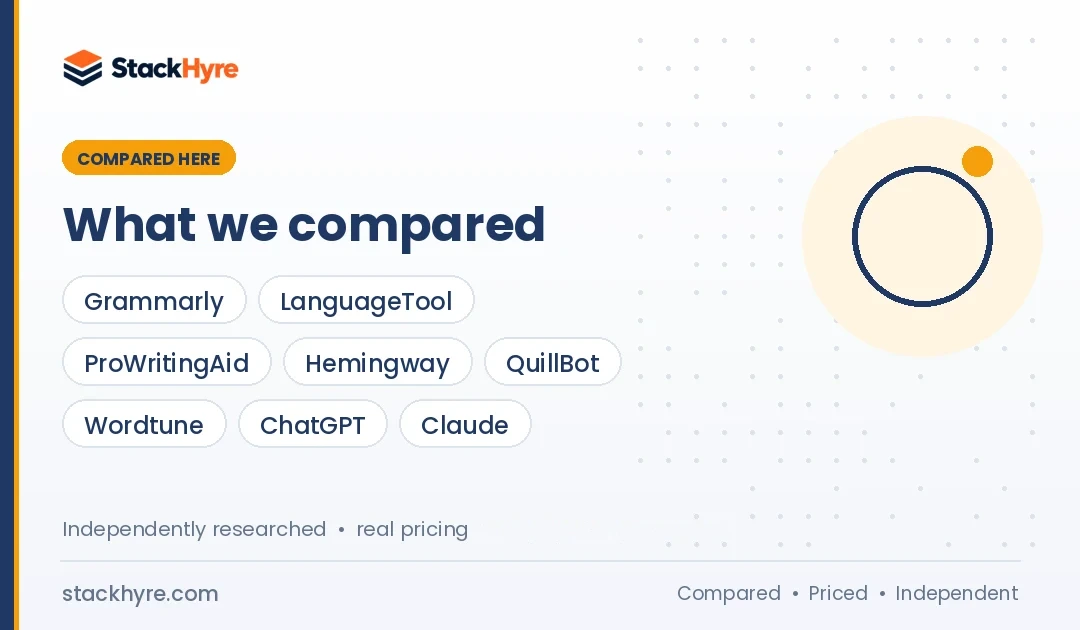
I compared six tools on what they catch, what they rewrite, where they work and what they cost. Every price comes from the vendor’s own page or a dated source.
This guide is the hub for my editing and rewriting coverage. It sits under my main guide to the best AI writing tools, and it links to my deeper comparisons for each tool below.
Quick Comparison: Best AI Grammar Checkers in 2026
| Tool | Best For | Starting Price (paid) | Key Feature |
|---|---|---|---|
| Grammarly | All-round grammar and tone | $12/mo yearly, $30 monthly | Works in 1 million+ apps and sites |
| LanguageTool | Multilingual and self-hosting | About €4.90/mo yearly | 30+ languages, open-source core |
| ProWritingAid | Long-form and fiction | $10/mo yearly, $399 lifetime | 25+ writing reports |
| Hemingway Editor | Readability and plain English | Free web editor | Highlights hard-to-read sentences |
| QuillBot | Paraphrasing and students | $8.33/mo yearly | Paraphraser with grammar checker |
| Wordtune | Sentence rewrites | $4.89/mo yearly, $6.99 monthly | Rewrite suggestions as you type |
What Makes a Great AI Grammar Checker?
A great AI grammar checker catches real errors without flooding you with false alarms. It explains why it flagged something, works where you write and respects your voice. The best ones add AI rewrites for clarity and tone, but let you accept or reject each change. Price, language support and privacy matter next.
Here is what I looked for in each tool:
- Accuracy. Does it catch grammar, spelling and punctuation errors that matter, with few false flags?
- Explanations. Does it tell you why? That is how you improve.
- Rewrites. Can it rephrase a clunky sentence or shift tone when you ask?
- Coverage. Does it work in your browser, Google Docs, Word and email?
- Languages. Most tools focus on English. A few handle many languages well.
- Privacy. Your text goes to the vendor’s servers on most tools. That matters for client and legal work.
- Price. Free tiers vary a lot. Yearly billing usually cuts the price by half or more.
No tool wins on all seven. So I grouped them by the job you need done.
Best All-Round AI Grammar Checkers
#1 Grammarly: Best for all-round grammar and tone
Grammarly is the default choice for most people, and for good reason.
What it does well. Grammarly checks grammar, spelling and tone almost anywhere you type. The free plan covers core corrections. Pro adds full-sentence rewrites, tone changes and plagiarism and AI-text detection. The company behind it renamed itself Superhuman in October 2025, per Grammarly’s about page, but the Grammarly product keeps its name.
Key features:
- Grammar, spelling and tone feedback, free
- One-click full-sentence rewrites on Pro
- Plagiarism and AI-generated text detection on Pro
- 100 AI prompts a month free, 2,000 on Pro
- Style guide, brand tone and snippets on Pro for teams
Pricing. Per the Grammarly Pro page, Pro costs $12 per member per month billed yearly, or $30 billed monthly, as of October 2026. The plans page lists a free plan and an Enterprise plan through sales.
Best for: Professionals, students and teams who write in English across email, docs and the web.
Limitations. Monthly billing is expensive at $30. Tone and rewrite features sit behind Pro. Grammarly is mostly an English tool.
If Grammarly feels too pricey or too pushy, my guide to Grammarly alternatives sorts options by need, from free tools to privacy-first picks.
#2 LanguageTool: Best for multiple languages and self-hosting
LanguageTool is the strongest pick if you write in more than one language.
What it does well. LanguageTool checks grammar, style and spelling in 30+ languages, according to its premium page. Its core engine is open source, which is rare. The LanguageTool GitHub repo says the core is under the LGPL 2.1 or later and explains how to run your own server. That gives privacy-minded teams an option most rivals don’t.
Key features:
- Grammar and style checks in 30+ languages
- AI sentence rephrasing, 3 a day free and unlimited on Premium
- 2,000 characters per check free, 150,000 on Premium
- Style guide on Premium, team dictionary on Teams
- Open-source core you can self-host
Pricing. LanguageTool’s help center lists Premium at €19.90 billed monthly, €59.89 billed yearly (about €4.90 a month) or €99.90 for two years. Teams cost €56.90 per user per year. The premium page adds a 14-day money-back guarantee. Prices in your currency may differ, so check the page.
Best for: Multilingual writers, European teams and anyone who wants a self-hosted option.
Limitations. The free character limit is short for long documents. AI rewrites are less central than in Grammarly or Wordtune. Self-hosting the open-source core takes technical skill.
Best for Long-Form Writers and Readability
#3 ProWritingAid: Best for long-form and fiction writers
ProWritingAid is a writing coach as much as a grammar checker.
What it does well. It goes deeper than most tools on style. You get reports on things like overused words, pacing and sentence length across a full manuscript. It also sells a lifetime plan, which is unusual in this market.
Key features:
- 25+ writing analysis reports on Premium
- Unlimited line edits and rephrases on paid plans
- Chapter Critique and AI “Sparks” with daily limits
- Google Docs, Microsoft Office and desktop apps
- Premium Pro adds live workshops and group critiques
Pricing. Per the ProWritingAid pricing page, Premium costs $30 monthly, $10 a month billed yearly ($120) or $399 once for lifetime access, as of October 2026. Premium Pro costs $36 monthly, $12 a month yearly ($144) or $699 lifetime. Plagiarism checks cost extra on all plans. The free plan checks 500 words at a time.
Best for: Novelists, nonfiction authors and bloggers who edit long drafts.
Limitations. The free plan is tight. The number of reports can overwhelm casual users. Yearly and lifetime plans have only a 3-day money-back window.
Torn between this and Grammarly? My ProWritingAid vs Grammarly comparison weighs the lifetime plan against Grammarly’s subscription.
#4 Hemingway Editor: Best for readability and plain English
Hemingway does one job: it makes your writing easier to read.
What it does well. Paste in text and it color-codes the problems. A Kindlepreneur review updated in January 2026 describes yellow and red for hard-to-read sentences, purple for complex words, blue for adverbs and green for passive voice. You also get a readability grade level.
Key features:
- Free web editor
- Highlights for long sentences, complex words, adverbs and passive voice
- Readability grade, word count and reading time
- Hemingway Editor Plus subscription with a 2-week free trial, per its homepage
- A desktop version sold separately
Pricing. The web editor is free on the Hemingway site. The same Kindlepreneur review lists the desktop app at $19.99 one time. I could not confirm the Plus subscription price on Hemingway’s own site, so check the current price on Hemingway’s site before you buy.
Best for: Bloggers, marketers and anyone writing for a general audience.
Limitations. It is not a full grammar checker, as the Kindlepreneur review notes. It does not explain grammar rules in depth. Pair it with Grammarly or LanguageTool for error checks.
Best AI Rewriters and Paraphrasers
#5 QuillBot: Best for paraphrasing and students
QuillBot is a paraphraser first and a grammar checker second.
What it does well. QuillBot rewrites sentences and paragraphs in different modes. It bundles a grammar checker, a summarizer, a plagiarism checker and an AI detector. The free grammar checker fixes basic errors at no cost.
Key features:
- Paraphraser, 125 words in 2 modes free, unlimited on Premium
- Advanced grammar checks in 6 languages on Premium
- Plagiarism checker with 25,000 words a month on Premium
- Summarizer up to 6,000 words on Premium
- AI detector, limited free and unlimited on Premium
Pricing. The QuillBot Premium page lists Premium at $8.33 a month billed yearly, as of October 2026. The page did not clearly show a monthly-only price, so check it before you subscribe. A Team plan is also available.
Best for: Students, researchers and anyone who needs to rephrase sources in their own words.
Limitations. Paraphrasing is not a fix for weak writing. The grammar checker is less detailed than Grammarly’s. Always cite sources you paraphrase.
QuillBot and Grammarly do different jobs. My QuillBot vs Grammarly guide explains when you need which. And if QuillBot isn’t quite right, see my picks for QuillBot alternatives.
#6 Wordtune: Best for quick sentence rewrites
Wordtune is the lightest tool here. It suggests better ways to say what you already wrote.
What it does well. Highlight a sentence and Wordtune offers rewrites. You can make it shorter, longer, more formal or more casual. It also checks spelling and grammar on every plan.
Key features:
- 10 rewrites and AI suggestions a day free
- 30 a day on Advanced, unlimited on Unlimited
- AI summaries, 3 a month free and unlimited on the top plan
- Spelling and grammar checks on all plans
- 3-day free trial on paid plans
Pricing. Per the Wordtune plans page, Advanced costs $6.99 a month or $4.89 a month billed yearly. Unlimited costs $9.99 a month or $6.99 a month billed yearly, as of October 2026.
Best for: Writers who already know grammar but want help with flow and word choice.
Limitations. The free daily cap runs out fast. Grammar checks are basic compared to Grammarly or LanguageTool. It does not give long-form style reports.
For other sentence rewriters, see my roundup of Wordtune alternatives.
Can ChatGPT or Claude Replace a Grammar Checker?
Partly. General AI assistants like ChatGPT, Claude and Gemini can proofread text you paste in and explain their fixes. But they don’t underline errors as you type in every app. They also tend to rewrite more than you asked, which can flatten your voice. I’d use a dedicated checker for daily writing and an assistant for big rewrites.
Here is how I split the work:
- Use a grammar checker for live corrections in email, docs and forms. It catches errors in place and leaves the rest alone.
- Use an AI assistant for restructuring a draft, cutting length or changing the audience. Ask it to list its changes instead of only returning new text.
- Use both on AI-generated drafts. The assistant fixes structure. The checker catches the small errors it leaves behind.
If you are editing AI drafts for publishing, the hard part is not grammar. It is adding real facts, specific examples and your own voice. My guide on how to humanize AI content walks through that editing process step by step.
How Should You Choose the Right AI Grammar Checker?
Start with your main job. Pick Grammarly for everyday English writing, LanguageTool for several languages or self-hosting, ProWritingAid for long manuscripts, Hemingway for readability, QuillBot for paraphrasing and Wordtune for quick rewrites. Then check where it works, whether the free plan covers you, and whether yearly billing makes sense for your budget.
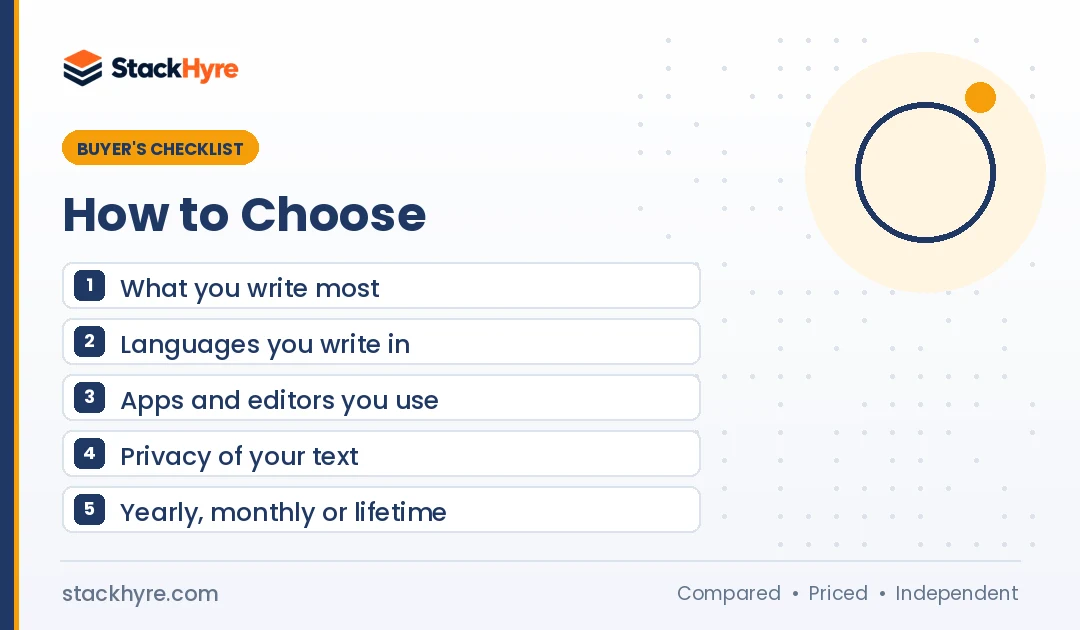
Ask yourself these questions:
- What do you write most? Emails and docs point to Grammarly. Books and long reports point to ProWritingAid.
- What language do you write in? If it is not only English, LanguageTool is the clear first test.
- Where do you write? Check that the tool supports your browser, Google Docs, Word or desktop app.
- How sensitive is your text? For client or legal work, read the privacy policy. LanguageTool’s self-hostable core is an option here.
- How long will you use it? Yearly billing often costs less than half of monthly. ProWritingAid’s lifetime plan can pay off after a few years.
- Do you need rewrites or corrections? Rewriters like QuillBot and Wordtune change your words. Checkers like Grammarly and LanguageTool fix errors.
One more tip. Try the free plan of your top two picks on the same piece of your own writing. You’ll see quickly which one fits how you write.
Editing and Rewriting Guides
Want to go deeper on one tool or one job? These guides cover the rest of my editing coverage:
- Best Grammarly alternatives: free, privacy-first and long-form options sorted by need.
- ProWritingAid vs Grammarly: the lifetime plan against a monthly subscription, and who should pick each.
- QuillBot vs Grammarly: when you need a paraphraser and when you need a grammar checker.
- Best QuillBot alternatives: other paraphrasing and rewriting tools worth a look.
- Best Wordtune alternatives: sentence rewriters compared on price and daily limits.
- How to humanize AI content: a practical method for turning AI drafts into accurate, useful writing.

How I Evaluated These AI Grammar Checkers
I built this guide from public information. I did not run my own accuracy tests. Here is my process:
- Pricing pages. I read each vendor’s pricing or help page in October 2026 and used only the prices listed there. Where I couldn’t confirm a price on the vendor’s site, I said so.
- Feature lists. I compared free and paid limits, such as words per check, rewrites per day and AI prompts per month.
- Docs and code. For LanguageTool, I checked the open-source license and self-hosting notes in its GitHub repo.
- Published reviews. I used dated independent reviews where vendor pages left gaps, like Hemingway’s desktop price.
- Fit by job. I ranked each tool for the job it does best, not on a single score.
Vendor claims, such as Grammarly’s app coverage, are labeled as the vendor’s own. My editorial policy explains how I source and update guides.
Editing long or technical documents? See my picks for the best AI for technical writing and the best AI for writing a book.
The Bottom Line
Most people should start with Grammarly. The free plan covers the basics, and Pro adds rewrites, tone controls and plagiarism checks for $12 a month billed yearly.
Pick LanguageTool if you write in several languages or want to self-host. Pick ProWritingAid if you edit long manuscripts, especially if a one-time lifetime price appeals to you. Use Hemingway’s free editor to make any draft easier to read.
If you mostly need to rephrase text, QuillBot and Wordtune are cheaper and faster for that job.
My next step for you: try the free plans of your top two on real work this week. For the full picture of AI writing tools, including drafting and SEO tools, see my guide to the best AI writing tools.
Frequently Asked Questions
What is the best AI grammar checker in 2026?
For most people, Grammarly is the best AI grammar checker. It works across a huge range of apps, has a useful free plan and adds rewrites and tone controls on Pro. LanguageTool is better for multilingual writers, and ProWritingAid is better for long manuscripts. The right pick depends on what and where you write.
Is there a free AI grammar checker that is actually good?
Yes. Grammarly’s free plan handles grammar, spelling and tone feedback with 100 AI prompts a month. LanguageTool’s free plan checks up to 2,000 characters at a time in 30+ languages. Hemingway’s web editor is free for readability. Free plans limit rewrites and length, so heavy users usually end up paying.
Is ProWritingAid’s lifetime plan worth it?
It can be. ProWritingAid Premium costs $399 once for lifetime access, versus $120 a year on yearly billing, as of October 2026. That pays off after a little over three years. It suits writers who edit long drafts every year. If you only write short emails, a cheaper subscription makes more sense.
Is QuillBot a grammar checker or a paraphraser?
Both, but it is a paraphraser first. QuillBot’s main tool rewrites text in different modes. It also includes a free grammar checker, plus a summarizer, plagiarism checker and AI detector on Premium. If error checking is your main need, a dedicated checker like Grammarly or LanguageTool is stronger.
Can I self-host a grammar checker for privacy?
Yes, with LanguageTool. Its core engine is open source under the LGPL, and its GitHub repo explains how to run your own server. That keeps text on your own machines. Setup takes some technical skill, and the hosted Premium features may not all be in the open-source core.
Related Articles



The StackHyre Editorial Team writes about proxies, web scraping and email infrastructure. We compare providers using published pricing, official documentation and third-party reviews. All content is for educational and informational purposes only.