

TL;DR: Transactional email is triggered by something a user did, like a password reset or receipt, and it’s needed to complete that action. Marketing email promotes your product and needs consent and an unsubscribe link. In this guide I cover the legal line under CAN-SPAM and UK and EU rules, the Gmail, Yahoo and Microsoft sender rules, real examples and how to keep the two streams apart.
Mixing the two can cost real money. In 2021, the UK regulator fined American Express £90,000 after finding that more than four million of its “service” emails were really marketing.
That case shows the problem in one line. A company called its emails service messages. The regulator looked at the content and disagreed.
For a SaaS team, the line between transactional and marketing email shapes three things. It decides which laws apply. It decides which mailbox rules you must meet. And it decides how you should set up your sending.
Get it wrong, and your login codes can land in spam next to a weak newsletter. Get it right, and each stream protects the other.
This guide is part of my library on the best transactional email services for SaaS. Here I focus on definitions, rules and setup. When you’re ready to pick a provider, my guide to choosing a transactional email service takes it from there.
Transactional vs Marketing Email at a Glance
| Factor | Transactional Email | Marketing Email |
|---|---|---|
| Trigger | A user action or account event | Your campaign schedule |
| Purpose | Complete or confirm something the user asked for | Promote a product, offer or content |
| Recipients | One person at a time | A list or segment |
| Consent (UK/EU) | Usually not needed to deliver the service | Usually needs opt-in or soft opt-in |
| Unsubscribe link | Not required by Gmail’s one-click rule | Required, with one-click for bulk senders |
| CAN-SPAM | Exempt from most rules | All rules apply |
| Timing | Within seconds | Flexible |
| Examples | Password reset, receipt, 2FA code | Newsletter, promo, product launch |
What Is Transactional Email?
Transactional email is a one-to-one message your app sends because a user did something or their account changed. It completes or confirms an action the person already started, like signing up, resetting a password or paying an invoice. The user expects it, often within seconds. Without it, the product doesn’t work as promised.
The US Federal Trade Commission gives a useful legal anchor. Its CAN-SPAM compliance guide says a transactional or relationship message “facilitates, completes, or confirms a commercial transaction that the recipient already has agreed to.”
The FTC also lists a few more narrow types. These include warranty, recall or safety information. They also include notices about changes to an ongoing relationship, like new terms, and messages that deliver goods or services the person already agreed to receive.
In a SaaS app, transactional email is part of the product. If a password reset never arrives, the user is locked out. That’s why speed and inbox placement matter so much more here than for a newsletter.
What Is Marketing Email?
Marketing email is any message whose main purpose is to promote a product, service, offer or piece of content. It goes to a list or a segment on your schedule, not in response to a single user action. Under CAN-SPAM it’s called commercial email, and in the UK and EU it usually needs prior consent or a valid soft opt-in.
The FTC’s guide defines commercial email as “any electronic mail message the primary purpose of which is the commercial advertisement or promotion of a commercial product or service.” It also notes that business-to-business email is not exempt.
For a SaaS company, marketing email includes newsletters, feature launch announcements, webinar invites, upgrade nudges, discount offers and win-back campaigns.
Marketing email isn’t bad. It drives upgrades and keeps people engaged. It just plays by stricter rules, and it carries more risk of spam complaints.
What Are the Key Differences Between Transactional and Marketing Email?
The core difference is purpose. Transactional email serves a user’s own action, so it’s expected and usually exempt from consent and unsubscribe rules. Marketing email promotes something, so it needs consent in many countries, a working unsubscribe and clean sender practices. They also differ in timing, volume pattern and how much a spam complaint can hurt you.
Here’s how I’d think about each difference in practice.
Who starts it. A user action starts a transactional email. Your marketing calendar starts a marketing email.
How fast it must arrive. A 2FA code that shows up five minutes late is useless. A newsletter that lands an hour late is fine.
How people react. People open and act on transactional mail because they asked for it. Marketing mail gets more ignores, deletes and spam clicks.
What the law asks. Transactional mail is exempt from most CAN-SPAM rules. Marketing mail must follow all of them, including a working opt-out.
What mailbox providers ask. Gmail requires one-click unsubscribe on marketing mail from bulk senders, but not on transactional mail. I cover the details below.
Transactional and Marketing Email Examples for SaaS
Examples make the line clearer. These lists are a starting point, not legal advice. Always check the actual content of each message.
Usually transactional:
- Account signup confirmation and email verification
- Password reset links and magic login links
- Two-factor authentication codes
- Receipts, invoices and failed payment notices
- Subscription renewal and plan change confirmations
- Security alerts, like a new login from an unknown device
- Team invites and role changes
- Notices about changes to your terms of service
- Usage alerts, like hitting 90% of a plan limit
Usually marketing:
- Weekly or monthly newsletters
- New feature announcements sent to your whole list
- Upgrade offers and discount codes
- Webinar and event invites
- Case studies and blog roundups
- Win-back emails to churned users
Gray areas to watch:
- Onboarding drips. A “here’s how to set up your first project” email can feel like help. But if it pushes a paid upgrade, it leans marketing.
- Trial ending notices. A plain notice that a trial ends on a date is close to transactional. Add a discount, and it’s more like marketing.
- Product update emails. A required notice about a breaking API change is relationship content. A “look at this cool new feature” email is marketing.
- Receipts with promos. A receipt is transactional. Add a big “refer a friend for 20% off” banner, and you may have changed its primary purpose.
What Does the Law Say About Transactional vs Marketing Email?
In the US, CAN-SPAM exempts transactional messages from most rules but still bans false or misleading routing information. Marketing email must include an opt-out and follow every rule, with penalties of up to $53,088 per email. In the UK, PECR requires consent or a soft opt-in for marketing email to individuals. The content of the message, not your label, decides which rules apply.
CAN-SPAM in the United States
The FTC’s guide says a transactional message “may not contain false or misleading routing information,” but it is otherwise “exempt from most provisions of the CAN-SPAM Act.” So you don’t need an unsubscribe link in a password reset to satisfy CAN-SPAM.
The catch is mixed messages. The FTC uses a primary purpose test. If a message has both kinds of content, and the subject line “would lead the recipient to think it’s a commercial message,” it counts as commercial. The same is true if the transactional part is mostly buried below the promotion.
The stakes are high. The FTC says each separate email in violation “is subject to penalties of up to $53,088.”
PECR and GDPR in the UK and EU
The UK’s Information Commissioner’s Office is blunt in its electronic mail marketing guidance: “You must not send marketing emails or texts to individuals without specific consent.”
There’s one key exception for existing customers, called the soft opt-in. You must have sold them a similar product or service, and you must offer a clear chance to opt out when you collect their details and in every message. The ICO notes the guidance is under review because of the Data (Use and Access) Act, so check the current version.
Transactional email usually rests on a different legal basis under the GDPR. Article 6 of the GDPR allows processing that is necessary for the performance of a contract with the person. Sending a receipt or a password reset to a paying customer generally fits that basis. Talk to your own legal counsel for your specific case.
The American Express lesson
The Amex case is the clearest warning I know of. According to RPC’s summary of the ICO decision, Amex sent over 50 million service emails between June 2018 and May 2019. The ICO found more than four million were marketing.
Those emails promoted shopping rewards, gave tips for using the card and pushed people to download the app. The ICO said they “were designed to encourage customers to make purchases on their cards which would benefit Amex financially.” That’s what made them marketing.
The takeaway for SaaS: don’t slip upsells into account emails sent to people who opted out of marketing.
How Should You Separate Transactional and Marketing Email?
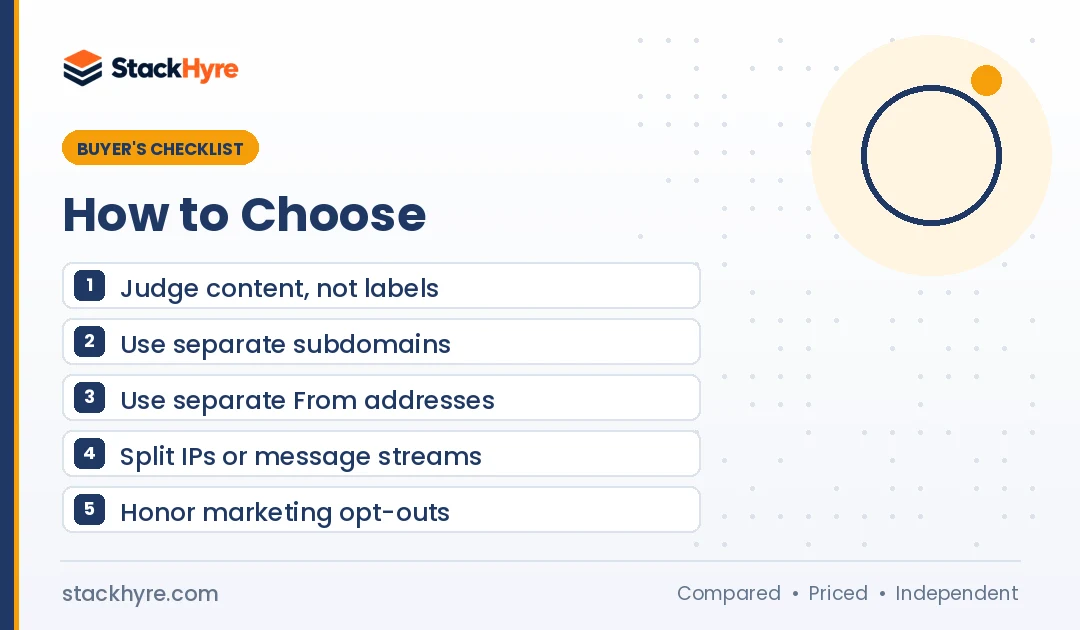
Separate them at every layer you can. Use different From addresses, a separate subdomain for each stream, and separate IPs or message streams at your provider. That way, a spam complaint spike from a campaign can’t drag down the reputation your password resets and receipts depend on. Gmail’s own sender guidelines recommend splitting message types this way.
Google’s email sender guidelines are specific here. If you send from multiple IPs, Google says to “use a different IP address for each message type.” It gives the example of one IP for account notifications and another for promotions.
The same guidelines say messages of the same category should share a From address. Google’s examples are sales@ for receipts, deals@ for promotions and alert@ for account notices.
Here’s the setup I’d recommend for most SaaS teams.
- Use separate subdomains. For example, send app mail from mail.yourapp.com and marketing from news.yourapp.com. Each gets its own reputation signals.
- Use separate From addresses. Keep them consistent so users and filters learn what each one sends.
- Use separate streams or IPs. Many providers have this built in. Postmark’s message streams page says “transactional and broadcast traffic do not mix in Postmark, including IP ranges.”
- Authenticate both streams. Set up SPF, DKIM and DMARC for every sending subdomain. My email deliverability guide walks through the records.
- Respect marketing opt-outs everywhere. When someone unsubscribes from marketing, keep sending their receipts. Just stop the promos.
Some teams go further and use two different providers: one for transactional, one for marketing. That’s a valid choice. It adds a bill and a second integration, but it gives you the cleanest split.
What Do Gmail, Yahoo and Microsoft Require for Each Type?
All three now require authentication from high-volume senders. Gmail and Yahoo started enforcing bulk sender rules in February 2024, and Microsoft followed for Outlook.com in May 2025. Bulk marketing mail must also carry one-click unsubscribe. Google’s sender FAQ says transactional messages are excluded from the one-click rule, but they still need SPF, DKIM and DMARC.
Gmail. Google’s announcement on the Gmail blog said bulk senders would need to meet the new rules “by February 2024.” The sender guidelines apply to anyone sending 5,000 or more messages a day to personal Gmail accounts. They require SPF, DKIM and DMARC, and they say to keep spam rates below 0.10% and never reach 0.30%.
On unsubscribe, Google’s sender FAQ is clear: “One-click unsubscribe is required only for marketing and promotional messages. Transactional messages are excluded from this requirement.” The FAQ also says messages from the same primary domain count toward the 5,000 limit. So your app mail and marketing mail add up together.
Yahoo. Yahoo’s sender best practices require a working one-click List-Unsubscribe header for “marketing and subscribed messages.” They also want a visible unsubscribe link in the body and unsubscribes processed within two days. The one-click method is defined in RFC 8058.
Microsoft. Microsoft’s Outlook sender requirements apply to senders of more than 5,000 emails a day to outlook.com, hotmail.com and live.com. They require SPF, DKIM and a DMARC policy of at least p=none. Since May 5, 2025, failing mail is rejected outright.
The practical point: authentication covers both streams. The unsubscribe rules mostly hit marketing. And because volume counts at the domain level, a big campaign can pull your whole domain into bulk sender territory.
Can You Send Both Types From One Provider?
Yes, as long as the provider lets you keep the streams apart. Many services support both transactional and marketing mail through separate streams, subdomains or IP pools. The question is whether you’ll actually set up that separation. If your team won’t, using two providers forces the split for you.
Some providers lean transactional. Postmark, Resend and Amazon SES are built mainly for app email. Others, like Brevo, bundle marketing campaigns, a CRM and transactional APIs in one account.
For a full ranking, see my list of the best transactional email services for SaaS. If your engineers will own the integration, my guide to the best email APIs for developers compares SDKs and docs. And my transactional email pricing guide shows what each stream will cost you at different volumes.
One more tip. Bounces hurt both streams. Checking signup addresses with one of the best email verification APIs helps keep your bounce rate low from day one.
How I Evaluated the Rules in This Guide
This is a research guide, not legal advice. I built it from primary sources and checked each rule against the original document.
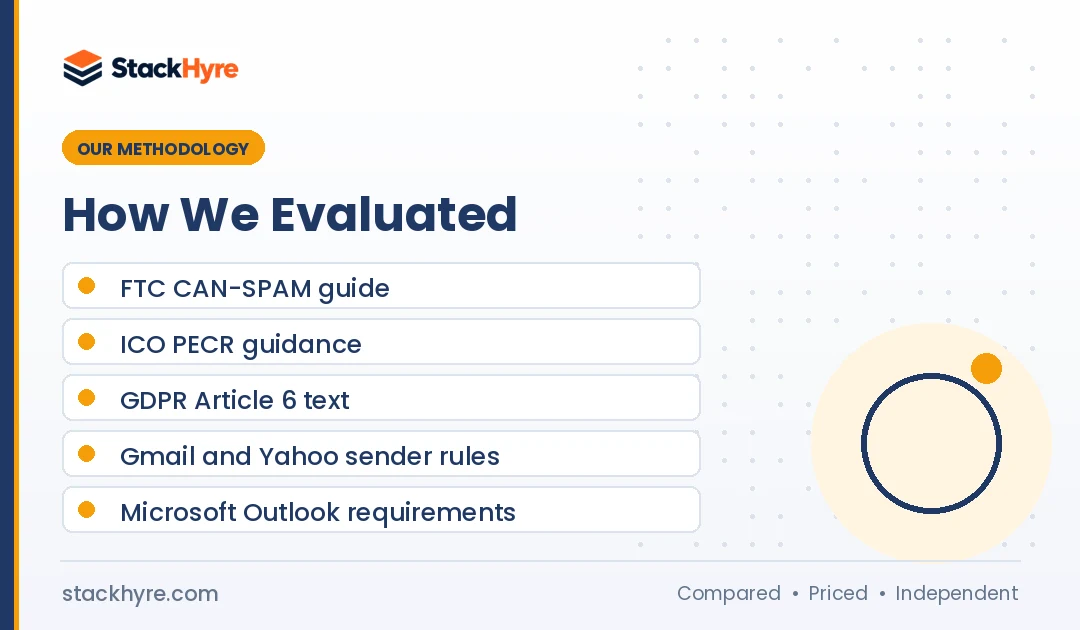
- US law. I used the FTC’s own CAN-SPAM compliance guide for definitions, the primary purpose test and penalty amounts.
- UK and EU law. I read the ICO’s guidance on electronic mail marketing and the text of GDPR Article 6.
- Enforcement. I used a law firm summary of the ICO’s American Express decision for the real-world example.
- Mailbox rules. I read Gmail’s sender guidelines and FAQ, Yahoo’s best practices and Microsoft’s Outlook announcement directly.
- Provider features. I checked vendor docs, like Postmark’s message streams page, for how stream separation works.
Rules change, so check the linked sources before you act. You can read more about how I research in my editorial policy.
More Guides on Transactional Email
This page is the hub for my transactional email guides. Each one goes deeper on a single topic.
- My SaaS email deliverability guide covers SPF, DKIM, DMARC, BIMI, warmup, bounces and suppression lists in plain steps.
- My checklist on how to choose a transactional email service walks through APIs, logs, dedicated IPs, compliance and support.
The Bottom Line
Transactional email serves an action the user took. Marketing email promotes something. That one difference decides which laws apply, which mailbox rules you must meet and how you should set up your sending.
Don’t trust labels. Regulators look at content, as the Amex fine showed. Keep account emails free of upsells, especially for people who opted out of marketing.
Then separate the streams. Use different subdomains, From addresses and IPs or message streams. Authenticate everything. My next step for you: work through the email deliverability guide, then compare providers in my list of the best transactional email services for SaaS.

Frequently Asked Questions
What is the main difference between transactional and marketing email?
Transactional email is triggered by a user’s action or account event, like a password reset, receipt or 2FA code, and it completes something they asked for. Marketing email promotes a product, offer or content to a list. Transactional mail is usually exempt from consent and unsubscribe rules, while marketing mail must follow them.
Do transactional emails need an unsubscribe link?
Generally no. The FTC says transactional messages are exempt from most CAN-SPAM provisions, apart from the ban on false or misleading routing information. Google’s sender FAQ says one-click unsubscribe applies only to marketing and promotional messages. But if a message’s primary purpose becomes promotional, it’s treated as marketing and needs an opt-out.
Is a welcome email transactional or marketing?
It depends on the content. A welcome email that confirms the account, verifies the address or explains how to log in is transactional. If it mainly pushes a paid upgrade, a discount or other products, it leans toward marketing. Under the FTC’s primary purpose test, the subject line and the order of content both matter.
Can I add promotions to a transactional email?
You can, but be careful. Under CAN-SPAM, if the subject line suggests a commercial message or the transactional content sits mostly below the promotion, the email counts as commercial. In the UK, the ICO fined American Express £90,000 after finding millions of its “service” emails were really marketing. Keep promos small, or leave them out.
Should transactional and marketing email use different domains?
I’d use separate subdomains, From addresses and IPs or message streams. Google’s sender guidelines say to use a different IP for each message type if you use multiple IPs, and to keep a consistent From address per category. This keeps a campaign’s spam complaints from hurting the reputation of your password resets and receipts.
Related Articles

Daniel Brooks writes about proxies, web scraping and email infrastructure at StackHyre. He compares providers on published pricing, documentation and independent benchmarks so you can pick the right setup without overpaying.