

TL;DR: To choose a transactional email service, check eight things in order: deliverability setup, API and SDK quality, webhooks, log retention, dedicated IP terms, price at your real volume, compliance and data region, and support. Entry plans run from about $15 to $20 a month, while Amazon SES charges $0.10 per 1,000 emails. This guide gives you a scored checklist and the red flags to avoid.
Plans that look alike on a homepage can differ a lot in the fine print. On Mailgun’s pricing page, the Basic plan keeps logs for 1 day, while the Scale plan keeps them for 30 days.
That gap sounds small until a customer says “I never got my reset email” from last Tuesday. With 1 day of logs, you can’t check.
Most buying guides list features. I’d rather show you which features change your day-to-day life as a SaaS team, and which ones are noise.
So here’s my buyer’s checklist for picking a transactional email service. If you want my ranked picks, see the best transactional email services for SaaS. If you’re unsure which of your emails count as transactional, read transactional vs marketing email first.
Every vendor detail below comes from the vendor’s own pricing page or docs, checked in October 2026.
Quick Comparison: Key Buying Criteria Across Major Providers
| Provider | Entry Paid Plan | Log or Activity Retention | Dedicated IP Terms | Data Region Options |
|---|---|---|---|---|
| Postmark | $15/mo for 10,000 | 45 days, up to 365 on Pro+ | From $50/mo, 300k+ emails, Pro+ | Check with vendor |
| Amazon SES | $0.10 per 1,000 | You build it with event publishing | $24.95/mo per IP | Many AWS regions |
| SendGrid (Twilio) | From $19.95/mo | 3 days, 7 days on Pro | 1 included on Pro | EU data residency listed |
| Mailgun (Sinch) | From $15/mo for 10,000 | 1 to 30 days by plan | Included at 100k+, extra $59/IP | US and EU regions |
| Resend | $20/mo for 50,000 | 30 days | $30/mo add-on on Scale | US, EU, Brazil, Japan |
| Bird (ex-SparkPost) | $15/mo deposit | 30 days message retention | Add-ons on Growth and Scale | Check with vendor |
What Should You Look For in a Transactional Email Service?
Look for strong deliverability tools, a clean API with SDKs in your language, reliable webhooks, enough log retention to debug user complaints, and pricing that stays fair at your expected volume. Then check compliance needs like SOC 2 and EU data residency, and how fast support responds. Deliverability and logs matter most for SaaS. Fancy template builders matter least.
Here’s how I rank the criteria for a typical SaaS app:
- Deliverability and authentication setup
- Logs and search, so support can answer “did it send?”
- Webhooks for bounces, complaints and delivery events
- API design and SDKs
- Price at your real volume, 12 months out
- Compliance and data region
- Dedicated IP options, if you’ll ever need them
- Support quality and vendor stability
Your order may differ. A fintech app might put compliance first. A small side project might put price first. But I’d never put templates or a pretty dashboard above logs.
How Do You Judge Deliverability Before You Buy?
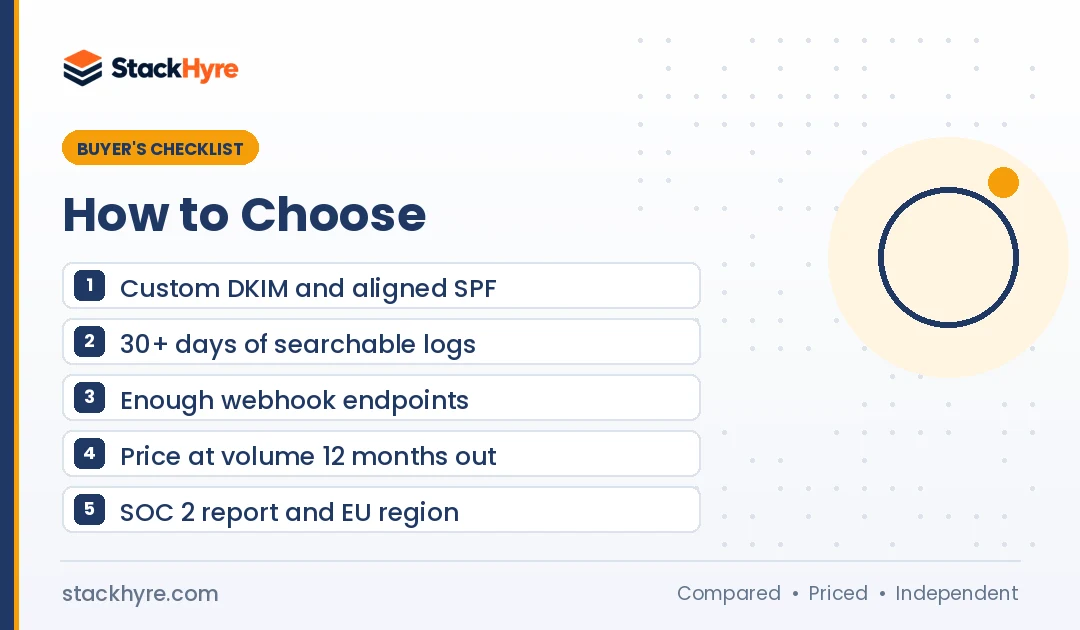
You can’t test inbox placement well during a short trial, so judge the setup instead. Check that the provider supports custom DKIM, a custom return-path for SPF alignment, and DMARC-friendly defaults. Look for automatic suppression of bounces and complaints, and separate streams for transactional and marketing mail. Then read its acceptable use policy to see who else shares your IP pool.
Every serious provider claims great deliverability. You can’t verify that from a pricing page. What you can verify is whether the tools to protect your reputation exist.
Here’s what I check:
- Domain authentication. Custom DKIM on your domain and a custom return-path so SPF aligns. Without these, you’ll struggle with the Gmail, Yahoo and Outlook sender rules.
- Stream separation. Can you split transactional and broadcast mail into separate streams, IP pools or subaccounts?
- Automatic suppression. Hard bounces and spam complaints should be blocked from future sends by default.
- Strict onboarding. A provider that reviews new accounts keeps spammers off shared IPs. That protects you.
That last point surprises people. A slower signup review is often a good sign. It means your neighbors on the shared pool were vetted too.
Which API, SDK and Webhook Features Matter Most?
The features that matter most are an HTTP API with official SDKs for your stack, an SMTP option for legacy tools, server-side templates, idempotent sending, and webhooks for delivery, bounce, complaint and open events. Check how many webhook endpoints each plan allows. Some entry plans cap you at one or two, which gets tight fast once you have staging and production.
API and SDKs
Use the HTTP API for your app when you can. It gives clearer errors than SMTP and handles batches better. Keep SMTP for tools that can’t call an API, like some CMS plugins.
Check for official SDKs in your main language. Read one quickstart end to end. If the docs feel confusing in the first ten minutes, they won’t get better at 2 a.m.
My roundup of the best email APIs for developers goes deeper on SDKs, docs and local testing.
Webhooks
Webhooks are how your app learns that an email bounced or got marked as spam. You’ll want them from day one.
Plans cap endpoints differently. SendGrid’s pricing page lists 1 event webhook on the free trial, 2 on Essentials and 5 on Pro. Bird’s email pricing page lists 3 endpoints on its Free and Startup plans, 10 on Growth and 25 on Scale.
Ask too whether webhooks are signed. Signed payloads let you confirm an event really came from your provider.
Rate limits
Check API rate limits on the plan you’ll buy. Bird, for instance, lists a Send API limit of 30 requests per minute on Startup and 300 on Scale. If you send a burst of alerts at once, low limits mean queues and delays.
How Much Log Retention Do You Need?
Aim for at least 30 days of searchable message logs. That covers most support tickets, which arrive days or weeks after the email. Entry plans often keep logs for only 1 to 7 days. If your provider keeps less, stream events to your own database through webhooks, so you own the history regardless of plan.
Retention varies more than any other spec I compared:
- Mailgun: 1 day on Free and Basic, 5 days on Foundation, 30 days on Scale, per its pricing page.
- SendGrid: 3 days of searchable activity on the free trial and Essentials, 7 days on Pro. Extra history is sold as an add-on.
- Postmark: 45 days on Basic. Postmark’s pricing page says Pro and Platform can extend this up to 365 days.
- Resend: 30 days on Free, Pro and Scale, per Resend’s pricing page.
- Amazon SES: no message log screen by default. You publish events to other AWS services through SES event publishing and store them yourself.
My rule: never rely on vendor logs alone. Store key events yourself. Then switching providers later doesn’t wipe your history.
Do You Need a Dedicated IP?
Most SaaS apps don’t need a dedicated IP until they send a few hundred thousand emails a month with steady volume. Below that, a well-run shared pool usually performs better, because a dedicated IP with thin traffic has no reputation. Check the terms anyway, so you know the price and the volume floor when you grow into one.
Dedicated IP pricing and rules vary a lot:
- Amazon SES: $24.95 per IP per month for standard dedicated IPs, per Amazon SES pricing. A managed option costs $15 per month per account plus a per-email fee.
- Postmark: from $50 per IP per month, for senders at 300,000+ emails a month on Pro or higher.
- Resend: $30 per month as an add-on, on the Scale plan.
- Mailgun: one IP included at 100,000+ volume. Extra IPs cost $59 per IP per month.
- SendGrid: one dedicated IP included on Pro and Premier.
Look for automatic warmup. Building reputation on a new IP by hand is slow and easy to get wrong.
How Should You Choose the Right Transactional Email Service on Price?
Price your real volume 12 months out, not today’s. List prices diverge as volume grows. At 10,000 emails, most plans cost $15 to $20 a month. At 1 million, the gap between providers runs into hundreds of dollars a month. Add the costs that hide outside the base price: overages, dedicated IPs, extra log retention and extra domains.
Here’s a quick snapshot from vendor pages, as of October 2026:
- Amazon SES charges $0.10 per 1,000 emails on its pay-as-you-go pricing.
- Postmark starts at $15 a month for 10,000 emails on Basic.
- Resend’s Pro plan is $20 a month for 50,000 emails.
- Mailgun’s Foundation plan is $35 a month for 50,000 emails.
- SendGrid’s Essentials plan starts at $19.95 a month.
Cheap per email isn’t always cheap in total. SES is the lowest list price, but you build logs, dashboards and bounce handling yourself. That’s engineering time.
I break down the full math at 10k, 50k, 100k and 1M emails in my transactional email pricing guide.
Red flags on pricing
- Overage rates far above the plan’s per-email rate.
- Logs, webhooks or teammates locked behind a much higher tier.
- Free plans with daily caps that break during a launch spike.
- Annual contracts with no exit if deliverability drops.
What Compliance and Data Residency Checks Matter?
Ask for a current SOC 2 Type II report, a data processing agreement for GDPR, and a list of subprocessors. If you serve EU customers, check whether the provider can store and process message data in an EU region. Confirm how long message content is kept and whether you can shorten it. These checks often decide enterprise deals.
Data region support varies:
- Mailgun runs a separate EU region. Its API overview says message data never leaves the region where it’s processed.
- Resend lets you send from four regions: North Virginia, Ireland, São Paulo and Tokyo, per its regions documentation.
- SendGrid lists SOC 2 Type II, GDPR compliance and EU data residency in the feature table on its pricing page.
- Amazon SES runs in many AWS regions, so you pick where your sending lives.
For any vendor, ask for the SOC 2 report under NDA. A vendor that won’t share it is a red flag for B2B SaaS.
How Much Do Support and Vendor Stability Matter?
Support matters most during an incident, like a sudden block at Gmail or Outlook.com. Check which plans include live chat or phone help and what response times are promised. Vendor stability matters because migrations are painful. Know who owns the provider, since ownership changes can shift pricing, plans and focus over time.
Several big names have changed hands:
- Twilio completed its SendGrid acquisition in February 2019.
- Sinch completed its purchase of Pathwire, Mailgun’s parent, in December 2021.
- ActiveCampaign acquired Postmark in 2022.
- MessageBird bought SparkPost in 2021. SparkPost’s site now says it is Bird Email.
None of that is bad on its own. But it explains why plans change. SendGrid, for example, now offers a 60-day free trial rather than an open-ended free plan. If a past change pushed you away, my SendGrid alternatives list covers the main options.
Plan your exit on day one
Keep your templates in your own repo. Wrap the provider’s SDK in a small sending module. Store events yourself. Then switching takes days, not months.
What Should Your Final Checklist Look Like?
Your final checklist should turn every criterion above into a yes or no question. Run it against two or three shortlisted providers on the same day, using their own pricing pages and docs. Any provider that fails the first three items should drop off your list, no matter how good its price looks.
- Does it support custom DKIM and an aligned return-path on my domain?
- Does it suppress hard bounces and spam complaints automatically?
- Can I keep transactional and marketing mail in separate streams?
- Are there official SDKs for my main language?
- Does my plan include enough webhook endpoints for staging and production?
- Does it keep at least 30 days of searchable logs, or can I store events myself?
- What will it cost at my volume 12 months from now, with add-ons?
- Does it offer an EU region or other data residency I need?
- Will it share a SOC 2 report and sign a data processing agreement?
- What support channel and response time come with my plan?
Score each provider out of ten. From what I read on these pages, the winner is rarely the one with the lowest headline price.
How I Evaluated These Criteria
I built this checklist from published sources, not from sending tests. Here’s what I went through:
- Pricing pages for Postmark, Amazon SES, SendGrid, Mailgun, Resend, MailerSend, SMTP2GO, Brevo and Bird, checked in October 2026.
- Vendor docs on regions, event publishing and API limits.
- Sender requirements from Gmail, Yahoo and Microsoft.
- Press releases and reporting on ownership changes.
I weighted criteria by how often they cause real trouble for SaaS teams: missing logs, weak webhooks and surprise costs at scale. You can read how I handle sources and updates in my editorial policy.
The Bottom Line
Don’t pick a transactional email service from the homepage price. Pick it from the fine print.
Shortlist two or three providers that support custom DKIM, aligned return-paths and automatic suppression. Then compare log retention, webhook limits and the price at your volume a year from now. Ask for SOC 2 and EU region details if you sell to larger companies.
My quick take: if you want the least setup and long logs, look hard at Postmark. If you want the lowest per-email cost and have AWS skills, look at Amazon SES. For a modern developer feel, look at Resend.
See my full ranked list of the best transactional email services, or compare two leaders head to head in Postmark vs SendGrid.
Frequently Asked Questions
What is the most important factor when choosing a transactional email service?
Deliverability tools come first. Make sure the provider supports custom DKIM, an aligned return-path for SPF, and automatic suppression of bounces and complaints. Without those, you’ll struggle with Gmail, Yahoo and Outlook.com sender rules. Log retention comes a close second, because it lets your support team prove whether an email was sent and delivered.
Should I use SMTP or an API for transactional email?
Use the HTTP API for your app when you can. It returns clearer errors, supports batch sends and works well with official SDKs. Keep SMTP for tools that can’t call an API, like some CMS plugins or legacy systems. Most providers support both on the same account, so you don’t have to pick just one.
How much log retention do I need for transactional email?
Aim for at least 30 days of searchable logs. Support tickets about missing emails often arrive a week or more later. Entry plans may keep logs for only 1 to 7 days. If yours does, store webhook events in your own database. That way you own the history and keep it if you switch providers.
Can I use the same provider for transactional and marketing email?
You can, but separate the streams. Use different subdomains and, if the provider allows it, separate message streams or IP pools. Marketing mail draws more complaints, and you don’t want that hurting password resets. Some teams use one vendor for both. Others pick a dedicated transactional provider and a separate marketing tool.
Is the cheapest transactional email service the best choice?
Not always. Amazon SES has the lowest list price at $0.10 per 1,000 emails, but you build your own logs, dashboards and bounce handling. That costs engineering time. A slightly pricier service can be cheaper in total if it saves your team hours each month. Compare the total cost at your expected volume, not just the base rate.
Related Articles

Daniel Brooks writes about proxies, web scraping and email infrastructure at StackHyre. He compares providers on published pricing, documentation and independent benchmarks so you can pick the right setup without overpaying.