
TL;DR: The best Amazon SES alternatives in 2026 are Postmark for inbox speed with less setup, Mailgun and SendGrid for full-featured APIs, and Resend for the cleanest developer experience. Bird comes closest to SES on per-email cost. Paid plans start around $10 to $20 a month, as of October 2026. I compare 8 options on price, tooling, dedicated IPs and fit.
Amazon SES is the price floor for transactional email. Its pricing page lists $0.10 per 1,000 emails as of October 2026. At 100,000 emails a month, that’s $10 in sending fees.
So why look elsewhere? Because the cheap part is only the sending. Everything around it is yours to build.
New accounts start in a sandbox. The SES docs cap sandbox accounts at 200 messages per 24 hours and 1 message per second, and you can only send to verified addresses. You then request production access and wait for a review.
After that, you still need bounce handling, templates, a log viewer and alerts. Many small teams would rather pay $15 a month and skip that work.
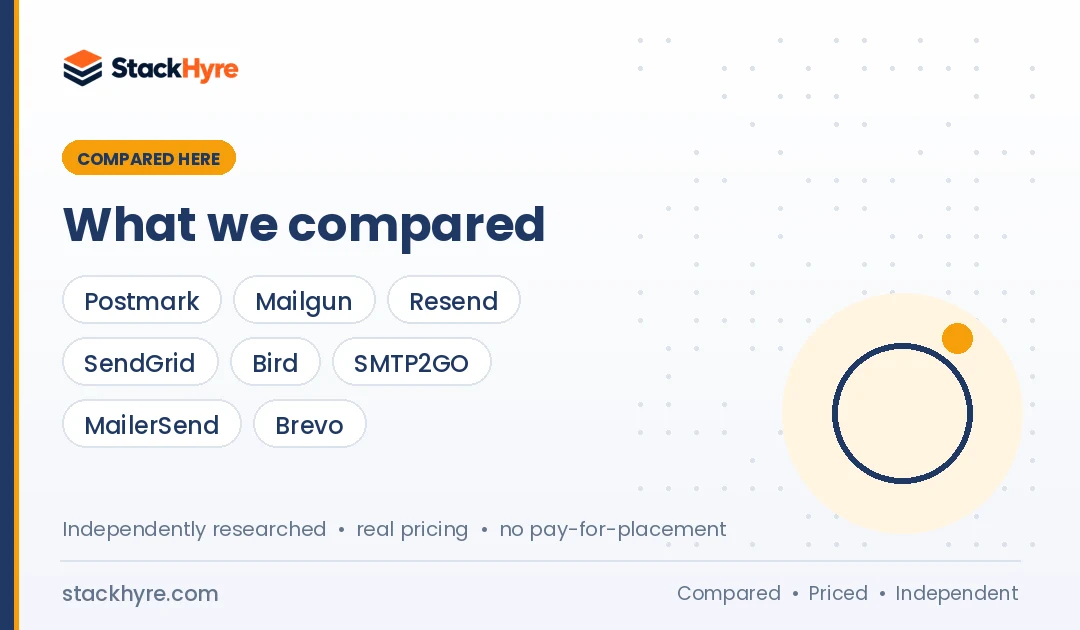
I compared 8 providers that trade some of SES’s low price for less effort. For the wider market, see my guide to the best transactional email services for SaaS. To check the real cost gap, use my transactional email pricing guide.
Quick Comparison: 8 Best Amazon SES Alternatives
| Provider | Best For | Starting Price | Key Feature |
|---|---|---|---|
| Postmark | Inbox speed with little setup | $15/mo for 10,000 emails | 45-day message history |
| Mailgun | Full-featured email API | $15/mo for 10,000 emails | Inbound routing and logs |
| Resend | Clean developer experience | Free for 3,000 emails/mo | React Email support |
| SendGrid | Email API plus marketing tools | $19.95/mo Essentials | Twilio platform behind it |
| Bird (SparkPost) | Closest to SES on unit cost | $0.35 to $0.45 per 1,000 | Deposit balance carries forward |
| SMTP2GO | Simple SMTP with dashboards | $10/mo for 10,000 emails | Dedicated IP on Professional |
| MailerSend | Visual templates for small teams | Free for 500 emails/mo | Drag and drop editor |
| Brevo | Transactional plus marketing | Free for 300 emails/day | Built-in CRM and campaigns |
What Makes a Good Amazon SES Alternative?
A good SES alternative gives you the parts SES leaves out: a dashboard, searchable logs, templates, bounce and complaint handling, and human support. It should still be affordable at your volume and support SPF, DKIM and DMARC. If you run on AWS, an SMTP option or simple API keeps the switch easy.
Think of it this way. SES is an engine. These vendors sell you a car.
That’s worth paying for when your team is small. It’s often not worth it at tens of millions of emails a month.
Here’s what I’d look for:
- Logs you can search without wiring up SNS, Lambda and a database.
- Automatic bounce and complaint handling so you don’t hurt your reputation.
- Templates that non-engineers can edit.
- Support that answers deliverability questions.
- A fair price at your monthly volume.
Why Do Teams Move Off Amazon SES?
Teams usually leave SES because of setup effort, the sandbox approval step, thin built-in reporting and the lack of hands-on support. SES gives you very cheap sending but expects you to build event handling, logs and templates on AWS. For a small SaaS team, that engineering time often costs more than a managed provider’s monthly fee.
Let’s look at each one.
Sandbox and approval. Every new SES account starts with the sandbox limits I mentioned above. You need production access before you can email real users. That slows down launches.
Event handling is DIY. Bounces, complaints and deliveries come through as events. You route them to SNS or other AWS services and store them yourself. Managed vendors show this in a dashboard by default.
Extras cost extra. SES’s pricing page lists Virtual Deliverability Manager at $0.07 per 1,000 emails for the first 10 million. A standard dedicated IP is $24.95 a month. Add those up and the gap with managed vendors narrows.
Support depends on your AWS plan. SES doesn’t come with an email specialist on call. Managed email vendors often include deliverability help in their price.
To be fair, SES is excellent for teams that already live on AWS. If you’ve built the tooling, staying is usually smart. I compare SES with SendGrid in Amazon SES vs SendGrid.
Best Managed Alternatives to Amazon SES
These four give you the most out of the box. Expect to pay more per email than SES, and to spend far less engineering time.
#1 Postmark: Best for inbox speed with little setup
Postmark is where I’d send a small SaaS team that wants transactional email to just work.
What it does well. Postmark splits transactional and bulk mail into separate message streams. You also get searchable message history in the dashboard, which SES doesn’t give you without extra work.
Key features:
- 45 days of message history on paid plans by default.
- Bounce and spam complaint tracking built in.
- Templates, webhooks and inbound processing.
- Dedicated IPs for senders above 300,000 emails a month.
Pricing. Per Postmark’s pricing page, the free developer tier covers 100 emails a month. Basic is $15 a month for 10,000 emails, plus $1.80 per extra 1,000. Pro is $16.50 and Platform is $18 at 10,000 emails, with lower overage. Dedicated IPs start at $50 a month on Pro and above, as of October 2026.
Best for: Teams that value inbox speed and clear logs over the lowest price.
Limitations. At high volume it costs much more than SES. Postmark also has a strict content focus on transactional mail. ActiveCampaign acquired Postmark in 2022.
#2 Mailgun: Best for a full-featured email API
Mailgun gives you an SES-style API with the dashboards and logs already built.
What it does well. It handles sending, inbound routing and event logs in one place. It also keeps a free plan, which helps for staging and side projects.
Key features:
- Free plan with 100 emails a day.
- Inbound routing and message parsing.
- Logs retained from 1 to 30 days by plan.
- Dedicated IP access at Foundation and Scale volumes.
Pricing. Mailgun’s pricing page lists Basic at $15 a month for 10,000 emails, Foundation at $35 for 50,000 and Scale at $90 for 100,000, as of October 2026. Overage starts from $1.80 per 1,000 on Basic and drops on higher plans.
Best for: Engineering teams that want SES-like control without building the tooling.
Limitations. Basic keeps logs for only 1 day. Mailgun belongs to Sinch, which completed its Pathwire acquisition in 2021.
#3 Resend: Best for a clean developer experience
Resend is the newer API that makes SES feel dated.
What it does well. The docs and SDKs are short and clear. Its team also maintains React Email, so you can build templates as React components. For Node and Next.js apps, setup is quick.
Key features:
- Free plan with 3,000 emails a month and 100 a day.
- Simple SDKs and clear docs.
- 30 days of data retention.
- Dedicated IP add-on on Scale.
Pricing. Resend’s pricing page lists Pro at $20 a month for 50,000 emails and Scale at $90 for 100,000. Extra emails cost $0.90 per 1,000. A dedicated IP is $30 a month on Scale for senders above 3,000 emails a day, as of October 2026.
Best for: JavaScript teams who want email working in an afternoon. My best email API for developers guide goes deeper on DX.
Limitations. At 1 million emails a month, overage adds up fast compared with SES. It’s also a younger company than most on this list.
#4 SendGrid: Best for an email API plus marketing tools
SendGrid is a big, mature platform with both an API and marketing campaigns.
What it does well. It covers transactional sending, templates, analytics and marketing in one account. Twilio completed its SendGrid acquisition in February 2019, so it also connects with Twilio’s SMS and voice products.
Key features:
- Email API, SMTP and marketing campaigns.
- Dynamic templates and event webhooks.
- One dedicated IP included from the Pro plan.
- Large ecosystem of libraries and integrations.
Pricing. SendGrid’s Email API pricing starts with a 60-day trial at 100 emails a day. Essentials starts at $19.95 a month and Pro at $89.95, as of October 2026. Twilio retired the permanent free plan in 2025.
Best for: Teams that want one vendor for app email and campaigns.
Limitations. No permanent free plan. A dedicated IP means moving up to Pro.
Best Low-Cost and Simple SES Alternatives
If price is why you chose SES, start here. These options stay closer to SES on cost or keep things very simple.
#5 Bird (SparkPost): Best for staying close to SES on unit cost
Bird is the closest managed option to SES on per-email price.
What it does well. Bird sells SparkPost’s email service through deposits spent at a per-1,000 rate. MessageBird bought SparkPost in 2021, and the email product now sits under the Bird brand.
Key features:
- Free plan with 1,000 emails a month and 50 a day.
- Per-1,000 rates paid from a deposit.
- Balance carries forward and covers other Bird products.
- Dedicated IP add-ons and IP pools on Growth and Scale.
Pricing. Bird’s email pricing page lists Startup at a $15 deposit and $0.40 per 1,000. Growth is $250 at $0.45 per 1,000 and Scale is $1,000 at $0.35 per 1,000, as of October 2026.
Best for: High-volume senders who want managed tools at near-SES rates.
Limitations. Still several times the SES unit price. Dedicated IP add-on pricing isn’t listed on that page.
#6 SMTP2GO: Best for simple SMTP with dashboards
SMTP2GO is what I’d suggest if you used SES mainly as an SMTP relay.
What it does well. It gives you SMTP, an API and readable reports without any AWS setup. It works well with WordPress plugins and server apps.
Key features:
- Free plan with 1,000 emails a month.
- SMTP relay and REST API.
- 30 days of reports on paid plans.
- Dedicated IP included on Professional.
Pricing. SMTP2GO’s pricing page lists Starter at $10 a month for 10,000 emails and Professional at $75 for 100,000, as of October 2026. Extra emails cost $1 and $0.85 per 1,000.
Best for: Small apps and sites that just need a dependable relay. See my best SMTP relay services list for more.
Limitations. Fewer developer features than Resend or Mailgun.
#7 MailerSend: Best for visual templates on a small budget
MailerSend fills SES’s biggest gap for small teams: templates people can edit.
What it does well. It pairs an API with a visual template builder. Product and support staff can change copy without a deploy.
Key features:
- Free plan with 500 emails a month.
- Drag and drop and HTML editors.
- API, SMTP and webhooks.
- Dedicated IPs for Enterprise high senders.
Pricing. MailerSend’s pricing page lists a free plan of 500 emails a month and a Hobby plan for 5,000 at under $10 a month. Starter and Professional include 50,000 emails. It showed discounted prices when I checked, so confirm on the page. Dedicated IPs are for Enterprise accounts sending over 100,000 emails a week.
Best for: Small SaaS teams where non-developers own email copy.
Limitations. Small free tier. Per-email cost is far above SES.
#8 Brevo: Best for transactional plus marketing
Brevo makes sense if you’d otherwise pair SES with a separate newsletter tool.
What it does well. It bundles transactional email, campaigns, automation and a CRM. One vendor can replace SES plus a marketing app.
Key features:
- Free plan with 300 emails a day.
- Transactional API and SMTP.
- Marketing automation and CRM.
- Dedicated IP on Enterprise.
Pricing. Brevo’s pricing page lists the free plan at 300 emails a day and Starter at $9 a month for 5,000 emails, as of October 2026. Enterprise, with the dedicated IP, is sold through sales.
Best for: Small teams that want one tool for app mail and marketing.
Limitations. It’s marketing first, so the API side is less focused. Keep transactional and marketing on separate subdomains, as I cover in transactional vs marketing email.
How Should You Choose an Amazon SES Alternative?
Compare the extra monthly cost against the engineering time SES costs you. If you send under 100,000 emails a month, a managed vendor like Postmark, Mailgun or Resend usually pays for itself. If you send millions, look at Bird or stay on SES and add tooling. Then match on templates, logs and support needs.
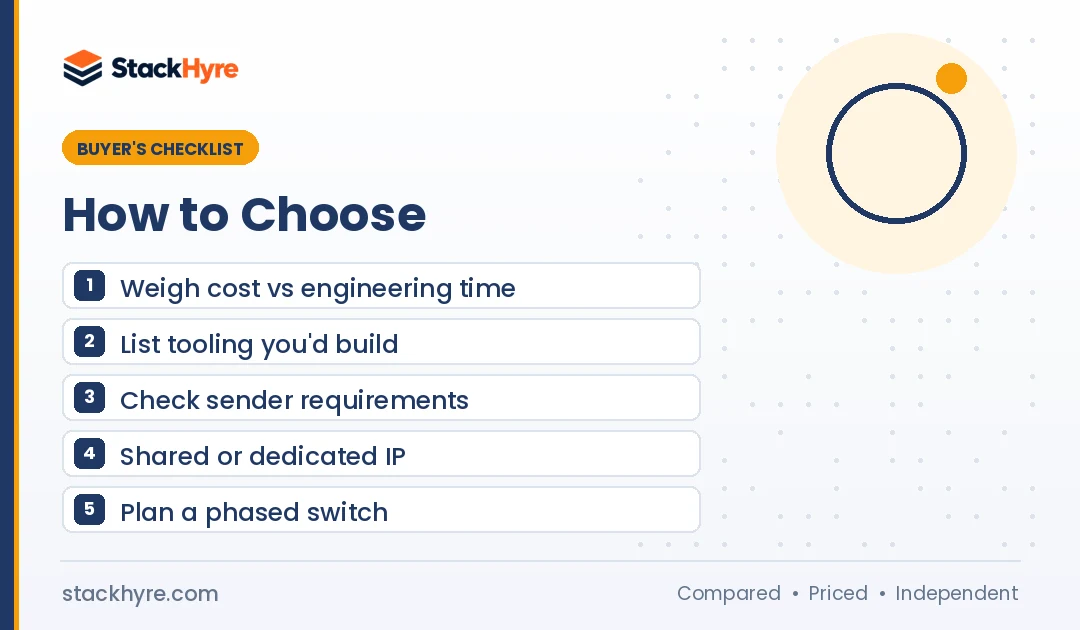
Here’s a simple way to decide.
1. Do the cost math. At 100,000 emails a month, SES is $10 in sending fees. Mailgun Scale and Resend Scale both list $90. SMTP2GO Professional lists $75. The gap is real but small next to an engineer’s day. My pricing guide runs this at four volumes.
2. List what you’d have to build on SES. Logs, bounce handling, templates and alerts. If that list is long, pay a vendor.
3. Check sender rules. Gmail’s sender guidelines require SPF, DKIM and DMARC for bulk senders, enforced from February 2024. Yahoo asks bulk senders to keep spam rates below 0.3%. Microsoft began routing non-compliant mail from domains sending over 5,000 messages a day to Junk on May 5, 2025, as Petri reported. My deliverability guide covers the setup.
4. Think about IPs. Shared pools at good vendors are fine for most apps. Dedicated IPs need steady volume.
5. Plan a phased switch. Add the new vendor’s DNS records, move one email type at a time, and watch bounces before you cut over fully.
How I Evaluated These Amazon SES Alternatives
I did not send test campaigns for this guide. I compared each vendor’s published pricing, plan limits and documentation as of October 2026. I also read the SES sandbox docs, ownership announcements and the public sender rules from Gmail, Yahoo and Microsoft.
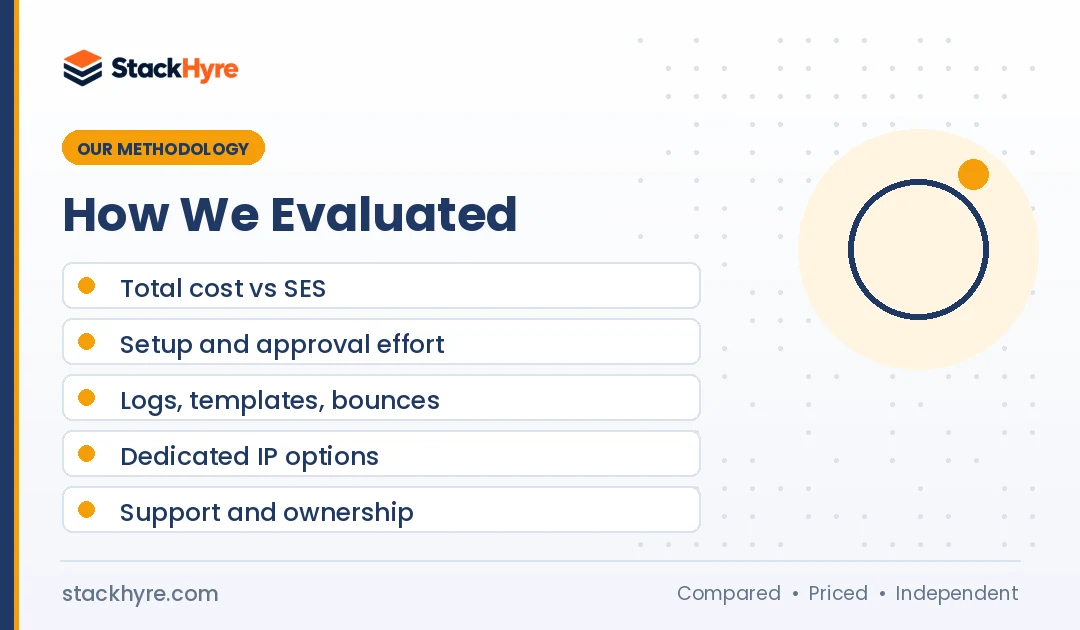
My criteria were:
- Total cost at 10,000, 100,000 and 1 million emails, compared with SES.
- Setup effort, including approvals and DNS.
- Built-in tooling: logs, templates, bounce handling and webhooks.
- Dedicated IP options and minimum volumes.
- Support and ownership.
Every price links to the vendor’s own page. Check live pricing before you buy, since it changes often. My editorial policy explains how I research and update guides.
The Bottom Line
Stay on SES if you send at high volume and already have the tooling. Nothing else matches $0.10 per 1,000 emails.
If you’re a small team, my pick is Postmark for app email that just works. Choose Mailgun if you want an SES-style API with logs built in. Choose Resend if your stack is JavaScript and you want the fastest setup. If you need low unit cost with managed tools, Bird is the closest to SES.
Next, price your top two options at your real volume. Then compare SES with a managed vendor in Amazon SES vs SendGrid, or browse more options in my SendGrid alternatives guide.
Frequently Asked Questions
How much does Amazon SES cost?
Amazon SES charges $0.10 per 1,000 outbound emails and $0.12 per GB of attachments, per its pricing page as of October 2026. A standard dedicated IP costs $24.95 a month. New AWS accounts can get up to $200 in free tier credits that also apply to SES. There’s no monthly plan or minimum.
Is there a cheaper alternative to Amazon SES?
For pure per-email cost, few managed providers beat SES. Bird comes closest at $0.35 to $0.45 per 1,000 emails depending on deposit size, as of October 2026. Providers like Postmark, Mailgun and Resend cost more per email but include logs, templates and support that SES leaves for you to build.
What is the Amazon SES sandbox?
The sandbox is the restricted mode every new SES account starts in. Per AWS docs, you can only send to verified addresses, up to 200 messages per 24 hours, at 1 message per second. To email real users, you request production access and AWS reviews your use case before lifting the limits.
Is Postmark better than Amazon SES?
It depends on your team. Postmark costs more per email but gives you a dashboard, 45 days of message history, bounce handling and separate transactional streams with no AWS setup. SES is far cheaper at volume but expects you to build tooling. Small SaaS teams often prefer Postmark; large AWS shops usually stay on SES.
Can I use another provider alongside Amazon SES?
Yes. Many teams keep SES for high-volume mail and use a managed provider for critical messages like password resets. Each provider needs its own SPF and DKIM setup on your domain or a subdomain. Splitting streams this way also limits damage if one provider has an outage or reputation issue.
Related Articles

Daniel Brooks writes about proxies, web scraping and email infrastructure at StackHyre. He compares providers on published pricing, documentation and independent benchmarks so you can pick the right setup without overpaying.