
TL;DR: The best Vercel alternatives in 2026 are Netlify for a near drop-in frontend host, Cloudflare Workers and Pages for cheap edge hosting, Render and Railway for full-stack apps with databases, and Fly.io for containers in many regions. DigitalOcean App Platform and AWS Amplify suit teams on those clouds, and Coolify is free to self-host. Paid plans start around $5 a month, as of November 2026. I cover pricing, Next.js support and migration.
Vercel is one of the most used frontend hosts. In the 2025 Stack Overflow Developer Survey, 10.6% of respondents reported using Vercel, compared with 5.9% for Netlify.
It’s popular for good reasons. Git push deploys, preview URLs and first-class Next.js support save teams a lot of time.
But I hear the same complaints again and again. Usage-based bills can jump after a traffic spike. Long-running backends, workers and websockets don’t fit a serverless model well. Seats add up on team plans. And some teams just want less lock-in.
There’s also a licensing detail many people miss. Vercel’s pricing page FAQ says the Hobby plan is for personal, non-commercial use. So a side project that starts making money needs a paid plan.
I compared 8 Vercel alternatives on pricing model, framework support, backend options and migration effort. If you’re also rethinking your container setup, see my guide to Docker alternatives.
Quick Comparison: 8 Best Vercel Alternatives
| Platform | Best For | Starting Price | Key Feature |
|---|---|---|---|
| Netlify | Closest frontend swap | Free; Personal from $9/mo | Credit-based plans, previews |
| Cloudflare Workers and Pages | Cheap edge hosting | Free; Workers Paid from $5/mo | Global edge network |
| Render | Full-stack apps with Postgres | Free; instances from $7/mo | Web services, workers, cron |
| Railway | Fast prototypes and MVPs | Free trial; Hobby $5 minimum | Usage billing, simple UI |
| Fly.io | Containers in many regions | Pay as you go from $2.19/mo | Per-second machine billing |
| DigitalOcean App Platform | Predictable flat pricing | Free static; containers $5/mo | Fixed-price containers |
| AWS Amplify | Teams already on AWS | Free tier; then pay per use | AWS backend integration |
| Coolify | Self-hosting on your own server | Free self-hosted; Cloud $5/mo | Open-source PaaS |

What Makes a Good Vercel Alternative?
A good Vercel alternative builds and deploys your framework from Git, gives you preview deployments, and serves pages fast through a CDN. It should price traffic and compute clearly, so a viral day doesn’t wreck your budget. If your app has a backend, it also needs long-running services, background jobs and a database option, not only serverless functions.
Split your choice by what you’re running:
- Static and frontend sites. Netlify and Cloudflare Pages are the closest matches.
- Full-stack apps. Render, Railway, Fly.io and DigitalOcean run persistent servers and databases.
- Cloud-native teams. AWS Amplify plugs into the rest of AWS.
- Self-hosters. Coolify gives you a Vercel-style dashboard on your own VPS.
What Does Vercel Cost in 2026?
Vercel’s official pricing page lists Hobby at $0, Pro at $20 a month with $20 of usage credit included, and custom Enterprise pricing, as of November 2026. Developer seats on Pro are $20 a month each, and viewer seats are unlimited.
The base price is fair. The surprise usually comes from usage beyond the included credit. Before you move, pull your last three invoices and see which line items grew. That tells you what to compare.
Frontend and Edge Hosting Alternatives
#1 Netlify: Best for the closest frontend swap
Netlify is the most direct Vercel competitor, and the easiest move for static and Jamstack sites.
What it does well. Netlify offers Git-based deploys, deploy previews, serverless and edge functions, forms and redirects. Most frameworks that run on Vercel, including Next.js, Astro and SvelteKit, also deploy on Netlify.
Key features:
- Deploy previews for every pull request
- Serverless and edge functions
- Built-in forms and identity features
- Monthly credit allowances by plan
Pricing. The Netlify pricing page lists Free at $0 with a 300 credit limit per month, Personal from $9 a month with 1,000 credits, and Pro from $20 a month with unlimited members and 3,000 credits, as of November 2026. Enterprise is custom.
Best for: Marketing sites, docs, blogs and frontend apps.
Limitations. It’s still a serverless model, so long-running backends need another host. Some newer Next.js features tend to land on Vercel first.
#2 Cloudflare Workers and Pages: Best for cheap edge hosting
Cloudflare is the pick when cost and global speed matter most.
What it does well. Your site and functions run on Cloudflare’s global network. Workers handles server logic at the edge, and Pages handles static sites. It also connects to Cloudflare’s KV, R2 storage and D1 database products.
Key features:
- Edge functions on a global network
- Static hosting with Git deploys
- Storage and database add-ons
- Low paid entry price
Pricing. The Workers pricing docs list 100,000 requests per day on Workers Free. Workers Paid has a $5 minimum per account per month, with 10 million requests included and $0.30 per extra million, as of November 2026. The Pages limits docs list 500 builds a month on the Free plan.
Best for: High-traffic frontends and APIs on a tight budget.
Limitations. Workers is not Node.js, so some packages and full Next.js features need adapters. Expect some porting work for complex apps.
#3 AWS Amplify: Best for teams already on AWS
Amplify makes sense when the rest of your stack already lives in AWS.
What it does well. Amplify Hosting deploys frontend and server-rendered apps from Git, and it connects to AWS services for auth, data and storage. Billing and access control sit inside your existing AWS account.
Key features:
- Git-based CI and hosting
- Support for server-side rendered frameworks
- Backends built on AWS services
- Pay-per-use pricing
Pricing. The Amplify pricing page lists a free tier of 1,000 build minutes, 15 GB of data transfer out and 5 GB of storage per month for 12 months. After that, standard builds cost $0.01 a minute, data out costs $0.15 per GB and storage costs $0.023 per GB a month, as of November 2026.
Best for: Companies standardized on AWS that want one bill and one set of permissions.
Limitations. At $0.15 per GB, bandwidth-heavy sites can get expensive. The AWS console is also harder for small teams.
Full-Stack and Container Platforms
#4 Render: Best for full-stack apps with Postgres
Render is where I’d send most teams whose app has outgrown serverless.
What it does well. Render runs web services, background workers, cron jobs, static sites, Postgres and Key Value instances. You get Git deploys and previews, but your server stays running instead of spinning up per request.
Key features:
- Persistent web services and workers
- Managed Postgres and Key Value
- Cron jobs and private networking
- Docker support
Pricing. The Render pricing page lists workspace plans at Hobby $0, Pro $25 a month and Scale $499 a month, plus compute. The cheapest paid web service is $7 a month for 512 MB of RAM, and a free instance with usage limits is available, as of November 2026.
Best for: SaaS apps, APIs and anything with a database and background jobs.
Limitations. Free instances have limits, so production apps need paid compute. Edge delivery isn’t as global as Vercel or Cloudflare by default.
#5 Railway: Best for fast prototypes and MVPs
Railway has the quickest path from repo to running app with a database.
What it does well. You connect a repo or pick a template, add a database, and Railway wires it up. The canvas view makes multi-service projects easy to see.
Key features:
- One-click databases and templates
- Usage-based billing
- Visual project canvas
- Volumes for persistent data
Pricing. The Railway pricing page lists a Free plan with a 30-day trial and $5 in credits, then $1 a month. Hobby has a $5 minimum usage and Pro a $20 minimum, as of November 2026. No credit card is needed for the Free plan.
Best for: Solo developers and small teams shipping MVPs.
Limitations. Usage billing is less predictable than flat pricing. After the trial, the Free plan drops to 1 project and 0.5 GB of RAM per service.
#6 Fly.io: Best for containers in many regions
Fly.io suits apps that need to run close to users in several regions.
What it does well. Fly turns your Docker image into Machines that run in regions you choose. That works well for low-latency APIs, websockets and apps that need persistent processes.
Key features:
- Run any Docker image
- Many regions worldwide
- Per-second billing for Machines
- Managed Postgres option
Pricing. The Fly.io pricing page is pay as you go. It lists a shared-cpu-1x Machine with 256 MB at $2.19 a month, Managed Postgres storage at $0.28 per GB, and $1 free to start, as of November 2026. Invoices under $5 are waived.
Best for: Developers comfortable with Docker who want global placement.
Limitations. You manage more yourself than on Vercel. It’s closer to running servers than to a push-and-forget frontend host.
#7 DigitalOcean App Platform: Best for predictable flat pricing
App Platform is a good choice when you want a fixed monthly bill.
What it does well. It deploys from GitHub or GitLab, includes HTTPS, a CDN and DDoS mitigation, and runs containers at fixed prices. It also connects to DigitalOcean’s managed databases.
Key features:
- Free static site hosting
- Fixed-price containers
- Unlimited team members
- Managed database add-ons
Pricing. The App Platform pricing page lists up to 3 free static site apps with 1 GiB of outbound transfer each. The cheapest paid container is $5 a month for 1 vCPU, 512 MiB of memory and 50 GiB of transfer, as of November 2026.
Best for: Small businesses and agencies that want simple, steady bills.
Limitations. The cheapest fixed plan doesn’t autoscale and runs a single instance.
Visit DigitalOcean App Platform
Self-Hosted Vercel Alternatives
#8 Coolify: Best for self-hosting on your own server
Coolify gives you a Vercel-style dashboard on a server you control.
What it does well. Coolify is an open-source platform you install on your own VPS or bare metal. It handles Git deploys, SSL, databases and Docker apps, so a cheap server can run many projects.
Key features:
- Open source and self-hosted
- Git deploys and automatic SSL
- One-click databases and services
- Works with any server you own
Pricing. The Coolify pricing page says self-hosted Coolify is free forever with all features. Coolify Cloud is $5 a month for 2 servers, plus $3 a month per extra server, as of November 2026. You still pay for your servers.
Best for: Developers running many small projects who want flat server costs.
Limitations. You own uptime, backups, patching and security. That’s real work, so be honest about whether you want it.

How Should You Choose the Right Vercel Alternative?
Start with your workload. Frontend-only sites should look at Netlify or Cloudflare. Apps with databases, workers or websockets should look at Render, Railway, Fly.io or DigitalOcean. Then compare pricing models: flat container pricing is easiest to budget, while usage pricing can be cheaper for quiet apps but riskier during spikes.
Here’s the checklist I’d use:
- Framework support. Check that your framework and its features, like image optimization and incremental rendering, work on the new host.
- Backend needs. Do you need persistent servers, queues or cron? If yes, skip pure serverless hosts.
- Pricing model. Flat, usage-based or self-hosted. Model your real traffic.
- Preview deployments. Most teams depend on them. Confirm the workflow matches.
- Observability. Know how you’ll see logs and errors. My guides to Sentry alternatives and Datadog alternatives can help.
How hard is it to migrate off Vercel?
For a static or standard framework site, migration usually takes an afternoon. Connect the repo to the new host, copy environment variables, match build commands, rebuild redirects and headers, then switch DNS. Apps that use Vercel-specific features like its edge middleware, image optimization or storage products take longer, because you need equivalents or code changes.
My tips: lower your DNS TTL a day before the move, keep Vercel running until the new host passes testing, and check that redirects and canonical URLs match so search rankings stay stable.
How I Evaluated These Vercel Alternatives
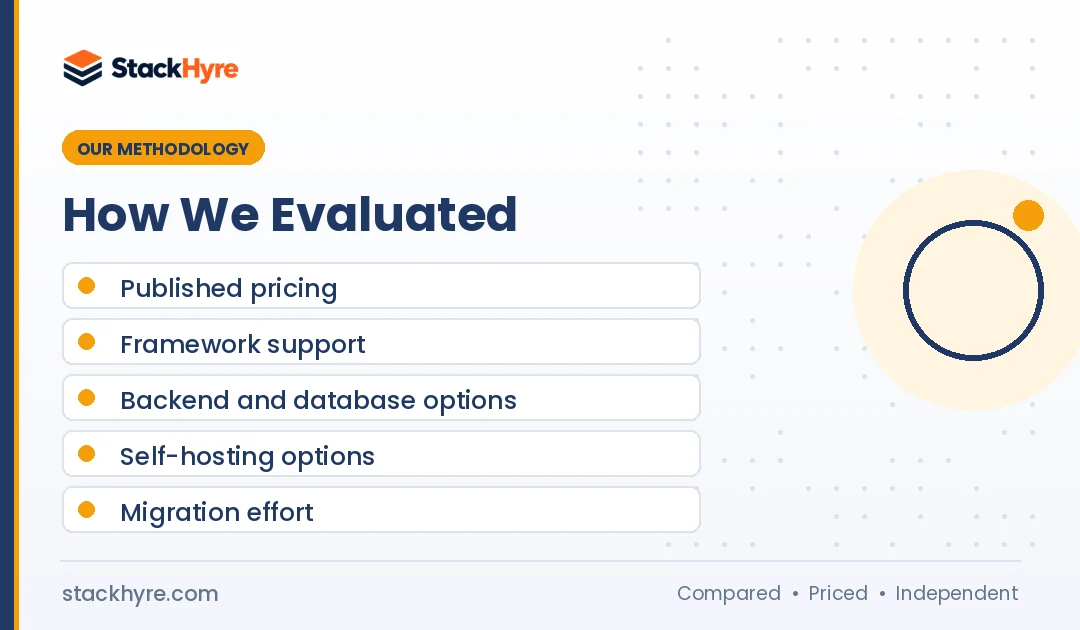
I did not run hands-on benchmarks for this guide. Here’s what I checked, as of November 2026.
- Ranking pages. I read the top pages ranking for “vercel alternatives” and included every platform that appeared on three or more of them, plus Coolify as a self-hosted option.
- Vendor pricing pages. Every price comes from the vendor’s own pricing page or official docs.
- Docs for framework support, backend features and limits.
- Independent data from the 2025 Stack Overflow Developer Survey for adoption.
- Fit criteria: pricing model, framework support, backend options, self-hosting and migration effort.
My full process is in my editorial policy.
The Bottom Line
If you only host frontends, Netlify is the easiest Vercel alternative and Cloudflare is the cheapest at scale. If your app has a real backend, Render is my default pick, with Railway for quick MVPs and Fly.io for multi-region containers. Choose DigitalOcean App Platform for flat bills, AWS Amplify if you’re all-in on AWS, and Coolify if you’d rather run your own server.
Stay on Vercel if you rely on its newest Next.js features and the bill is fine. Otherwise, trial your top two with a real branch. If you’re adding a database during the move, see my guide to MongoDB alternatives.
Frequently Asked Questions
What is the best alternative to Vercel?
Netlify is the best Vercel alternative for frontend sites, since it offers the same Git deploys, previews and serverless functions. For full-stack apps with databases and background jobs, Render is a stronger choice. Cloudflare Workers and Pages is the cheapest option for high-traffic sites, with Workers Paid starting at a $5 monthly minimum as of November 2026.
Is there a free alternative to Vercel?
Yes. Netlify, Cloudflare Pages, Render and DigitalOcean App Platform all list free tiers for small sites as of November 2026. Coolify is free to self-host, though you pay for the server. Free tiers come with build, bandwidth or instance limits, so check them against your traffic before you launch anything important.
Can I use Vercel’s Hobby plan for a business?
No. Vercel’s pricing page FAQ says the Hobby plan is for personal, non-commercial use. A business site or a project that earns money needs the Pro plan or higher. If that price doesn’t fit, a free tier from Netlify, Cloudflare or DigitalOcean may work, as long as you check each host’s own terms.
Can I host Next.js somewhere other than Vercel?
Yes. Next.js runs on Netlify, AWS Amplify, Render, Railway, Fly.io, DigitalOcean and self-hosted servers through Coolify or Docker. Standard features work broadly. Some newer or Vercel-specific features may need adapters or behave differently, so test image optimization, middleware and caching on a preview deploy before you switch DNS.
Which Vercel alternative has the most predictable pricing?
DigitalOcean App Platform and Render have the most predictable pricing because they sell fixed-price instances. DigitalOcean’s cheapest container is $5 a month and Render’s cheapest paid web service is $7 a month, as of November 2026. Self-hosting with Coolify on a flat-rate server is also predictable, but you take on the server work.
Related Articles


The StackHyre Editorial Team writes about proxies, web scraping and email infrastructure. We compare providers using published pricing, official documentation and third-party reviews. All content is for educational and informational purposes only.